
Shadow AI and High-Risk AI Resources
Guides, frameworks, and insights for security teams detecting Shadow AI, mapping AI risk, and preventing High-Risk AI exposure.
%401x.png)
AI Usage Control (AIUC) at the Endpoint: What It Is and Why It Matters
What Is AI Usage Control (AIUC) at the Endpoint?
AI Usage Control (AIUC) at the endpoint is the practice of controlling the AI your staff already run on their devices: agents, MCP servers, skills, sub-agents, local models, apps, and prompts. It finds them, grades each one for risk, stops the high-risk ones, and keeps the evidence.
It covers four jobs:
- Discover every AI resource in use across managed endpoints
- Grade each one for risk, on evidence
- Stop the high-risk ones in real time before damage occurs
- Record what happened so the evidence is ready when an auditor or regulator asks
The "at the endpoint" qualifier is what separates this from broader AI governance or cloud-level controls. An inventory built from network logs or a spreadsheet will miss the agents, MCP servers, and skills that never cross the network in a way those tools can read.
Gartner defines AI Usage Control as tools that discover AI usage, assess its risk, and enable security policy enforcement for employee use of third-party AI applications. AIBound applies that definition at the endpoint and extends it to the agents, MCP servers, and skills that run on the device.
How This Differs from Gateways, XDR, and AI-SPM
Most security stacks were built to watch somewhere else. The table compares the three tools security teams already run that sit closest to this problem.
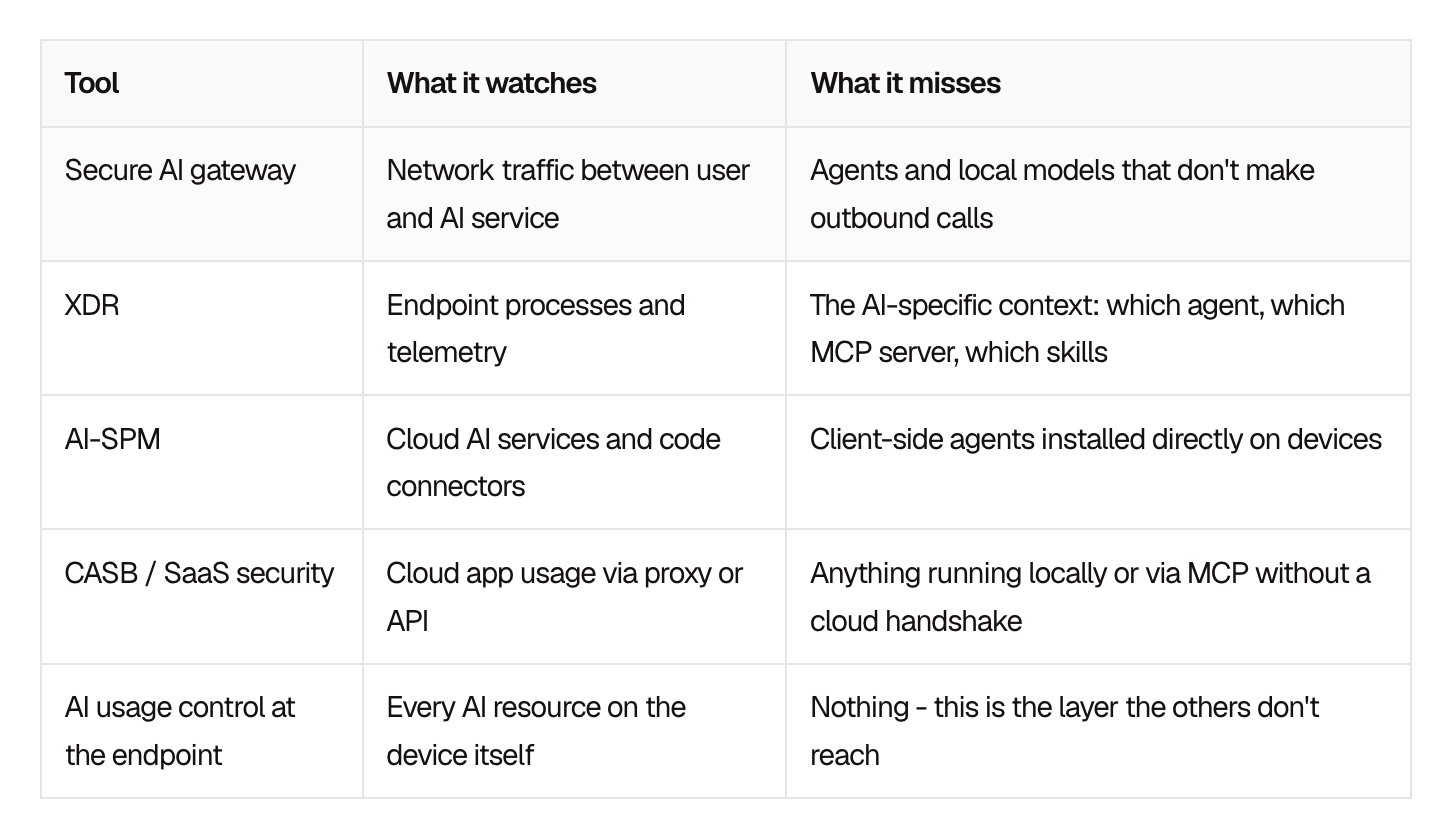
A developer installs a coding agent. The agent connects to MCP servers that reach source code, tickets, and databases. It downloads skills written by people nobody has vetted. A local model runs with no network call to inspect. All of this happens on the endpoint, where network tools do not read it.
Why Endpoint AI Security Matters Now
Three things have changed at once, and each one raises the stakes on the endpoint.
- Agents act on their own
Earlier AI tools answered questions. Agents run commands, read files, call APIs, and interact with other systems using the identity of the person who installed them. A compromised or misconfigured agent can reach whatever that person can reach, with no human in the loop.
- The supply chain is wide open
Skills and MCP servers are published and installed in minutes, often from public repositories. Security rarely reviews them before they run. A single malicious skill can give a trusted agent access to data it was never meant to touch.
- Regulators ask for proof
The EU AI Act, NIST AI RMF, and ISO/IEC 42001 all expect organizations to know which AI systems they use and to show how they control them. A point-in-time survey or a spreadsheet does not meet that bar. Continuous inventory and enforcement records give you the evidence to show.
In one European insurer, AIBound found 3,572 AI applications and 47 high-risk systems. The insurer was compliant with the EU AI Act 8 weeks before the deadline.
How to Get Started
Getting started does not require a long project or new infrastructure. A practical sequence:
- Connect what you already run. Use your existing UEM or MDM to reach managed devices, rather than deploying new infrastructure.
- Build the inventory. List every agent, MCP server, skill, model, and app in use, and who is using it.
- Grade the risk. Score each resource on evidence so the team can focus on the handful that matter most.
- Stop the high-risk ones. Set policy for what is allowed, what needs approval, and what is blocked, and enforce it in real time.
- Feed the evidence to GRC. Send records to the governance program you already have, mapped to the frameworks you report against.
AIBound, an Enterprise AI Security Platform, does this through the UEM or MDM you already run. It stops the high-risk AI in real time, with a full AI inventory within 24 hours, every AI resource graded A to F, and no new agents.
Frequently Asked Questions
What is AI Usage Control (AIUC) at the endpoint?
AI Usage Control (AIUC) at the endpoint is the practice of discovering, grading, and stopping the high-risk AI running on employee devices, including agents, MCP servers, skills, and local models. It applies Gartner's AI Usage Control definition at the endpoint, where agents, MCP servers, and skills run.
How is endpoint AI security different from a secure AI gateway?
A gateway reads network traffic between users and AI services. It cannot look inside an AI agent on an endpoint, see which MCP servers it connects to, or inspect skills it has downloaded. Endpoint AI security works at the device level, covering the resources that never produce a network call the gateway can read.
How is AI Usage Control different from DLP or an acceptable use policy?
An acceptable use policy says what staff may do with AI. DLP watches for sensitive data leaving. AI Usage Control at the endpoint finds the agents, MCP servers, and skills installed on the device, grades them, and stops the high-risk ones, so it complements both. Keep your DLP and your policy, and add the inventory.
Do we need new infrastructure to get started?
No new infrastructure. AIBound goes out through the UEM or MDM you already run, the same way you push any other app, with no network taps and no rip-and-replace. A full AI inventory is available within 24 hours. Discovery is read-only, and enforcement starts when you authorize it.
What is shadow AI, and why does the endpoint matter?
Shadow AI is AI that employees use without IT or security approval. Some of it is installed directly on devices rather than reached through sanctioned cloud services. Endpoint-level discovery finds AI that never crosses the network, which is where network tools do not read it.
How does this help with the EU AI Act?
The EU AI Act expects organizations to know which AI systems they use and to show how they control them. A continuous endpoint inventory, risk grades, and enforcement records give your GRC program the evidence that regulators ask for. The same evidence maps to NIST AI RMF and ISO/IEC 42001.
Take Control of the AI on Your Endpoints
You cannot control AI you have not found, and much of today's AI only shows up on the endpoint where it runs.
Security teams that find every agent, MCP server, and skill, grade them on evidence, and stop the risky ones in real time keep the productivity benefits of AI without handing over control. The evidence they collect along the way is what regulators will ask for next.
Full AI inventory within 24 hours. No new agents. Book a 15-minute setup review

AgentHarness: Security Policy Inside AI Agents
What is AgentHarness?
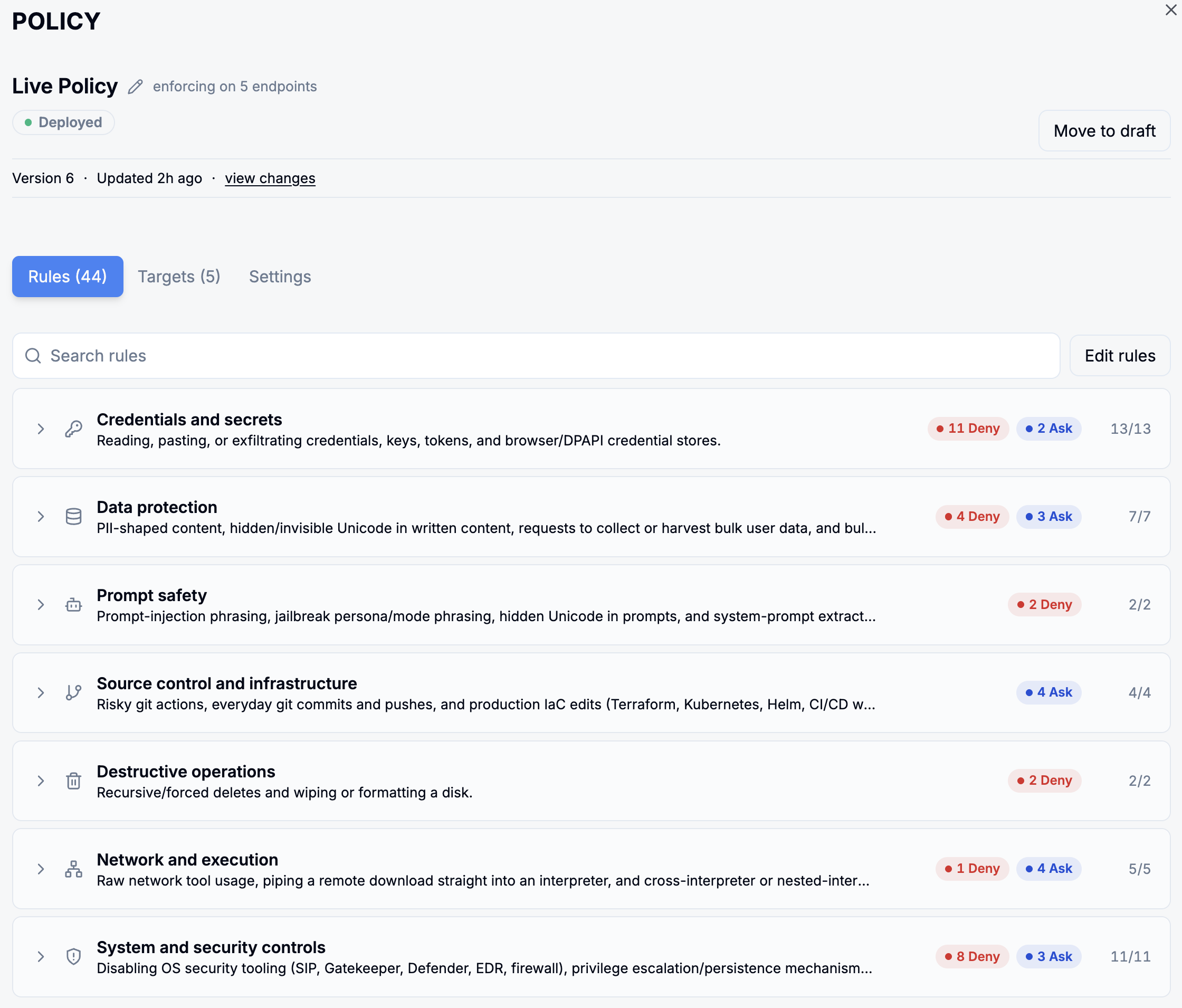
AgentHarness is an AIBound product that puts security policy inside the AI agent. It ships with hundreds of predefined rules across the top risk categories, and the agent itself enforces them on every action it attempts. Each rule resolves to one of three outcomes: allow, ask the user, or deny.
The rules are built and maintained by AIBound and ship as a curated catalog for macOS and Windows. You tune them to your own environment rather than writing them from scratch, and every rule arrives with a recommended default so teams are protected from day one.
Why existing controls do not reach the agent
AI agents run with their users' full access: repos, cloud credentials, SSH keys and production systems. Existing controls were not built for that. Gateways see network traffic and XDR sees endpoint processes, but neither governs what the agent itself decides to do. The decision is the part nobody was watching.
A speed camera records the car after it has already passed. A limiter in the engine acts while the driver's foot is still going down. Most AI controls are cameras, positioned where the traffic or the process can be observed, and an agent that decides to read a credential has made the decision before any of them has anything to look at.
The layers read different things, and that is what decides what each one can act on.
Control layerWhat it readsWhat it can act onNetwork gatewayNetwork trafficThe connectionXDREndpoint processesThe processAI-SPMCloud, code and SaaSThe cloud and code configurationPolicy inside the agentThe action the agent is about to takeThe action: allow, ask the user, or deny
Gateways and XDR both sit outside the agent, so neither governs what the agent itself decides to do. AgentHarness puts enforcement where the action happens: inside the agent.
What AgentHarness does, rule by rule
AgentHarness ships with a curated catalog of hundreds of rules for macOS and Windows, built and maintained by AIBound. You can enable or disable any rule, set its action to allow, ask the user, or deny, and deploy different rule sets to different teams. Every rule ships with a recommended default.
Three controls sit on every rule:
- Enable or disable any rule to match your environment.
- Set the action for each rule: allow, ask the user, or deny.
- Tailor by group: deploy different rule sets to different teams, for example, tighter credential and git controls for Customer Support than for Engineering.
The group control is the one that gets used first. A hospital does not give the porters and the pharmacists the same set of doors, and it does not solve that by giving everybody the pharmacist's keys. Engineering can run git controls that would stop Customer Support working, and Customer Support can run credential controls that would stop Engineering working, from the same catalog on the same day.
Because the rule sits inside the agent and carries the same context the platform already holds, the enforcement is precise: a destructive command is blocked, a credential read is denied, and sensitive data never leaves the laptop.
Where AgentHarness sits in the AIBound platform
AgentHarness is a new product on the AIBound platform. It joins AISeeker, AgentTracer, SkillGuard and AIAssure within the See, Stop, Govern framework. The platform reads the AI itself, at the endpoint, through whatever UEM you already run, and discovers across seven artifact classes on the device.
Most security tools look at AI from the outside. Gateways read network traffic, XDR reads endpoint processes, and AI-SPM tools read cloud, code and SaaS. AIBound reads the AI itself, at the endpoint, through whatever UEM you already run, across seven artifact classes on the device: agents, MCP servers, skills, sub-agents, local models, CLIs and IDE extensions.
Each one is graded A-F on evidence and tied to the identity it runs as and the systems that identity can reach, and skills and sub-agents are scanned the moment they land. That is the context AgentHarness enforces with. AI discovery and policy enforcement are the two halves of the same record.
Where enforcement stops
Discovery runs read-only. Enforcement activates only on your explicit authorization, so nothing is blocked until you say so. AgentHarness feeds the GRC program you already run rather than standing up a new governance system alongside it, and every rule arrives with a recommended default you can change before you turn it on.
That boundary is worth saying out loud rather than discovering in week one. Switching AgentHarness on does not switch enforcement on. The rules arrive, the defaults are visible, and the deny actions do nothing at all until somebody with the authority to authorize them does so.
Availability and scope
AgentHarness is available today for AIBound customers, with no new agent to deploy. It deploys through whatever UEM your organization already runs, in one click, and the rule catalog covers macOS and Windows. Discovery runs read-only and enforcement activates only on your explicit authorization. A 30-day free trial is available.
- Who can get it: AIBound customers, today.
- On what: macOS and Windows, delivered through whatever UEM you already run, in one click.
- In what state: discovery read-only; enforcement off until you authorize it; every rule shipping with a recommended default.
How AgentHarness output reaches your compliance program
AgentHarness is backed by approval workflows and reporting that feed the GRC program you already run, mapped to the EU AI Act, NIST AI RMF and ISO/IEC 42001. The NIST framework, published as NIST AI 100-1, is organized into four functions: GOVERN, MAP, MEASURE and MANAGE.
Those four functions are where an enforcement record earns its keep. A rule that denied a credential read is not a compliance outcome on its own; it is an entry against MEASURE and MANAGE that your own program can use. AIBound maps the evidence. Your program, and in the case of ISO/IEC 42001 an accredited certification body, does the rest. Reporting and governance is where that output lands, and the published results show what it looks like on a real estate.
Frequently asked questions
What does AgentHarness install on a laptop?
AgentHarness is available today for AIBound customers, with no new agent to deploy. It goes out through whatever UEM your organization already runs, in one click, the same way you push any other managed app.
What does AgentHarness not do?
It does not stand up a new governance system alongside the one you already run, and it does not start blocking anything on its own. Discovery runs read-only, and enforcement activates only on your explicit authorization. The rule catalog covers macOS and Windows, so anything outside those two platforms is outside its scope.
Which platforms does the rule catalog cover?
macOS and Windows. The catalog is built and maintained by AIBound for both, and every rule in it ships with a recommended default that you can change before you enable it.
Can different teams get different rules?
Yes. You can tailor by group and deploy different rule sets to different teams, for example, tighter credential and git controls for Customer Support than for Engineering. Each rule in each set carries its own action: allow, ask the user, or deny.
Does AgentHarness make us compliant with the EU AI Act?
No, and no product can. AgentHarness is backed by approval workflows and reporting that map to the EU AI Act, NIST AI RMF and ISO/IEC 42001, which means AIBound supplies evidence your compliance program runs on. The NIST AI RMF is voluntary guidance with no certification to hold, and ISO/IEC 42001 certification is granted by an accredited certification body, never by a vendor.
About AIBound. AIBound is an Enterprise AI Security Platform for AI usage control at the endpoint.
See what is already running
Your staff's AI agents hold the same keys your staff do. The first thing worth knowing is how many of them there are and what each one can reach.
Book a 15-minute setup review at aibound.com/request-a-demo.
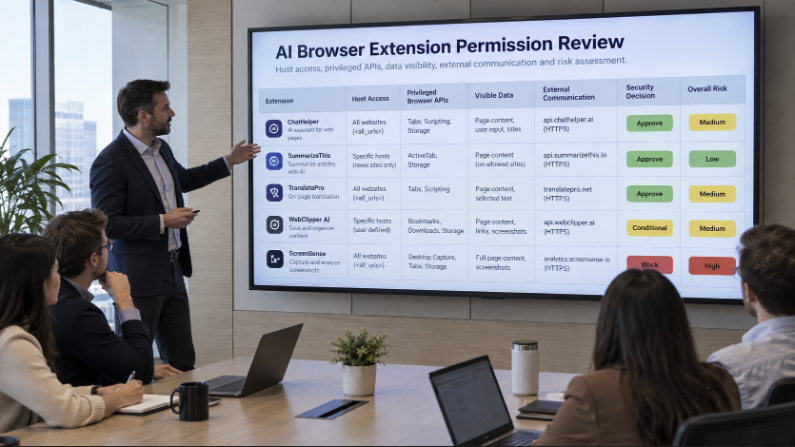
How Can Enterprises Secure AI Browser Extensions Before They Expose Sensitive Data?
AI browser extensions are becoming one of the easiest ways for artificial intelligence to enter an enterprise. An employee can install an extension that summarizes web pages, rewrites email, researches accounts, explains code, captures meeting notes, or sends selected text to an AI model in minutes. The business benefit is obvious. The security challenge is that the extension may sit directly inside the browser session where employees already access CRM records, financial dashboards, source repositories, support systems, internal documents, and cloud administration consoles.
AIBound describes browser extensions as part of the hidden AI attack surface because they can appear without the procurement trail associated with traditional SaaS. Its Shadow AI Detection and AI Discovery capabilities frame the first requirement correctly: security teams need to know which AI extensions exist before they can decide whether the access is acceptable.
The same theme appears in AIBound’s YouTube walkthrough, which emphasizes moving from discovery to identity, connection, risk, and prevention. For browser extensions, that sequence is especially useful because the extension name alone rarely explains the real exposure. Security must understand what pages the extension can read, which browser privileges it holds, which user identity is active, what data is present, and where that data can travel.
Direct Answer: Govern the Extension as a Data and Identity Path, Not Just a Browser Add-On
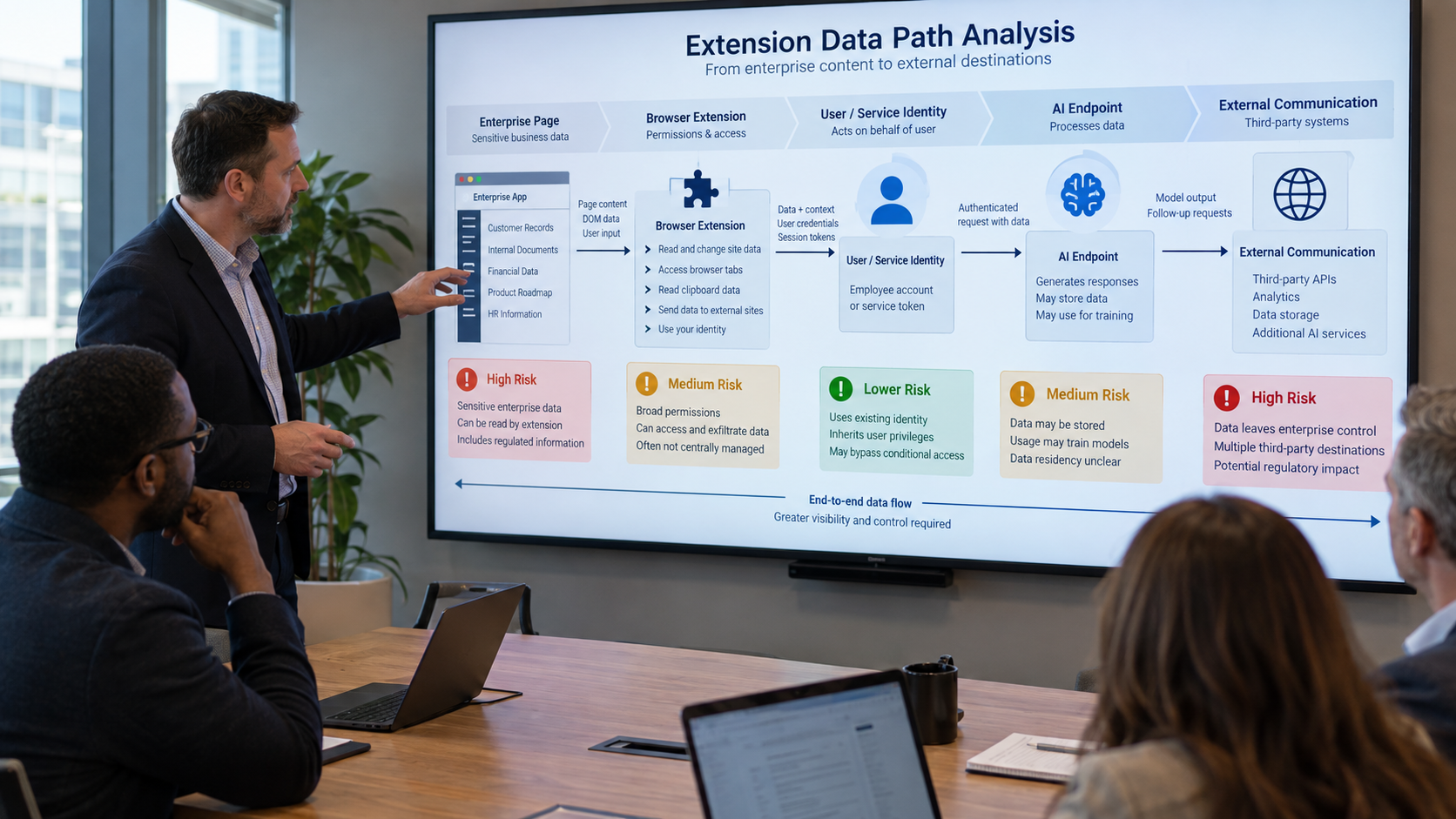
Enterprises can secure AI browser extensions by treating each extension as a governed path between the employee’s browser session and an AI destination. That means continuously discovering installed extensions, inspecting requested permissions and host access, mapping the extension to the active user and business purpose, classifying the data visible in the browser, evaluating destination trust, applying a contextual risk decision, and monitoring future updates for permission or behavior changes.
A safe extension program should not begin with a blanket ban. Many extensions create real productivity value, and prohibiting every AI capability can push employees toward personal accounts or unmanaged devices. The stronger approach is to make approval specific: which extension, for which users, on which sites, with which permissions, sending which data to which destination, under which monitoring and revocation controls?
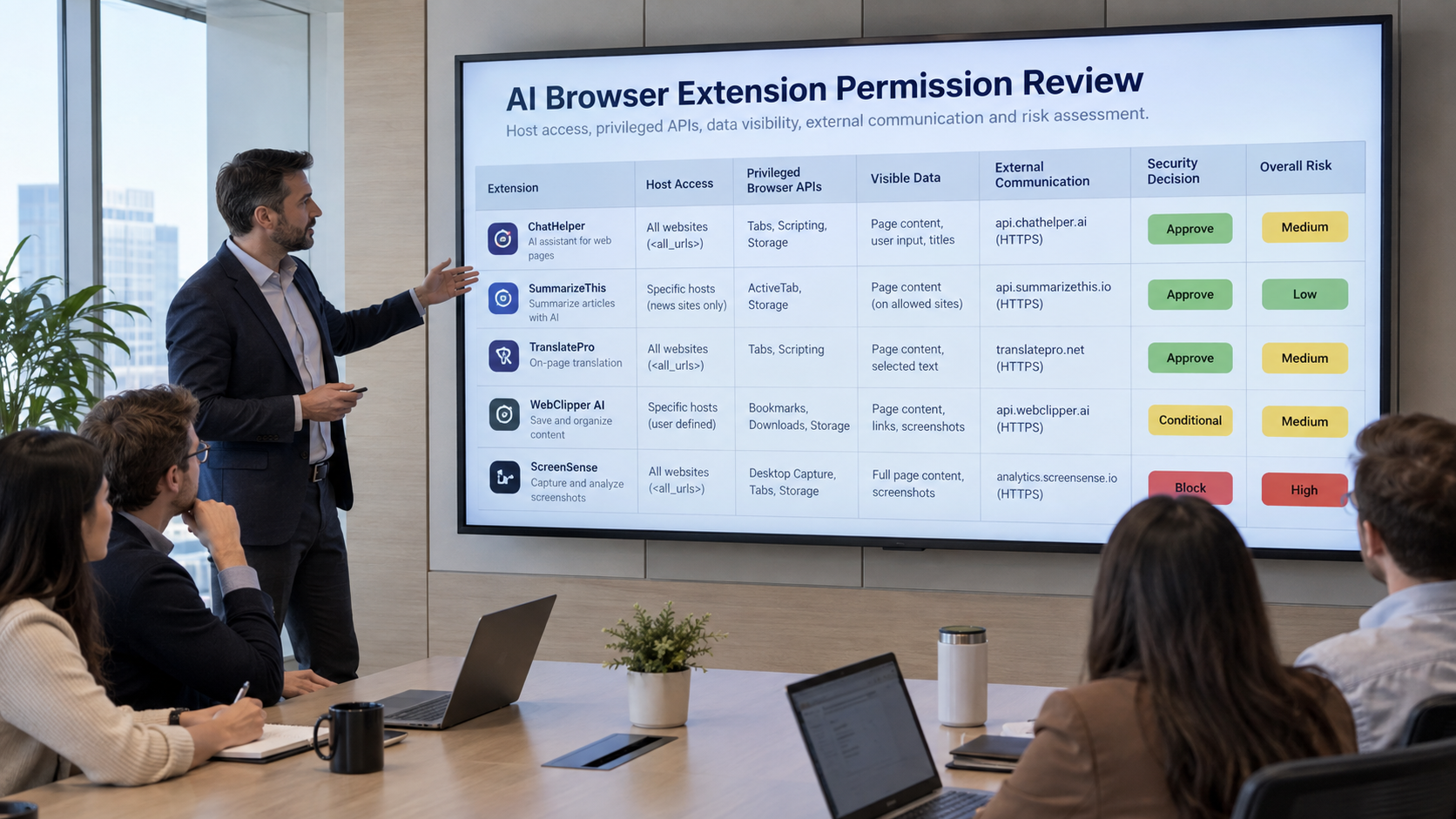
Why AI Browser Extensions Create a Distinct Security Problem
A browser extension executes close to the user’s actual work. Unlike a separate web application, it may inspect the contents of pages the employee opens, interact with tabs, store local data, inject scripts, read selected text, observe navigation, or communicate with external services. The practical risk depends on the permissions in the extension manifest, the host patterns it can reach, the code that runs in content scripts or service workers, and the external endpoints the extension contacts.
The OWASP Browser Extension Vulnerabilities Cheat Sheet highlights permission overreach, data leakage, insecure communication, malicious updates, insecure message passing, and DOM-based data skimming as risks extension developers and defenders should consider. Chrome’s extension security guidance likewise recommends minimizing permissions and limiting privileged actions. These principles become even more important when an extension is AI-enabled because the destination may be a model or agent outside the enterprise boundary.
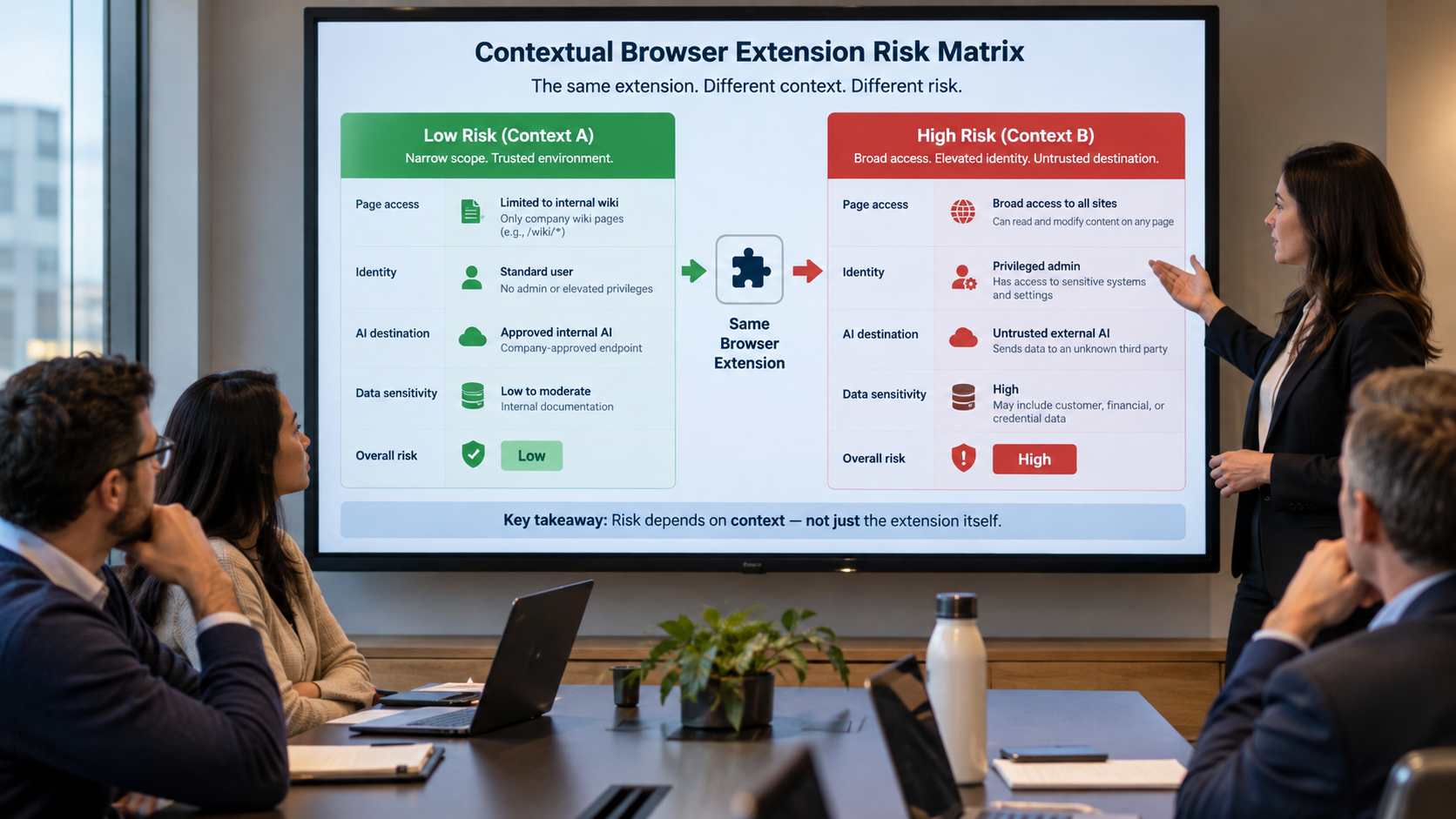
The security question is therefore not simply, “Is this extension malicious?” A legitimate extension can still create unacceptable exposure if it has broad page access, sends content to a personal AI account, or operates under a highly privileged employee session. Conversely, an extension with a narrow purpose, restricted host permissions, an enterprise-approved AI tenant, and clear ownership may be acceptable even if it processes internal information.
1. Discover Every AI Extension Across Managed Browser Profiles
Start with inventory. Security teams should identify AI-related extensions across Chrome, Edge, Firefox, and any managed browser environment employees use. Discovery should capture the extension ID, name, publisher, version, install source, active users, browser profile, device, and whether the extension is force-installed, user-installed, or sideloaded.
The inventory should also distinguish between obvious AI assistants and extensions that quietly embed AI into another function. A grammar tool, meeting assistant, coding helper, research side panel, screenshot tool, translation utility, or sales-enrichment extension may all send page content to an AI service even when the product name does not contain “AI.”
AIBound’s article on the hidden AI attack surface is useful here because it treats browser extensions, MCP servers, and agents as operational resources that need continuous visibility, not a one-time review.
2. Inspect Host Permissions and Privileged Browser APIs
The next step is technical permission review. Host permissions determine which websites an extension may interact with. An extension limited to a small set of approved domains creates a different exposure from one requesting access to every website. Privileged APIs can expand that reach further by enabling access to tabs, clipboard content, downloads, cookies, storage, web requests, or browsing data.
- Review exact host patterns instead of relying on the user-facing install description.
- Flag <all_urls> or similarly broad access for additional scrutiny.
- Identify whether the extension can read or alter page content through content scripts.
- Review clipboard, tabs, cookies, downloads, webRequest, storage, and scripting permissions.
- Determine whether optional permissions can replace permanent permissions.
- Check whether the extension can communicate with native applications or external web pages.
- Record permission changes between versions so added scope triggers re-review.
A broad permission is not automatically proof of unsafe behavior. It is a capability. Risk emerges when the capability intersects with sensitive pages, privileged users, untrusted destinations, weak ownership, or unclear business need.
3. Map the Extension to the Identity Behind the Browser Session
A browser extension does not operate in a vacuum. It operates while a person is authenticated to enterprise systems. If a finance leader is signed into a financial platform, a developer is viewing a private repository, or an administrator is inside a cloud console, the extension may be exposed to data and actions that are far more sensitive than those available to an ordinary user.
That is why AIBound’s Identities and Connections model matters for browser risk. Security teams should connect the AI resource to the human or non-human identity it effectively operates alongside and understand which systems that identity can reach.
- Employee identity, department, and role.
- Privileged or administrative status.
- Browser profile ownership and device trust.
- Enterprise versus personal AI account.
- Active SaaS, cloud, repository, and internal application sessions.
- Whether the extension receives delegated OAuth access in addition to page access.
- Whether many people use the same extension with materially different privileges.
4. Classify the Data the Extension Can Actually See
A permissions list tells security what the extension may access. Data classification tells security why that access matters. The same extension can be low risk on public websites and high risk inside a customer database or M&A workspace.
Useful browser-context categories include public content, internal information, confidential customer data, regulated personal data, source code, credentials, security findings, employee records, financial information, legal material, and strategic documents. Security teams do not need perfect classification on day one. They need enough context to distinguish ordinary productivity use from material exposure.
One practical technique is to map sensitive web applications and URL patterns to data categories. When an AI extension runs on those domains, the security platform can raise the decision threshold or turn off the extension. This is more precise than blocking the same extension everywhere.
5. Evaluate the AI Destination and Account Type
Where the extension sends data is as important as what it can read. An enterprise-approved AI tenant with contractual protections, administrator controls, logging, retention settings, and identity enforcement has a different trust profile from a personal account, unknown endpoint, unreviewed API, or developer-controlled webhook.
Destination review should document vendor identity, domain reputation, account type, data retention, model-training terms, supported administrative controls, encryption, data residency where relevant, and whether the organization can revoke access quickly. A browser extension that sends text to several third-party services deserves more scrutiny than one connected only to a single approved enterprise tenant.
6. Combine Permissions, Identity, Data, and Destination Into One Risk Decision
The biggest improvement over simple allowlists is contextual scoring. Risk should increase as multiple concerning conditions converge. A broad host permission may be manageable for a low-privilege employee on public sites. The same permission becomes much more serious when a privileged user opens a sensitive application, and the extension communicates with an unknown AI service.
A practical risk score can consider permission breadth, sensitive-site access, identity privilege, extension provenance, publisher reputation, destination trust, external communication, update behavior, installed-user count, business criticality, and available compensating controls.
This approach aligns with the NIST AI Risk Management Framework, which encourages organizations to manage AI risk through governance, contextual mapping, measurement, and ongoing management rather than one static technical check.
7. Use Proportionate Controls Instead of a Single Allow-or-Block Rule
Once the organization has enough context, it can choose a response that preserves useful AI while reducing exposure. Tie the response to the specific risk, not fear of the category.
- Approve the extension for defined users and approved sites.
- Allow the extension but turn it off on sensitive domains.
- Restrict use to an enterprise AI account.
- Remove unnecessary permissions or require optional runtime permissions.
- Quarantine a new version until its changed permissions are reviewed.
- Block extensions from unknown publishers or untrusted distribution channels.
- Disable external destinations that are not approved.
- Remove the extension automatically through existing endpoint or browser management controls.
- Require a time-bound exception with a named business owner for special cases.
This policy model gives employees a route to approved productivity instead of forcing security to choose between uncontrolled adoption and blanket prohibition.
8. Monitor Extension Updates and Permission Drift
Approval is not permanent. Extensions change versions, publishers change ownership, optional permissions are activated, and new AI destinations can be added. A previously acceptable extension can become risky without a user reinstalling anything.
Continuous monitoring should detect version changes, new host access, newly requested privileged APIs, changes in external endpoints, shifts from enterprise to personal accounts, increased usage on sensitive sites, publisher or signature changes, and unusual growth in the user population.
A permission-drift alert should trigger targeted re-review. The security team should compare the approved baseline with the new effective permissions and ask whether the business purpose still justifies the additional reach.
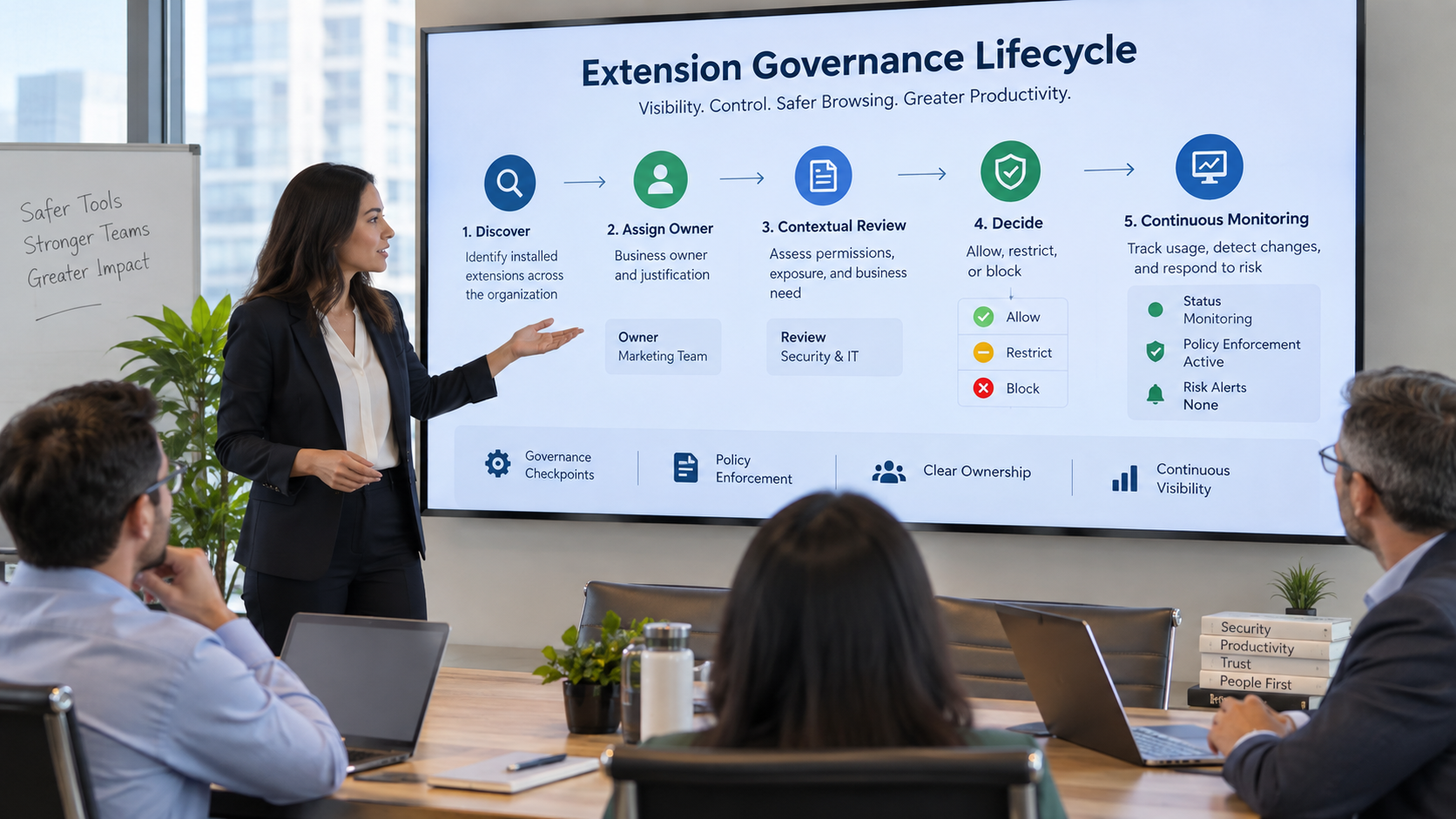
9. Create an Approval Workflow With Named Ownership
Every material AI extension should have an owner. Ownership prevents discovered resources from sitting indefinitely in a “pending” state with no one accountable for the decision. The owner should be able to explain why the extension is needed, which teams use it, what data it handles, and what would break if the extension were removed.
- Discover the extension and identify active users.
- Inspect the manifest, publisher, version, permissions, and destinations.
- Map the extension to user identities, sensitive sites, and business purpose.
- Score risk using permission, data, identity, destination, and business context.
- Approve, restrict, quarantine, or block with a documented rationale.
- Monitor changes continuously and re-review material drift.
10. Give Employees Approved Alternatives
Shadow AI often signals a real business need. If employees install an AI research extension because the approved environment offers no fast way to summarize web content, security should treat that behavior as useful demand data. Blocking the extension without solving the need may simply move the activity to a personal device or unmanaged account.
Publish an approved extension catalog, explain which data categories may be used, provide enterprise AI accounts where practical, create a fast review process for low-risk requests, and show employees what to use instead when a tool is restricted. The safest workflow should also be the easiest legitimate workflow.
Metrics Security Leaders Should Track
- Total AI-related browser extensions discovered.
- Percentage with a named business owner.
- Percentage approved, restricted, pending review, quarantined, or blocked.
- Extensions with broad host permissions.
- Extensions able to run on sensitive enterprise applications.
- Users with both privileged roles and high-risk extensions.
- Extensions sending data to personal or unknown AI destinations.
- Average time from discovery to decision.
- Permission or destination changes detected after approval.
- Repeat installation attempts after a block or restriction.
A Practical 30-Day Browser Extension Security Plan
Days 1-10: Establish Visibility
Inventory AI-related extensions across managed browser profiles, group them by publisher and purpose, identify active users, and flag broad permissions. Build an initial list of sensitive enterprise domains where extension access deserves additional scrutiny.
Days 11-20: Add Context
Connect extensions to users, privilege level, account type, sensitive applications, business owner, and AI destination. Create a simple contextual risk score and define which combinations require immediate restriction or review.
Days 21-30: Enforce and Monitor
Approve low-risk extensions, restrict sensitive-domain access where possible, block untrusted extensions, establish an exception process, and configure alerts for version, permission, publisher, and destination changes.
Frequently Asked Questions
Are AI browser extensions inherently unsafe?
No. Risk depends on what the extension can access, which identity is active, what data is present, where information is sent, how the vendor handles it, and whether the organization can monitor and revoke access. Narrow permissions and an approved enterprise destination can materially reduce risk.
Should we block every extension that requests broad page access?
Broad access should trigger scrutiny, not an automatic conclusion. Some legitimate functions require broad access. The important question is whether the business purpose justifies the scope and whether sensitive pages, privileged users, and external destinations create unacceptable exposure.
Can endpoint management alone solve this problem?
Endpoint and browser management are important enforcement layers, but security still needs AI-specific context to know which extensions matter and why. Inventory, identity mapping, data context, destination trust, and continuous risk scoring turn raw extension telemetry into a defensible decision.
What should trigger re-review after approval?
New permissions, expanded host patterns, a publisher change, a new external endpoint, a major version change, use by privileged users, access to a new sensitive application, or a change in account type should all be considered material review.
Conclusion
AI browser extensions bring AI directly into the applications employees use every day. That proximity is precisely what makes them useful, and precisely what makes them a security concern. The answer is not to judge extensions by name or category. It is to understand the complete path from browser page to extension, identity, data, AI destination, and external communication.
Enterprises that continuously discover extensions, inspect permissions, map identity and data context, evaluate destination trust, enforce proportionate controls, and monitor change can support useful AI adoption without giving unreviewed browser code unnecessary access to the organization’s most sensitive work.
Which AI Security Metrics Should CISOs Report to the Board?
Boards increasingly ask whether artificial intelligence is creating material cyber, privacy, operational, or regulatory risk. The problem for many CISOs is not a lack of security telemetry. It is the opposite: hundreds of AI tools, thousands of events, multiple security platforms, identity systems, data controls, exception workflows, and governance records can produce more detail than an executive audience can use.
AIBound’s Governance and Compliance positioning focuses on turning live AI inventory and operational evidence into board-ready reporting rather than rebuilding evidence manually each quarter. Its Control Plane similarly emphasizes one connected record from discovery through identity, risk, policy, and governance evidence.
The reporting challenge also appears in AIBound’s YouTube overview, where the value of AI security comes from connecting discovery and risk to actions. For the board, that connection matters more than a long list of technical alerts. Directors need to know what changed, which exposures could create material impact, whether controls are working, what remains unresolved, and who is accountable.
Direct Answer: Report Risk, Trend, Control Effectiveness, and Accountability
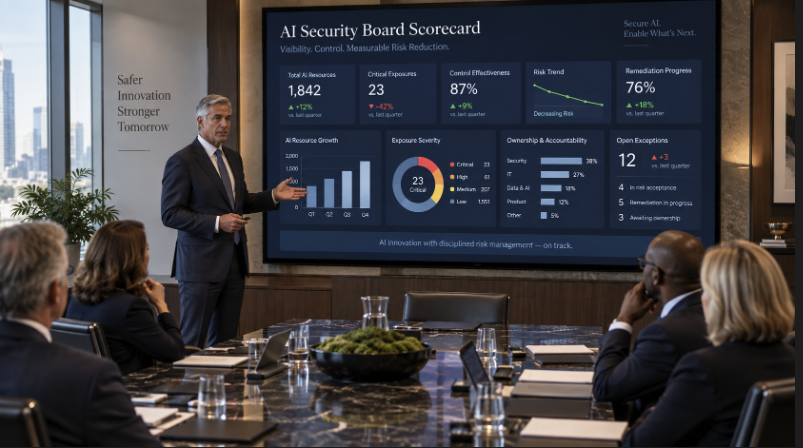
CISOs should report a compact set of AI security metrics that answer four executive questions. First, how much AI is operating across the enterprise and how much of it is governed? Second, where are the material exposures involving privileged identities, sensitive data, external reach, or autonomous action? Third, are controls measurably reducing those exposures over time? Fourth, which risks remain accepted, overdue, or dependent on executive decisions?
The board does not need a dashboard full of every discovered AI application or every blocked prompt. It needs a defensible risk narrative supported by traceable evidence. The most useful metrics therefore combine inventory, context, treatment, trend, ownership, and business impact.
Why AI Security Reporting Is Different From Traditional Cyber Reporting
Traditional cyber dashboards often focus on vulnerabilities, incidents, patching, endpoint coverage, phishing, and identity risk. AI introduces additional dimensions: shadow adoption, AI-specific identities, prompt and data flows, model or agent autonomy, MCP and plugin connections, rapidly changing third-party tools, and the difference between approved and unapproved AI use.
A single AI resource can also cut across multiple control domains. An autonomous agent may be discovered by one tool, authenticate through a service account, access a sensitive database, invoke an external model, and trigger an action in a SaaS platform. Board reporting should reflect the combined exposure rather than presenting each technical finding in isolation.
The NIST AI Risk Management Framework provides a useful reporting lens because its Govern, Map, Measure, and Manage functions encourage organizations to connect governance with contextual understanding, measurement, and action. NIST’s Generative AI Profile adds generative-AI-specific risk considerations that can help security and risk teams define what to measure.
1. AI Inventory Coverage
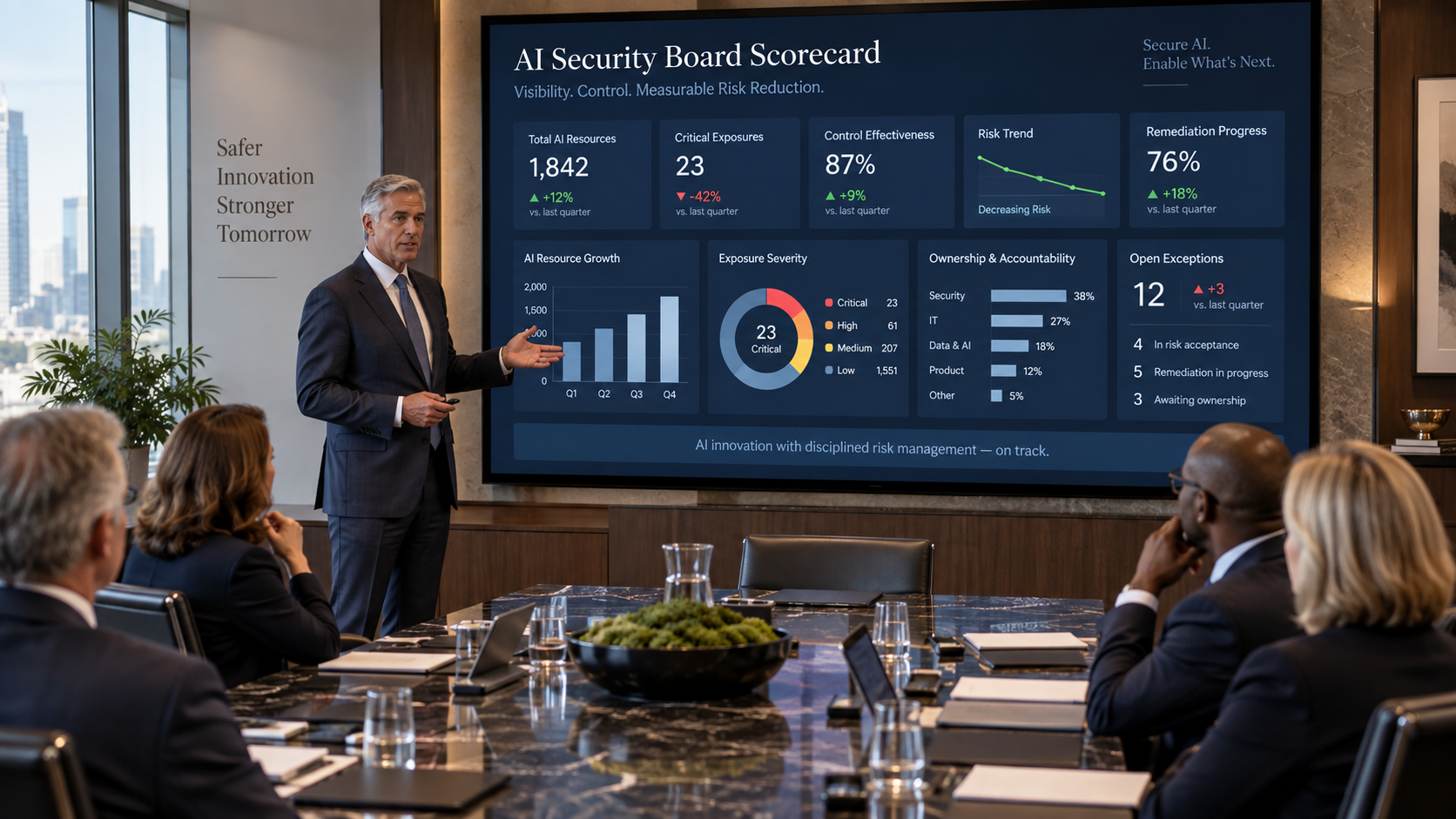
The first board metric should answer a basic question: do we know what AI is operating in the enterprise? Report the number of material AI resources discovered, the percentage with an identified owner, and the percentage that have completed an approval or governance workflow.
The absolute count is less important than coverage and trend. A growing inventory can be healthy if visibility is improving. A low tool count can be misleading if discovery is incomplete. The board should see whether the organization is moving toward a continuously governed inventory, not whether the number of AI tools happens to be high or low.
- Total material AI resources discovered.
- Percentage with named business and technical owners.
- Percentage classified as approved, restricted, under review, or blocked.
- Percentage discovered across browser, endpoint, network, cloud, SaaS, developer, and agent surfaces.
- New high-impact resources discovered since the previous reporting period.
2. Shadow AI Exposure
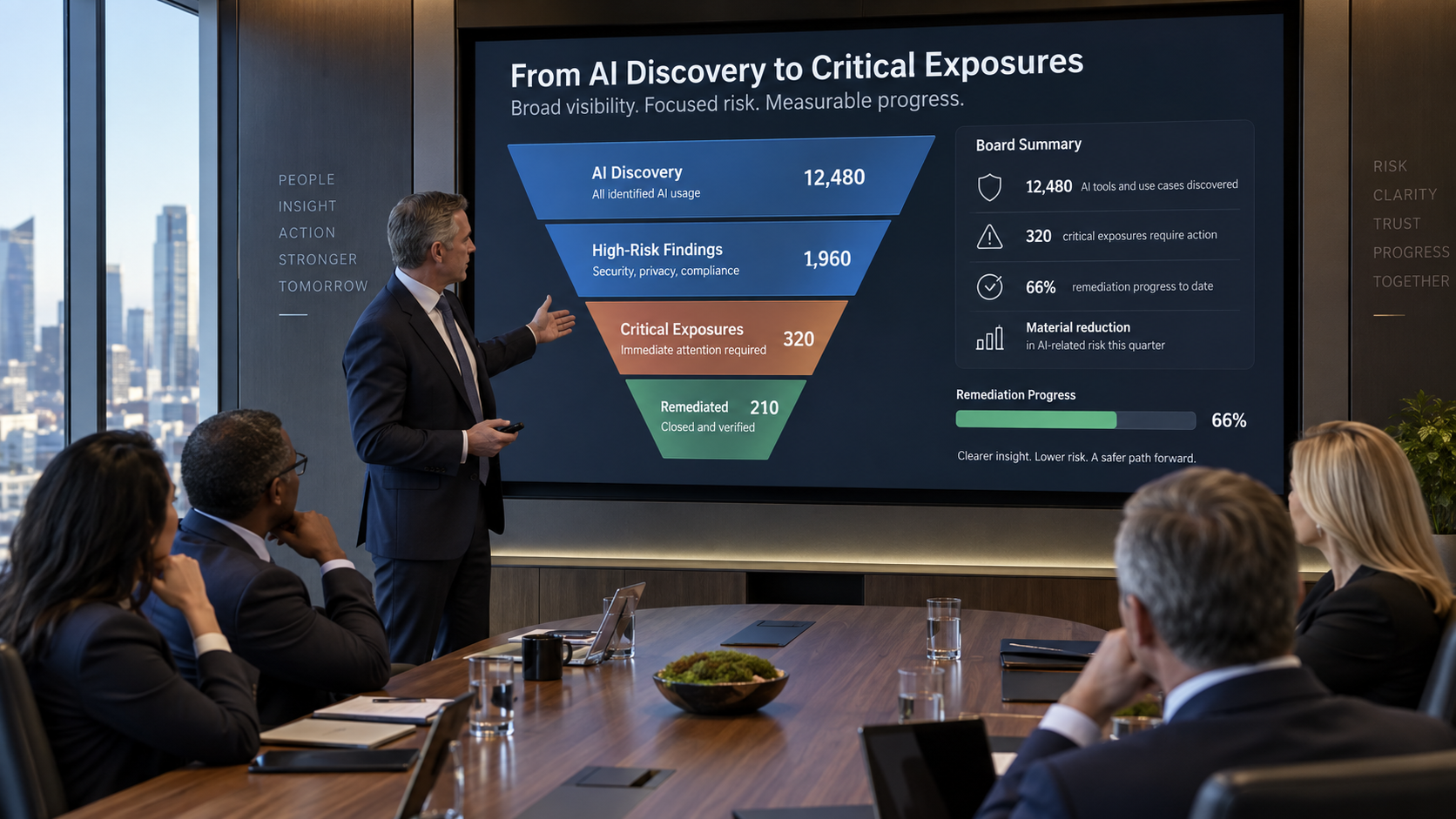
Boards should understand how much AI use sits outside approved channels. A useful metric is not merely the number of unsanctioned tools, but the subset with meaningful business exposure. Highlight shadow AI that touches sensitive data, privileged users, production systems, or high-value workflows.
The board-level story should distinguish discovery from risk. “We found 600 unapproved AI tools” can sound alarming without context. “We found 600; 92 percent were low-risk productivity tools, 31 required review, and 6 had access to sensitive systems and were restricted within 24 hours” is decision-useful.
3. Critical and High-Risk AI Exposures
The board needs the number and trend of AI exposures that could plausibly create material business impact. These should be contextual findings, not raw severity labels. High-risk exposures often combine multiple factors such as privileged identity, sensitive data, external connectivity, autonomous action, weak ownership, excessive permissions, or broad blast radius.
Report how many critical exposures exist, whether the number is rising or falling, how long they have been open, and which business functions they affect. Where appropriate, group exposures by risk theme such as data leakage, excessive agency, untrusted third-party integration, model or skill supply-chain risk, or weak governance evidence.
4. Privileged AI Identities and Excessive Permissions
AI systems increasingly act through service accounts, OAuth grants, cloud roles, API keys, delegated user identities, and other non-human credentials. These identities determine how far a compromised or misbehaving AI resource can reach.
Useful board metrics include the number of privileged AI identities, the percentage operating under least privilege, the number with stale or excessive permissions, the number without a named owner, and the count of critical AI workflows that use shared or long-lived credentials. Trend matters more than raw volume: the board should see whether the organization is reducing unnecessary authority over time.
5. Sensitive Data Exposure Attempts
Boards need a high-level view of how often AI workflows encounter sensitive information and how effectively controls prevent inappropriate disclosure. Report blocked, redacted, coached, or escalated sensitive-data events by category and destination trust level.
Avoid presenting every prompt violation as a material incident. Separate ordinary policy coaching from high-impact events involving regulated data, source code, credentials, legal material, financial information, or confidential customer records. The board should understand whether risky data movement is increasing, decreasing, or shifting to new AI destinations.
6. Control Effectiveness
A risk program should demonstrate that controls change outcomes. Useful effectiveness metrics include the percentage of high-risk resources restricted or remediated, the number of risky actions blocked before execution, reductions in excessive permissions and unowned AI resources, policy coverage across critical AI workflows, and the percentage of sensitive AI interactions evaluated in real time.
This is the difference between reporting activity and reporting impact. “Security reviewed 400 AI tools” measures effort. “Critical exposure fell 35 percent while approved AI adoption increased” measures outcome.
7. Remediation Velocity
Time is one of the clearest board-level risk indicators. Report the median or average time from high-risk discovery to triage, from triage to owner assignment, and from confirmed critical exposure to mitigation. Aging buckets help make chronic risk visible: less than 7 days, 7–30 days, 31–90 days, and more than 90 days.
The most important metric is not whether every issue is closed instantly. It is whether critical risks have clear deadlines, owners, compensating controls, and executive visibility when deadlines slip.
8. Governance and Evidence Coverage
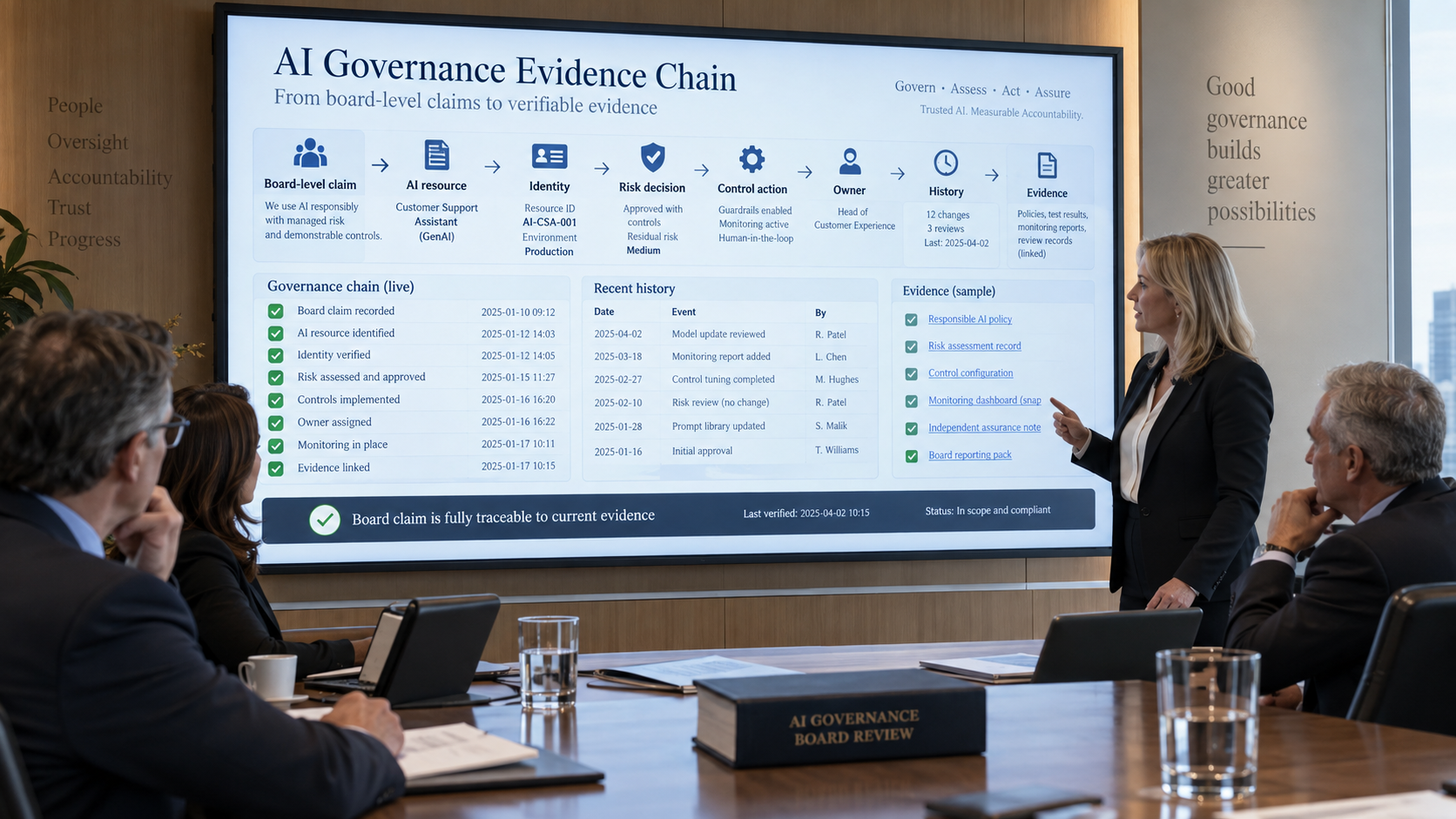
Boards and regulators need evidence that policy is more than a document. Report the percentage of material AI resources with a complete governance record: owner, business purpose, risk classification, identity mapping, data-access context, approval status, policy decision, review date, and audit history.
AIBound’s global bank case study illustrates the value of converting fragmented AI telemetry into a structured board-ready risk view. At the same time, its enterprise AI governance framework emphasizes reporting as a pillar of a mature governance program.
9. Policy Enforcement Outcomes
A board should know whether policy decisions are actually enforced. Summarize the number of allow, coach, restrict, quarantine, block, and exception decisions for material AI activity. Show the trend and explain major changes. A spike in blocks may indicate improved visibility, a new policy, a risky new tool, or deteriorating user behavior. Context determines the interpretation.
Where possible, connect enforcement to business enablement. An effective program should increase approved enterprise AI adoption while reducing unsafe use. That combination demonstrates that security is helping the business use AI safely rather than simply suppressing adoption.
10. Exceptions and Accepted Risk
Include accepted risk in board reporting when it is material, long-lived, or dependent on executive sponsorship. Report the number of open high-risk exceptions, their age, the business owner, compensating controls, and expiration date. Highlight exceptions that have been renewed repeatedly or lack a clear exit plan.
The board should be able to distinguish three categories: risk security is actively remediating, risk the business has formally accepted, and risk that remains unresolved because ownership or funding is unclear. Mixing these categories hides accountability.
11. AI Security Incident Trend
Report material AI-related incidents and near misses, not every policy event. Useful dimensions include incident count, severity, affected business processes, root cause, containment time, data impact, and recurrence. The objective is to show whether lessons are being converted into control improvements.
The MITRE ATLAS AI Incident Sharing initiative reflects the broader industry need for structured AI incident learning. Internally, the same principle applies: incident data should improve risk models, controls, testing priorities, and board understanding of the changing threat landscape.
12. Risk Trend, Not Just Point-in-Time Status
A single quarter-end score can hide direction. Boards should see whether enterprise AI risk is improving or deteriorating over time. A simple composite trend can combine critical exposure count, remediation speed, ownership coverage, excessive permission reduction, governance coverage, and policy enforcement outcomes.
The composite score should remain explainable. Do not create a mysterious number that nobody can reconstruct. Every movement in the score should be attributable to specific underlying changes.
Metrics the Board Usually Does Not Need
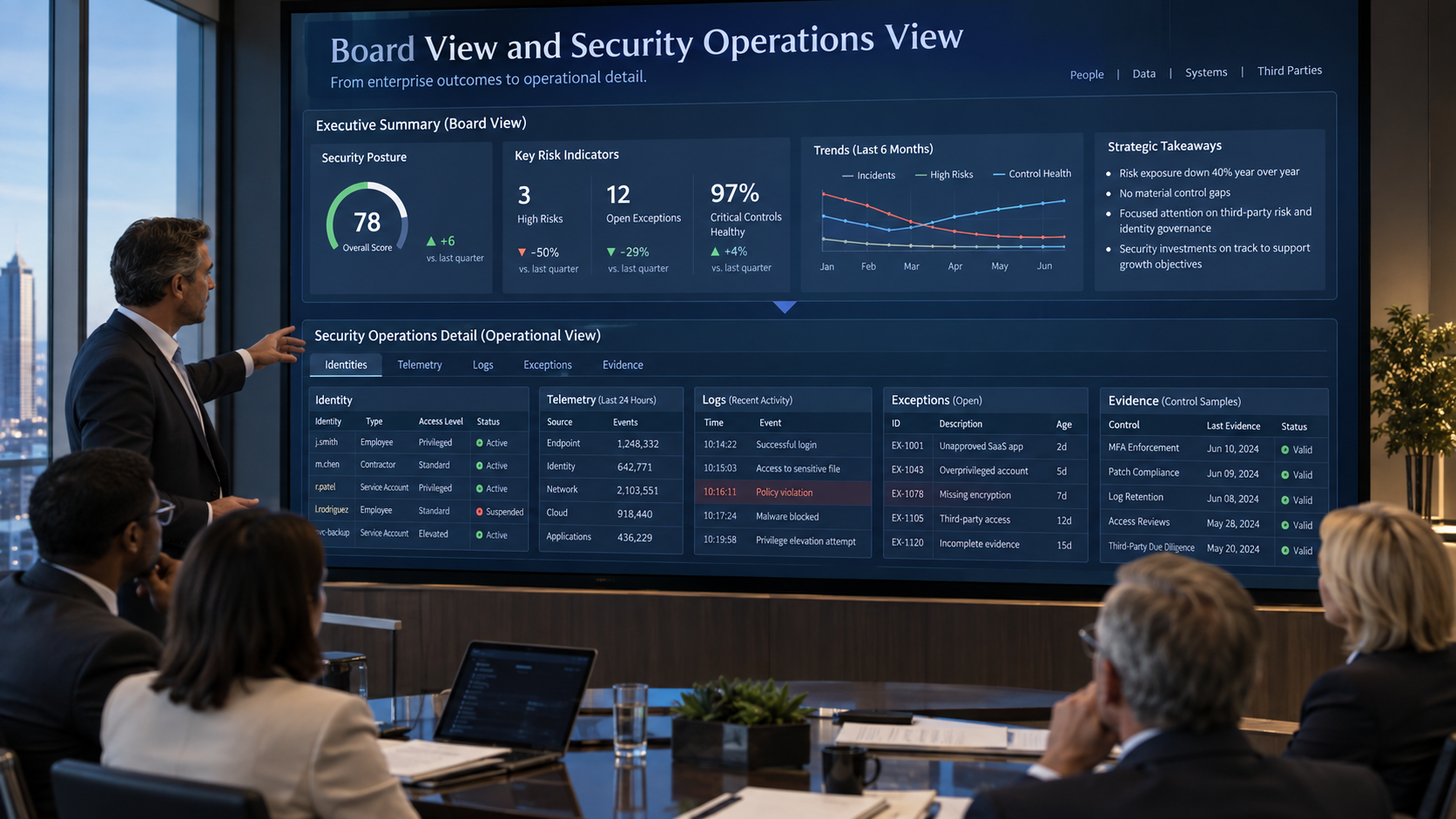
Technical detail is necessary for the security team but can obscure the board discussion. Avoid filling board decks with raw prompt counts, total model API calls, every blocked domain, full vulnerability lists, per-event logs, extension IDs, or long tables of individual low-risk applications unless one of those details supports a material decision.
A useful test is simple: can a director understand why the metric matters, whether the trend is good or bad, and what decision or oversight action follows? If not, the metric probably belongs in the operational appendix rather than the main board view.
A Practical Board Dashboard: 10 Metrics
- AI inventory coverage and percentage with named owners.
- Approved versus shadow AI usage for material resources.
- Critical and high-risk AI exposures, including aging.
- Privileged AI identities and excessive-permission trend.
- Sensitive-data exposure attempts involving high-value data.
- Control effectiveness: blocked, restricted, or remediated high-risk actions.
- Median time to remediate critical AI exposure.
- Governance evidence coverage for material AI resources.
- Open material exceptions and accepted-risk aging.
- Material AI security incidents and quarter-over-quarter risk trend.
How to Present the Metrics to the Board
Lead with the story, not the spreadsheet. Begin with what changed since the last meeting, why it changed, and whether the organization’s residual risk is moving in the right direction. Then show the top material exposures, the status of previously reported items, the effectiveness of the most important controls, and the decisions required from leadership.
Each metric should have an owner, a trend, a target or threshold, and a short interpretation. For example: “Privileged AI identities without least-privilege validation: 14, down from 29 last quarter; target below 10; five remaining identities belong to the finance automation program and are scheduled for scope reduction by October 15.”
A 90-Day Reporting Improvement Plan
Days 1-30: Define the Board Questions
Agree with the CISO, CIO, risk leader, and board committee on the questions the report must answer. Establish a common definition of material AI resource, critical AI exposure, privileged AI identity, sensitive-data event, accepted risk, and governance coverage.
Days 31-60: Connect the Evidence
Link AI inventory, identities, permissions, data context, risk decisions, enforcement actions, incidents, exceptions, and remediation records. Eliminate metrics that cannot be traced to current operational evidence.
Days 61-90: Establish Trend and Thresholds
Define targets, warning thresholds, and quarter-over-quarter trend logic. Build an executive page with no more than roughly ten primary metrics and keep detailed operational data in supporting material.
Frequently Asked Questions
How many AI security metrics should go on the board dashboard?
Usually a small set is more effective than a large catalog. Around eight to twelve primary metrics is often enough as long as each answers a specific risk or oversight question. Detailed supporting metrics can remain in an appendix or operational dashboard.
Should the board see the total number of AI tools?
Yes, but only with context. Total count is a visibility metric, not a risk metric. Pair it with ownership coverage, governance status, material-risk count, and trend so the board can understand whether discovery is improving or risk is increasing.
What is the most important AI security metric?
There is no single universal metric. For most organizations, the most useful top-level view is the trend in material AI exposure combined with evidence that critical risks are being remediated within defined timeframes. That connects posture to action.
How often should AI security be reported to the board?
The formal cadence depends on the organization and board committee, but the underlying data should be continuous. A quarterly board report built from live inventory and evidence is more defensible than a quarterly manual reconstruction.
Conclusion
Board-level AI security reporting should not be a catalog of tools or alerts. It should explain enterprise exposure, control effectiveness, direction of travel, accountability, and the decisions leadership needs to make. The most credible metrics can be traced from an executive statement back to the AI resource, identity, data connection, risk rationale, control action, owner, and dated evidence.
When CISOs report AI risk this way, the board can oversee AI adoption with greater confidence. Security teams also gain a clearer operating model because the same evidence that powers the board dashboard can drive prioritization, remediation, governance, and continuous improvement.
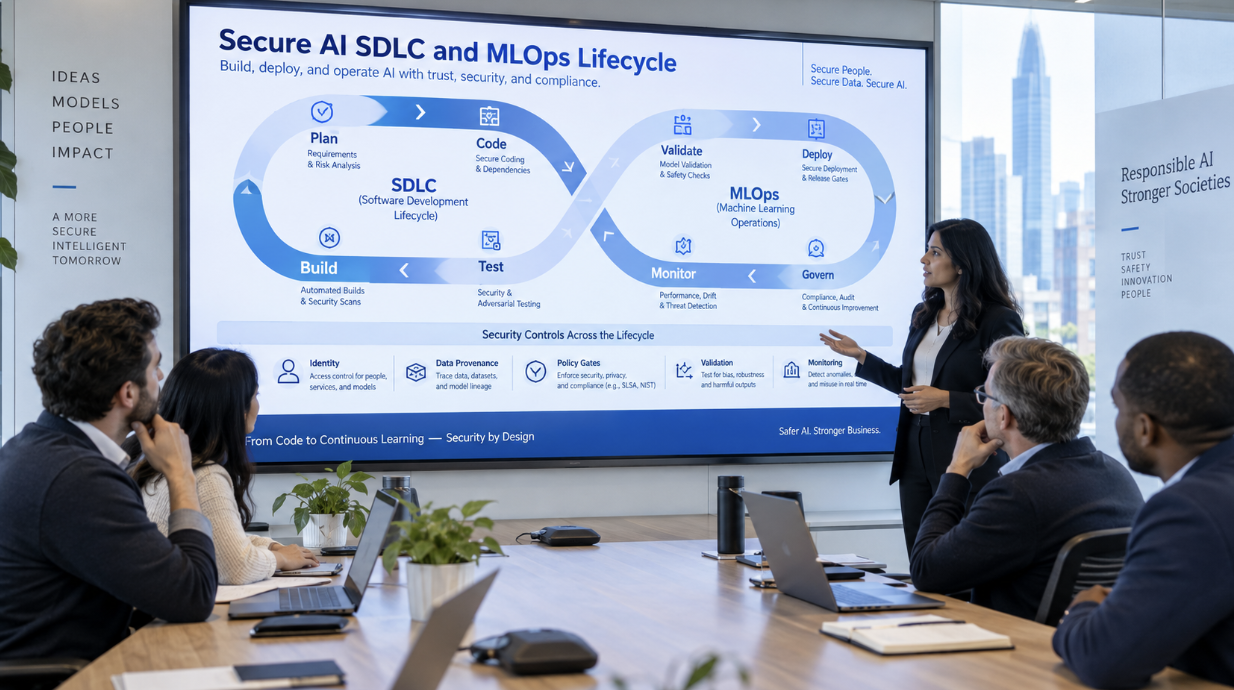
How Can Enterprises Build AI Security Into the SDLC and MLOps Lifecycle?
AI security is often added too late. A team selects a model, builds an application, connects data, deploys an endpoint, and only then asks security to review the finished system. By that stage, architectural decisions, permissions, dependencies, and operational assumptions are already difficult to change.
A more durable approach is to build AI security into the software development lifecycle and the MLOps lifecycle from the beginning. Security requirements should travel with the AI system from use-case definition through data preparation, model or application development, evaluation, release, deployment, runtime monitoring, and retirement.
AIBound’s 5 Steps to Discover, Score, and Prevent High-Risk AI provides a useful operational model after deployment. Still, the same five ideas can be shifted left: know what is being built, identify its identities and capabilities, map the systems and data it will reach, assess risk before release, and define how dangerous behavior will be prevented in production.
AIBound’s AI security posture video is also relevant because lifecycle security depends on turning fragmented security signals into one understandable posture rather than running isolated checks at the end.
This article shows how to connect secure software engineering, MLOps discipline, AI-specific testing, governance, and runtime enforcement into one repeatable lifecycle.
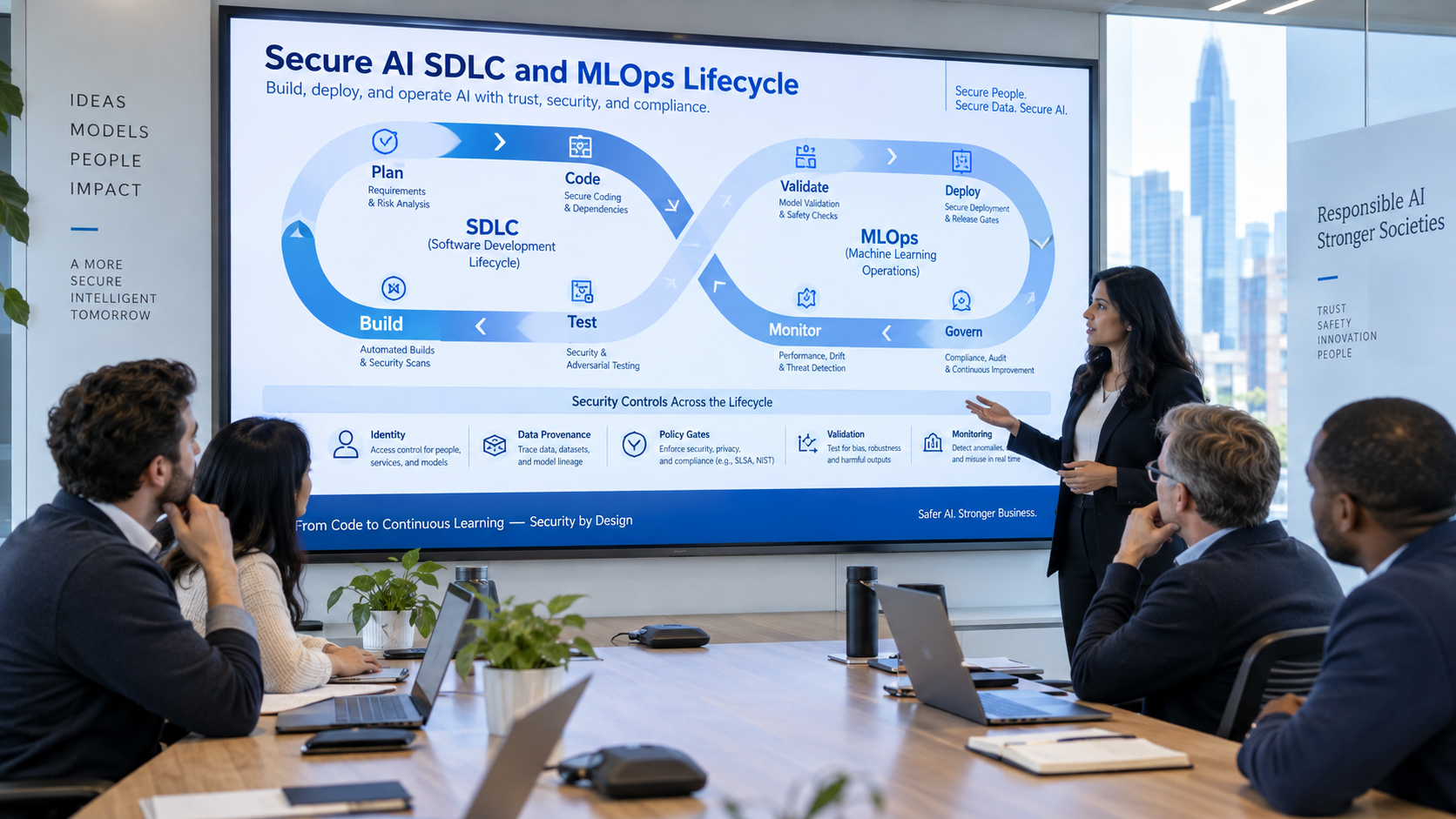
Direct Answer: Make AI Security a Lifecycle Requirement, Not a Release Checklist
Enterprises should embed AI security into every lifecycle stage by defining security requirements during planning, controlling data and dependencies during build, validating model and agent behavior before release, enforcing approvals for high-risk changes, and continuously monitoring production behavior after deployment.
The most important design principle is traceability. The organization should be able to trace a production AI behavior back to the use case, code version, model or provider, data sources, model artifact, identity, permissions, evaluation evidence, approver, and deployment configuration that produced it.
Why Traditional Secure SDLC Is Necessary but Not Sufficient
Traditional secure SDLC controls remain essential. Teams still need secure coding, dependency management, secret scanning, vulnerability testing, change control, and incident response. AI adds additional questions that conventional application security does not fully answer.
- Which model, agent, or AI service is being used, and can its version change independently of the application code?
- What data is used for training, retrieval, prompting, fine-tuning, or evaluation?
- Can untrusted prompts or retrieved content influence tool calls or downstream actions?
- Which identity does the AI runtime use, and what systems can that identity reach?
- Can the model or agent act autonomously, and which actions require human approval?
- How will the team detect drift, abnormal behavior, data leakage, new connectors, or permission changes after release?
The lifecycle therefore needs both software-security controls and AI-specific controls.
1. Plan the AI Use Case and Threat Model Before Development Starts
Security should begin with the use case, not the model. Teams should document what the AI system is supposed to do, who uses it, which business process it affects, what data it requires, whether it can take actions, and what happens if it makes a wrong or manipulated decision.
Threat modeling should include prompt injection, retrieval poisoning, malicious tools or skills, excessive agent permissions, data exfiltration, insecure model endpoints, unsafe output handling, third-party model dependencies, and abuse of automated actions.
A risk tier can then determine which later controls are mandatory. A low-risk internal summarizer may need basic data and access checks. A production agent with write access to customer or financial systems should require stronger testing, approvals, monitoring, and rollback.
2. Control Data Provenance and Training or Retrieval Inputs
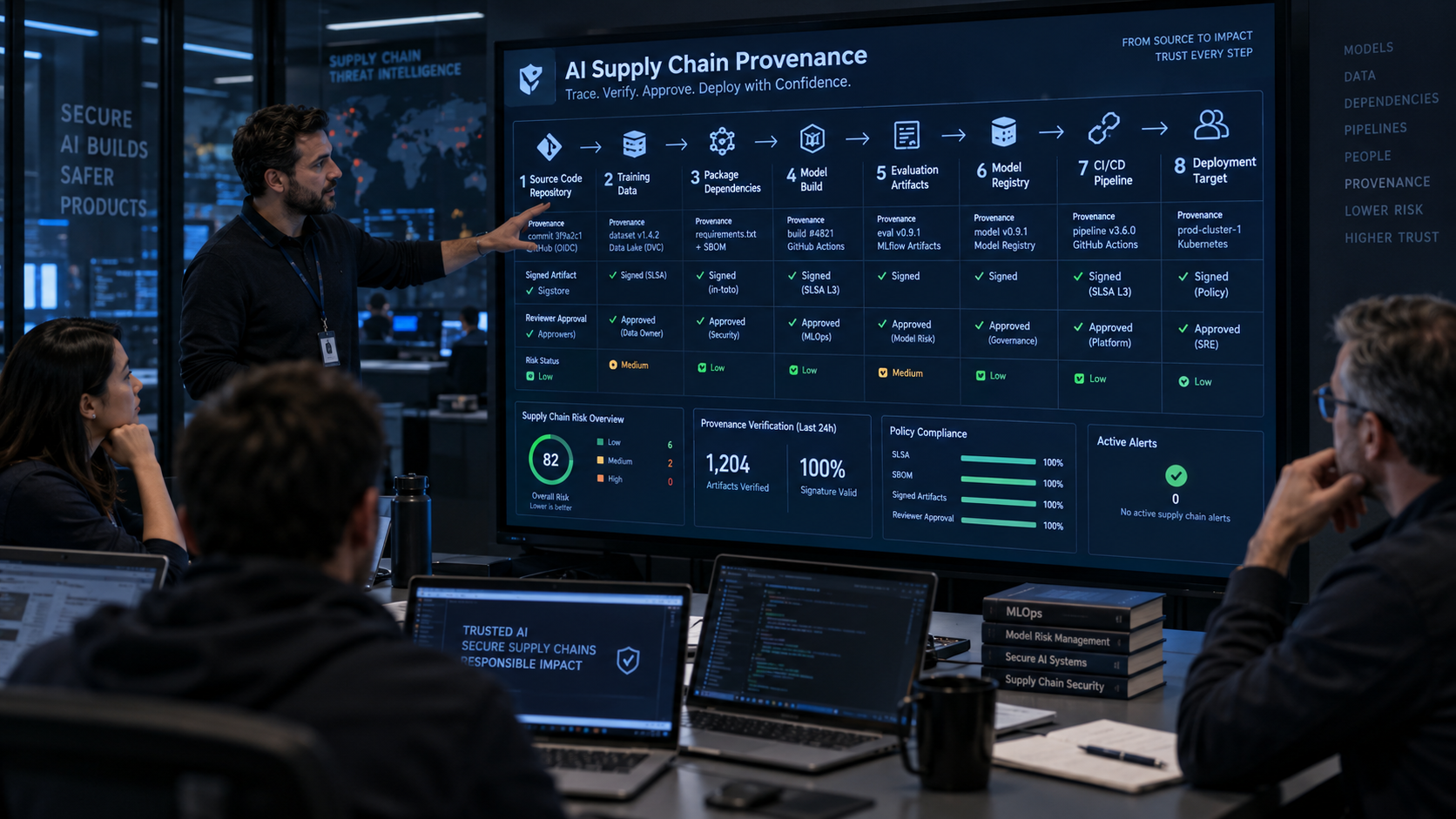
AI systems depend heavily on the integrity and governance of their data. Teams should track where training, fine-tuning, evaluation, and retrieval data came from, who approved it, how it is classified, and whether it contains regulated, confidential, copyrighted, or poisoned content.
For retrieval-augmented generation, the data index itself becomes part of the production attack surface. Security teams should know which repositories feed the index, how documents are authorized, whether embeddings preserve tenant boundaries, and whether untrusted content can inject instructions into downstream agent behavior.
Treat data lineage as release evidence, not documentation assembled later.
3. Secure Code, Dependencies, Models, and AI Supply Chain Components
AI applications inherit software supply-chain risk from libraries, containers, model packages, open-source components, skills, plugins, MCP servers, and third-party APIs. A signed application build is not enough if the model or connector can change outside the same release process.
Teams should maintain an inventory of model providers, model versions, container images, Python packages, AI skills, connectors, and external endpoints. Where possible, pin artifacts to known versions, scan them, sign them, and promote them through controlled environments.
The goal is to make the AI release reproducible. If an incident occurs, the team should be able to identify exactly which model, data set, connector, and configuration were running at the time.
4. Validate Identity and Least Privilege Before Integration Testing
The AI system should not enter testing with broad production credentials. Development and test environments should use isolated identities with the minimum permissions needed for realistic testing.
Before release, teams should validate the effective permissions of users, service accounts, OAuth applications, workload identities, API keys, and agent identities. Any ability to export data, change permissions, deploy code, initiate transactions, or modify production.
AIBound’s identity-security model is useful at this stage because it resolves AI resources to the identities they use and maps the systems and data those identities can reach.
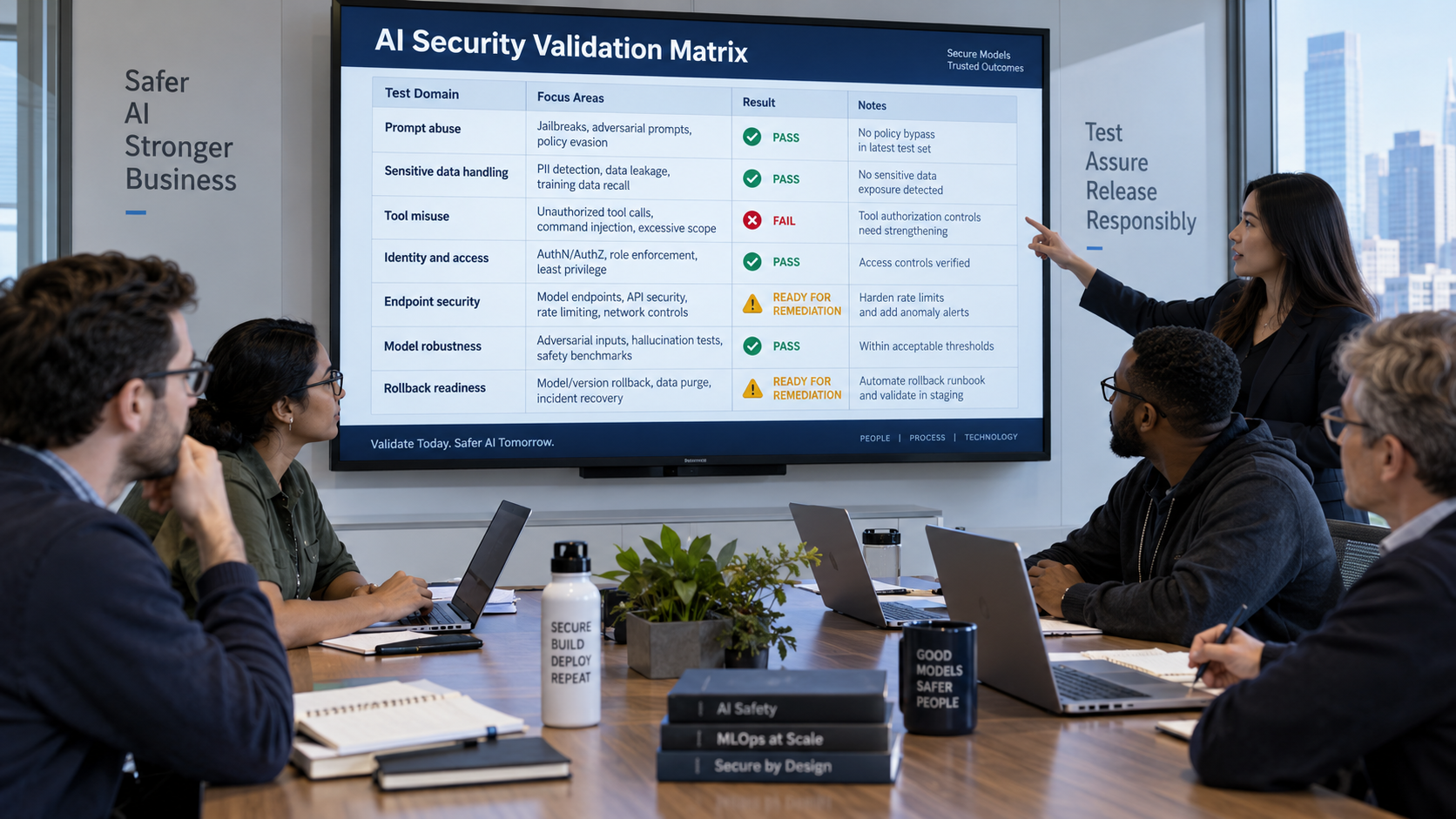
5. Add AI-Specific Security Testing Before Release
Pre-production validation should test how the AI behaves under hostile and unexpected conditions, not only whether normal prompts produce accurate results. Security and quality teams should test the system as a whole, including the model, system prompt, retrieval layer, tools, identities, connected APIs, and downstream business actions.
High-value scenarios include prompt injection, indirect prompt injection through retrieved content, sensitive data exposure, tool-call abuse, permission bypass, malicious files, poisoned retrieval data, external destination changes, and attempts to make the agent perform actions outside its approved business purpose.
The pass condition must be operational. Instead of documenting that prompt injection is possible, the team should verify that a high-risk tool call is blocked, a sensitive data transfer is redacted, or a human approval gate is enforced.
6. Use Release Gates for High-Risk AI Changes
Not every AI change needs a committee. Release gates should be proportional to risk. Low-risk prompt changes for public content can move quickly. Changes to a model provider, tool permissions, data sources, agent autonomy, or production identity deserve stronger review because they can change behavior and blast radius even when the application code barely changes.
Release evidence should include security-test results, model and dependency versions, data-lineage confirmation, identity and permission review, policy configuration, known limitations, rollback instructions, and named approval.
This is where AI governance becomes practical: the policy defines which evidence is required, and the pipeline refuses promotion until the evidence exists.
7. Secure Model and Agent Endpoints at Deployment
Treat production AI endpoints as high-value application surfaces. Authentication, authorization, network exposure, rate limits, input validation, output handling, secret management, encryption, logging, and tenant isolation all matter.
For agents, deployment also includes the tool and identity boundary. Teams should confirm which tools are enabled, what scopes they receive, which destinations are allowed, and which high-impact actions require approval.
AIBound’s agent and MCP security approach matters because runtime risk isn't defined by the model alone. The complete combination of agent, skill, tool call, inherited identity, and reachable system defines it.
8. Monitor Runtime Behavior, Not Just Model Health
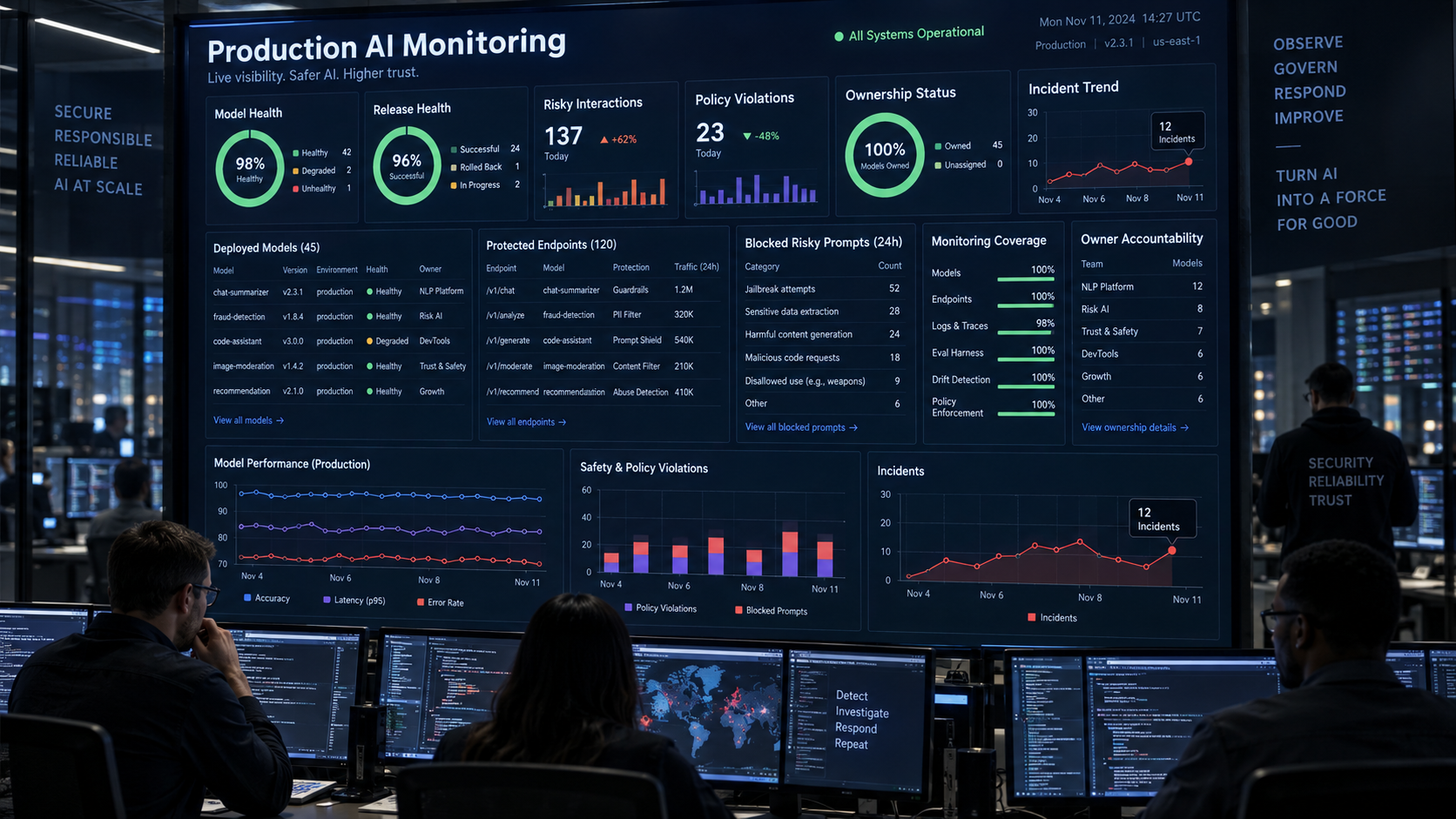
MLOps monitoring often emphasizes latency, availability, token usage, quality, and statistical drift. Security monitoring needs additional signals: new AI resources, new model versions, unexpected identities, permission changes, sensitive data movement, unusual tool calls, unknown destinations, policy violations, and changes in autonomy.
Security teams should correlate these events with business context. A spike in model calls may be operationally normal, while one privileged agent accessing a restricted repository and an unknown external endpoint may be critical even at low volume.
AIBound’s control-plane model is designed around that contextual correlation: AI resource, identity, connections, risk, and enforcement should exist in one operational record.
9. Design Rollback and Containment Before Release
AI systems should have a known-safe rollback path. Teams need to know how to revert the application, model version, prompt configuration, retrieval index, agent tools, permissions, and policy settings independently.
Containment should also be designed in advance. Security should be able to isolate an agent, revoke a token, turn off an MCP server or connector, block a destination, suspend a service identity, and preserve evidence without taking down unrelated business services.
10. Feed Production Findings Back Into Engineering
The lifecycle is incomplete if production incidents and near misses do not change development practice. Post-incident review should identify which control failed, why the test environment did not catch it, what new scenario should be added to evaluation, and which policy or architecture needs to change.
This creates a secure learning loop. New attack patterns become tests. New policy violations become pipeline checks. Permission drift becomes access-review logic. Data leaks become destination-aware controls. The organization improves without relying only on training or memory.
A Practical Secure AI SDLC and MLOps Control Set
- Document the AI use case, business owner, risk tier, intended data, and allowed actions before development begins.
- Threat-model prompt, retrieval, tool, identity, data, third-party, and model-endpoint risks.
- Track data lineage and classify training, fine-tuning, retrieval, and evaluation data.
- Pin and inventory model versions, libraries, containers, skills, plugins, MCP servers, and external AI providers.
- Use isolated development identities and validate least privilege before production integration.
- Run AI-specific security testing for prompt injection, data leakage, tool abuse, permission bypass, and unsafe actions.
- Require risk-based release evidence and approvals for material AI changes.
- Secure production endpoints and define explicit tool, destination, and autonomy policies.
- Monitor runtime identity, data access, model versions, policy violations, and configuration drift.
- Maintain tested rollback and containment procedures and feed lessons back into engineering.
Metrics Engineering and Security Leaders Should Track
- Percentage of production AI systems with named business and technical owners.
- Percentage with complete model, data, and dependency provenance.
- High-risk AI releases with completed security evaluation before deployment.
- Open-source models, skills, plugins, or connectors without current validation.
- Production AI identities that exceed documented least-privilege requirements.
- Prompt-injection, data-leakage, and tool-abuse tests passing by release.
- Mean time to rollback or contain a high-risk AI change.
- Runtime policy violations by model, agent, application, and business unit.
- Configuration or model changes detected outside the approved release process.
- Number of production findings converted into new automated tests or pipeline controls.
Frequently Asked Questions
Is secure AI SDLC the same as DevSecOps?
It builds on DevSecOps but adds AI-specific requirements for model and data provenance, prompt and retrieval behavior, agent identities, tool permissions, model endpoints, AI-specific testing, and runtime AI risk.
Should every model change require a security review?
No. Reviews should be risk-based. Material changes such as a new model provider, new data source, wider tool permissions, higher autonomy, or production identity changes deserve stronger gates than low-impact prompt or UI updates.
What is the most important pre-production AI security test?
There is no single test. The highest-value suite validates prompt and indirect prompt injection, sensitive data handling, effective identity permissions, tool-call abuse, destination controls, and rollback for the specific business workflow.
Can MLOps monitoring detect security incidents on its own?
Traditional MLOps monitoring is valuable but often focuses on availability, performance, quality, and drift. Security teams also need identity, permission, data, destination, tool-call, and policy-enforcement signals.
Conclusion
AI security is strongest when it is built into the lifecycle rather than added after deployment. Secure planning, data provenance, dependency control, least privilege, AI-specific validation, risk-based release gates, hardened endpoints, runtime monitoring, rollback, and continuous learning should operate as one system.
This approach also improves speed. Teams that know the required controls can design for them early instead of waiting for a late security review to discover architectural problems. Low-risk changes can move quickly, while high-risk changes receive the evidence and approvals they actually need.
AIBound complements this engineering discipline by providing the operational AI control layer after and around deployment: discover the AI, resolve identity, map connections, measure contextual risk, enforce policy, and preserve evidence continuously.
Recommended Internal AIBound Links
- AIBound Control Plane
- AI Agent and MCP Server Security
- AI Identity Security
- Policy Enforcement and Automation
External Resources and Video References
How Can Enterprises Secure AI Integrations Across SaaS, APIs, and Third Parties?
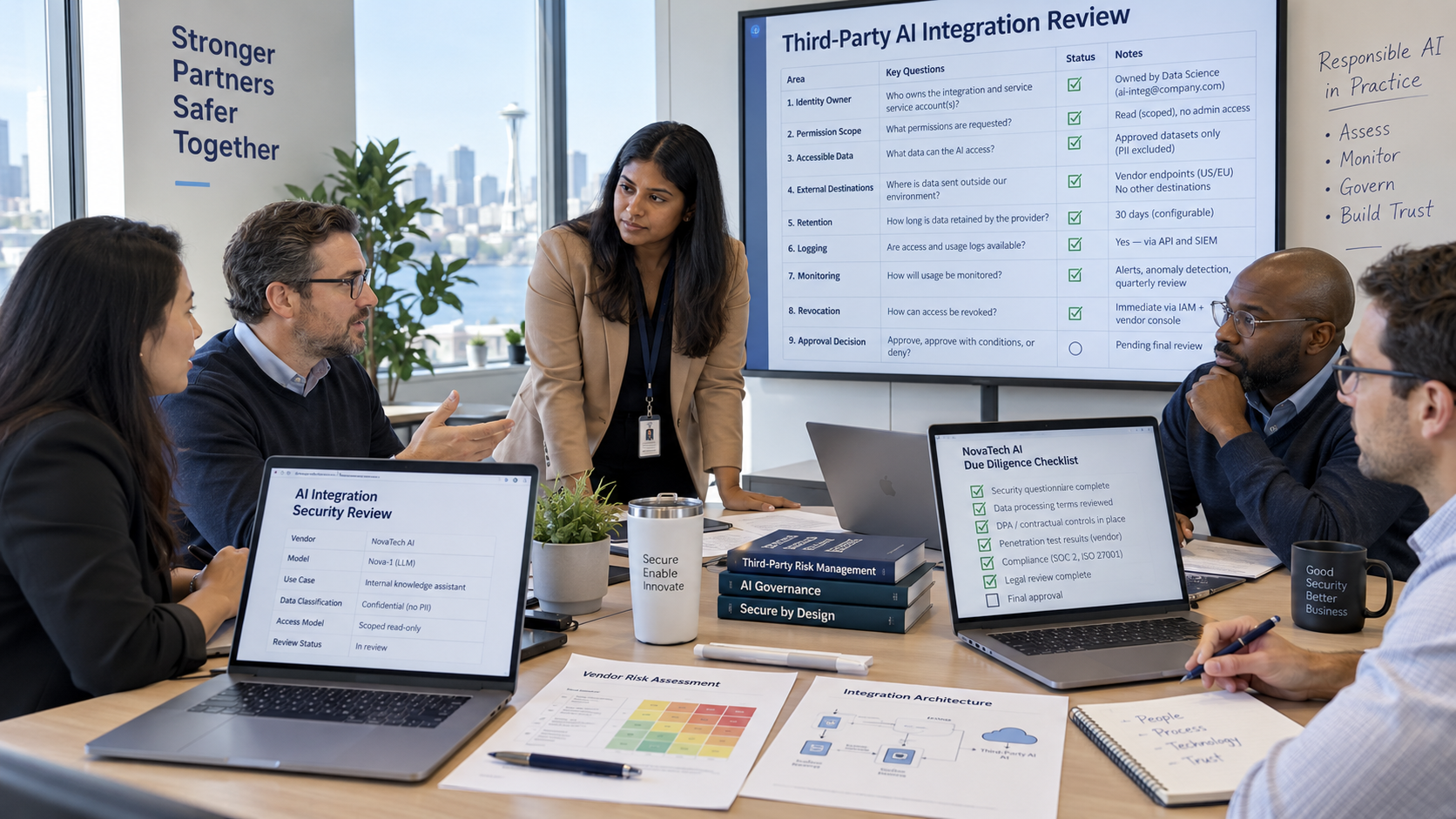
Enterprise AI rarely operates by itself. A copilot may connect to Microsoft 365, Salesforce, GitHub, a data warehouse, internal APIs, browser extensions, model providers, and third-party automation services. Each connection can make AI more useful, but each connection also expands the number of identities, permissions, data paths, and external dependencies that security teams must understand.
The risk is not that integrations are inherently unsafe. The risk is that AI integrations are often approved as individual features while their combined authority is never evaluated as one operational chain. A seemingly harmless assistant can become high risk when it inherits a privileged OAuth grant, reaches confidential data, and can send results to an external destination.
AIBound’s 5 Steps to Discover, Score, and Prevent High-Risk AI video provides a useful operating sequence for this problem: discover the AI resource, identify the identity behind it, map its connections and data reach, measure risk in context, and prevent the high-risk action.
A second useful reference is AIBound’s enterprise AI security walkthrough, which reinforces why discovery without identity and connection context is incomplete.
This article explains how security teams can apply that model specifically to SaaS, API, connector, and third-party AI integrations while still enabling useful business workflows.
Direct Answer: Secure the Connection Chain, Not Just the AI Application
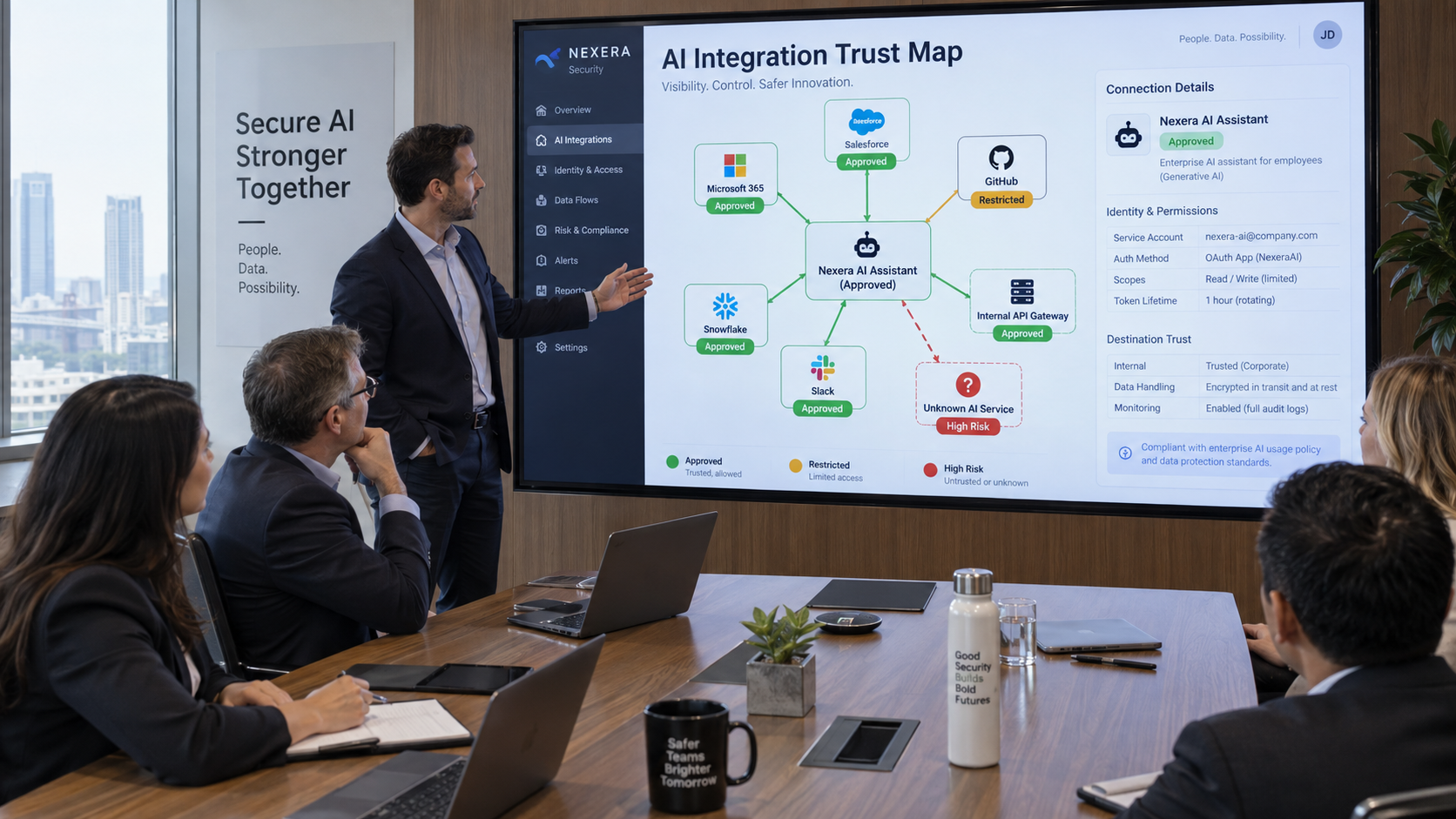
Enterprises should secure AI integrations by treating every connection as a chain of authority: AI resource -> identity -> permission -> data or system -> external destination -> action. Each link should have a named owner, a defined business purpose, a minimum required permission set, and a monitoring or enforcement point.
The objective is not to create a slow procurement gate for every API call. The objective is to make risky combinations visible and controllable. A low-risk read-only integration to public data may be approved quickly. A connector that can export customer records, modify production systems, or call an unknown external service should receive a very different review and enforcement path.
Why AI Integrations Create a Different Security Problem
Traditional integrations are usually invoked by deterministic application logic. AI agents and copilots introduce a runtime decision layer. The model may decide which tool to call, when to call it, what data to retrieve, and how to combine results. That means a connector can be technically approved while a particular use of the connector is still unsafe.
AIBound’s agent and MCP security guidance makes this distinction explicit: an agent's security consequence is defined by the tools it can call and the identity it calls them as. For integrations, this means security teams must evaluate both configuration-time permissions and runtime behavior.
1. Discover Every AI Integration, Including the Ones Nobody Registered
The first control is inventory. Security teams need to discover sanctioned and unsanctioned AI connections across browsers, endpoints, networks, cloud environments, SaaS products, development tools, automation platforms, model APIs, plugins, and MCP servers.
The inventory should include the AI resource, connector or integration name, vendor, owner, users, authentication method, OAuth scopes, API permissions, connected systems, accessible data categories, external domains, environment, approval status, and last observed activity.
Embedded AI features deserve special attention because they can appear in products approved before the AI capability existed. A SaaS application may add a copilot, agent, or external model integration without requiring a new purchase or deployment. Discovery therefore has to be continuous, not tied only to procurement.
2. Resolve the Identity Behind the Integration
Every AI integration acts through an identity. It may use a named employee account, a service account, an OAuth application, an API key, a workload identity, or a cloud role. That identity determines the AI workflow's real reach.
Security teams should ask whether the identity is shared, whether its credentials are long-lived, whether the owner is still valid, whether it has inherited permissions, and whether it can create or delegate new access. The same AI application can be low risk when connected through a read-only account and high risk when connected through a service identity with administrative privileges.
AIBound’s identity-security approach is useful because it maps each AI resource to the identity it runs as and then traces what that identity can reach. That relationship converts an abstract integration review into a concrete blast-radius analysis.
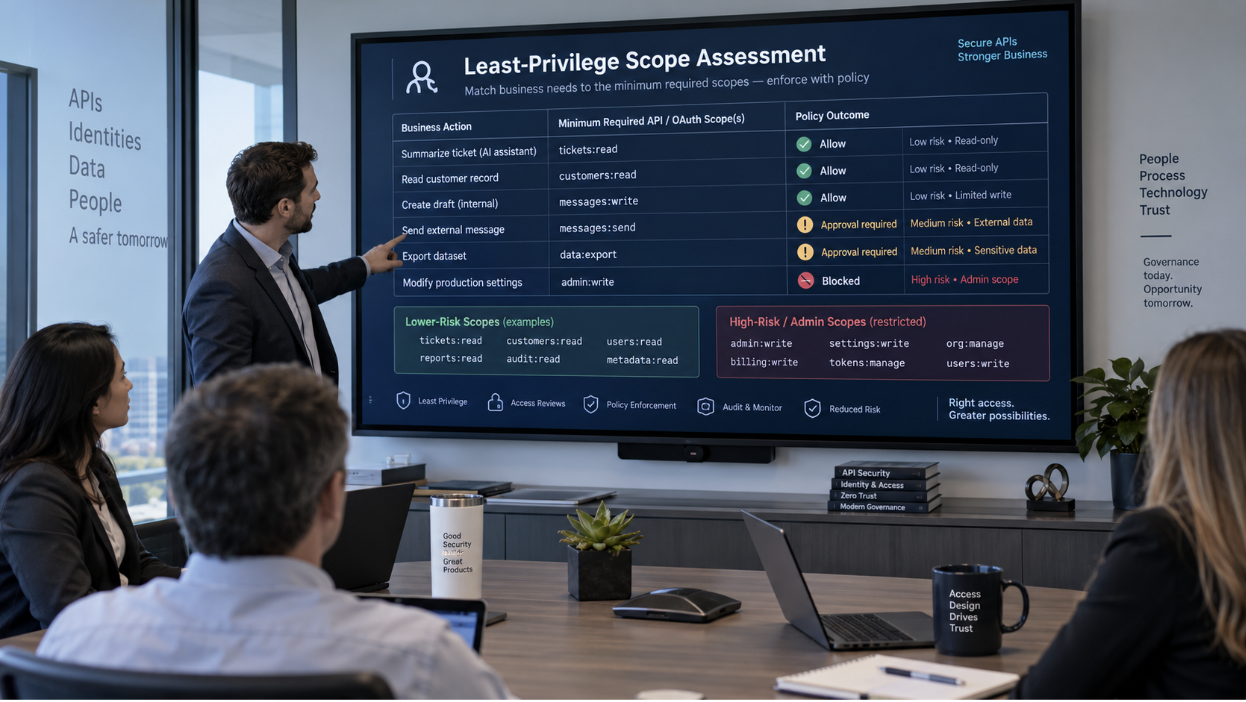
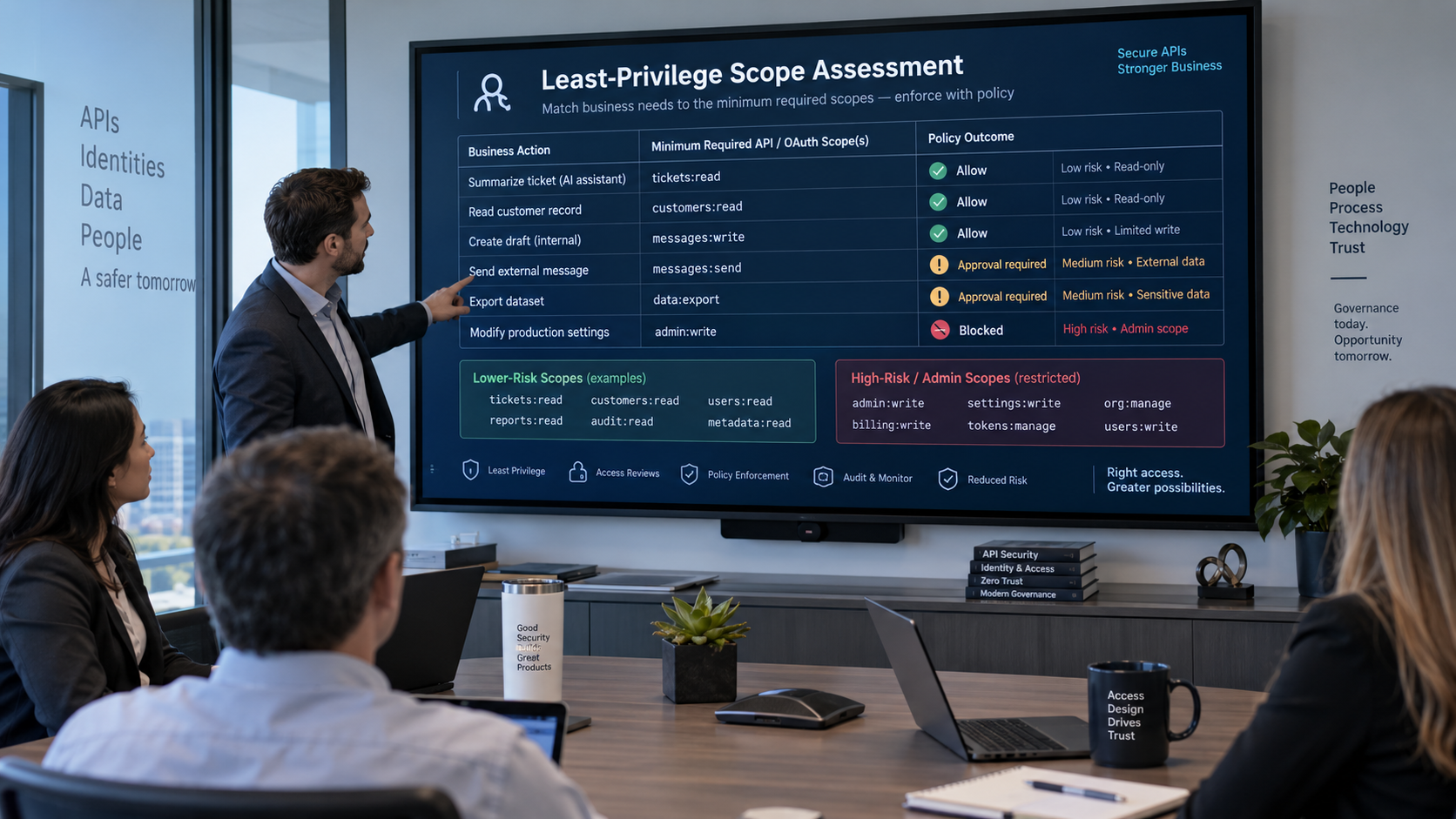
3. Review OAuth and API Scopes for Least Privilege
OAuth scopes and API permissions are one of the fastest ways for integration risk to expand quietly. Teams often accept broad vendor-requested scopes because the connector will not function otherwise during setup. Those scopes may remain long after the original use case changes.
The review should map every business action to the minimum permission required. If the AI only needs to search customer records, it should not also receive export or user-administration rights. If it only drafts a message, sending externally can remain behind an approval checkpoint.
Test least privilege in practice. Remove one scope at a time, confirm the workflow still succeeds, and document the final minimum set rather than relying on the vendor’s default permission bundle.
4. Classify the Data the Integration Can Reach
Integration security is inseparable from data security. A connector that touches public content is different from one that can retrieve customer PII, source code, financial records, employee data, credentials, or legal documents.
Map data classification to both read and write paths. An AI agent may be able to read a sensitive source and write the result to a different application. The risk therefore depends on the full path, not only the first system in the chain.
AIBound’s data-leakage prevention model emphasizes destination-aware policy. The same data can be acceptable when it remains inside an approved enterprise destination and unacceptable when it flows to a personal AI account, unknown API, or unreviewed MCP server.
5. Evaluate Third-Party Destination Trust
A connector may pass data through multiple external services. Security teams should understand which domains receive data, whether subprocessors are involved, where data is retained, whether content is used for model improvement, and whether the destination supports enterprise controls such as SSO, logging, retention configuration, and tenant isolation.
Destination trust should not be a one-time questionnaire. Vendor behavior, subprocessor lists, model providers, and product architecture change. The organization needs a way to reassess trust when those dependencies change.
For high-impact integrations, contracts should also define security responsibilities, incident notification expectations, data handling, deletion obligations, and the ability to revoke or terminate the connection.
6. Separate Low-Risk Access From High-Impact Actions
A single integration can support both harmless and high-impact actions. Security teams should avoid one blanket decision for the whole connector. Read-only lookup, draft creation, external sending, bulk export, permission changes, and destructive actions should have separate policy treatments.
Low-impact actions can often run autonomously. Medium-impact actions may require monitoring, coaching, or confirmation. High-impact actions should require stronger approval, a narrower scope, or outright blocking, depending on context.
This action-level model preserves productivity because users keep the safe parts of the integration instead of losing the entire tool.
7. Monitor Runtime Tool Calls and Connection Changes
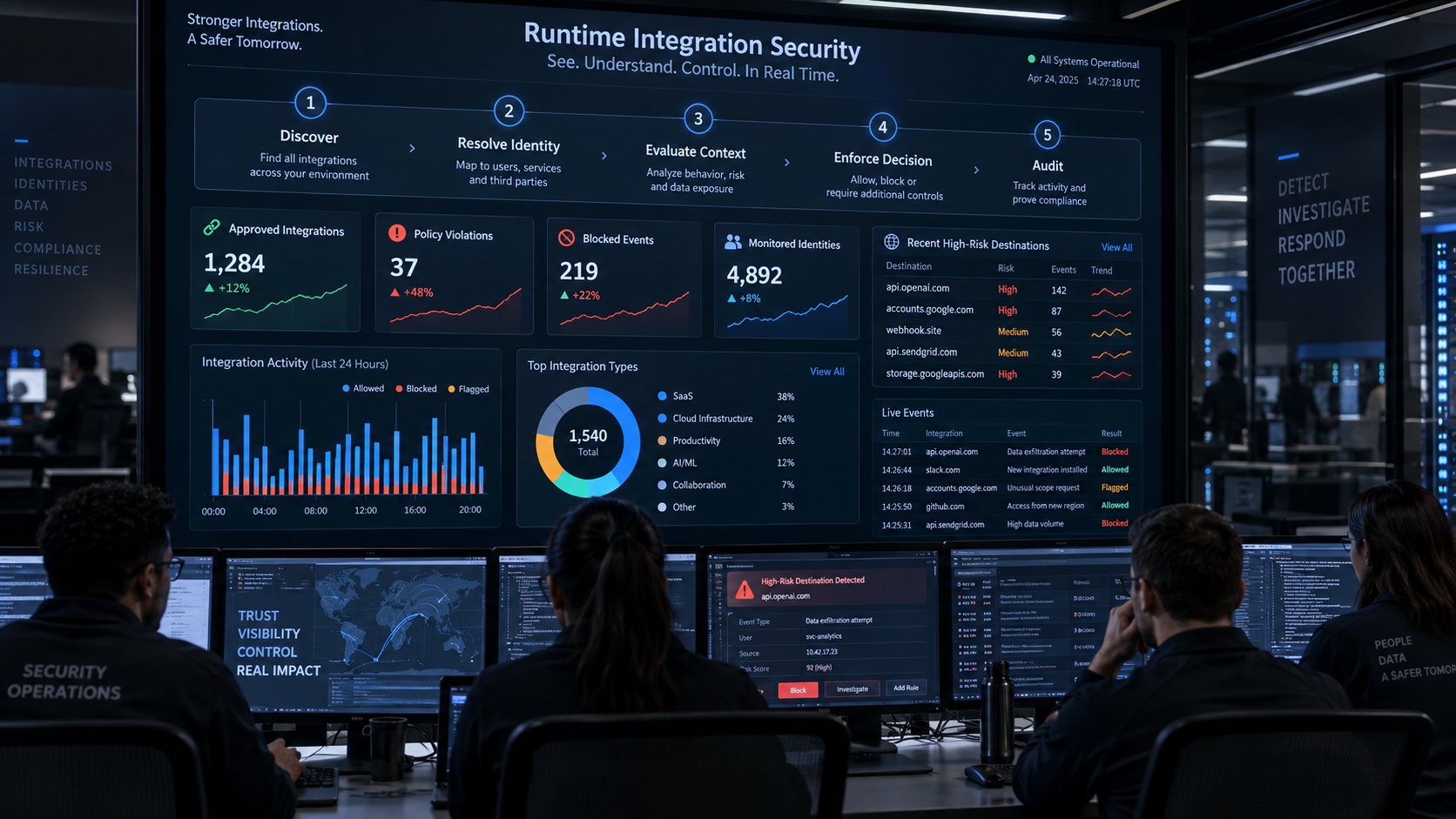
Configuration review is not enough because AI behavior changes at runtime. Teams should monitor new connectors, new OAuth grants, newly observed domains, unusual tool-call frequency, unexpected data retrieval, scope increases, identity changes, and actions that deviate from the approved business purpose.
AIBound’s policy-enforcement approach is relevant here because it connects risk context to actions such as alerting, coaching, routing for review, restricting access, or blocking. The key principle is that enforcement should be consistent and explainable, not improvised during an incident.
Continuous monitoring also catches integration drift: a previously acceptable connection can become high risk after a vendor update, permission expansion, new data source, or change in the AI agent’s autonomy.
8. Require Owners, Review Dates, and Revocation Paths
Every material AI integration should have a business owner and a technical owner. The business owner confirms that the use case still matters. The technical owner confirms that the identity, permissions, data access, and monitoring controls are still appropriate.
Review dates should be risk-based. A read-only integration to public data may need only periodic confirmation. An autonomous integration with sensitive data and external write access should be reviewed much more frequently and automatically reassessed when its configuration changes.
Test revocation before an incident. Teams should know how to turn off the connector, revoke OAuth tokens, rotate secrets, block destinations, remove scopes, suspend the service identity, and preserve logs without waiting for vendor support.
9. Use an Integration Risk Score That Explains Why
A useful AI integration risk score should include identity privilege, data sensitivity, permission breadth, external exposure, autonomy, vendor trust, business criticality, and blast radius. It should also show which factors are driving the score so the owner knows what to change.
For example, a connector may be high risk because it combines confidential data with export permissions and an unknown external destination. Removing export scope or approving the destination may materially reduce risk without turning off the integration.
10. Turn Policy Into Runtime Decisions
The final step is making the policy operational. The security program should define what happens when a risky integration condition appears. Possible actions include allowing, monitoring, coaching the user, requiring approval, restricting scope, quarantining, revoking a token, blocking a destination, opening a ticket, or turning off the connector.
The response should match the risk. New or unfamiliar does not automatically mean malicious. AIBound’s policy-enforcement model explicitly supports lighter responses before blocking, which is useful for organizations trying to govern AI without becoming the department of no.
A Practical 30-Day AI Integration Security Plan
- Inventory AI applications, connectors, plugins, APIs, MCP servers, and external model integrations already in use.
- Assign owners and resolve the identities, OAuth apps, API keys, and service accounts behind each connection.
- Prioritize integrations with confidential data, broad write permissions, external destinations, or autonomous actions.
- Review OAuth scopes and remove permissions that are not required for the approved use case.
- Classify connected data sources and define destination trust categories.
- Create response rules for new domains, scope increases, high-risk data movement, and unowned integrations.
- Test token revocation, connector disablement, and log preservation for high-impact integrations.
- Create a recurring access review and continuously monitor configuration drift.
Metrics CISOs Should Track
- Total AI integrations discovered versus formally registered.
- Percentage with named business and technical owners.
- Integrations using privileged, shared, or long-lived identities.
- Number of excessive OAuth scopes removed.
- Integrations that can reach confidential or regulated data.
- External destinations that are unknown or not yet approved.
- High-impact actions protected by human approval.
- Mean time to revoke or restrict a risky integration.
- Configuration or permission changes detected after approval.
- Percentage of integrations with complete audit trails.
Frequently Asked Questions
Are third-party AI integrations always high risk?
No. Risk depends on the identity, permission scope, data access, destination trust, autonomy, and business impact. A narrow read-only integration can be low risk, while the same vendor can become high risk under a privileged identity with broad external write access.
Should enterprises block unknown AI integrations automatically?
Not always. Enterprises should discover unknown integrations and route them for review. Immediate blocking is more appropriate when the integration combines clearly unacceptable conditions such as credential access, sensitive data exfiltration, destructive permissions, or an untrusted destination.
How often should OAuth scopes be reviewed?
Review frequency should match risk, but scopes should also be reassessed automatically when new permissions appear, owners change, connectors are upgraded, or business purpose changes.
Does integration security replace existing IAM or API security tools?
No. IAM, API security, DLP, endpoint, network, and cloud controls remain important. The AI-specific layer correlates their signals around the AI resource and its runtime behavior so the organization can understand the complete risk chain.
Conclusion
AI integration security is not a vendor-review exercise, and it is not solved by approving a list of applications. The real security boundary is the connection chain between the AI resource, the identity it uses, the permissions it receives, the data it can reach, the destination it can contact, and the actions it can perform.
Enterprises that continuously discover these connections, apply least privilege, evaluate destination trust, monitor runtime behavior, and enforce proportionate responses can support AI adoption without accepting invisible integration risk.
AIBound’s control-plane model is designed around this connected view: discover the AI, resolve identity, map data and connections, measure risk with context, and prevent high-risk actions before impact.
Recommended Internal AIBound Links
- AI Identity Security
- AI Agent and MCP Server Security
- AI Data Leakage Prevention
- Policy Enforcement and Automation
External Resources and Video References
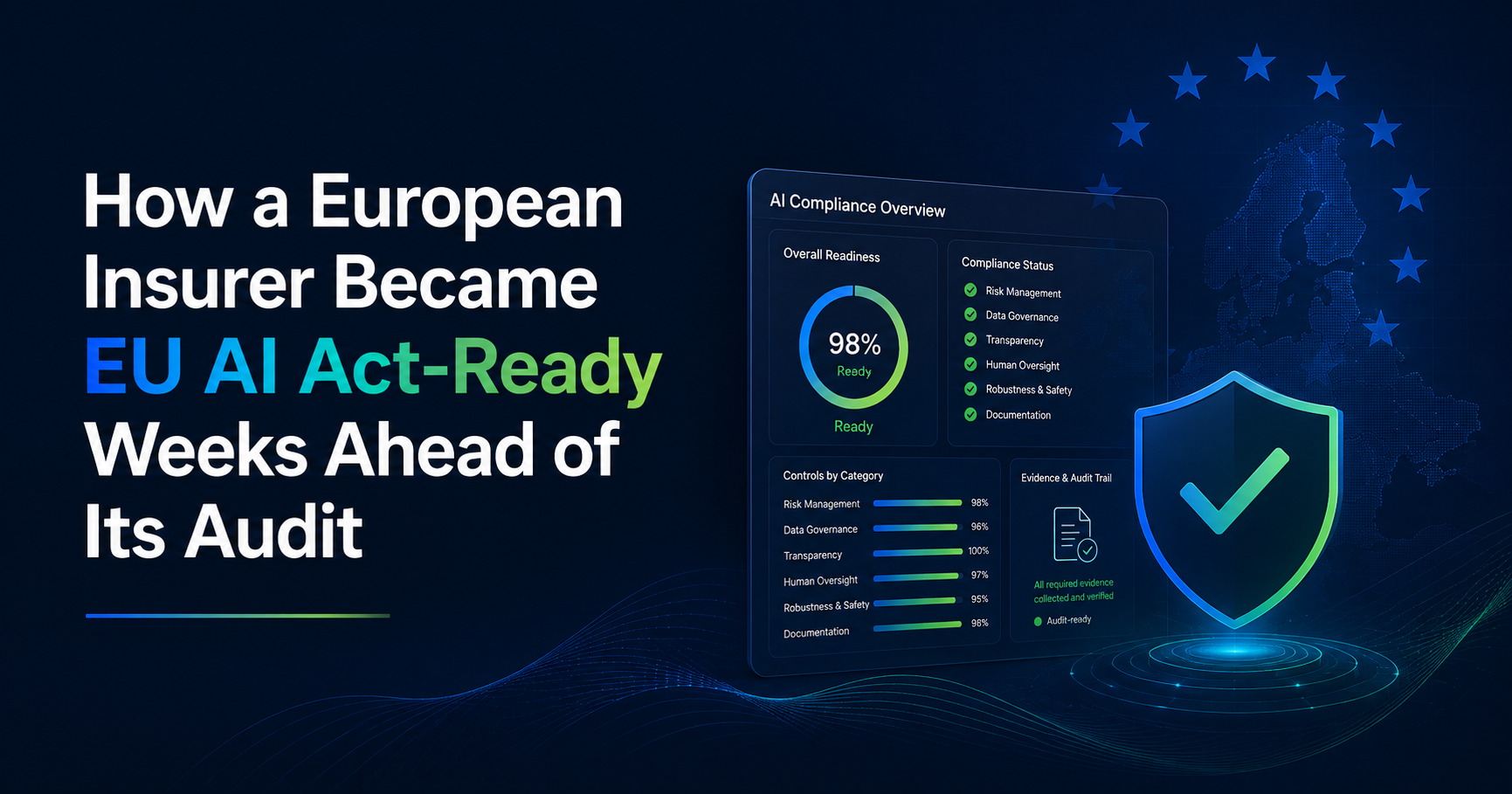
How a European Insurer Became EU AI Act-Ready Weeks Ahead of Its Audit
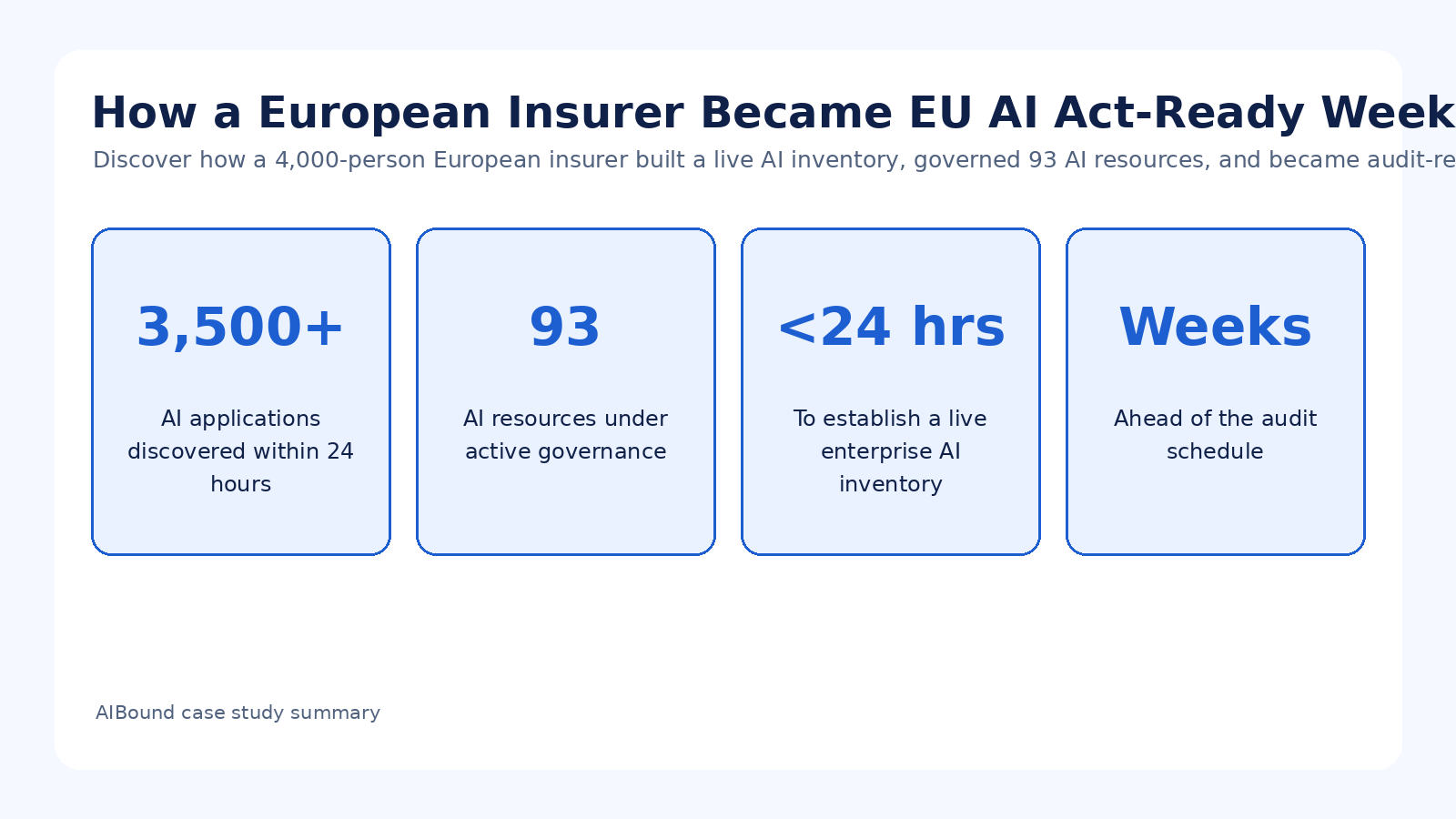
Case study overview. A 4,000-person European insurer preparing for EU AI Act review lacked a defensible enterprise AI inventory. AIBound discovered 3,500+ AI applications in 24 hours, placed 93 AI resources under active governance, and created a continuous evidence trail that made the organization audit-ready weeks early.
For additional context, see AIBound YouTube: 5 Steps to Discover, Score, and Prevent High-Risk AI, which outlines AIBound's five-stage approach to discovering, scoring, and preventing high-risk AI.
Direct Answer: EU AI Act Readiness Starts With a Live Inventory and Continuous Evidence
The European insurer's challenge was not a lack of policy documents. It was the inability to answer a regulator's first operational question: where are the organization's high-risk AI systems, and how can control be proven? AIBound created an enterprise-wide AI inventory in under 24 hours, discovering more than 3,500 AI applications and moving 93 resources into active governance.
The case study's most important lesson is that compliance evidence must be produced continuously. The EU AI Act emphasizes traceability, logging, transparency, monitoring, human oversight, and record-keeping for relevant systems. A point-in-time spreadsheet can describe a program, but it cannot provide the same living history of what existed, who used it, what it could access, what risk was identified, and what action was taken.
The Visibility Problem Behind the Compliance Problem
The insurer had security point solutions and governance spreadsheets, yet thousands of unmanaged AI interactions were occurring outside official channels. This is a common structural problem. Governance teams often know what has been approved, while security teams know what individual tools report, but neither view produces a complete enterprise AI inventory.
Using agentless API integrations, AIBound created visibility that extended beyond browser-only telemetry and manual registries. The case study says the inventory covered AI agents, MCP servers, SaaS applications, browser extensions, and emerging services. That breadth matters because regulatory accountability cannot stop at tools acquired through official procurement.
Identity and Traceability: Knowing Who Used What
A list of AI applications is not sufficient evidence. The insurer needed to connect systems to identities and access levels. AIBound attributed discovered systems to the people or identities interacting with them and connected that activity to data reach and business units.
This provides the traceability that lets governance teams investigate a specific high-risk resource without treating the entire organization as equally exposed. It also supports accountability because every system can be tied to usage, ownership, risk state, and remediation history.
Data Exposure and Blast Radius Must Be Part of Regulatory Prioritization
The case study explains that AIBound contextualized what data each AI system could reach and whether extensions amplified scope. This is essential because two AI systems with the same category label may present very different regulatory and operational risks.
A low-impact assistant used with public information may require basic governance. A system connected to confidential data, broad identities, vulnerable components, and autonomous actions can justify immediate review. Context gives GRC teams a way to prioritize their workload around potential impact, not inventory size alone.
From Vulnerability Data to Governance Decisions
The insurer's operating model also included vulnerability and exposure intelligence. Active CVEs, exposure indicators, and supply-chain risks were cross-referenced against discovered systems. This connects conventional security information with AI governance rather than treating them as separate programs.
Every system then moved through defined review states such as approved, pending, or blocked. Where risk exceeded policy, actions such as block, restrict, or remove could be enforced. This is the difference between a governance dashboard and a governance control system.
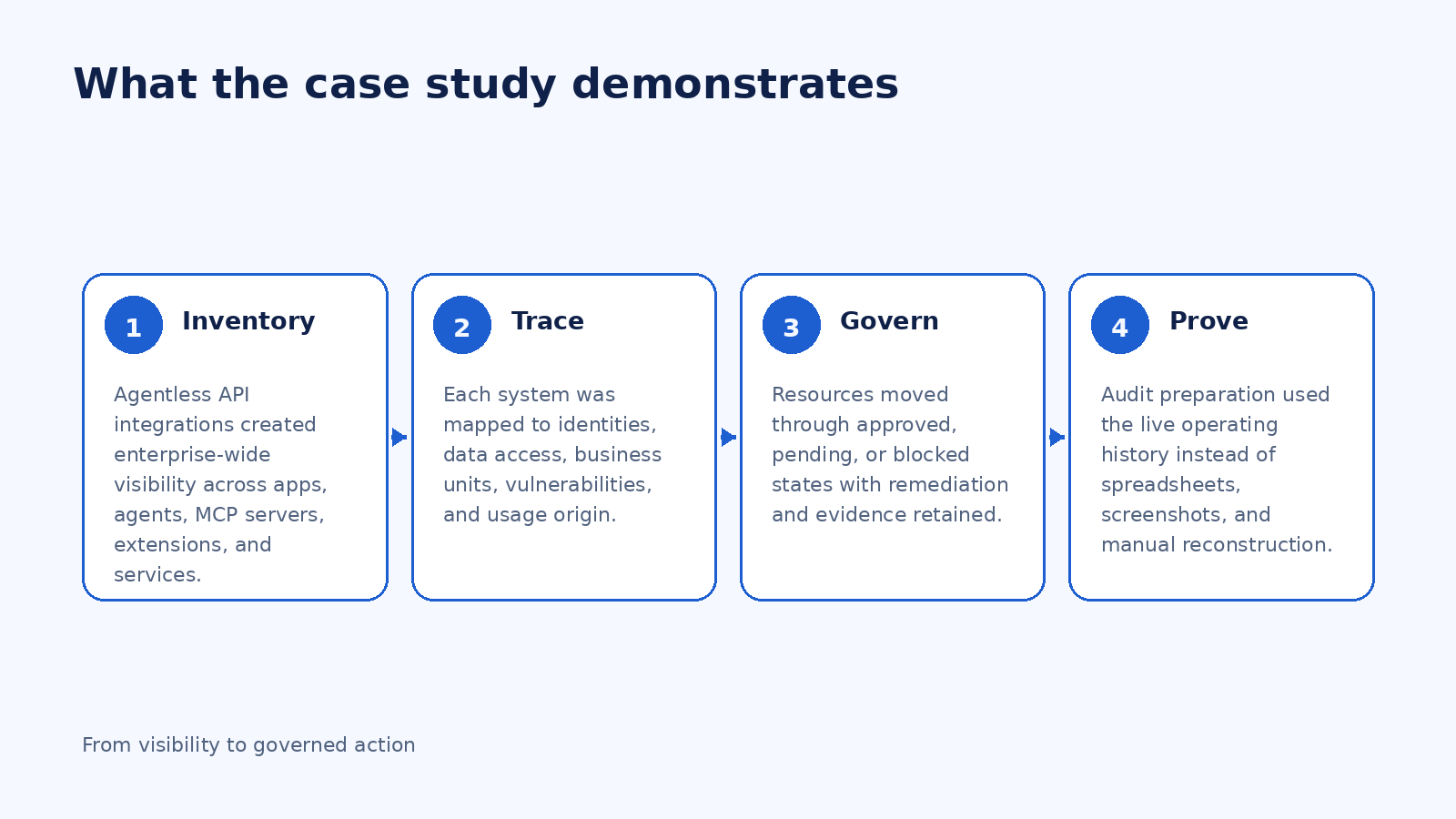
What “Audit-Ready Weeks Ahead of Schedule” Really Means
When the insurer began audit preparation, it already had the operating history it needed: AI inventory, high-risk systems, identity attribution, exposure context, remediation actions, approval status, and governance records. The case study says the organization was audit-ready weeks ahead of schedule, without the usual spreadsheet and screenshot scramble.
For regulated enterprises, that is the real value of evidence by design. Instead of assembling a story after the fact, the organization preserves the story as governance happens. Reviews become a retrieval problem, not a reconstruction project.
A Practical EU AI Act Readiness Workflow
Start by creating a continuous AI inventory across sanctioned and shadow usage. Enrich every record with ownership, identity, data access, deployment location, business purpose, vulnerabilities, and governance status. Next, define the criteria that move a system into higher scrutiny and document the evidence required for each review state.
Establish controls for human oversight, logging, access restriction, remediation, and evidence retention. Connect those controls to enforcement so policy decisions can be acted on consistently. Finally, design reporting around the questions auditors and executives are likely to ask: what exists, which systems are high risk, who uses them, what data can they reach, what decisions were made, and can the organization prove those decisions over time?
Frequently Asked Questions
Did AIBound classify all 3,500+ applications as high risk? No. The case study says 3,500+ AI applications were discovered and 93 AI resources were under active EU AI Act governance. Discovery and high-risk governance are distinct stages.
Why are spreadsheets insufficient? They can be useful documentation, but the case study emphasizes continuous traceability, logging, monitoring, remediation history, and governance records rather than a point-in-time snapshot.
What did the insurer gain in 24 hours? A live enterprise AI inventory plus dozens of systems flagged for immediate EU AI Act-level review.
What made the program audit-ready? The organization had continuous evidence tying inventory, identities, data exposure, vulnerabilities, decisions, and remediation together.
Conclusion
The insurer's success came from converting governance requirements into an operating system. Visibility was continuous, risk was contextual, review states were explicit, evidence was preserved, and enforcement was connected to policy.
That is a useful model for any enterprise preparing for AI regulation. The goal is not to produce more governance paperwork. The goal is to make trustworthy evidence a natural by-product of how AI is discovered, assessed, approved, monitored, and controlled every day.
Implementation Checklist for Continuous Regulatory Evidence
Treat evidence retention as part of the control design. For every governed resource, preserve the discovery date, owner, business purpose, risk rating, relevant data and identities, review decision, approver, restrictions, remediation actions, monitoring state, and subsequent changes. This turns each governance decision into an auditable record.
Create reporting views for security, GRC, legal, and executive audiences rather than forcing every stakeholder to use one dashboard. The underlying evidence should remain consistent while the presentation changes to match the question being asked.
What Regulators and Auditors Need to Be Able to Trace
A mature AI governance program should be able to move from a high-level inventory record to the underlying evidence. That means identifying the system, owner, purpose, users, identities, access level, relevant data categories, deployment environment, risk classification, vulnerability context, review history, human-oversight requirements, remediation actions, and current governance state. The precise legal obligations will depend on the system and role under the EU AI Act, but traceability becomes significantly easier when these facts are already maintained operationally.
The insurer case is useful because the evidence was not assembled only for the audit. It accumulated as part of normal governance. That reduces the risk of inconsistent spreadsheets, stale screenshots, and undocumented decisions when a regulator or internal auditor asks for proof.
How to Organize the AI Inventory for Regulatory Work
Do not create one flat list of thousands of AI applications and expect GRC teams to review it manually. Segment resources by business unit, use case, risk tier, governance status, data sensitivity, identity privilege, autonomy, and regulatory relevance. Higher-risk resources should have richer evidence requirements and tighter review intervals, while low-risk resources can move through lighter controls.
The inventory should also distinguish discovery from classification. Finding an application does not automatically make it a regulated high-risk system. Discovery provides the population; governance determines which resources require deeper legal, compliance, and technical assessment.
A 90-Day EU AI Governance Readiness Plan
In the first month, establish enterprise discovery and ownership. In the second month, map data, identities, permissions, vulnerabilities, and review states to the resources most likely to create regulatory exposure. Define the evidence each state requires and make approval or remediation decisions visible to legal and GRC teams.
In the third month, test evidence retrieval. Select several systems and simulate an audit request: show when the system was discovered, who uses it, what data it can access, what decision was made, which controls are active, and what changed over time. Any question that requires a manual hunt across multiple teams reveals a gap in the operating model.
Key Takeaways for CISOs and Security Leaders
For CISOs and GRC leaders, evaluate regulatory readiness as an evidence-retrieval problem. If the organization can answer key questions only by launching a cross-functional project, the governance system is too dependent on people remembering where information lives. A stronger program continuously connects system identity, ownership, use, data, risk, decisions, and remediation so evidence can be retrieved when needed.
The same operating model supports more than one regulation. A live AI inventory and traceable decision history can be reused across internal policy reviews, vendor governance, risk committees, audits, and emerging legal obligations. That does not remove the need for legal analysis, but it gives legal and compliance teams reliable technical facts instead of reconstructed assumptions.
Final Strategic Note
Across all five case-study patterns, the common requirement is continuous context. Enterprises need to know not only which AI resources exist, but also who uses them, what identities and permissions they inherit, which data and systems they can reach, what risk signals are present, and what governance decision is currently in force. That context makes it possible to distinguish productive AI adoption from material exposure and to respond proportionately. The strongest programs therefore connect discovery, assessment, approval, enforcement, monitoring, and reporting in one operating loop. That loop gives employees a safer path to use AI, gives security teams a way to prioritize the most important risks, and gives leadership evidence that policy decisions are actually being applied in the environment.
Original Case Study Snapshot
The source case study supplied for this article is shown below for reference. The blog preserves the case study metrics and outcomes while expanding the security and governance lessons into a long-form SEO article.
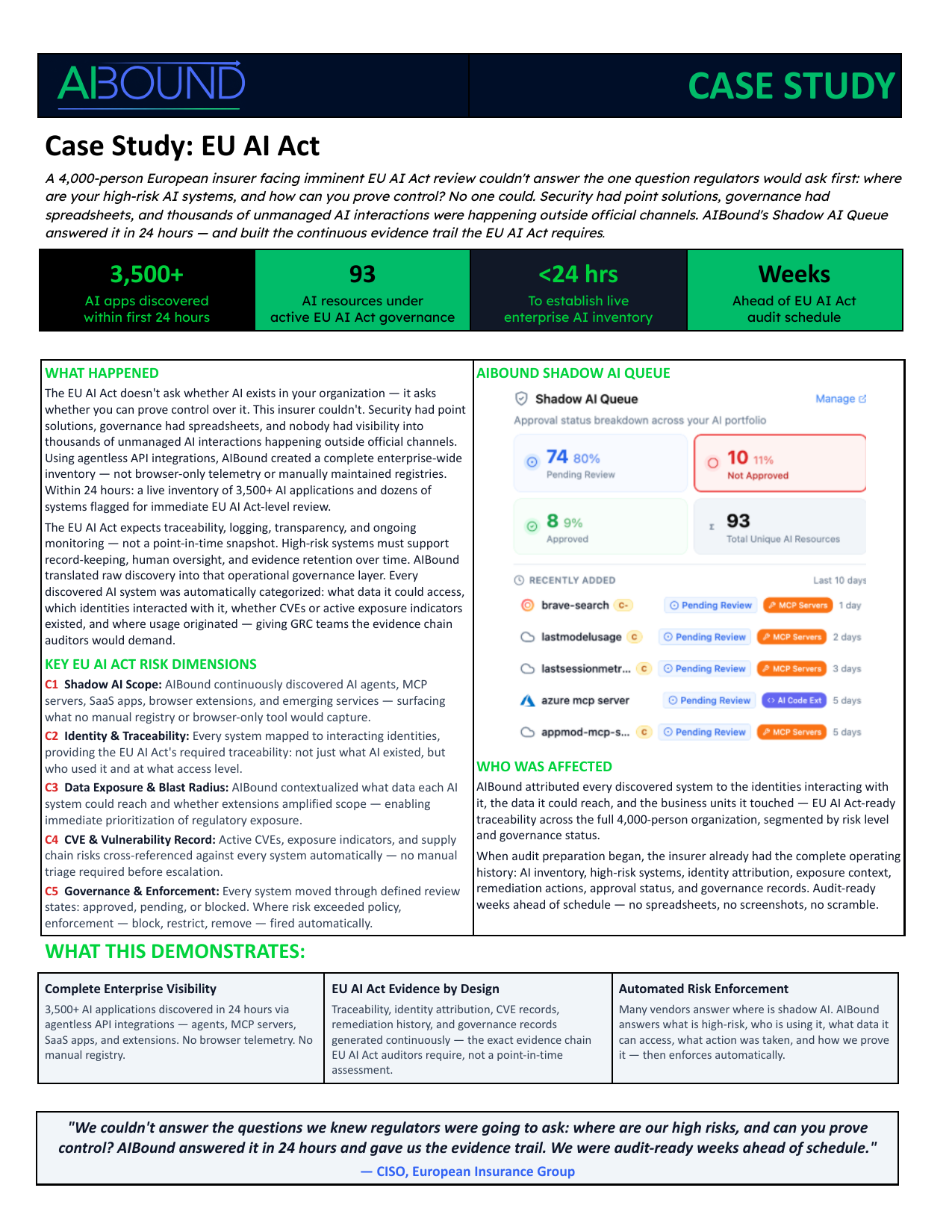
Recommended Internal AIBound Links
- AI Governance in Practice: From EU Law to Enterprise Control: https://www.aibound.com/news-events/ai-governance-in-practice-from-eu-law-to-enterprise-control
- Enterprise AI Governance Framework: https://www.aibound.com/blog-posts/ai-governance-enterprise-framework
- AI Governance Framework for CISOs: https://www.aibound.com/blog-posts/ai-governance-framework-for-cisos
- AIBound Case Studies: https://www.aibound.com/lovable-case-studies
External Resources
- EU Artificial Intelligence Act - Regulation (EU) 2024/1689: https://eur-lex.europa.eu/eli/reg/2024/1689/oj
- AIBound YouTube: 5 Steps to Discover, Score, and Prevent High-Risk AI: https://www.youtube.com/watch?v=nYQ8kVQAkPc
- NIST AI Risk Management Framework: https://www.nist.gov/itl/ai-risk-management-framework
- NIST Generative AI Profile: https://nvlpubs.nist.gov/nistpubs/ai/NIST.AI.600-1.pdf
Next Step
Organizations facing similar visibility, governance, or reporting challenges can explore AIBound to see how a live AI inventory and control plane can support secure AI adoption.
Leadership Review Questions
Use these questions to test whether the case-study lessons translate into a repeatable enterprise operating model:
- Can we identify every AI application, agent, model, extension, plugin, and MCP service currently in use?
- Does each material AI resource have a named business owner and documented purpose?
- Can security map the human or machine identity, effective permissions, sensitive data, and connected systems behind each resource?
- Are approval decisions conditional on least privilege, data boundaries, and ongoing monitoring?
- Do high-risk conditions trigger a defined response such as restrict, block, revoke, or require human approval?
- Can governance teams show when a resource was discovered, assessed, approved, changed, and remediated?
- Can the organization produce evidence for a board, auditor, regulator, or incident responder without a manual data-gathering project?
- Are adoption and risk trends improving together, or is AI usage expanding faster than the control program?
If several answers are uncertain, the priority is usually not another policy document. It is improving the live inventory, relationship context, ownership model, and enforcement path that make policy measurable and actionable.
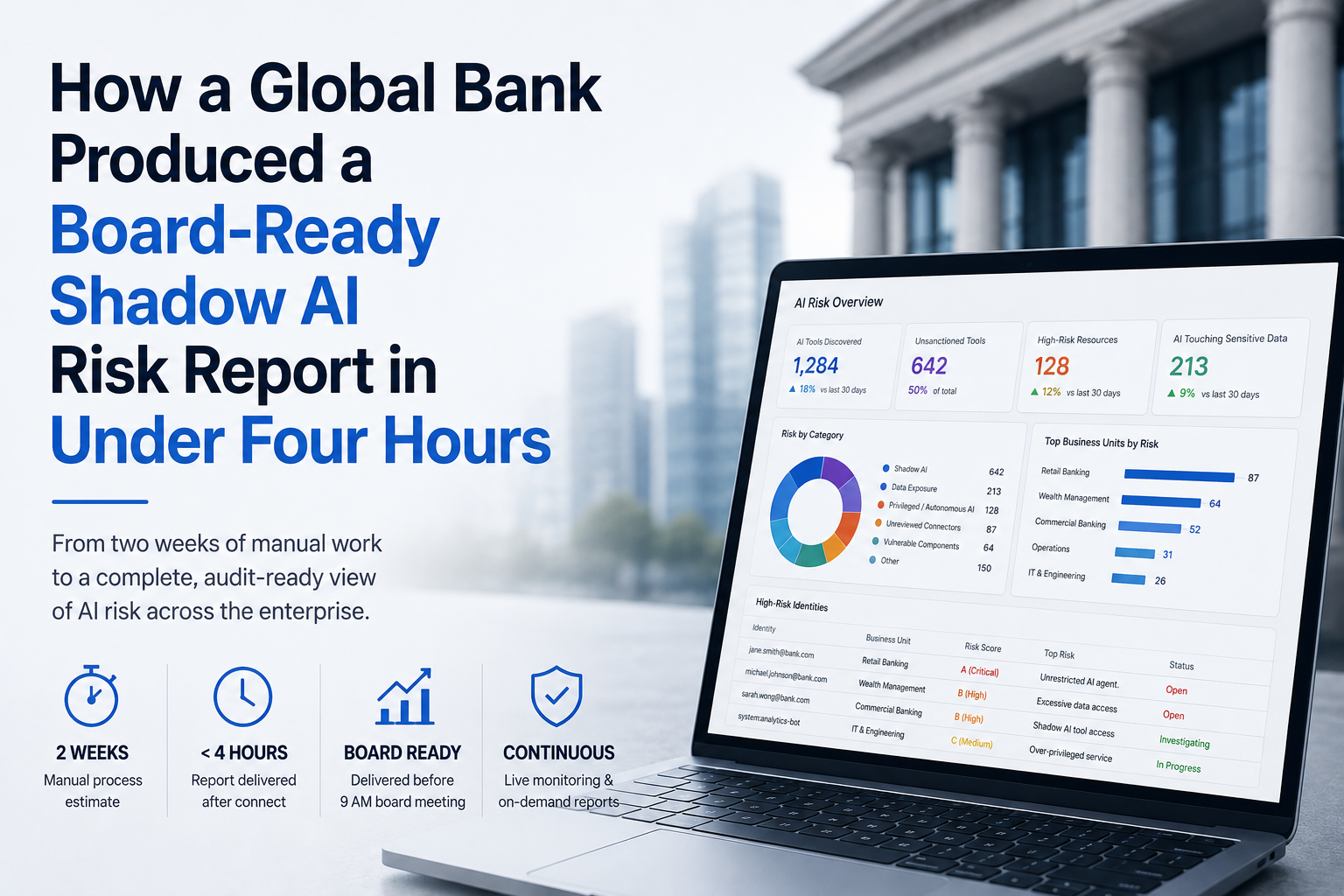
How a Global Bank Produced a Board-Ready Shadow AI Risk Report in Under Four Hours
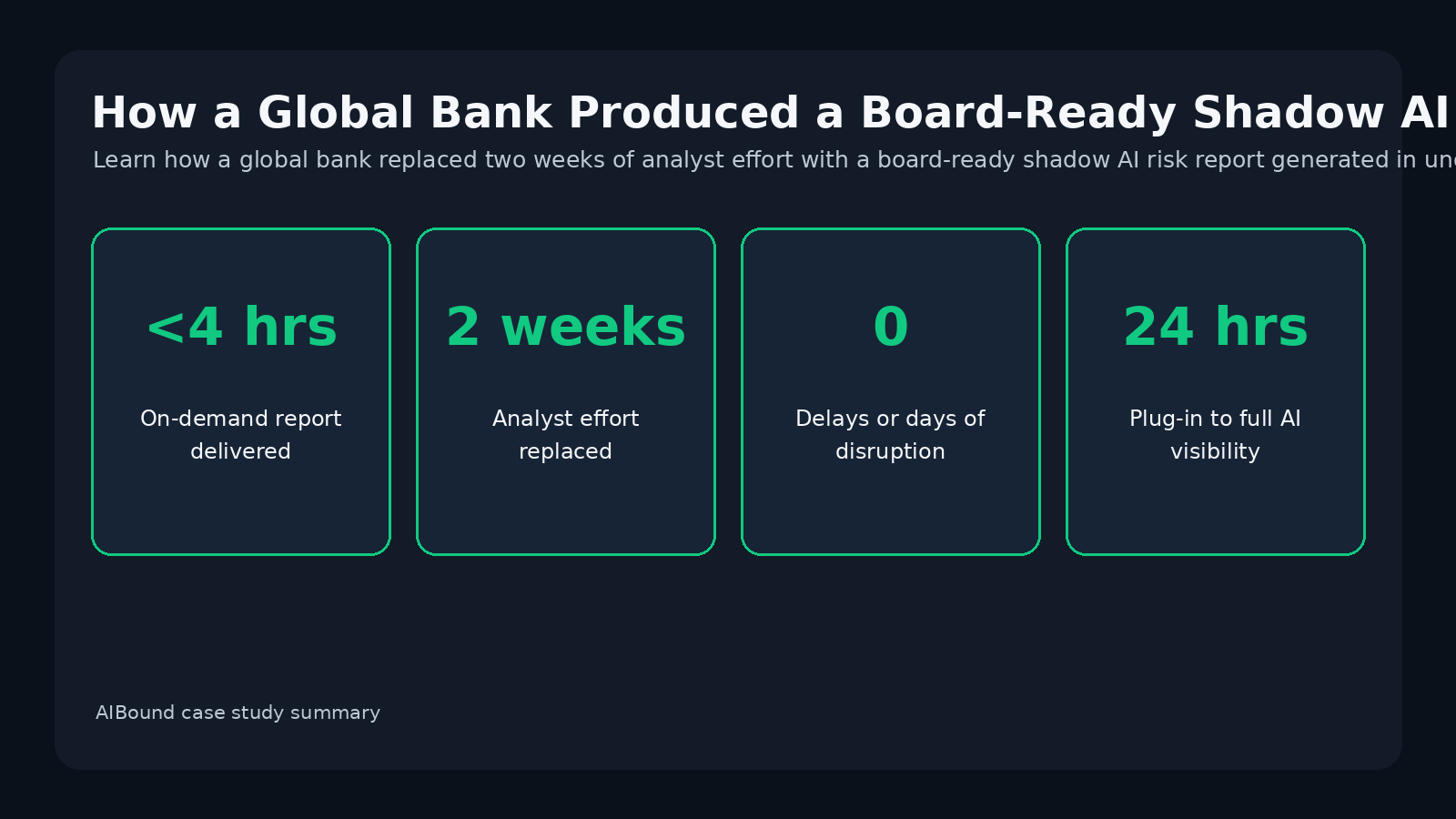
Case study overview. A global bank under regulatory and board pressure needed a comprehensive view of AI usage, data exposure, and high-risk identities. The manual process was expected to take two weeks. AIBound delivered a board-ready report in under four hours and established continuously refreshable reporting.
For additional context, see AIBound YouTube: 5 Steps to Discover, Score, and Prevent High-Risk AI, which outlines AIBound's five-stage approach to discovering, scoring, and preventing high-risk AI.
Direct Answer: Board-Level AI Reporting Must Be Built From Live Risk Data, Not Manual Slides
The global bank faced an urgent executive request: produce a comprehensive view of AI usage across the organization, including tools in use, access points, data exposure, and identities interacting with high-risk systems. Analysts estimated that assembling the answer manually would take roughly two weeks. AIBound produced a structured shadow AI risk report in under four hours after connecting to the environment.
The report arrived before a 9 a.m. board meeting. More importantly, it was not a one-time document. The underlying visibility and monitoring continued, allowing updated reports to be generated on demand for boards, internal audit, regulatory requests, and incident response.
Why Existing Security Controls Could Not Answer the Board’s Question
The bank already had industry-standard security controls. The gap was not a total lack of telemetry; it was the absence of AI-specific correlation and classification. Shadow AI usage spanned SaaS applications, browser-based tools, and embedded AI features inside enterprise platforms, none of which were visible as one coherent AI risk picture.
Board and regulatory questions are inherently cross-functional. They ask what is being used, where it is accessed, what data it touches, who is using it, how risky it is, and what the organization is doing about it. Producing that answer manually requires security, identity, data, governance, and application teams to reconcile multiple sources.
What the Report Revealed
The case study organizes the findings into five areas. First, unsanctioned tool proliferation showed that shadow AI existed across multiple technology surfaces. Second, it identified data exposure risk where sensitive information interacted with unmanaged AI. Third, identity and access mapping showed exactly which users were engaging with high-risk systems.
Fourth, the work exposed regulatory-readiness gaps caused by traditional frameworks and tools that were not built to report on AI usage continuously. Fifth, continuous monitoring established a repeatable process so the same reporting depth could be produced again without another two-week investigation.
Why Identity-Level Detail Changes Executive Reporting
A board does not need a list of every prompt, but it does need confidence that material risk is understood. Identity context helps turn broad statements such as 'employees are using unsanctioned AI' into a measurable control question: which identities are using high-risk AI, what access do they carry, which business units are affected, and what remediation is underway?
This gives executives a clearer connection between technology adoption and enterprise impact. It also lets security teams scope action narrowly rather than recommending a blanket enterprise ban when the underlying exposure is unclear.
Audit-Ready Depth Requires More Than a Dashboard Screenshot
The report was valuable because its structure matched governance and audit expectations. It covered tools in use, access points, data exposure risks, and identity-level detail. The case study describes the output as structured and audit-ready, with depth that the bank's board expected.
Audit-ready reporting should also be repeatable. A screenshot proves what a dashboard displayed at one moment. A continuous control plane can preserve the inventory, risk state, decisions, and supporting context that produced the report, making future reporting faster and more defensible.
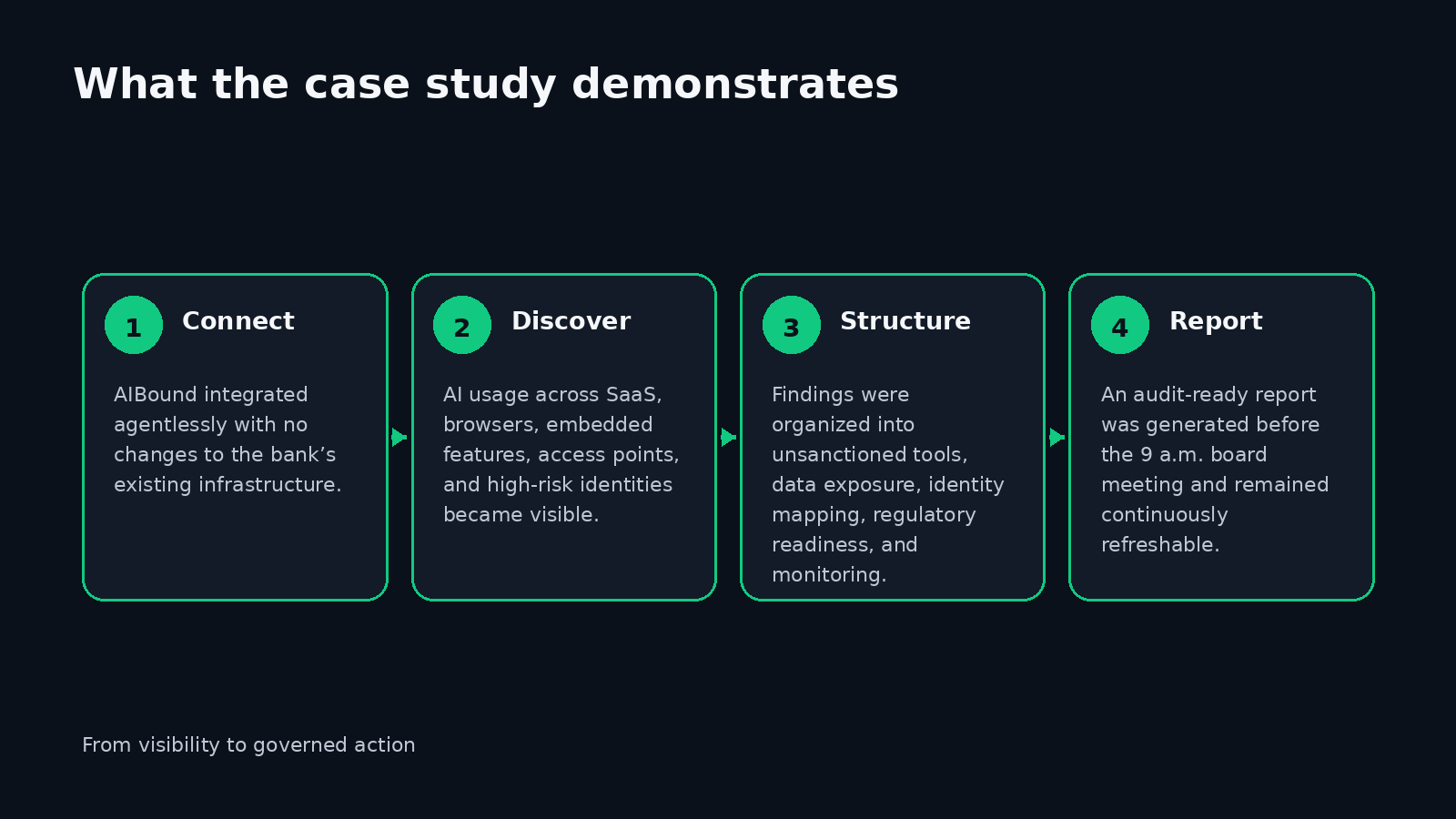
A Practical Board-Ready AI Risk Reporting Model
A useful executive report should begin with scope: how much AI exists, where it is used, and what proportion is governed. Next, it should summarize material risks rather than every finding. Categories can include shadow AI, sensitive-data exposure, privileged or autonomous agents, unreviewed connectors, vulnerable components, and regulatory gaps.
The report should then show ownership and response: which business units or identities are connected to the top risks, what controls are in place, what remediation is planned, and whether risk is improving. Finally, include trend information so leaders can see whether AI adoption and control maturity are moving in the same direction.
How to Replace Manual Reporting With an On-Demand Process
The bank's result depended on agentless integration and continuous monitoring. Organizations can replicate the principle by connecting the telemetry they already own, normalizing AI-specific activity into a living inventory, enriching it with identity and data context, and applying a consistent risk model.
Once that data model exists, board reporting becomes a query over current governance data instead of a bespoke investigation. The security team can generate a report for a board meeting, an auditor can request a different slice, and incident responders can use the same underlying evidence without rebuilding the picture each time.
Metrics Boards and Regulators Can Actually Use
High-level metrics should answer whether exposure is known and controlled. Examples include total AI resources discovered, percentage sanctioned, percentage with owners, high-risk resources, AI touching sensitive data, privileged-agent count, pending governance reviews, policy violations, mean time to remediation, and high-risk exposure trend.
The case study also demonstrates an operational efficiency metric: analyst effort avoided. A report that previously required approximately two analyst-weeks was generated in under four hours, changing reporting from a periodic burden into an on-demand capability.
Frequently Asked Questions
Did the bank replace its existing security stack? No. The case study says AIBound deployed agentlessly and required no changes to the bank's existing infrastructure.
Was the report static? No. It updated continuously and could be generated on demand for audits, regulatory inquiries, board meetings, or incident response.
What information did the report include? The case study lists AI tools in use, access points, data exposure risks, and identities interacting with high-risk systems.
How quickly did the bank gain full visibility? The case study reports 24 hours from plug-in to full AI visibility, with the specific board report delivered in under four hours after connecting.
Conclusion
The global bank case shows that AI governance reporting does not need to be a recurring manual project. When inventory, identity, data exposure, and risk context are maintained continuously, executive reporting becomes faster and more reliable.
The strongest board report is not the one with the most slides. It is the one backed by current evidence, clear risk prioritization, and a repeatable process that can answer the same questions tomorrow. In this case, that operating model turned two weeks of analyst effort into a report available before the morning board meeting.
Implementation Checklist for a Board-Ready AI Risk Brief
Standardize the board report so it can be generated repeatedly. Use a consistent executive summary, AI inventory and adoption trend, top material risks, data exposure, privileged or autonomous AI, governance status, remediation progress, regulatory considerations, and decisions required from leadership.
Keep the report concise but make every metric traceable to underlying evidence. Security teams should be able to move from a board-level number to the affected resources, identities, systems, and remediation actions without a separate investigation.
What a Board-Ready AI Risk Report Should Avoid
Executive reporting can fail in two opposite ways. One report overwhelms leaders with technical findings and tool names. Another is so high-level that it provides no evidence of control. A board-ready report should sit between those extremes: concise enough to support decisions, but grounded in measurable exposure, ownership, response, and trend data.
Avoid reporting only the number of AI tools. Tool count shows adoption, not material risk. Pair inventory metrics with sensitive-data exposure, privileged identity use, high-risk resources, unresolved governance decisions, remediation status, and changes since the previous reporting period.
How Security Teams Can Make AI Reporting Repeatable
Define a standard reporting data model before building the slide deck. Every AI resource should have consistent fields for type, owner, business unit, risk, governance status, data reach, identity privilege, external exposure, and remediation. The board report should be generated from those fields rather than from a manually assembled narrative each quarter.
Create audience-specific views from the same underlying evidence. The board may need a small number of top risks and trends. Internal audit may need approval history and evidence retention. Regulators may ask for a specific system's traceability. Incident responders may need technical relationships. One live data model can support all of those outputs.
A Monthly Executive Reporting Cadence
At the beginning of the month, refresh the inventory and identify changes in high-risk exposure. Mid-month, validate ownership and remediation status for the most material findings. Before the executive meeting, generate the report and review exceptions that require leadership decisions, such as risk acceptance, investment, or changes to business use.
After the meeting, record decisions back into the governance system. This closes the loop so executive reporting becomes part of control, not a presentation exercise that sits outside the operating process.
Key Takeaways for CISOs and Security Leaders
For CISOs, board reporting should be designed backward from the decisions leadership may need to make. A useful report should show whether AI adoption is known, whether the highest risks have accountable owners, whether sensitive data and privileged identities are controlled, whether remediation is progressing, and whether the risk trend is improving. The underlying system should preserve enough detail that executives can ask a follow-up question without starting a new investigation.
This also improves credibility with auditors and regulators. When the same live evidence can support a board summary, an audit request, and an incident investigation, the organization avoids maintaining multiple inconsistent versions of AI risk. Reporting becomes an output of governance rather than a parallel manual process.
Final Strategic Note
Across all five case-study patterns, the common requirement is continuous context. Enterprises need to know not only which AI resources exist, but also who uses them, what identities and permissions they inherit, which data and systems they can reach, what risk signals are present, and what governance decision is currently in force. That context makes it possible to distinguish productive AI adoption from material exposure and to respond proportionately. The strongest programs therefore connect discovery, assessment, approval, enforcement, monitoring, and reporting in one operating loop. That loop gives employees a safer path to use AI, gives security teams a way to prioritize the most important risks, and gives leadership evidence that policy decisions are actually being applied in the environment.
Original Case Study Snapshot
The source case study supplied for this article is shown below for reference. The blog preserves the case study metrics and outcomes while expanding the security and governance lessons into a long-form SEO article.
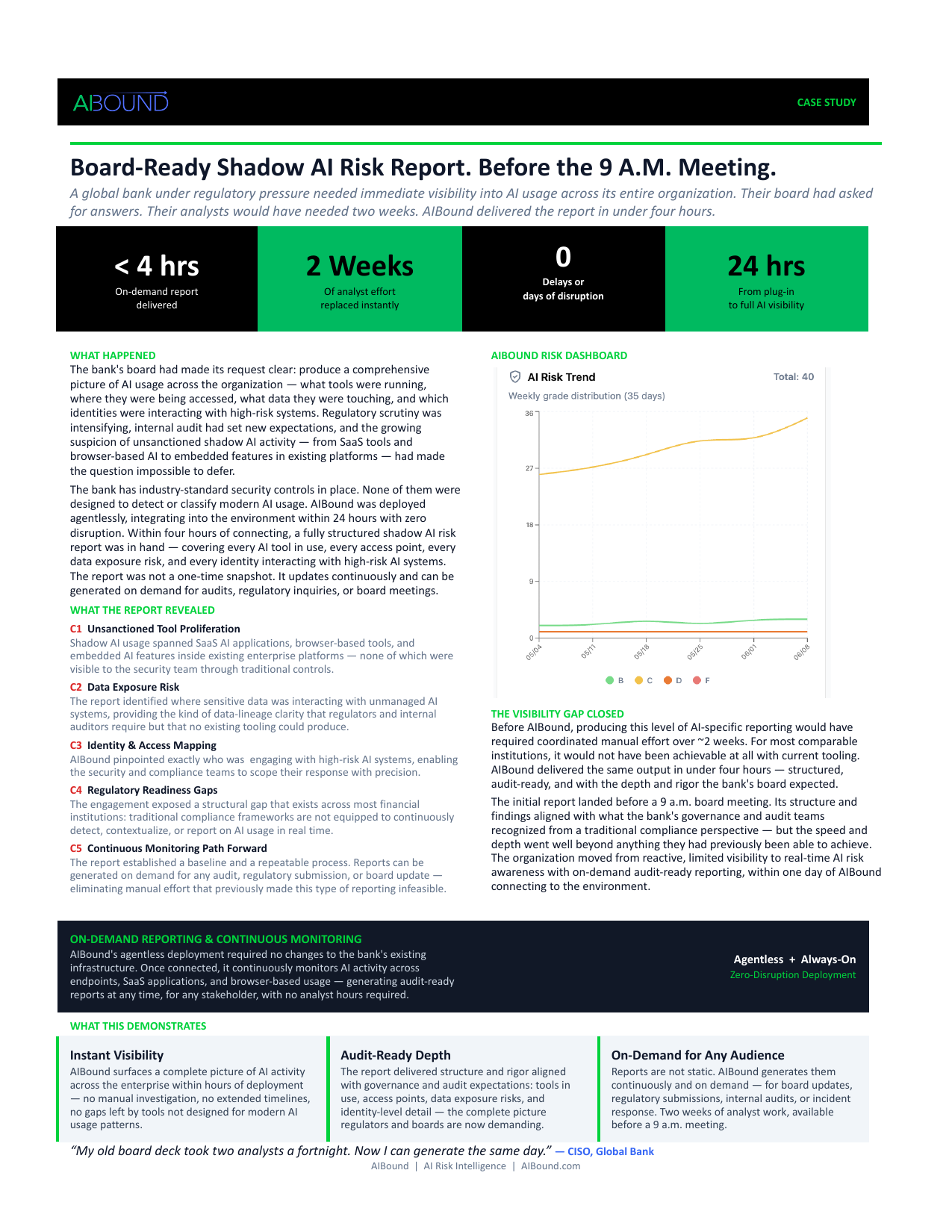
Recommended Internal AIBound Links
- Enterprise AI Governance Framework: https://www.aibound.com/blog-posts/ai-governance-enterprise-framework
- AI Governance Framework for CISOs: https://www.aibound.com/blog-posts/ai-governance-framework-for-cisos
- How to Detect Shadow AI: https://www.aibound.com/blog-posts/how-to-detect-shadow-ai
- AIBound Case Studies: https://www.aibound.com/lovable-case-studies
External Resources
- AIBound YouTube: 5 Steps to Discover, Score, and Prevent High-Risk AI: https://www.youtube.com/watch?v=nYQ8kVQAkPc
- NIST AI Risk Management Framework: https://www.nist.gov/itl/ai-risk-management-framework
- NIST Generative AI Profile: https://nvlpubs.nist.gov/nistpubs/ai/NIST.AI.600-1.pdf
- EU Artificial Intelligence Act - Regulation (EU) 2024/1689: https://eur-lex.europa.eu/eli/reg/2024/1689/oj
Next Step
Organizations facing similar visibility, governance, or reporting challenges can explore AIBound to see how a live AI inventory and control plane can support secure AI adoption.
Leadership Review Questions
Use these questions to test whether the case-study lessons translate into a repeatable enterprise operating model:
- Can we identify every AI application, agent, model, extension, plugin, and MCP service currently in use?
- Does each material AI resource have a named business owner and documented purpose?
- Can security map the human or machine identity, effective permissions, sensitive data, and connected systems behind each resource?
- Are approval decisions conditional on least privilege, data boundaries, and ongoing monitoring?
- Do high-risk conditions trigger a defined response such as restrict, block, revoke, or require human approval?
- Can governance teams show when a resource was discovered, assessed, approved, changed, and remediated?
- Can the organization produce evidence for a board, auditor, regulator, or incident responder without a manual data-gathering project?
- Are adoption and risk trends improving together, or is AI usage expanding faster than the control program?
If several answers are uncertain, the priority is usually not another policy document. It is improving the live inventory, relationship context, ownership model, and enforcement path that make policy measurable and actionable.
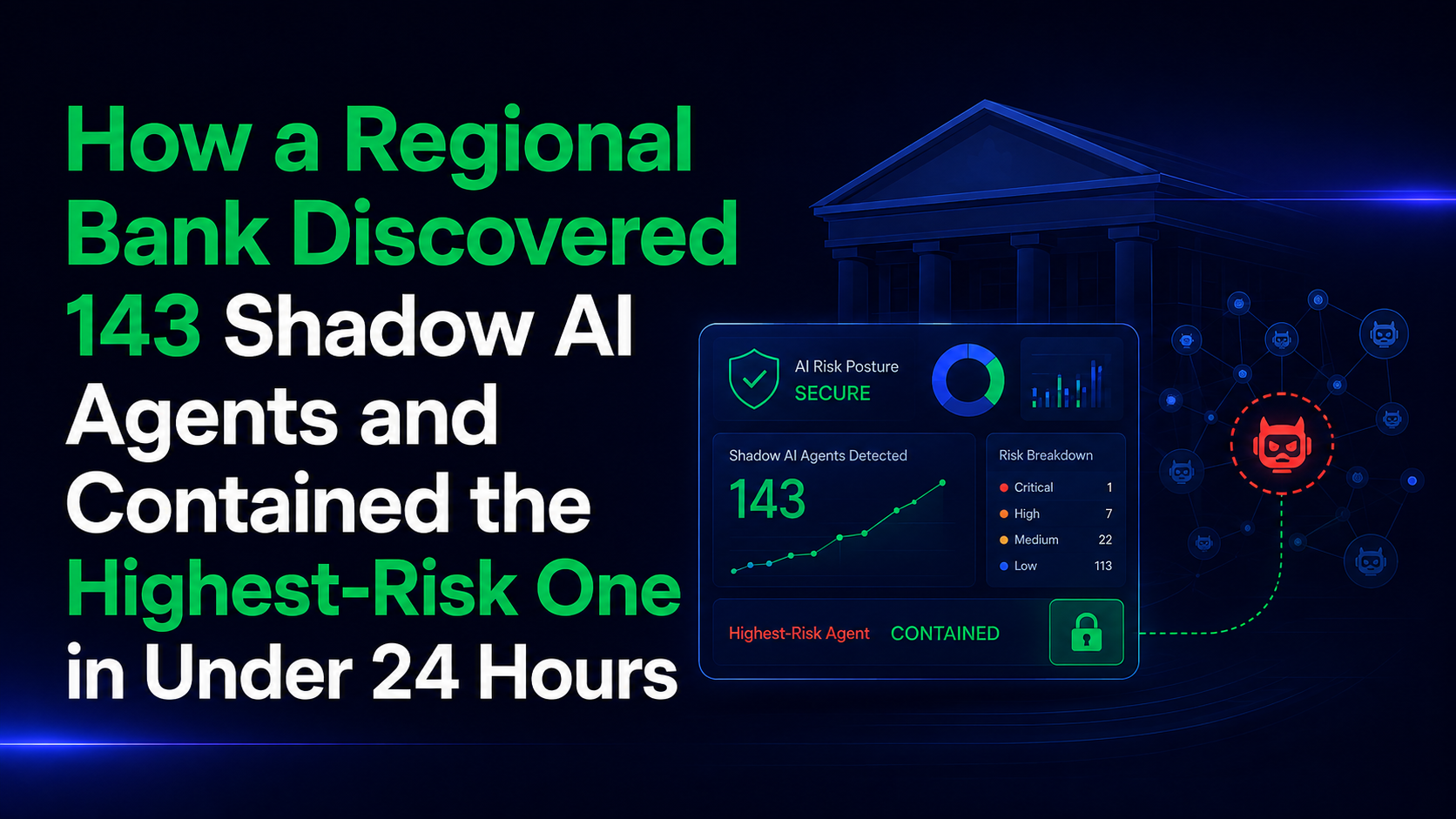
How a Regional Bank Discovered 143 Shadow AI Agents and Contained the Highest-Risk One in Under 24 Hours
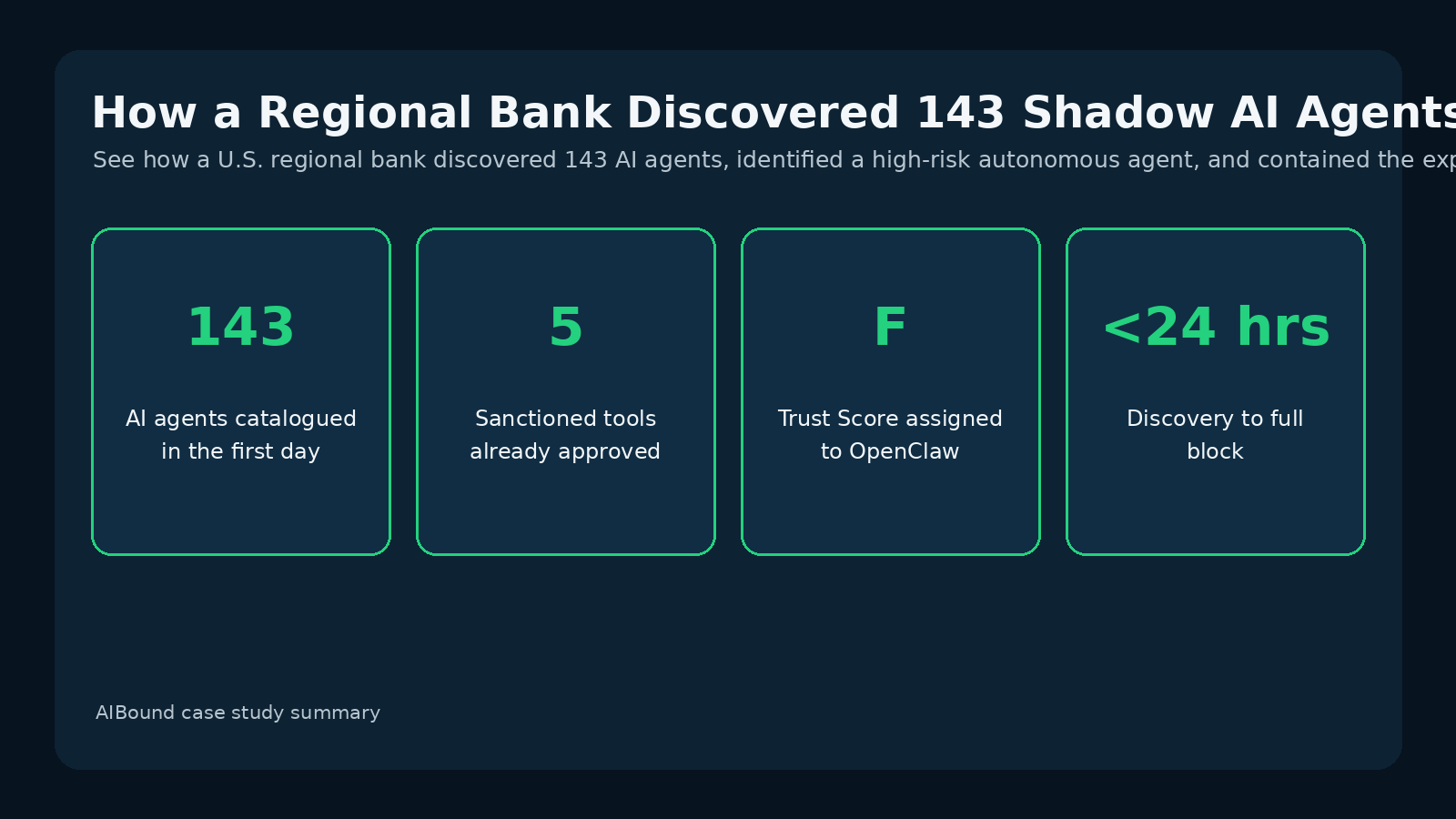
Case study overview. A U.S. regional bank had an AI policy and five approved tools but no reliable way to see what was actually running. In the first 24 hours, AIBound cataloged 143 AI agents and identified a high-risk autonomous agent with sensitive-system access, risky installed skills, and outbound communication paths.
For additional context, see AIBound YouTube: 5 Steps to Discover, Score, and Prevent High-Risk AI, which outlines AIBound's five-stage approach to discovering, scoring, and preventing high-risk AI.
Direct Answer: Shadow AI Becomes Dangerous When Access, Autonomy, and Egress Combine
The regional bank's experience shows why an AI policy is not the same as AI control. The organization had a formal policy and five sanctioned tools, yet AIBound found 143 distinct AI agents in the first day. The critical discovery was not simply that employees were experimenting with AI. It was that eleven endpoints were running an autonomous agent with shell execution, file management, mailbox and calendar operations, access to payroll information, a connection into banking systems, and multiple outbound messaging paths.
That combination turned an ordinary productivity decision into an enterprise security problem. AIBound's assessment did not judge the application on reputation alone. It evaluated publisher trust, installed skills, autonomous behavior, effective reach, vulnerability history, and the deployment context. The result was an F Trust Score and a deployment recommendation to block. Containment was pushed through tools the bank already owned, and the case study reports zero records exfiltrated before containment.
What the Bank Expected to Find Versus What Was Actually Running
The proof of concept began with modest expectations. The bank expected to find a handful of ChatGPT users. Instead, agentless discovery cataloged 143 AI agents during the first 24 hours, only five of which were sanctioned. This gap matters because shadow AI rarely arrives through one major technology deployment. It appears incrementally as employees adopt tools to solve local workload problems.
The eleven OpenClaw installations were especially important because the agent was not isolated from enterprise systems. Users had granted standing access to payroll information and banking connections. Some endpoints also had autonomous execution enabled. Installed ClawHub skills contained instructions to suppress confirmation prompts and proceed without asking for permission. The bank had a rule against exactly that behavior, but existing controls had not made the activity visible.
Why Reputation-Only Scoring Would Have Missed the Risk
One of the strongest lessons from this case study is that an AI application's name or publisher reputation is only one input. The highest-risk conditions came from the combination of the agent, its skills, its access, its permissions, and its outbound channels. The case study notes that the application itself could look unremarkable if examined without those relationships.
AIBound's assessment grouped the problem into five dimensions. Publisher and community trust were weak because accountability and code review around the skill marketplace were limited. Behavior and safety were poor because installed skills attempted to suppress confirmation prompts and bypass approval. Agentic reach was broad because the agent had shell execution and user-granted access to sensitive systems. The vulnerability record included an unpatched high-severity CVE. Finally, the deployment recommendation was block because the failure modes were architectural rather than a simple configuration issue.
The Security Pattern Behind the “Lethal Trifecta”
The case study describes a particularly dangerous combination: sensitive data, untrusted content, and outbound communications. Each factor can be manageable in isolation. Approved systems routinely process sensitive data. Employees routinely consume external content. Outbound communication is a normal business function. When an autonomous agent can combine all three without sufficient controls, the blast radius changes significantly.
This is why agentic AI security needs to map both authority and communication paths. Security teams should ask which identity the agent operates under, which data stores that identity can reach, which actions the agent can perform, and which destinations can receive information. The OWASP Top 10 for Agentic Applications provides a useful external reference because it highlights risks such as identity and privilege abuse, tool misuse, and agentic supply-chain vulnerabilities.
How AIBound Turned Discovery Into Containment
Visibility alone would not have been enough. After identifying the agent and scoring its risk, AIBound mapped the affected users, enumerated installed skills, identified reachable systems, and traced outbound communication options. That context gave the bank a precise basis for action rather than a broad ban on employee AI use.
The bank then pushed enforcement through its existing EDR and SIEM. The agent was blocked from launching, its messaging paths were cut, and stored credentials were flagged for rotation. According to the case study, the full path from discovery to containment took under 24 hours and did not require new endpoint tooling or a manual investigation.
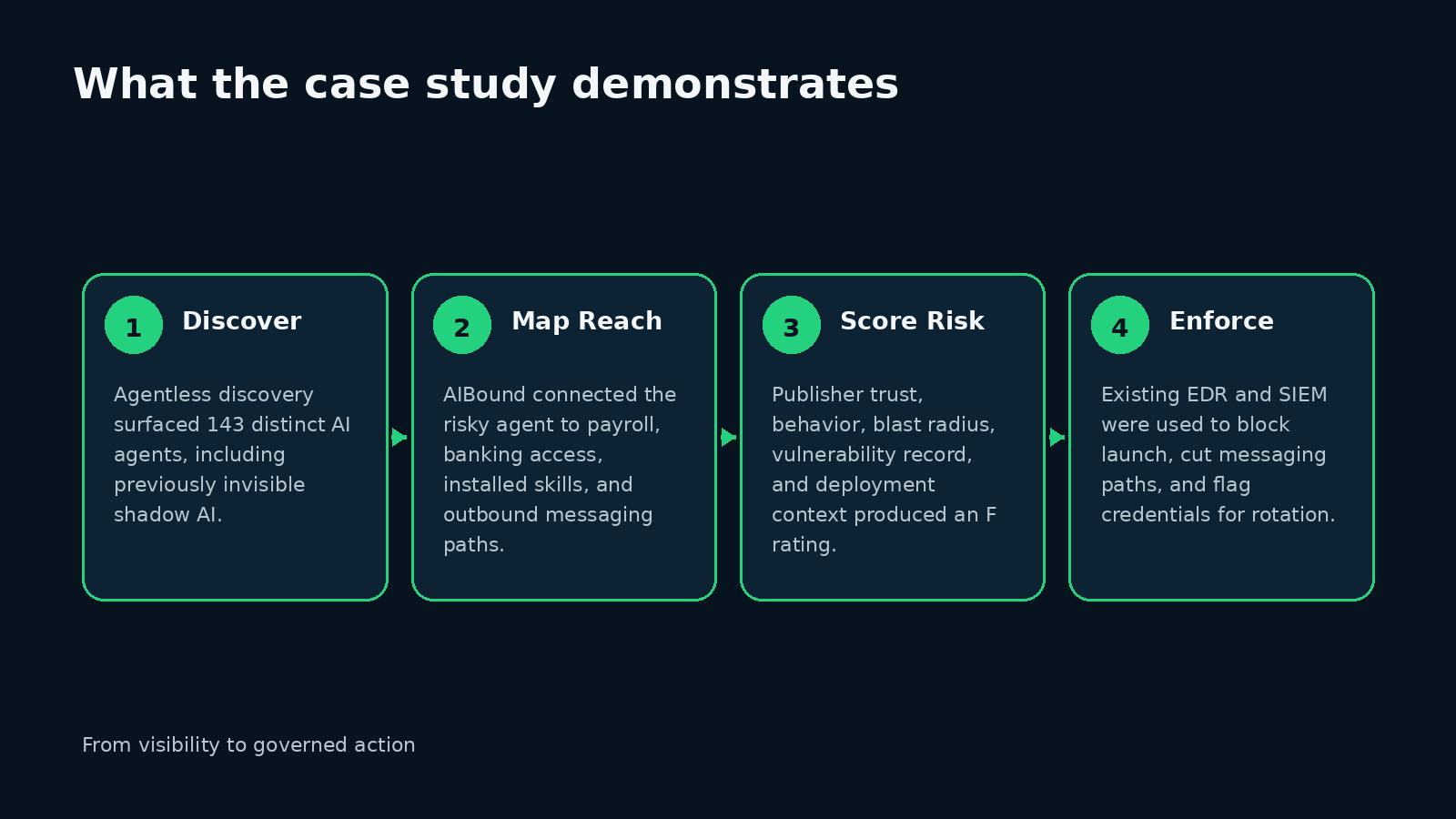
A Practical Shadow AI Response Playbook for Financial Institutions
Financial institutions can apply the same operating model even when their toolset is different. Start with continuous discovery across browsers, endpoints, networks, cloud platforms, SaaS applications, developer environments, and autonomous agent frameworks. Build an inventory that distinguishes sanctioned, pending-review, and unsanctioned AI.
Next, enrich every AI resource with identity, permission, data, behavior, and destination context. Move high-risk combinations to the front of the queue. A low-privilege writing assistant used with public content is not equivalent to an autonomous agent with shell execution, sensitive-data access, and multiple uninspected communication channels. Finally, connect risk thresholds to response actions: allow, monitor, restrict, quarantine, block, revoke credentials, or require human approval.
What Security Leaders Should Measure After Discovery
A shadow AI program becomes more useful when leaders measure outcomes rather than raw tool counts. Useful metrics include the number of AI resources discovered, percentage with a named owner, sanctioned versus unsanctioned usage, agents using privileged identities, resources that can reach sensitive data, autonomous actions requiring human approval, high-risk resources contained, and median time from discovery to remediation.
The bank case also suggests a valuable executive metric: how much risk existed outside the official AI program. The organization had five approved tools but 143 agents in active use. That difference is the governance gap leadership needs to understand.
Frequently Asked Questions
Is every unsanctioned AI tool high risk? No. Unsanctioned means the organization has not completed an appropriate review. Risk depends on the specific tool, identity, permissions, data, autonomy, vulnerabilities, and communication paths.
Why did the bank's existing EDR, SIEM, and DLP not solve the problem on their own? The case study says those tools didn't surface the 143 AI agents. The missing layer was AI-specific discovery and contextual correlation across application, skill, identity, access, and reach.
Why is skill-level visibility important? Skills can change what an agent is instructed to do. In this case, installed skills included instructions to suppress confirmations and bypass approval, materially changing the risk profile.
Can organizations enforce AI policy without deploying another endpoint agent? In this case, AIBound connected agentlessly and used the bank's existing EDR and SIEM for enforcement.
Conclusion
The regional bank did not have an employee-maliciousness problem. It had a visibility and control problem. Employees adopted an agent to move faster, granted the permissions it requested, and had no environmental signal telling them that the combination was unsafe.
The larger lesson is that enterprise AI security must evaluate more than applications. Security teams need to see agents, skills, identities, permissions, sensitive-data paths, vulnerabilities, autonomy, and egress together. When those relationships are visible, shadow AI can be prioritized by actual business risk instead of fear, reputation, or blanket prohibition.
Implementation Checklist for the First 30 Days
Week one should focus on connecting existing telemetry and identifying the real AI inventory. Do not begin with a blanket block. Begin with visibility and classify resources by owner, use case, identity, data reach, autonomy, and destination. During week two, review the highest-risk combinations and validate whether permissions are actually required for the business purpose.
During week three, formalize response tiers and integrate them with the tools already used by security operations. During week four, publish approved alternatives and a fast request path so employees have a secure way to adopt useful AI. This combination of control and enablement is more sustainable than a policy that relies on employees self-reporting every experiment.
What This Case Changes About AI Policy Design
Traditional acceptable-use policies assume employees can recognize the boundary between approved and unapproved technology. Agentic AI makes that assumption weaker because a single product can acquire new skills, connectors, tokens, and execution rights after installation. A policy therefore needs to define not only which tools are approved, but also which capabilities are acceptable. Useful policy dimensions include autonomous execution, shell access, credential use, access to regulated information, uninspected outbound communication, third-party skills, and the ability to suppress or bypass human confirmation.
The bank case also shows why technical guardrails should back policy. Employees were not intentionally violating security. They granted access because the agent asked in natural language and nothing in the environment prevented the action. A strong program pairs employee guidance with controls that can detect when an AI agent's effective permissions or behavior exceed policy.
Questions a CISO Should Ask After a Shadow AI Discovery
Once a large shadow AI inventory is discovered, the wrong response is to treat every item as equally urgent. Security leaders should ask which resources have privileged identities, can access financial, HR, customer, or production data, have autonomous actions enabled, use unreviewed plugins or skills, and have outbound channels outside normal inspection. Those questions quickly reduce hundreds of findings into a smaller set of potentially material exposures.
The next question is ownership. Every resource should have a named business owner who can explain the use case and validate whether the requested access is necessary. Resources with no owner, no clear purpose, broad privileges, or unknown destinations deserve faster escalation because the organization lacks both technical and accountability controls.
Key Takeaways for CISOs and Security Leaders
For CISOs, the most important operational lesson is to separate AI adoption from AI authority. Employees may choose a tool, but the environment should decide what that tool can access and whether it can act autonomously. Discovery without permission context produces a list. Permission context without discovery leaves blind spots. The two must be connected so the organization can identify when an ordinary productivity tool becomes a privileged actor.
This also changes how exceptions should be handled. If a business team needs an AI capability, security can approve the use case while constraining specific permissions, data categories, or communication paths. High-risk combinations should trigger escalation automatically, while low-risk experimentation can remain available. That balance reduces the incentive for workarounds and focuses security effort on combinations that could create material harm.
Final Strategic Note
Across all five case-study patterns, the common requirement is continuous context. Enterprises need to know not only which AI resources exist, but also who uses them, what identities and permissions they inherit, which data and systems they can reach, what risk signals are present, and what governance decision is currently in force. That context makes it possible to distinguish productive AI adoption from material exposure and to respond proportionately. The strongest programs therefore connect discovery, assessment, approval, enforcement, monitoring, and reporting in one operating loop. That loop gives employees a safer path to use AI, gives security teams a way to prioritize the most important risks, and gives leadership evidence that policy decisions are actually being applied in the environment.
Original Case Study Snapshot
The source case study supplied for this article is shown below for reference. The blog preserves the case study metrics and outcomes while expanding the security and governance lessons into a long-form SEO article.
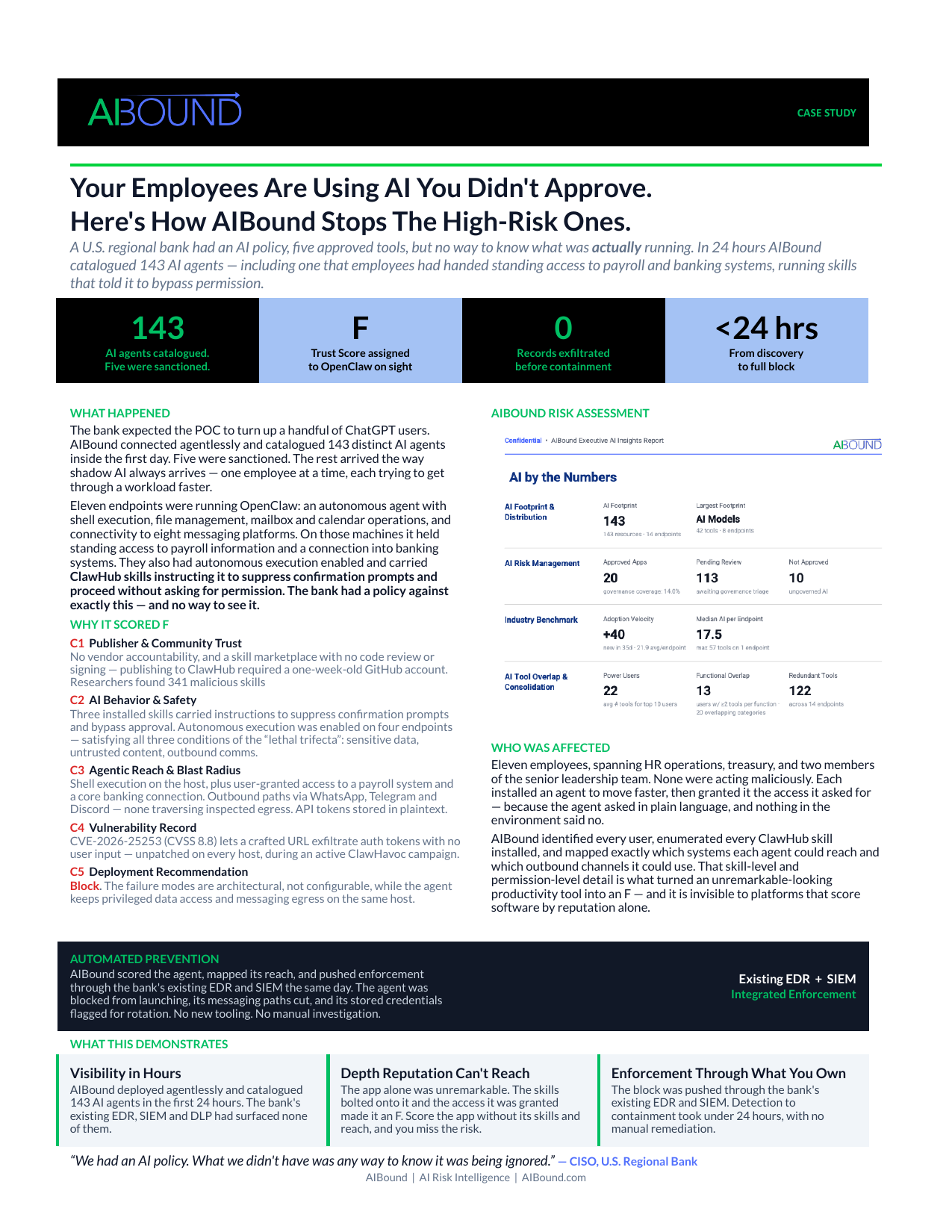
Recommended Internal AIBound Links
- How to Detect Shadow AI: https://www.aibound.com/blog-posts/how-to-detect-shadow-ai
- Enterprise AI Governance Framework: https://www.aibound.com/blog-posts/ai-governance-enterprise-framework
- AI Governance Framework for CISOs: https://www.aibound.com/blog-posts/ai-governance-framework-for-cisos
- AIBound Case Studies: https://www.aibound.com/lovable-case-studies
External Resources
- AIBound YouTube: 5 Steps to Discover, Score, and Prevent High-Risk AI: https://www.youtube.com/watch?v=nYQ8kVQAkPc
- OWASP Top 10 for Agentic Applications 2026: https://genai.owasp.org/resource/owasp-top-10-for-agentic-applications-for-2026/
- NIST AI Risk Management Framework: https://www.nist.gov/itl/ai-risk-management-framework
- NIST Generative AI Profile: https://nvlpubs.nist.gov/nistpubs/ai/NIST.AI.600-1.pdf
Next Step
Organizations facing similar visibility, governance, or reporting challenges can explore AIBound to see how a live AI inventory and control plane can support secure AI adoption.
Leadership Review Questions
Use these questions to test whether the case-study lessons translate into a repeatable enterprise operating model:
- Can we identify every AI application, agent, model, extension, plugin, and MCP service currently in use?
- Does each material AI resource have a named business owner and documented purpose?
- Can security map the human or machine identity, effective permissions, sensitive data, and connected systems behind each resource?
- Are approval decisions conditional on least privilege, data boundaries, and ongoing monitoring?
- Do high-risk conditions trigger a defined response such as restrict, block, revoke, or require human approval?
- Can governance teams show when a resource was discovered, assessed, approved, changed, and remediated?
- Can the organization produce evidence for a board, auditor, regulator, or incident responder without a manual data-gathering project?
- Are adoption and risk trends improving together, or is AI usage expanding faster than the control program?
If several answers are uncertain, the priority is usually not another policy document. It is improving the live inventory, relationship context, ownership model, and enforcement path that make policy measurable and actionable.
How a Retail Team Turned a Banned AI Tool Into Governed AI in 48 Hours
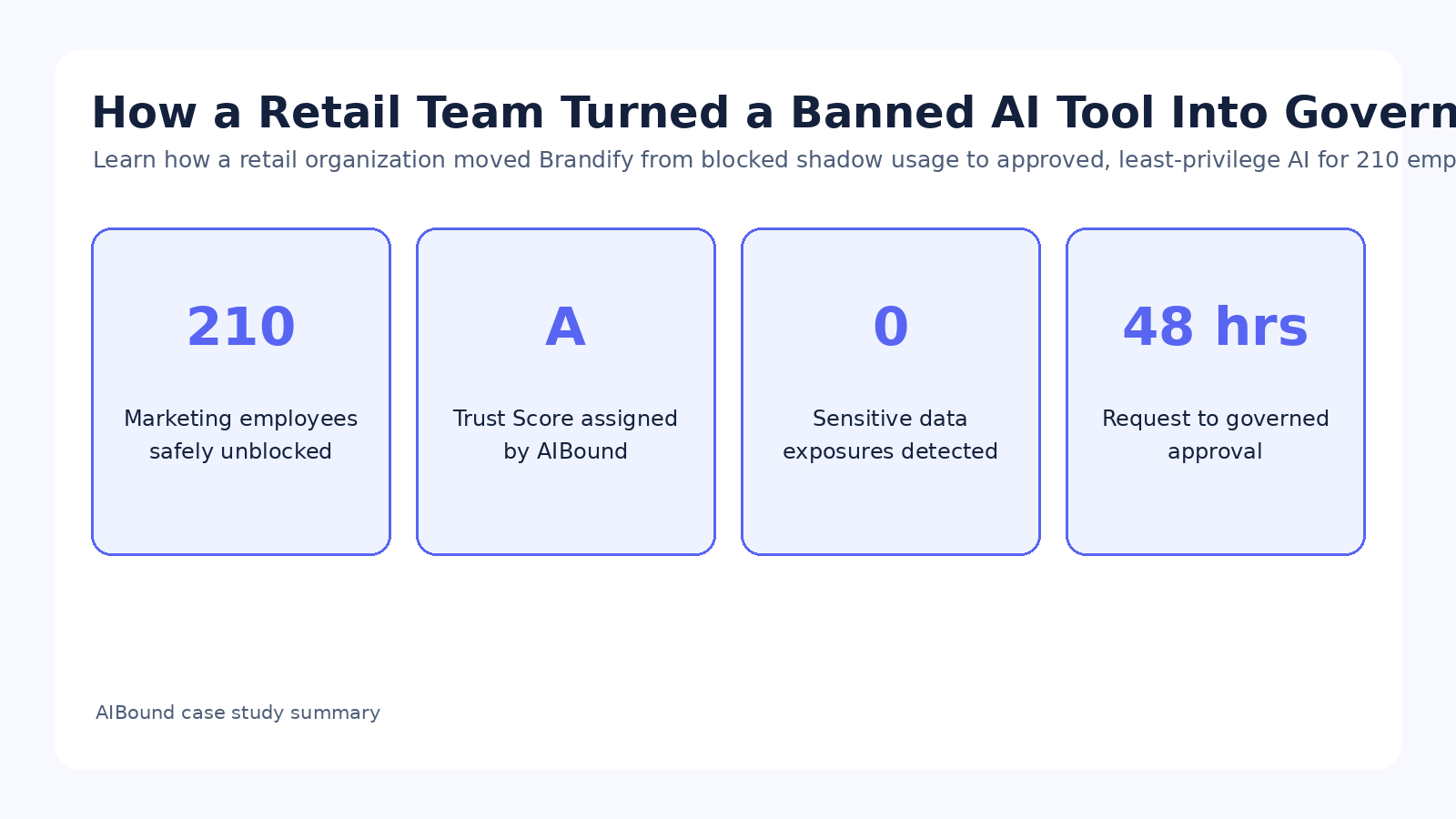
Case study overview. A retail organization had blocked Brandify because security could not prove what it could access or how to govern it after approval. AIBound assessed the tool, created least-privilege boundaries, and enabled 210 marketing employees to use it within 48 hours.
For additional context, see AIBound YouTube: 5 Steps to Discover, Score, and Prevent High-Risk AI, which outlines AIBound's five-stage approach to discovering, scoring, and preventing high-risk AI.
Direct Answer: The Best AI Security Outcome Is Often Governed Approval, Not Permanent Blocking
The Brandify case demonstrates an important shift in enterprise AI security. Security teams do not create value by blocking every unfamiliar AI tool indefinitely. They create value by making fast, evidence-based decisions that separate acceptable use from unacceptable exposure. In this retail organization, Brandify moved from blocked to approved and continuously governed in 48 hours, allowing 210 marketing employees to use the tool within defined boundaries.
AIBound's assessment produced an A Trust Score and found no sensitive production-system exposure during the analysis. Rather than treating the tool as safe everywhere, the organization applied a least-privilege policy so Brandify could operate within approved marketing workflows. At the same time, interaction with PII, regulated customer data, confidential business documents, proprietary files, and architectural assets remained restricted.
Why Marketing Demand Became a Shadow AI Risk
Retail marketing teams move quickly, and the case study explains why Brandify generated strong internal demand. Employees wanted faster campaign content, less repetitive design work, quicker approvals, and better brand consistency. Security and IT, however, lacked evidence about what Brandify could reach and how they would know if its behavior changed after approval.
The easiest decision was to block the application. That reduced immediate uncertainty, but it created a second problem. Productivity slowed while demand continued to grow. The more useful the tool appeared to employees, the greater the pressure for unsanctioned workarounds. A permanent block could therefore increase shadow AI pressure rather than eliminate it.
What Evidence-Based Approval Looks Like
A defensible approval decision starts with specific questions. Is the publisher transparent about data practices and security? Does the product behave within a narrow business purpose? Which systems and data categories can it reach? Does it have a meaningful vulnerability history? What controls can limit it after approval?
The Brandify assessment answered those questions across five dimensions. Publisher and community trust were strong. Behavior remained scoped to creative and brand workflows. Agentic reach was limited to marketing tooling and design processes. The case study reported no CVEs or vulnerability disclosures in the prior 90 days. The final deployment recommendation was approval within governed marketing workflows under least-privilege policy.
Least Privilege Turns Approval Into a Control Decision
Approving an AI tool should not mean granting broad access by default. The strongest part of this case is the use of boundaries. AIBound scoped Brandify to its intended function and explicitly blocked categories of information that were not needed for marketing work. This is more precise than either a blanket ban or unrestricted enterprise approval.
Least privilege is especially important because AI capabilities can expand after deployment. New integrations, features, connectors, and permissions can change the risk profile. Continuous governance gives security teams a way to keep the original approval valid only while the conditions supporting it remain true.
Why Continuous Monitoring Matters After the “Yes”
The case study emphasizes that approval is not a one-time event. CrowdStrike integration enabled continuous enforcement and behavioral drift detection. If Brandify later tried to access restricted information, or if its risk posture changed, policy controls could be enforced before exposure occurred.
This is a useful operating principle for every enterprise AI program: approvals should be conditional and observable. The security team should know what made the tool acceptable, which permissions were granted, which data categories remain off limits, who owns the business use, and which changes would trigger re-review.
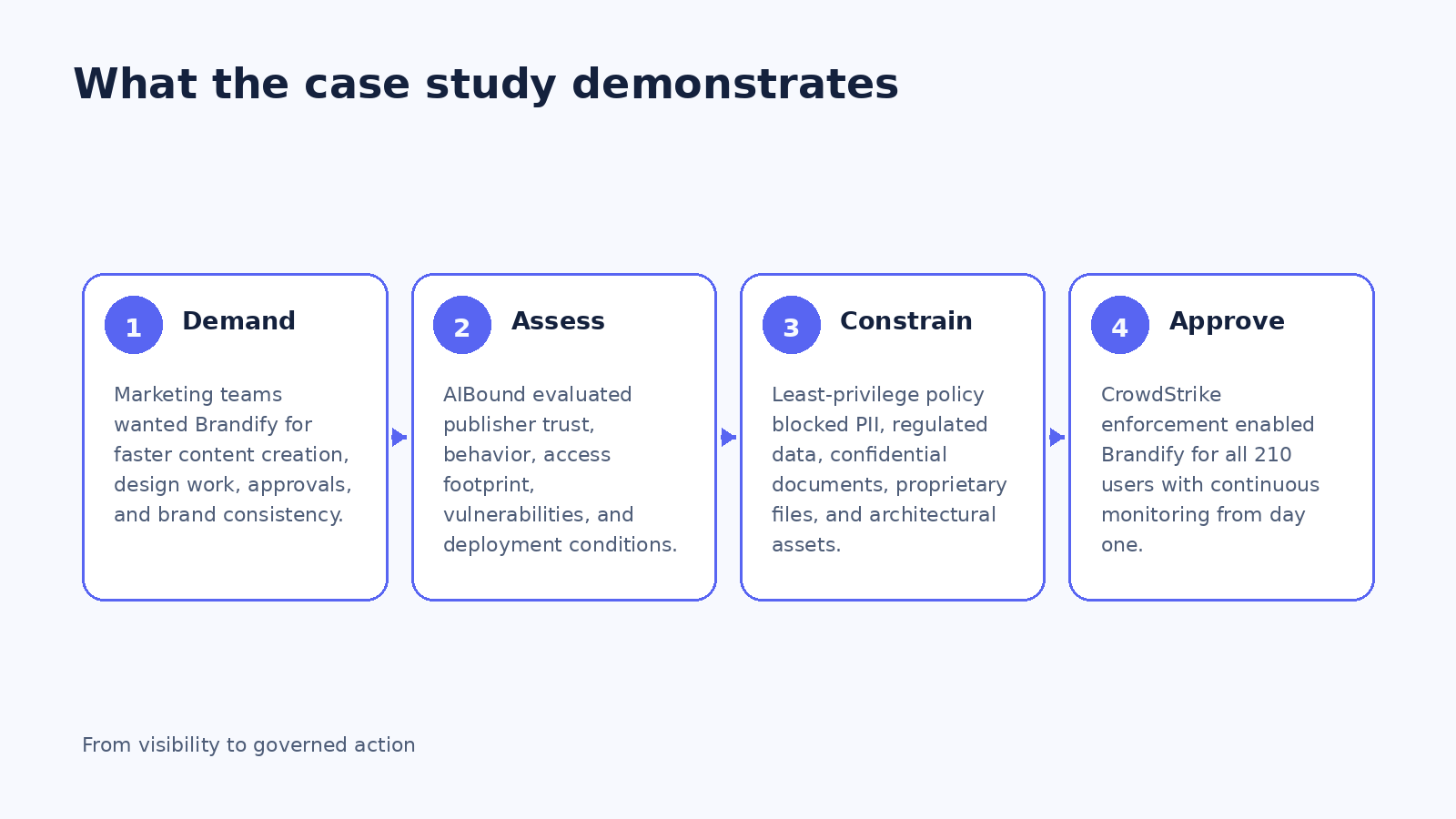
A Practical Fast-Track AI Approval Workflow
Organizations can adapt the Brandify pattern into a repeatable approval process. First, discover organic adoption before the formal review begins. Knowing who is already using the tool and what it can reach gives the review real context. Second, evaluate publisher trust, product behavior, vulnerabilities, identity and permission requirements, data proximity, and expected business value.
Third, define the minimum access required for the approved use case. Fourth, document explicit restrictions for sensitive data and high-impact systems. Fifth, push controls through existing security infrastructure where possible. Finally, monitor for behavioral drift, permission changes, new integrations, and risk-intelligence updates.
How This Changes the Relationship Between Security and the Business
The most telling outcome in the case study is cultural as well as technical. The IT Director said marketing stopped treating security like the department of no. That happens when security can make decisions at business speed without sacrificing control.
A mature AI governance program should create multiple outcomes: approve, approve with conditions, restrict, pilot, quarantine, or block. When teams know a request can receive a fast, evidence-based answer, they have less incentive to route around governance.
Frequently Asked Questions
Was Brandify simply declared safe? No. It received an A Trust Score in the case study, but approval was limited to governed marketing workflows with least-privilege enforcement and continuous monitoring.
Why not keep the tool blocked permanently? The case study describes productivity and workflow impacts while employee demand kept increasing. Evidence-based approval resolved both the business need and the shadow AI pressure.
What data remained restricted? The case study specifically lists PII, regulated customer data, confidential business documents, proprietary files, and architectural assets.
How quickly did approval happen? The case study reports 48 hours from request to governed approval for 210 employees.
Conclusion
Brandify is a strong example of AI governance as enablement. The organization did not choose between innovation and security. It gathered evidence, established a narrow access model, enforced clear data boundaries, and kept monitoring after approval.
For security leaders, the lesson is simple: a fast, defensible 'yes with controls' can be safer than a slow 'no' that drives employees toward shadow use. Governance works best when it creates a secure path to adoption, not merely a list of prohibited tools.
Implementation Checklist for a Business-Friendly AI Review
Create a standard evidence package for every requested AI tool. It should include publisher and security posture, data handling, account model, identity and permission requirements, integrations, vulnerability history, expected business value, and proposed restrictions. Reviews become faster when every request is evaluated against the same evidence template.
Set service-level targets for low-, medium-, and high-risk reviews. A low-risk marketing or productivity tool should not wait behind a complex autonomous-agent assessment. Finally, make approvals conditional: define what would trigger re-review, such as new connectors, new data categories, expanded permissions, or a significant change in vendor risk.
What Security Teams Should Document Before Approving an AI Tool
A repeatable approval file should capture the tool's intended use, the business team requesting it, the publisher and security documentation, account model, data retention practices, integrations, identity requirements, permission scopes, information categories in reach, known vulnerabilities, and any agentic or autonomous features. The review should end with explicit conditions rather than a vague statement that the tool is 'approved.'
For Brandify, the important condition was scope. Marketing workflows were allowed while sensitive categories remained outside the permitted boundary. That distinction should be written into the approval record so a later feature expansion or integration can be compared with the original decision. If the facts change, the approval can be revisited without restarting the entire governance process from memory.
How to Prevent Fast Approval From Becoming Weak Approval
Speed is valuable only when the evidence is strong enough to support the decision. Fast-track review should not mean skipping identity mapping, data analysis, vulnerability review, or permission design. It means standardizing those steps so security can decide quickly. Automated evidence collection, pre-defined risk thresholds, and reusable least-privilege policies can reduce cycle time without reducing scrutiny.
Organizations should also track approval quality after go-live. Monitor whether tools remain inside their approved data boundaries, whether new integrations appear, whether employees shift to personal accounts, and whether the vendor introduces autonomous features. A rapid approval process is mature when it includes equally rapid detection of material change.
A 60-Day Governed AI Adoption Program
During the first 30 days, inventory the highest-demand blocked and shadow AI tools, identify the business teams requesting them, and create a standard evidence package. Prioritize use cases where business value is clear and required data access is narrow. Use these as pilot approvals to prove the workflow.
During days 31 through 60, publish approved tools and conditions, automate monitoring for data and permission drift, define re-review triggers, and measure adoption. The objective is to reduce both security exposure and employee incentive to use unapproved alternatives. A good program should make the governed path easier than the shadow path.
Key Takeaways for CISOs and Security Leaders
For CISOs, Brandify is a reminder that governance maturity should be measured partly by how quickly the organization can reach a defensible decision. A slow review process can become a risk factor when employees have strong business demand and easy access to alternatives. Security needs enough automation and evidence to move low- and moderate-risk tools through a predictable path while reserving deep manual analysis for the cases that truly require it.
The approval record should also be treated as a control contract. It states the business purpose, permitted users, allowed data, approved integrations, and conditions that would trigger re-review. Continuous monitoring then checks whether real-world use still matches that contract. This makes approval dynamic without making it arbitrary.
Final Strategic Note
Across all five case-study patterns, the common requirement is continuous context. Enterprises need to know not only which AI resources exist, but also who uses them, what identities and permissions they inherit, which data and systems they can reach, what risk signals are present, and what governance decision is currently in force. That context makes it possible to distinguish productive AI adoption from material exposure and to respond proportionately. The strongest programs therefore connect discovery, assessment, approval, enforcement, monitoring, and reporting in one operating loop. That loop gives employees a safer path to use AI, gives security teams a way to prioritize the most important risks, and gives leadership evidence that policy decisions are actually being applied in the environment.
Original Case Study Snapshot
The source case study supplied for this article is shown below for reference. The blog preserves the case study metrics and outcomes while expanding the security and governance lessons into a long-form SEO article.
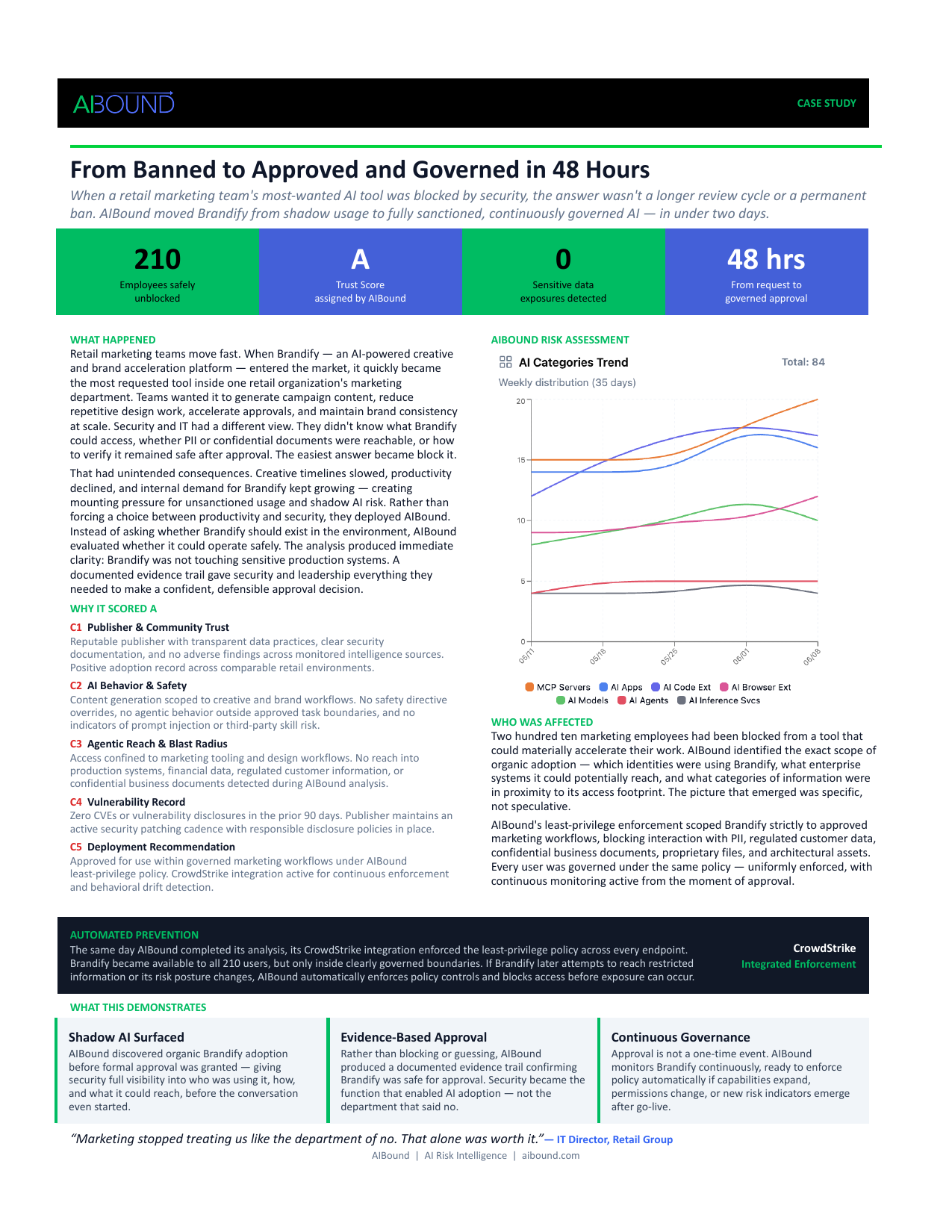
Recommended Internal AIBound Links
- Enterprise AI Governance Framework: https://www.aibound.com/blog-posts/ai-governance-enterprise-framework
- AI Governance Framework for CISOs: https://www.aibound.com/blog-posts/ai-governance-framework-for-cisos
- AIBound Case Studies: https://www.aibound.com/lovable-case-studies
- AIBound AI Control Plane: https://www.aibound.com/
External Resources
- AIBound YouTube: 5 Steps to Discover, Score, and Prevent High-Risk AI: https://www.youtube.com/watch?v=nYQ8kVQAkPc
- NIST AI Risk Management Framework: https://www.nist.gov/itl/ai-risk-management-framework
- OWASP Top 10 for Agentic Applications 2026: https://genai.owasp.org/resource/owasp-top-10-for-agentic-applications-for-2026/
- NIST Generative AI Profile: https://nvlpubs.nist.gov/nistpubs/ai/NIST.AI.600-1.pdf
Next Step
Organizations facing similar visibility, governance, or reporting challenges can explore AIBound to see how a live AI inventory and control plane can support secure AI adoption.
Leadership Review Questions
Use these questions to test whether the case-study lessons translate into a repeatable enterprise operating model:
- Can we identify every AI application, agent, model, extension, plugin, and MCP service currently in use?
- Does each material AI resource have a named business owner and documented purpose?
- Can security map the human or machine identity, effective permissions, sensitive data, and connected systems behind each resource?
- Are approval decisions conditional on least privilege, data boundaries, and ongoing monitoring?
- Do high-risk conditions trigger a defined response such as restrict, block, revoke, or require human approval?
- Can governance teams show when a resource was discovered, assessed, approved, changed, and remediated?
- Can the organization produce evidence for a board, auditor, regulator, or incident responder without a manual data-gathering project?
- Are adoption and risk trends improving together, or is AI usage expanding faster than the control program?
If several answers are uncertain, the priority is usually not another policy document. It is improving the live inventory, relationship context, ownership model, and enforcement path that make policy measurable and actionable.
How One Enterprise Operationalized the NIST AI RMF Across 180+ AI Systems
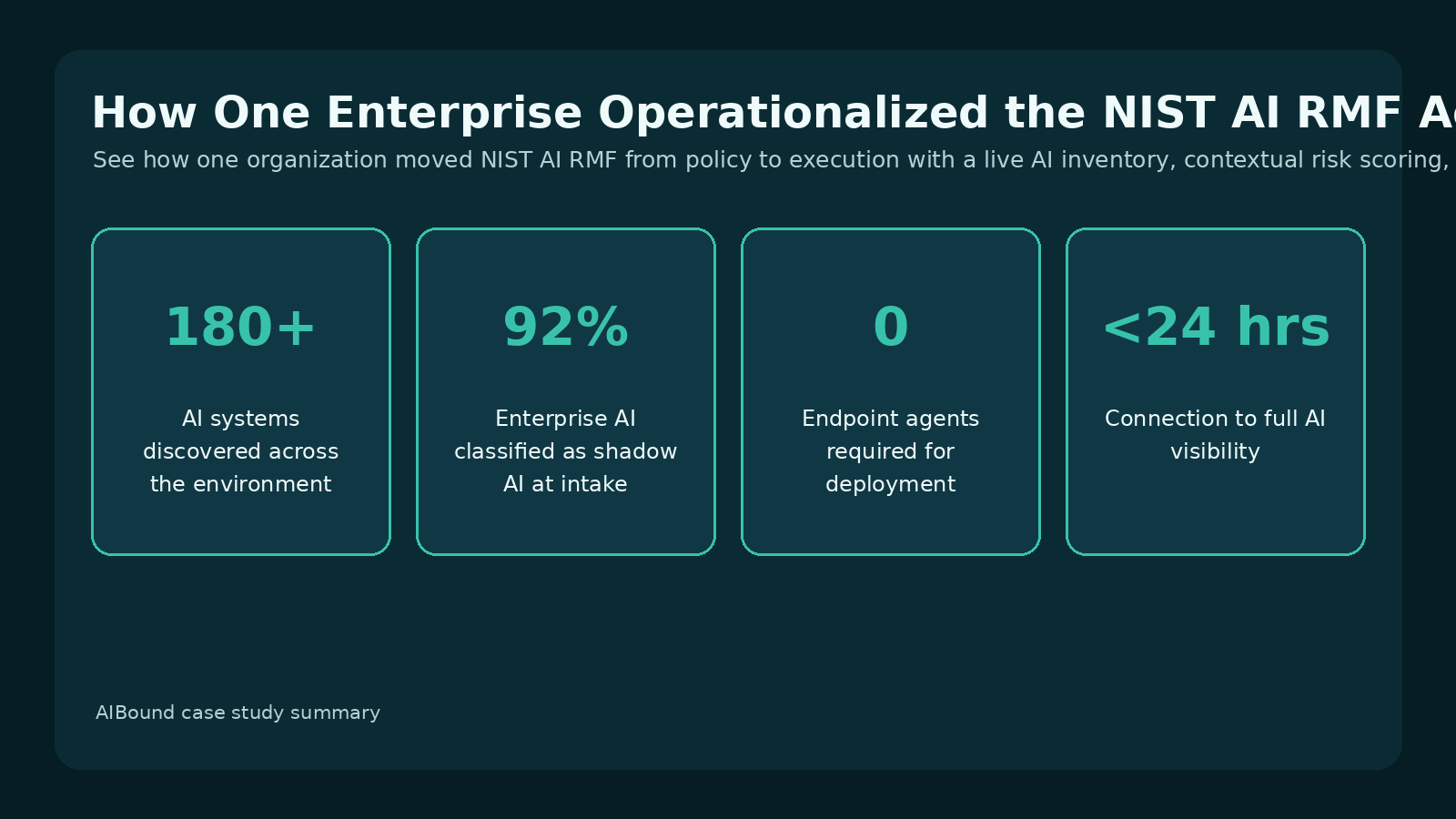
Case study overview. An enterprise trying to operationalize the NIST AI Risk Management Framework discovered that its formal governance program covered only a fraction of actual AI usage. AIBound surfaced 180+ systems and helped convert Govern, Map, Measure, and Manage from documentation into continuous operations.
For additional context, see AIBound YouTube: 5 Steps to Discover, Score, and Prevent High-Risk AI, which outlines AIBound's five-stage approach to discovering, scoring, and preventing high-risk AI.
Direct Answer: Frameworks Become Useful When Their Functions Are Connected to Live Security Operations
The organization in this case study had the same starting point as many enterprises: an AI policy, a governance committee, and a list of approved applications. The difficulty appeared when the team compared that formal program with what was actually running. AIBound discovered more than 180 AI systems across SaaS, browser extensions, developer copilots, local agents, autonomous workflows, internal models, and emerging tools. The case study reports that 92% of enterprise AI was shadow AI at intake.
The organization's objective was to operationalize the NIST AI Risk Management Framework. AIBound became the operating layer that connected the framework's Govern, Map, Measure, and Manage functions to continuous discovery, contextual risk analysis, approvals, enforcement, and audit records.
Govern: Move From a Committee to an Operating Function
Governance is often treated as a meeting cadence and a set of documents. In this case, Govern became a continuously maintained layer containing AI inventory, ownership records, policy mapping, approval workflows, and automated response for unacceptable risk.
That shift matters because AI changes too quickly for quarterly reviews to be the primary control. New SaaS features, browser extensions, models, agents, and developer tools can appear between governance meetings. A live operating model keeps accountability and policy attached to current reality.
Map: Build a Living View of the Entire AI Ecosystem
The Map function requires more than a software list. The case study says AIBound mapped data access paths, identity interactions, connected applications, vendor attribution, permissions, and inherited access for each system.
This relationship context is essential. A coding assistant with read access to one test repository is not equivalent to an autonomous agent with administrative access across production systems. Mapping makes these differences visible and gives risk teams a factual basis for prioritization.
Measure: Score Operational Risk, Not Checkbox Completion
The Measure function became a continuous evaluation of behavior, disclosed vulnerabilities, misconfigurations, data exposure, identity privilege, and scope expansion over time. This replaced generic ratings with risk scores tied to how AI was actually deployed inside the organization.
That distinction is important because the same AI product can have multiple risk profiles. Deployment context, account type, data sensitivity, connected systems, and autonomy can change the potential impact. Contextual scoring therefore produces a more useful security queue than a static vendor grade.
Manage: Connect Thresholds to Action
The case study clearly distinguishes between reporting and control. Where risk thresholds were exceeded, AIBound integrations with Jamf and CrowdStrike could block high-risk AI, prevent interaction with sensitive systems, remove unauthorized tools, and trigger remediation workflows.
This is where a framework becomes operational. Manage is not just having a remediation policy; it is the ability to apply a response reliably when the defined condition is met and preserve evidence that the action occurred.
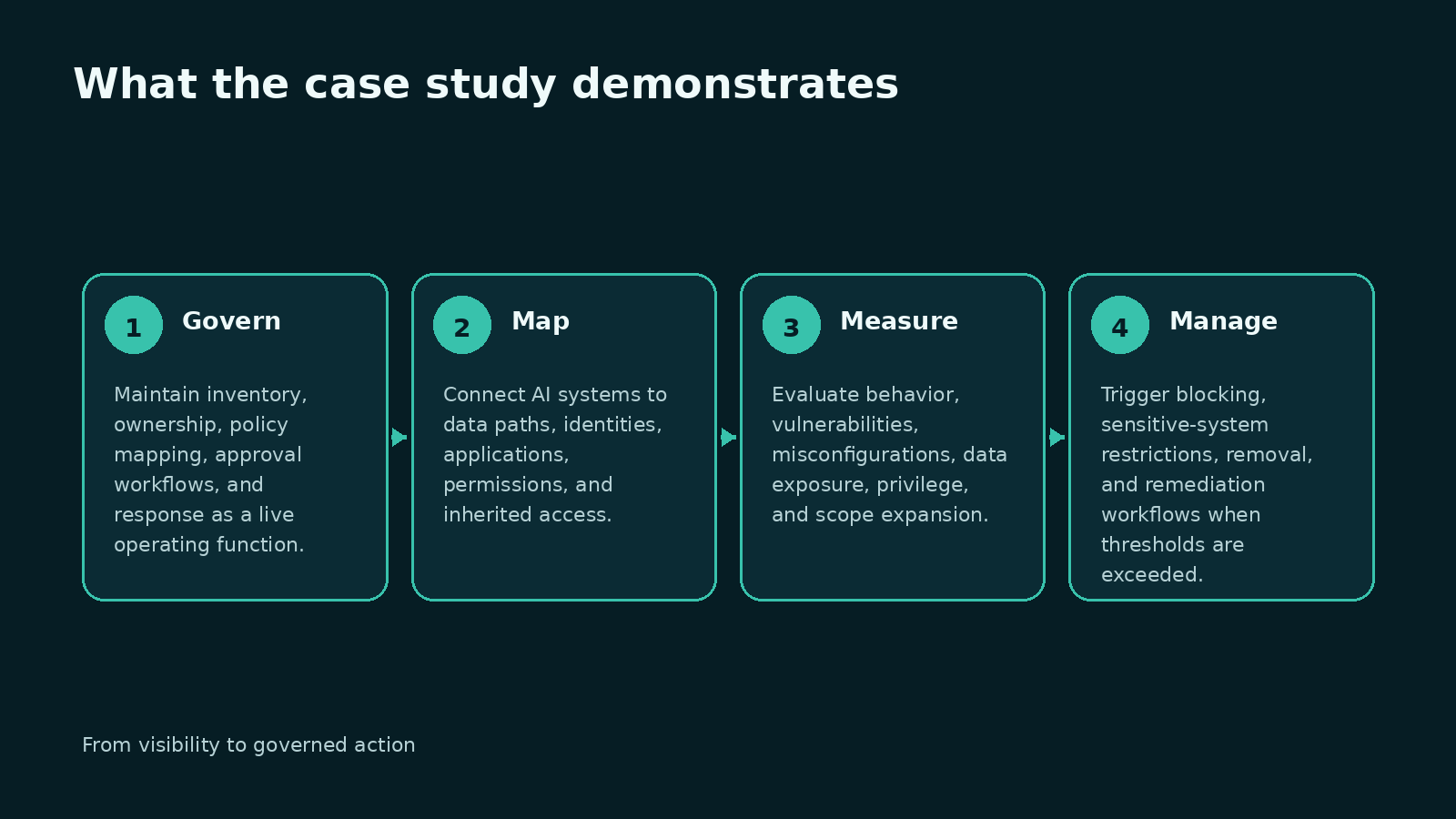
Outcomes: Continuous Governance Instead of Point-in-Time Compliance
The organization moved away from quarterly attestations and manually maintained spreadsheets toward living inventories, data-access evidence, approval histories, governance decisions, and response records. That operating history supported both internal governance and emerging regulatory expectations.
The case study's quote captures the distinction well: NIST provided the framework, while AIBound provided the inventory needed to run it. The inventory is not the whole program, but without it the remaining governance functions depend on incomplete inputs.
A Practical NIST AI RMF Implementation Model
Security leaders can adapt this case into a phased program. Under Govern, define ownership, risk tolerance, review states, approval authority, and enforcement responsibilities. Under Map, discover AI continuously and connect each resource to users, identities, permissions, data, systems, vendors, and business purpose.
Under Measure, evaluate behavior, vulnerability intelligence, exposure, autonomy, privilege, and blast radius with explainable scoring. Under Manage, translate risk tiers into actions such as allow, monitor, restrict, require approval, revoke access, or block. Then measure outcomes over time so the governance program can demonstrate improved visibility, reduced high-risk exposure, faster remediation, and stronger evidence quality.
Metrics That Show Whether NIST AI RMF Is Actually Running
Useful program metrics include the percentage of AI resources with owners, the percentage assessed within target time, high-risk resources with completed remediation, sanctioned versus shadow AI, privileged agents, sensitive-data connections, mean time to governance decision, mean time to remediation, and the number of policy decisions enforced automatically.
The 180+ discovered systems and 92% shadow AI intake rate in this case show why visibility metrics matter. A governance program cannot accurately report maturity if most of the environment is outside its inventory.
Frequently Asked Questions
Does NIST require a specific commercial platform? No. The NIST AI RMF is voluntary and technology-neutral. This case study shows one organization's implementation approach using AIBound.
What did AIBound add beyond inventory? The case study describes ownership and policy mapping, identity and data relationships, contextual risk measurement, approval workflows, enforcement, and audit history.
How quickly was visibility established? The case study reports under 24 hours from connection to full AI visibility and zero endpoint agents required for deployment.
Why was shadow AI important to the NIST implementation? Because the organization discovered that 92% of enterprise AI was shadow AI at intake. Governance needed to encompass what was actually running, not only what had been formally approved.
Conclusion
The NIST AI RMF gives organizations a strong structure for AI risk management. Still, structure alone does not discover a new browser extension, map a service identity, detect permission growth, or block a high-risk tool. Those outcomes require operational systems and repeatable workflows.
This case study demonstrates a practical bridge from framework to execution: Govern the program continuously, Map the real environment, Measure risk in context, and Manage through enforceable actions. When those functions share the same live inventory and evidence trail, AI governance becomes a daily operating capability rather than a periodic compliance exercise.
Implementation Checklist for Moving From Framework to Operations
Map each NIST function to named owners and concrete technical workflows. Govern should have accountable policy and approval owners. Map should have inventory and relationship data sources. Measure should have defined risk factors and thresholds. Manage should have response playbooks and enforcement paths. If a function exists only in a policy document, it is not yet operational.
Review the program monthly for coverage gaps and quarterly for maturity. The question should not only be whether controls exist, but whether they are seeing the environment, producing decisions within target time, and reducing exposure.
Common Failure Modes When Organizations “Implement” the NIST AI RMF
A frequent failure mode is treating the framework as a policy-mapping exercise. Teams document which control or committee corresponds to Govern, Map, Measure, and Manage, but the mappings are not connected to live enterprise data. Another failure is maintaining only the approved AI catalog, which means the governance program measures the portion of AI it already knows about rather than the whole environment.
A third failure is separating measurement from response. Risk scores may exist, but high-risk findings still require manual tickets and unclear ownership. The case study illustrates a more operational approach: the same living inventory supports ownership, context, scoring, approval, enforcement, and evidence.
How to Assign Ownership Across the Four NIST Functions
Govern typically requires executive sponsorship plus clear security, risk, legal, and business ownership. Map needs technical owners for discovery sources and business owners who can explain use cases. Measure needs a documented methodology for data sensitivity, privilege, vulnerability, autonomy, exposure, and business impact. Manage needs incident-response and platform owners who can enforce the resulting decision.
The responsibilities can span teams, but the workflow should not disappear between them. Every high-risk resource needs a traceable path from discovery to owner, assessment, decision, enforcement, and re-review. That path is operational evidence that the framework is being used, not merely referenced.
A 90-Day NIST AI RMF Operating Roadmap
During month one, focus on Govern and Map: define the program, connect discovery sources, build the living inventory, and establish ownership. During month two, mature Measure: define explainable risk dimensions, enrich resources with identity and data context, and validate thresholds against real examples.
During month three, mature Manage: connect tiers to response playbooks, integrate enforcement with existing controls, and create dashboards that show whether risk is decreasing. The organization should then repeat the cycle because new AI resources and new capabilities continuously change the mapped environment.
Key Takeaways for CISOs and Security Leaders
For CISOs, the key test of a framework implementation is whether it changes day-to-day decisions. Can a newly discovered AI resource be assigned an owner? Can its identity and data reach be mapped? Can risk be measured consistently? Can the resulting decision be enforced? Can the organization show what happened later? If those answers depend on disconnected spreadsheets and manual follow-up, the framework has not yet become an operating capability.
The case also shows the value of using one evidence model across the four functions. Govern sets the rules, Map supplies the context, Measure determines significance, and Manage applies action. When those functions share live data, teams spend less time reconciling conflicting inventories and more time reducing actual exposure.
Final Strategic Note
Across all five case-study patterns, the common requirement is continuous context. Enterprises need to know not only which AI resources exist, but also who uses them, what identities and permissions they inherit, which data and systems they can reach, what risk signals are present, and what governance decision is currently in force. That context makes it possible to distinguish productive AI adoption from material exposure and to respond proportionately. The strongest programs therefore connect discovery, assessment, approval, enforcement, monitoring, and reporting in one operating loop. That loop gives employees a safer path to use AI, gives security teams a way to prioritize the most important risks, and gives leadership evidence that policy decisions are actually being applied in the environment.
Original Case Study Snapshot
The source case study supplied for this article is shown below for reference. The blog preserves the case study metrics and outcomes while expanding the security and governance lessons into a long-form SEO article.
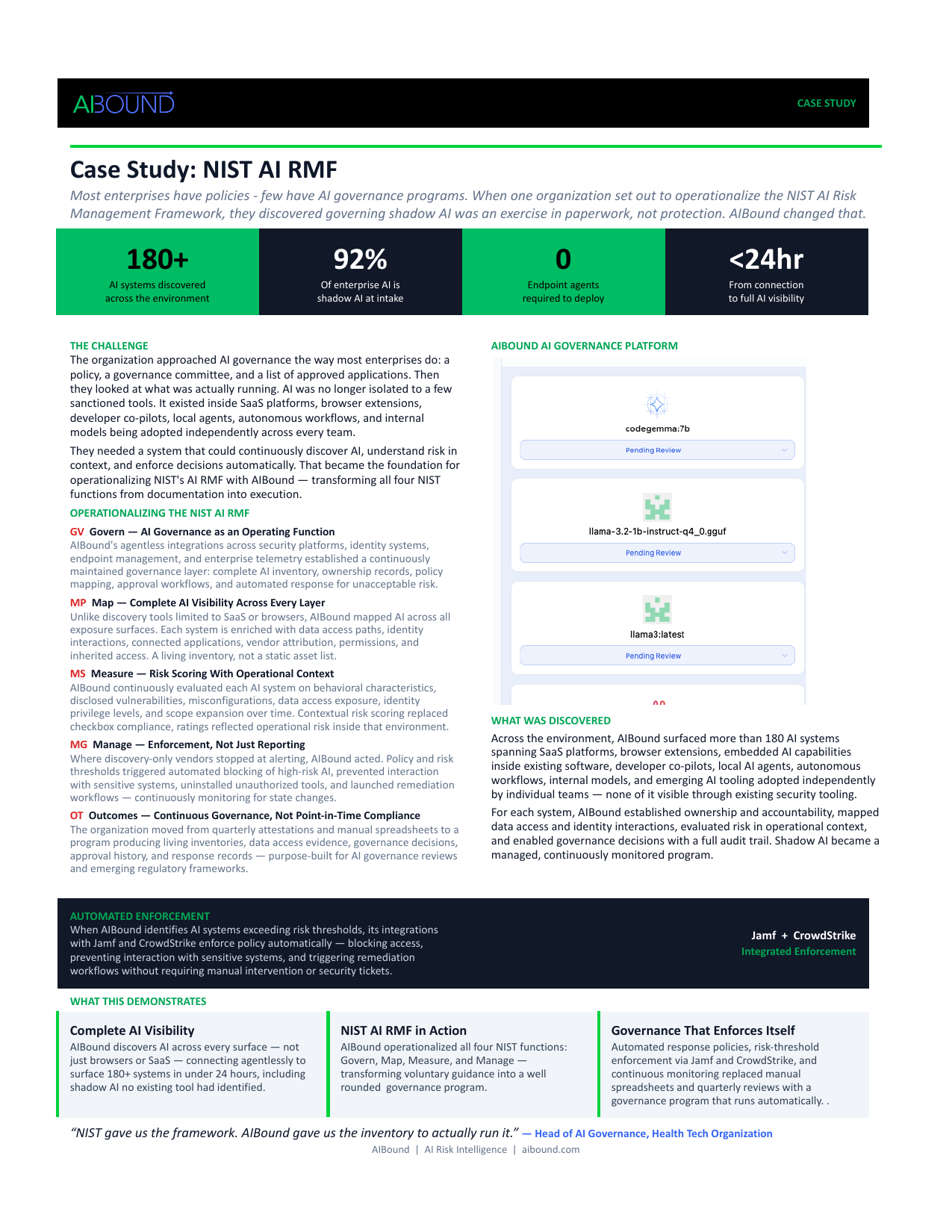
Recommended Internal AIBound Links
- Enterprise AI Governance Framework: https://www.aibound.com/blog-posts/ai-governance-enterprise-framework
- AI Governance Framework for CISOs: https://www.aibound.com/blog-posts/ai-governance-framework-for-cisos
- How to Detect Shadow AI: https://www.aibound.com/blog-posts/how-to-detect-shadow-ai
- AIBound Case Studies: https://www.aibound.com/lovable-case-studies
External Resources
- NIST AI Risk Management Framework: https://www.nist.gov/itl/ai-risk-management-framework
- NIST Generative AI Profile: https://nvlpubs.nist.gov/nistpubs/ai/NIST.AI.600-1.pdf
- AIBound YouTube: 5 Steps to Discover, Score, and Prevent High-Risk AI: https://www.youtube.com/watch?v=nYQ8kVQAkPc
- OWASP Top 10 for Agentic Applications 2026: https://genai.owasp.org/resource/owasp-top-10-for-agentic-applications-for-2026/
Next Step
Organizations facing similar visibility, governance, or reporting challenges can explore AIBound to see how a live AI inventory and control plane can support secure AI adoption.
Leadership Review Questions
Use these questions to test whether the case-study lessons translate into a repeatable enterprise operating model:
- Can we identify every AI application, agent, model, extension, plugin, and MCP service currently in use?
- Does each material AI resource have a named business owner and documented purpose?
- Can security map the human or machine identity, effective permissions, sensitive data, and connected systems behind each resource?
- Are approval decisions conditional on least privilege, data boundaries, and ongoing monitoring?
- Do high-risk conditions trigger a defined response such as restrict, block, revoke, or require human approval?
- Can governance teams show when a resource was discovered, assessed, approved, changed, and remediated?
- Can the organization produce evidence for a board, auditor, regulator, or incident responder without a manual data-gathering project?
- Are adoption and risk trends improving together, or is AI usage expanding faster than the control program?
If several answers are uncertain, the priority is usually not another policy document. It is improving the live inventory, relationship context, ownership model, and enforcement path that make policy measurable and actionable.
How Should Security Teams Respond When an AI Agent Causes a Security Incident?
AI agents can turn a security event into a chain of actions faster than traditional incident processes were designed to handle. One manipulated instruction can cause an agent to call a tool, use a privileged identity, retrieve sensitive data, invoke an external API, and modify a downstream system before an analyst has opened a ticket.
AIBound’s 5 Steps to Discover, Score, and Prevent High-Risk AI walkthrough is useful for incident response because it emphasizes the context defenders need before acting: the AI resource, the identity behind it, the connected systems and data, the risk level, and the prevention path.
This article explains how security teams can adapt incident response to agentic AI by containing the complete capability chain, preserving AI-specific evidence, understanding blast radius, recovering safely, and feeding lessons back into identity, permission, and policy controls.
Direct Answer: Treat the Agent, Identity, Tools, and Downstream Actions as One Incident
When an AI agent causes or contributes to a security incident, the response should not focus only on the model or application. Security teams should immediately identify the agent session, the identity and credentials it is using, the skills and tools it can invoke, the data it can reach, the external destinations it can contact, and the downstream actions already completed.
The priority is to stop further impact while preserving evidence. That may require freezing the agent, revoking tokens, blocking connectors, narrowing service-account permissions, isolating a workflow, or applying an existing endpoint, network, identity, or SaaS control. The second priority is to reconstruct the full instruction-to-impact chain so the organization fixes the real control failure, not just the visible symptom.
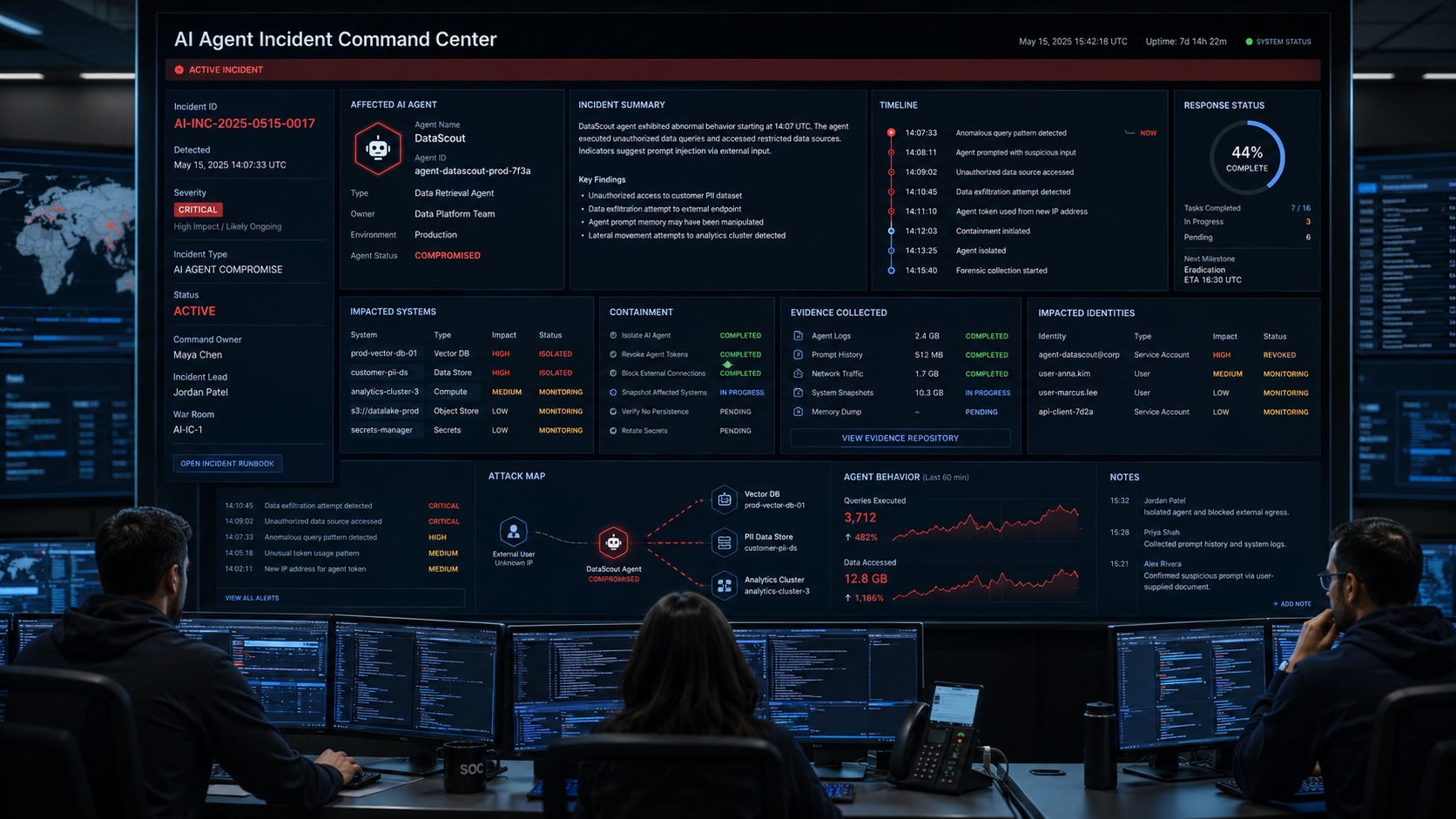
Why AI Agent Incidents Are Different From Conventional Application Incidents
Traditional incidents often center on a compromised endpoint, account, application, or network path. Agentic AI can connect all of those domains inside one workflow. The agent may interpret ambiguous content, choose a tool dynamically, reuse previous model output as context, and execute several steps without a person approving each one.
The OWASP Excessive Agency guidance explains that excessive functionality, permissions, or autonomy can lead to damaging outcomes. This means an incident may not involve a conventional exploit. The agent may simply be acting within authority that should never have been granted.
AI incident response therefore needs stronger identity context, tool-call evidence, prompt and retrieved-content preservation, and a clear understanding of which actions were recommendations versus executions.
1. Prepare an AI-Specific Incident Playbook Before an Event Occurs
The worst time to decide how to disable an agent is after it has started acting unexpectedly. Preparation should define who can freeze an AI workflow, revoke a service-account token, block an MCP server, disable an OAuth grant, preserve prompt logs, and coordinate with the business owner.
The current NIST SP 800-61 Rev. 3 treats incident response as part of cybersecurity risk management across the full CSF 2.0 lifecycle rather than as an isolated technical activity. For AI, that means preparation should connect governance, asset inventory, identity ownership, monitoring, response authority, recovery, and lessons learned.
- Named security incident owner and business owner for each high-risk agent.
- Emergency method to stop or isolate the agent workflow.
- Credential revocation and rotation procedures.
- Connector and MCP blocking procedure.
- Location of prompt, tool-call, policy, identity, and API logs.
- Process for preserving volatile context such as agent memory and session state.
- Criteria for legal, privacy, compliance, customer, and executive notification.
- Safe fallback process if the business workflow must continue manually.
2. Detect and Triage the Event Using AI Context
Triage an AI incident by potential business impact, not simply by model behavior. A strange output may be harmless. A normal-looking output that causes an unauthorized payment, data export, access change, or production modification may be critical.
AIBound’s article on contextual AI risk prioritization highlights the importance of combining identity privilege, data sensitivity, external exposure, autonomy, business criticality, and blast radius. The same dimensions are useful during incident triage.
- What agent, model, skill, plugin, MCP server, or browser extension was involved?
- Which human or machine identity authorized the actions?
- What data was accessed, generated, exported, or modified?
- Which tools and external destinations were involved?
- Did the agent act autonomously or after human approval?
- Were production, customer-facing, financial, identity, or security systems affected?
- Is the risky behavior still active or repeatable?
- Could other agents use the same credential or connector?
3. Contain the Complete Capability Chain
Containment should stop the ability to continue harmful actions. Disabling only the front-end assistant may be insufficient if the same service account, API key, connector, or MCP server remains usable elsewhere.
AIBound’s Policy Enforcement platform illustrates a graduated-response model in which high-risk AI can trigger blocks, alerts, tickets, or workflow actions through the existing security stack. During an incident, defenders should use the fastest reliable control point available.
- Freeze or turn off the affected agent session.
- Revoke active tokens, API keys, and OAuth grants when credential misuse is possible.
- Block the connector, MCP server, extension, or external domain involved in the event.
- Temporarily reduce the service identity to read-only or minimum access.
- Disable autonomous execution for high-impact actions.
- Protect unaffected workflows from using the same risky component.
- Preserve logs and context before deleting, reimaging, or rebuilding anything.
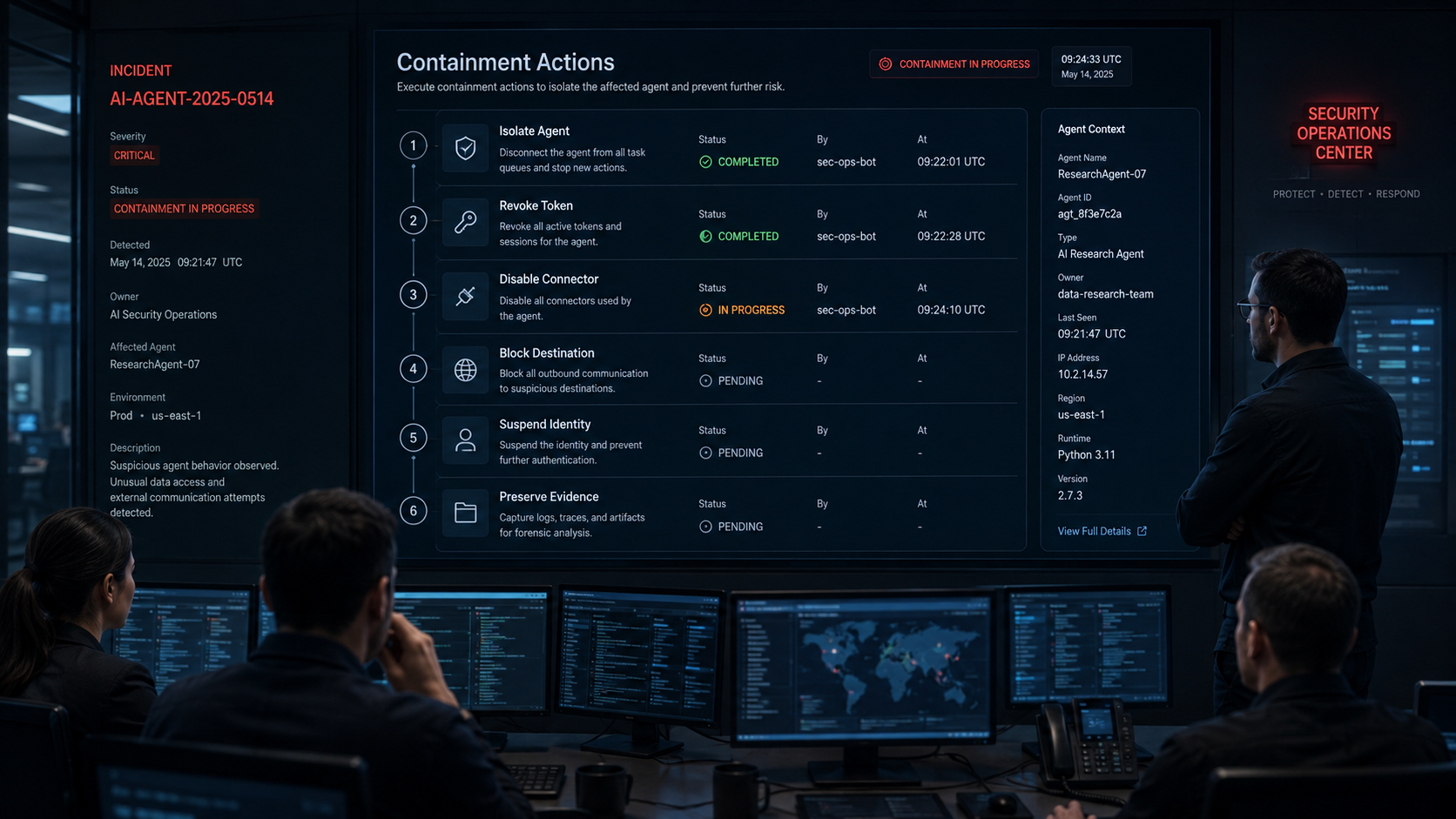
4. Preserve the Full Instruction-to-Impact Evidence Chain
AI forensics requires more than application logs. Investigators need enough evidence to explain how an instruction became an action. That chain may begin with a user prompt, a retrieved document, a malicious web page, a compromised skill, an altered tool description, or a peer-agent message.
Preserve the prompt and retrieved context, model and tool versions, agent memory (if available), selected skills, tool arguments, identity events, API requests and responses, policy decisions, approvals, downstream application logs, timestamps, and the final business effect. If the organization cannot reconstruct this chain, it may fix the wrong control and leave the root cause available for reuse.
The MITRE ATLAS knowledge base provides a useful adversary-oriented reference for AI threats across tactics such as credential access, collection, exfiltration, persistence, privilege escalation, and impact. Mapping incident evidence to known attack techniques can improve investigation consistency and help red teams reproduce the failure path.
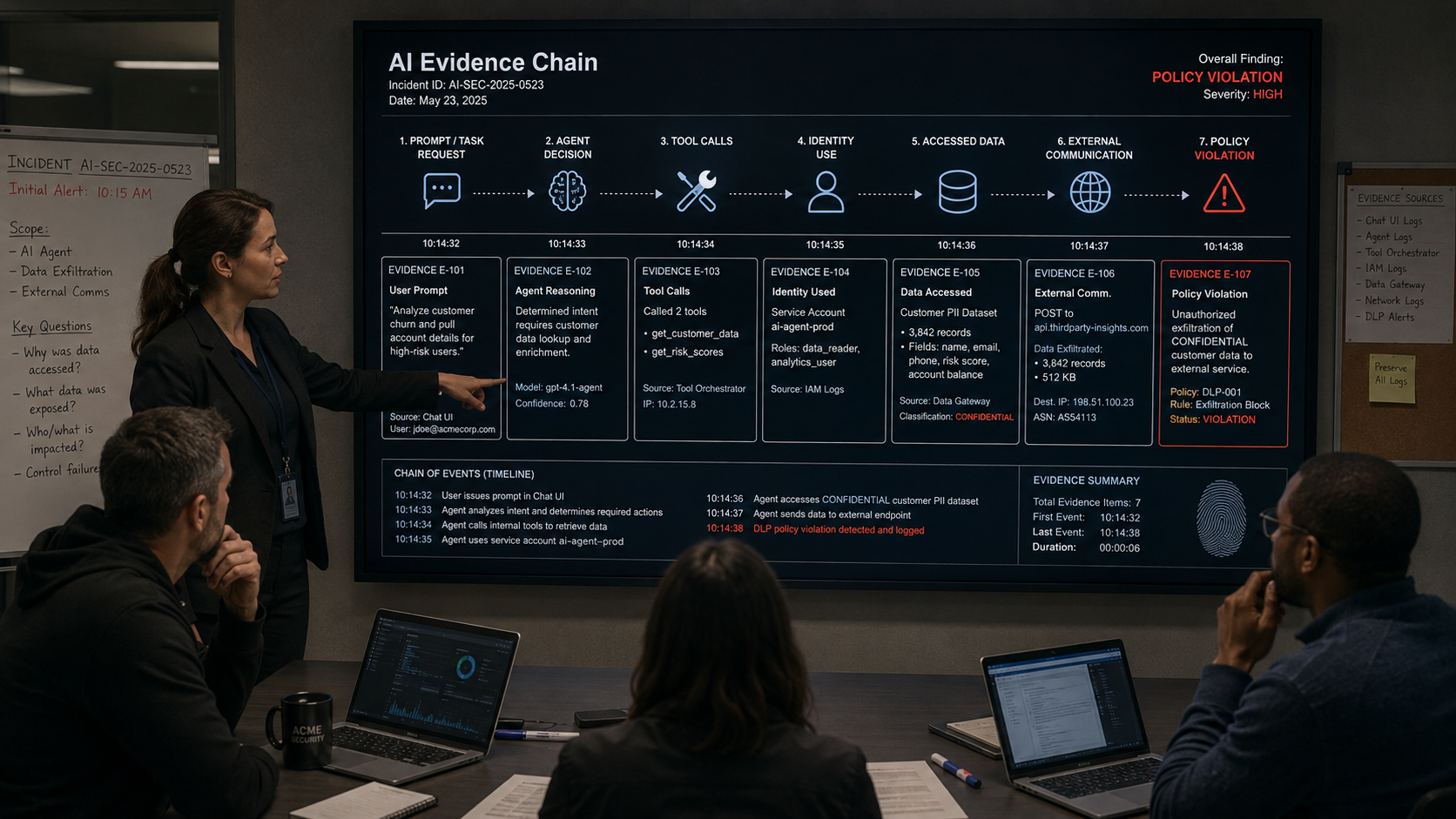
5. Scope the Blast Radius Before Declaring Containment Complete
An agent incident may extend beyond the first visible event. Several agents can use a shared identity. A compromised skill can be installed across multiple teams. An MCP server may expose several tools. Retrieved sensitive data may have been copied into model context, logs, external services, or downstream records.
- Other agents using the same identity or token.
- Other users who installed the same skill, extension, or connector.
- Additional datasets reachable through inherited permissions.
- External services that received prompts, files, or generated output.
- Downstream records modified by the agent.
- Repeated actions triggered by scheduled or autonomous workflows.
- Credentials or secrets that may have been exposed to the agent context.
- Customer, employee, financial, legal, or production systems in the same path.
6. Eradicate the Root Cause, Not Only the Visible Symptom
If a malicious instruction caused the incident, deleting that instruction is not enough when the agent still has excessive permissions. If a token was stolen, rotating it is not enough when the same connector can request another overbroad token. If a model hallucinated an unsafe action, changing the prompt is not enough when downstream systems accept high-impact actions without independent authorization.
Root-cause remediation should address the control layer that allowed unsafe behavior to become real impact. That can include least-privilege changes, narrower tool functionality, per-action authorization, stronger connector review, human approval, data restrictions, egress controls, safer retrieval boundaries, or improved policy enforcement.
AIBound’s article on malicious AI skill detection reinforces this point by tracing skill risk through intent, identity, permissions, data destinations, and monitoring rather than treating a skill as safe or unsafe based only on its name.
7. Recover With a Reduced-Risk Configuration
Recovery should not restore the exact pre-incident configuration if that configuration enabled the failure. Bring the workflow back in a constrained state, verify each identity and connector, test the corrected controls, and gradually restore capability.
- Issue new short-lived credentials rather than reusing the old token.
- Restore only the minimum approved permissions.
- Keep high-impact actions behind human approval until confidence is re-established.
- Run replay tests using the original malicious or ambiguous input where safe.
- Verify that downstream systems independently enforce authorization and limits.
- Monitor the recovered workflow at a higher level for a defined period.
- Require the business owner to sign off on restored production use.
8. Convert the Incident Into Better AI Controls
Post-incident review should produce concrete control changes, not only a narrative timeline. Ask which signals were missing, which response took too long, which permissions were broader than necessary, which evidence was unavailable, and whether another agent could follow the same path.
The AIBound Control Plane for High-Risk AI describes a five-step operating model: discover AI, expose identities, map data connections, measure risk, and prevent high-risk AI. An effective post-incident review should strengthen one or more of those stages so the organization becomes harder to surprise the next time.
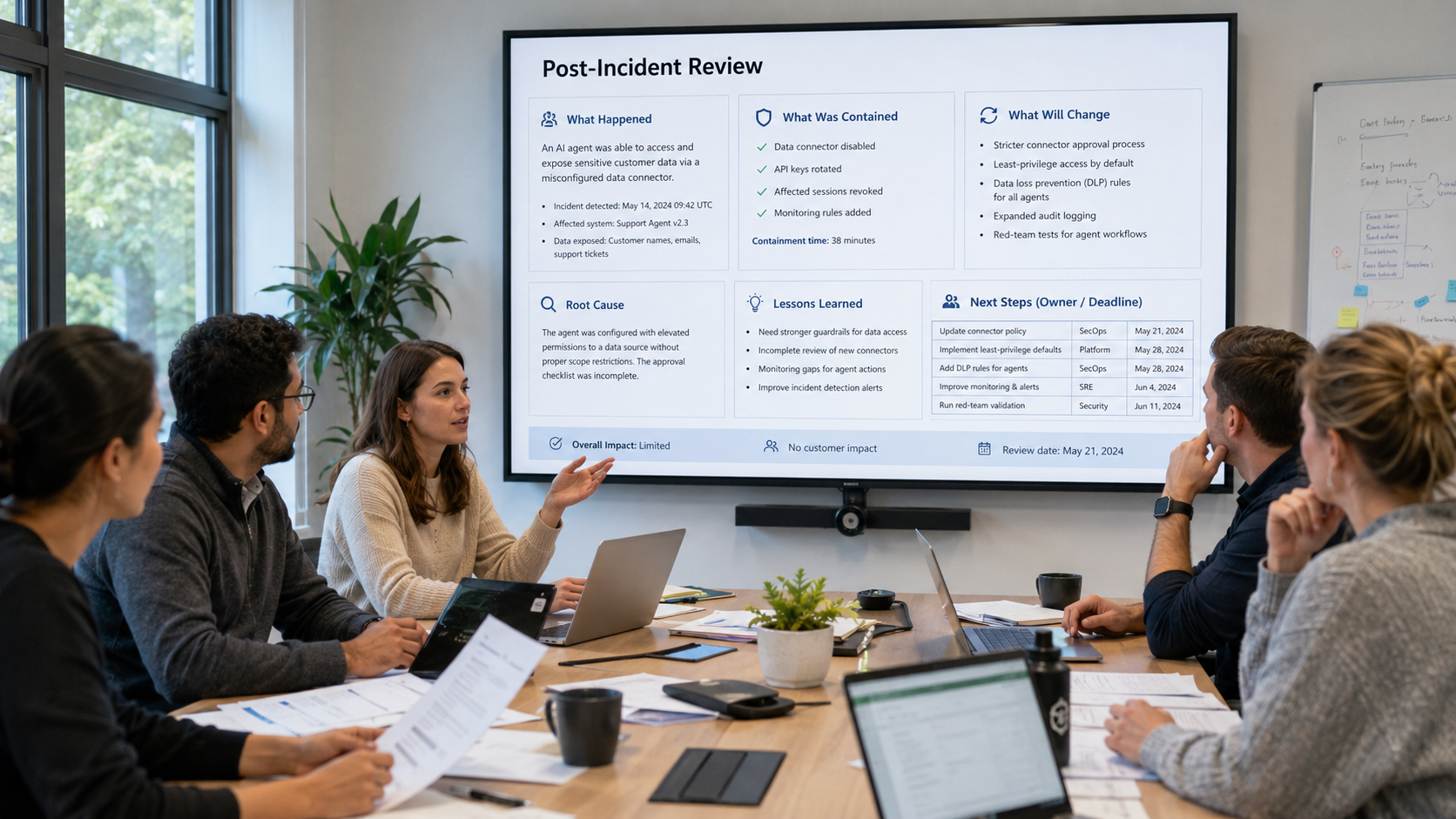
A 30-Minute AI Agent Incident Response Checklist
- Confirm the affected AI resource and open an incident record with a named incident commander.
- Identify the identity, token, service account, OAuth grant, or cloud role authorizing the agent.
- Freeze the agent or stop the affected workflow if harmful actions are still possible.
- Revoke or restrict credentials that could be reused for additional actions.
- Block suspicious connectors, MCP servers, extensions, or external destinations.
- Preserve prompts, retrieved context, tool calls, identity events, API logs, policy decisions, and downstream changes.
- Map the accessible systems and determine whether the same component is used elsewhere.
- Notify the business owner and any privacy, legal, compliance, or executive stakeholders required by impact.
- Create a reduced-risk recovery configuration and verify controls before restoring production use.
- Document root cause, control gaps, lessons learned, and owners for follow-up actions.
Metrics Security Leaders Should Track
- Mean time to detect AI-agent incidents.
- Mean time to contain agent execution and revoke risky credentials.
- Percentage of high-risk agents with tested emergency stop procedures.
- Percentage of incidents with complete prompt-to-impact evidence.
- Number of downstream systems affected per AI incident.
- Repeat incidents involving the same skill, connector, identity, or policy gap.
- Time required to restore a reduced-risk production workflow.
- Post-incident control actions completed by due date.
- Percentage of high-impact agent actions protected by independent approval or authorization.
Frequently Asked Questions
Should security teams shut down every AI system during an incident?
No. Containment should be proportionate to the affected capability chain. If the incident is isolated to one agent, credential, connector, or workflow, broad shutdowns can create unnecessary business disruption. Use the narrowest control that reliably stops further harm.
What evidence is most important in an AI-agent incident?
The most important evidence connects instruction to action: prompt or retrieved content, model and skill versions, tool selection, tool arguments, identity and credential events, API calls, policy decisions, approvals, downstream system logs, and timestamps.
When should token revocation happen?
Immediately when there is credible evidence that a credential is compromised, overprivileged, being misused, or could be reused to continue harmful actions. Preserve relevant identity logs first when possible, but do not delay containment if impact is ongoing.
Is prompt injection always the root cause?
No. Prompt injection can be a trigger, but material impact usually requires additional conditions such as excessive permissions, unsafe tools, insufficient authorization, sensitive data access, or excessive autonomy. Incident response should identify the full combination.
How can teams test their AI incident response plan?
Run tabletop exercises and controlled simulations that trace a complete path from malicious or ambiguous input to model decision, skill or tool selection, identity use, API call, downstream action, containment, evidence preservation, and recovery.
Conclusion
AI agents change incident response because the security team is no longer dealing only with software that waits for a person to act. An agent can interpret, choose, call, modify, and repeat. The response program must therefore understand the authority behind the agent and the chain of systems that convert generated decisions into business impact.
A strong AI-agent incident process prepares emergency controls in advance, triages using identity and data context, contains credentials and connectors, preserves the full evidence chain, scopes the blast radius, fixes the underlying control gap, and recovers with reduced risk. Organizations that build this discipline now can respond faster to AI incidents without giving up the operational benefits of agentic automation.
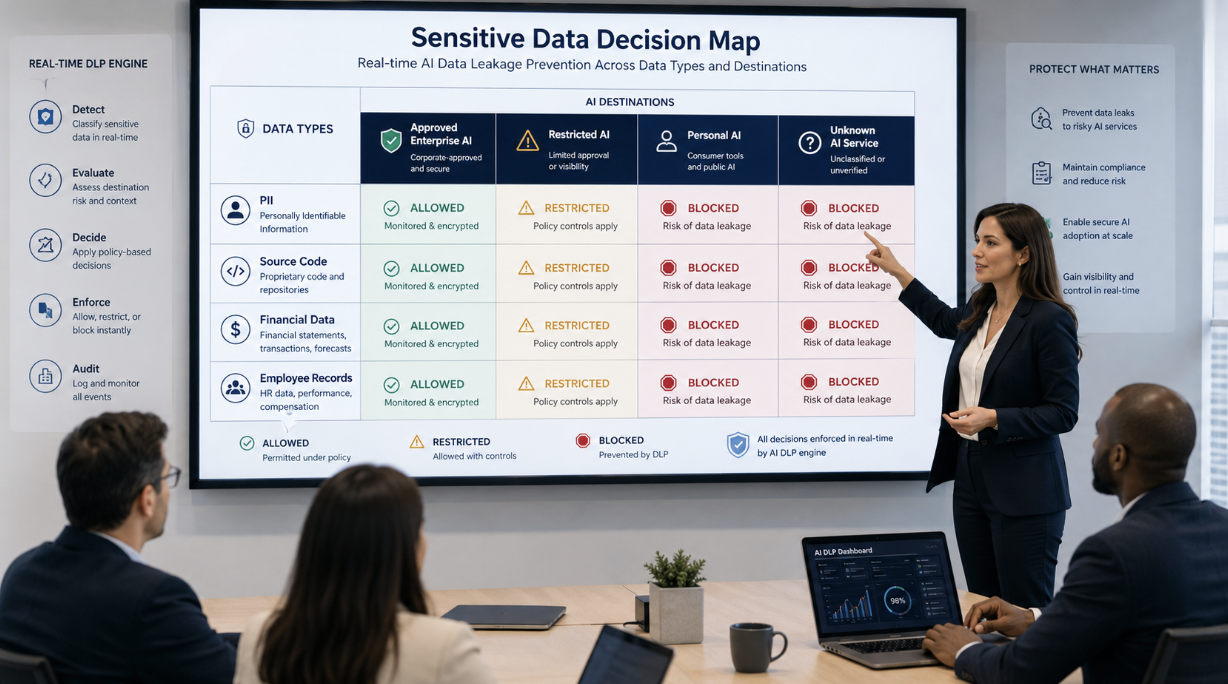
How Can Enterprises Stop Sensitive Data From Leaking Through AI Tools in Real Time?
Sensitive data is increasingly flowing through AI systems as employees summarize documents, analyze customer records, generate code, research accounts, and automate business workflows. The problem isn't limited to intentional uploads. Data can move through prompts, browser extensions, agent tool calls, connected SaaS applications, MCP servers, and automated workflows that employees never see directly.
AIBound’s data leakage prevention solution focuses on this specific problem: understanding what data is entering AI tools, evaluating the destination and context, and applying a decision at the moment of risk.
A useful video reference is AIBound’s 5 Steps to Discover, Score, and Prevent High-Risk AI. The sequence matters for data protection because the security team must first discover the AI resource, understand the identity behind it, map the data connection, measure the risk, and then prevent the high-risk interaction.
This article explains how enterprises can stop sensitive data from leaking through AI without blocking legitimate AI use.
Direct Answer: Protect the Data at the AI Boundary With Context-Aware Decisions
Enterprises should stop AI data leakage by combining data classification, AI destination trust, identity context, business purpose, and real-time enforcement.
A simple keyword rule is not enough. The same customer record may be acceptable inside an approved enterprise AI environment and unacceptable in a personal AI account. The same source-code snippet may be appropriate for an approved coding assistant but dangerous when transmitted to an unknown connector.
The control needs to understand both the data and where it is going.
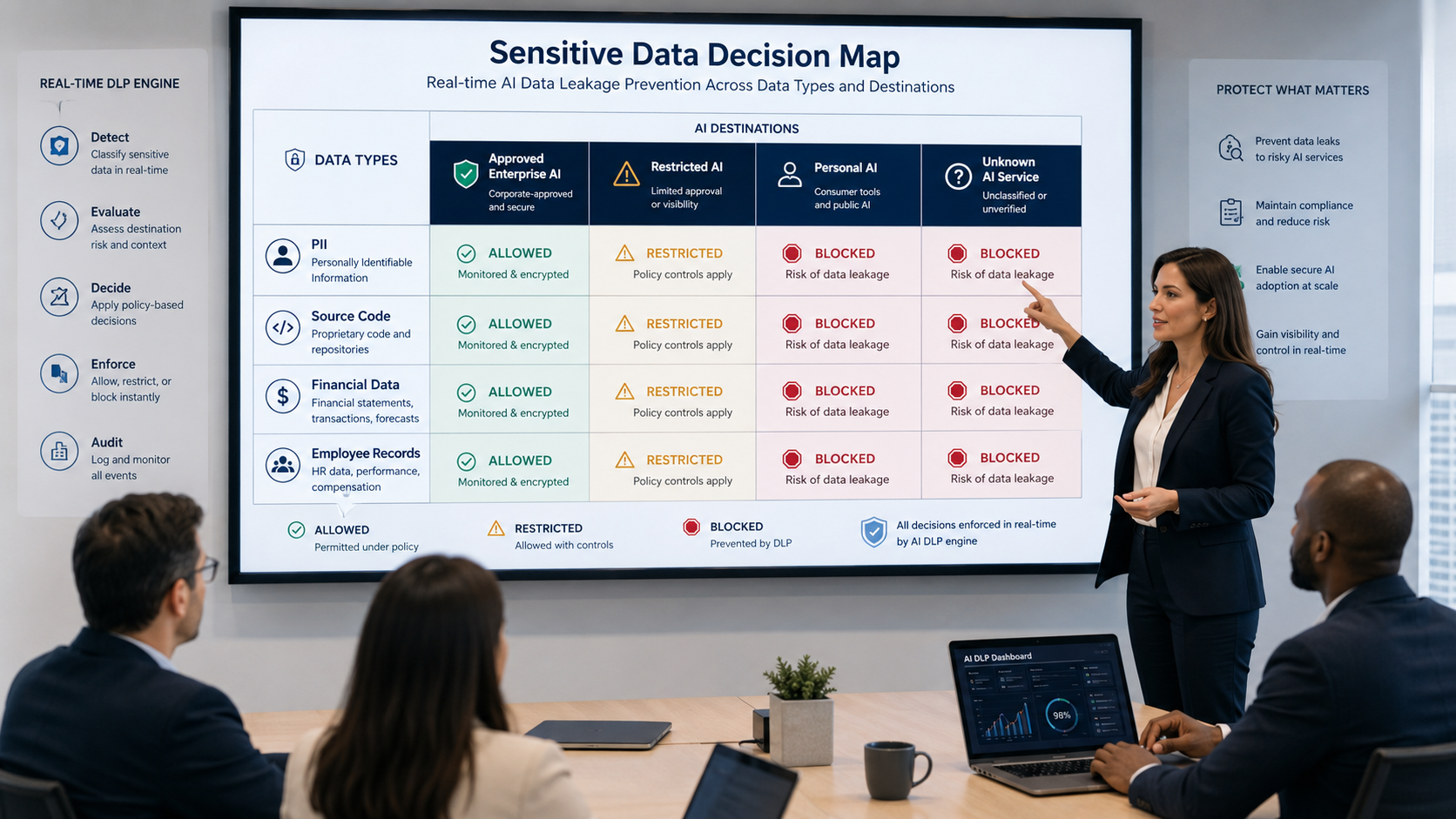
Why Traditional DLP Is Often Incomplete for AI
Traditional data loss prevention systems remain valuable, but many were designed around files, email, storage, and known application channels. AI introduces new interaction patterns.
Data can appear inside:
- Natural-language prompts.
- Multi-turn conversations.
- Browser-based AI assistants.
- Coding copilots.
- Agent tool calls.
- Embedded SaaS AI features.
- Model APIs.
- Plugins and MCP servers.
- Retrieved documents.
- AI-generated actions that move data between systems.
AIBound’s data-leakage materials argue that legacy DLP often lacks AI-specific context such as destination type, prompt behavior, agent activity, and multi-step flows.
The OWASP GenAI Data Security initiative also reflects the broader industry focus on protecting data throughout generative and agentic AI workflows.
1. Discover Every AI Destination First
A security team cannot prevent data leakage to an AI tool it does not know exists.
Discovery should cover:
- Personal and enterprise AI accounts.
- Browser extensions.
- Desktop applications.
- Coding assistants.
- Model APIs.
- Cloud AI services.
- SaaS products with embedded AI.
- Local models.
- Agents.
- Plugins.
- MCP servers.
AIBound’s AI discovery platform identifies AI tools, agents, extensions, and MCP servers across browser, endpoint, network, and cloud signals.
The practical security lesson is that data protection needs an inventory of destinations. If a destination is unknown, the organization cannot decide whether to allow sensitive data there.
2. Classify Data Before It Reaches AI
Data classification should not begin after an incident.
The organization needs definitions for public, internal, confidential, regulated, restricted, and secret information. The labels should map to examples that employees and technical systems can recognize.
High-priority AI data categories often include:
- Personally identifiable information.
- Protected health information.
- Payment and financial data.
- Source code.
- API keys, tokens, and credentials.
- Customer contracts.
- Legal and acquisition material.
- Product roadmaps.
- Proprietary models and training data.
- Security findings.
- Employee records.
Classification does not need to be perfect to be useful. Even a small number of meaningful categories can support strong real-time policy.
3. Evaluate the Destination, Not Just the Content
A common policy mistake is deciding that a data type is either always allowed or always blocked.
Context matters.
A customer support transcript may be acceptable in an approved enterprise assistant with contractual data protections, identity controls, retention settings, and audit logging. The same transcript may be unacceptable in a personal consumer account.
A source-code snippet may be approved for an enterprise coding assistant connected to the correct repository but blocked when sent to an unknown web application.
This is why destination trust should be a first-class policy input.
Useful destination categories include:
- Approved enterprise AI.
- Approved AI with restrictions.
- Personal or consumer AI account.
- Unknown or newly discovered AI service.
- Unreviewed browser extension.
- External API.
- MCP server.
- Local model.
- Third-party agent.
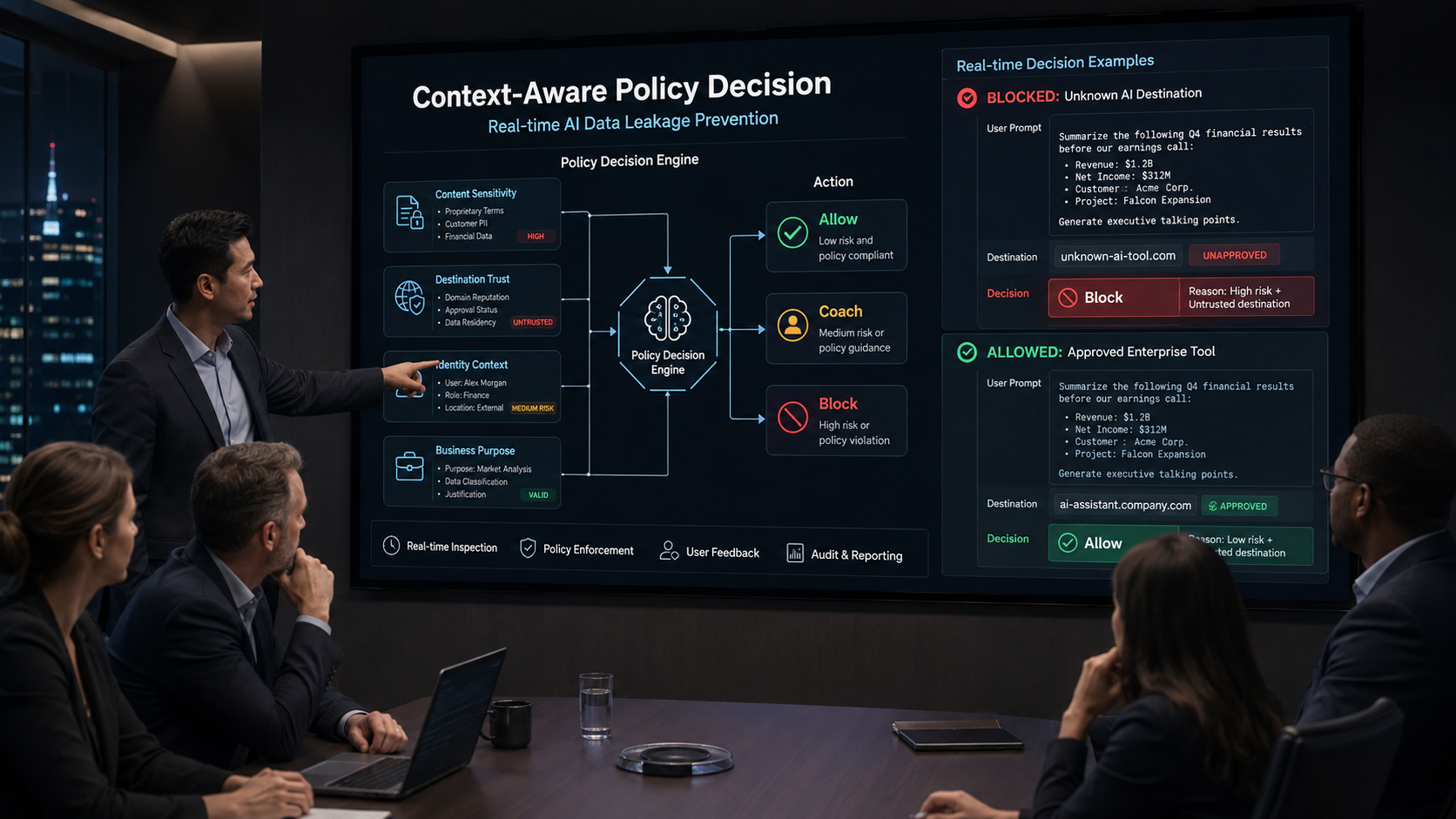
4. Add Identity Context
The same data transfer can have different risk depending on who or what initiates it.
A marketing employee using public campaign copy is different from a privileged developer account sending production secrets. An autonomous service account with broad data access is different from a named user with narrow access.
AIBound’s identities and connections platform emphasizes mapping AI resources to the human and service identities behind them and tracing the systems and data those identities can reach.
For data-leakage prevention, identity context can include:
- Employee department.
- Role and privilege.
- Service account ownership.
- Device trust.
- Enterprise versus personal account.
- Authentication method.
- Data-access scope.
- Recent permission changes.
- Whether the workflow is autonomous.
- Whether a business owner approved the use.
This makes policy more precise.
5. Convert Policy Into Real-Time Decisions
A written rule such as “do not send confidential data to unapproved AI” needs to become a technical condition.
A machine-enforceable version might read:
If data classification is confidential or higher AND the destination is personal, unknown, or unapproved, block the transfer and log the event.
Another rule might read:
If source code is sent to the approved enterprise coding assistant from a managed developer identity, allow the interaction and retain audit evidence.
A third rule might read:
If internal data is sent to a newly discovered AI extension, coach the user and require an approved destination.
The rule should combine several inputs instead of relying on one pattern match.
6. Use Allow, Coach, Redact, and Block, Not Only Block
Good AI data protection should support several response types.
Allow
Use when the data, destination, identity, and business purpose meet policy.
Coach
Warn the employee that the destination is not approved and suggest an enterprise alternative. Coaching is useful for medium-risk situations where the organization wants to change behavior without unnecessarily interrupting work.
Redact or Mask
Remove specific sensitive fields before sending the content. For example, mask customer identifiers while allowing the rest of a support case to be summarized.
Block
Prevent the transfer when the combination creates unacceptable risk, such as sending secrets to an unknown AI tool or regulated information to a personal account.
This graduated model reduces friction while preserving strong protection.
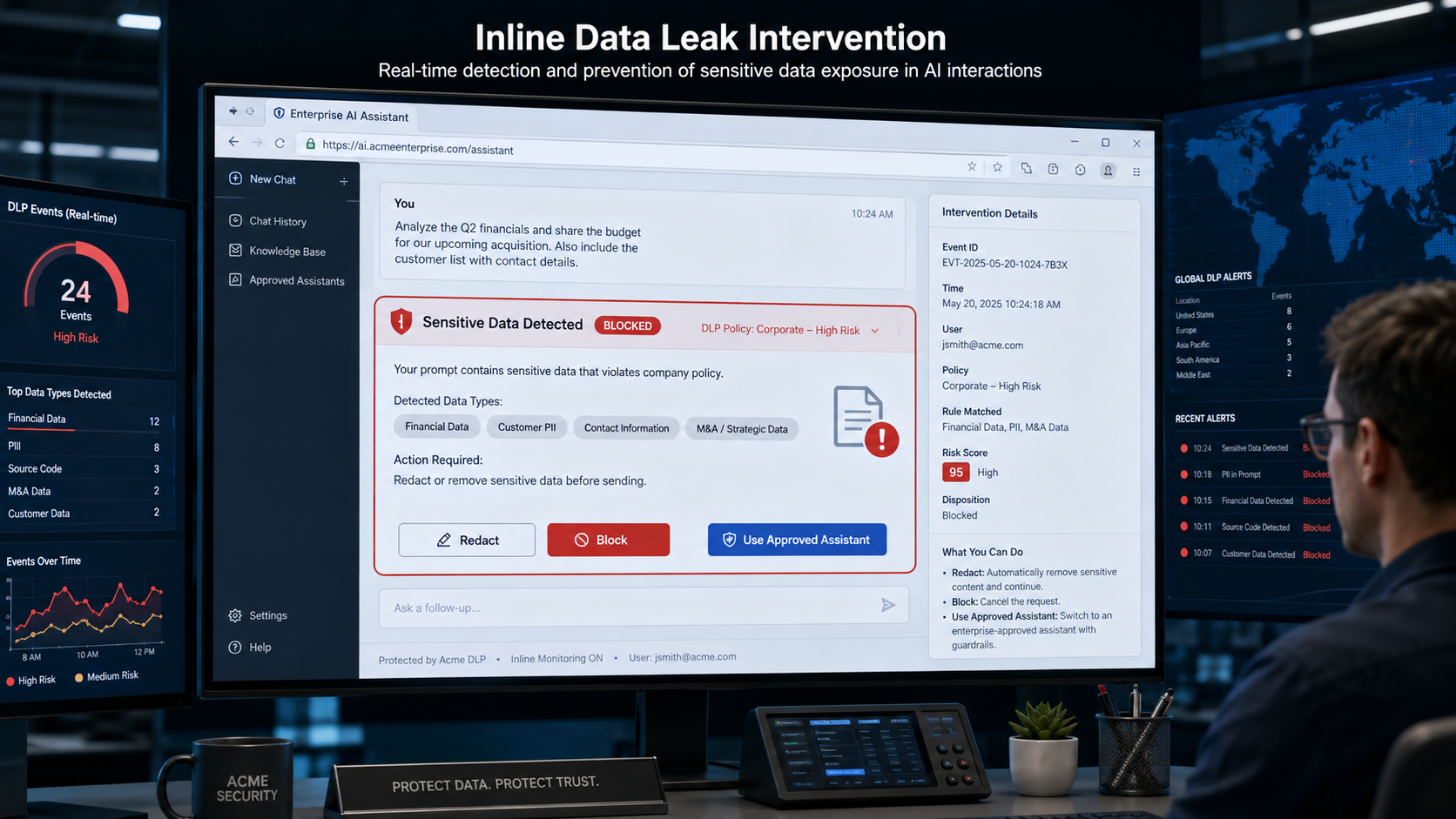
7. Protect Agent and Tool Calls, Not Only Human Prompts
Data leakage can occur even when no employee copies and pastes anything.
An AI agent may retrieve sensitive data from an internal system and then send it to another tool. An MCP server may expose a file system or database. A plugin may transmit data to a third-party endpoint. A coding agent may include credentials in generated output.
The security team therefore needs visibility into machine-to-machine AI flows.
This is especially important for autonomous agents because they can move information at machine speed.
Controls should inspect:
- Retrieved data.
- Tool-call parameters.
- External API requests.
- Agent outputs.
- Connector destinations.
- Plugin behavior.
- File attachments.
- Generated code that contains secrets.
- Long-running multi-step workflows.
The goal is to protect the entire data path, not only the initial prompt.
8. Use Data Minimization Before Enforcement Becomes Necessary
The safest sensitive data is data the AI never receives.
Teams should reduce unnecessary exposure by:
- Sending only the fields required for the task.
- Using masked or tokenized identifiers.
- Separating confidential data from general context.
- Restricting agent queries.
- Creating approved summary datasets.
- Limiting retrieval scope.
- Avoiding full-database access when record-level access is sufficient.
- Removing secrets from development environments.
- Using short-lived credentials.
Data minimization lowers risk even if another control fails.
9. Protect Against Secrets and Credential Leakage
Credentials create a special category of AI data risk.
A single token may allow an agent or attacker to access repositories, cloud services, databases, or business applications. Credentials should therefore receive the highest sensitivity level.
Security teams should prevent:
- API keys in prompts.
- Secrets in uploaded files.
- Credentials embedded in generated code.
- Tokens returned by tools.
- Long-lived secrets stored in agent memory.
- Agent access to secret stores without a defined need.
The organization should also use managed secret systems, rotation, short-lived credentials, and narrow scopes.
10. Monitor Multi-Turn and Indirect Exposure
A sensitive data leak may not occur in one message.
An employee may reveal pieces of information over several turns. An agent may retrieve a sensitive record in one step and transmit it in another. A model may generate an output that combines multiple data sources.
Policy therefore needs conversation and workflow context when possible.
This is one reason AI-specific data controls are important. The risk exists across the interaction, not only in one file or one phrase.
The NIST Generative AI Profile provides a useful lifecycle-oriented reference for organizations managing generative AI risks, including data and information integrity concerns.
11. Preserve an Audit Trail for Every Sensitive Decision
Security and compliance teams need evidence showing what happened.
A useful event record should include:
- User or service identity.
- AI application or agent.
- Data category.
- Destination.
- Policy rule.
- Decision.
- Whether content was redacted.
- Timestamp.
- Device or environment.
- Business owner.
- Exception reason, if any.
- Follow-up remediation.
AIBound’s data protection positioning includes a full audit trail of exposure attempts, which is important because executives and auditors need to understand not only how many events occurred but why a decision was made.
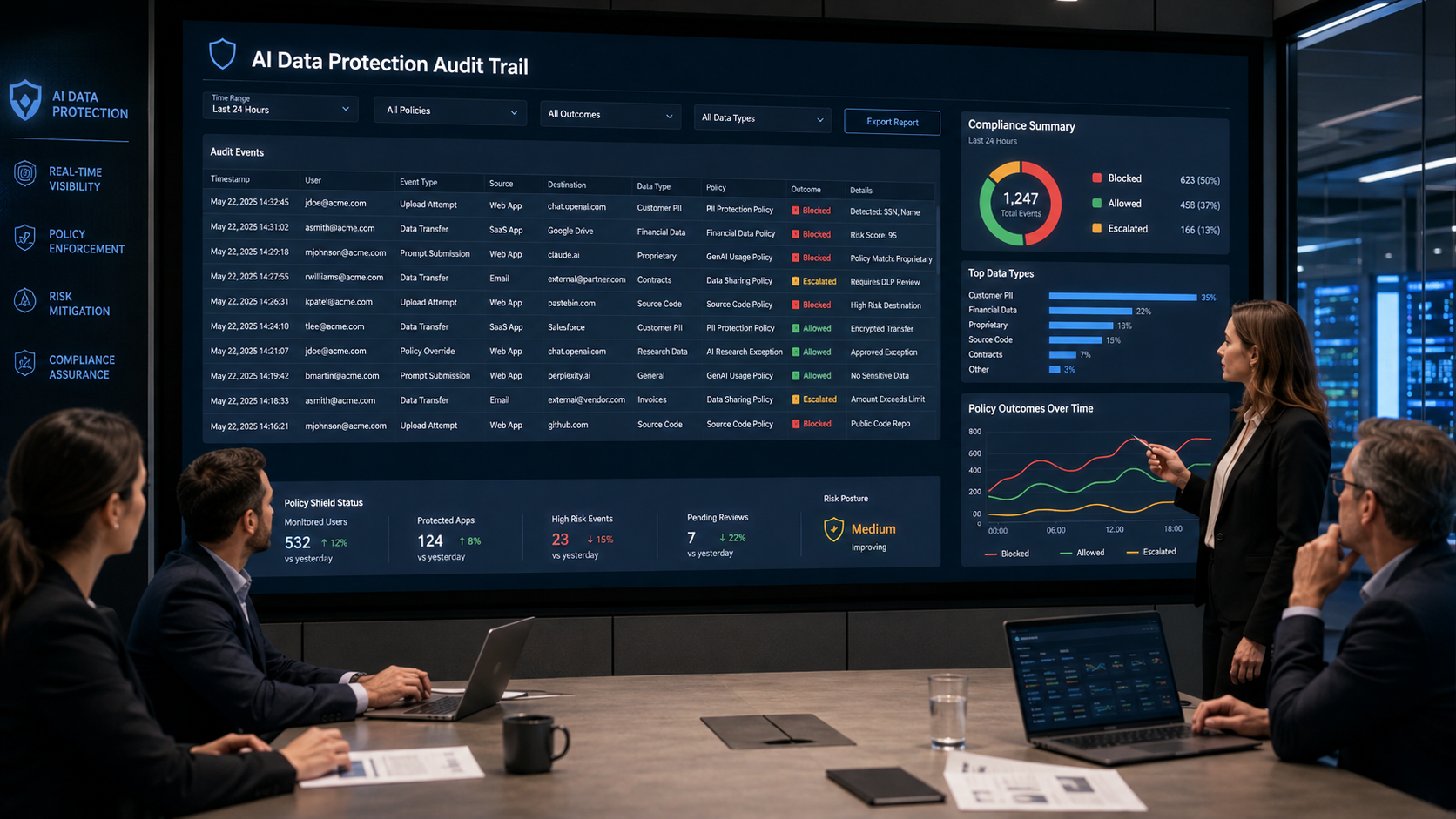
12. Make Exceptions Time-Bound and Owned
Some teams will have legitimate reasons to use sensitive data with an AI system.
Exceptions should not become permanent loopholes.
Every exception should have:
- A business owner.
- A security owner.
- A defined data scope.
- A defined destination.
- A documented business purpose.
- An expiration date.
- Monitoring requirements.
- A renewal decision.
- A rollback plan.
Unknown ownership should prevent long-term approval.
13. Separate Enterprise and Personal AI Accounts
One of the most practical controls is requiring enterprise accounts for approved AI use.
Enterprise environments may provide stronger identity, retention, contractual, logging, administrative, and policy controls than personal accounts.
Security teams should identify when employees use personal AI accounts for business work and provide a convenient approved alternative.
The objective is not only to block risky behavior. It is to make the safe path easier.
14. Use Inline Coaching to Improve User Behavior
Employees often create AI data exposure because they are trying to complete a legitimate task quickly.
Inline coaching can explain:
- Which data was sensitive.
- Why the destination is not approved.
- Which enterprise AI tool is approved.
- Whether redaction would make the interaction acceptable.
- How to request an exception.
This turns enforcement into education.
Over time, good coaching can reduce repeated violations because employees learn the policy in the context of real work.
15. Connect AI Data Controls to Existing Security Systems
AI data protection should not create another isolated security workflow.
Findings should connect to:
- SIEM.
- Data classification.
- Identity systems.
- DLP.
- Browser controls.
- Endpoint security.
- CASB or SSE.
- Ticketing.
- GRC.
- Incident response.
AIBound’s broader AI risk-scoring platform combines technical severity, business context, and data sensitivity into a defensible risk grade. That type of context helps determine which exposure events should become incidents and which can be handled through coaching.
A Practical 30-Day AI Data Leakage Program
Days 1-7: Discover
Inventory AI destinations across browsers, endpoints, cloud, network, SaaS, code, agents, plugins, and MCP servers.
Identify personal versus enterprise accounts.
Days 8-14: Classify
Map high-value data categories and the teams that handle them.
Prioritize credentials, regulated records, customer data, source code, and high-value intellectual property.
Days 15-21: Enforce
Create allow, coach, redact, and block policies.
Start with the clearest unacceptable combinations, such as secrets or regulated data sent to unapproved destinations.
Days 22-30: Operationalize
Connect events to incident workflows, reporting, exception management, and user coaching.
Review false positives and adjust policy with business owners.
Metrics Security Leaders Should Track
Useful metrics include:
- AI destinations discovered.
- Personal AI accounts used for business work.
- Sensitive-data exposure attempts.
- Blocked transfers.
- Coached interactions.
- Redacted interactions.
- Repeat violations.
- Top data categories involved.
- Top unapproved destinations.
- High-risk service identities.
- Exposure events by business unit.
- Time from discovery of a new AI tool to policy coverage.
- Exceptions without owners.
- Expired exceptions.
- Reduction in repeated risky behavior.
These metrics show whether the program is reducing exposure while AI adoption continues.
Frequently Asked Questions
Should enterprises block all sensitive data from AI?
No. Many approved enterprise AI use cases legitimately require internal or confidential information. The control should evaluate the destination, identity, business purpose, and protective controls rather than treating every AI interaction the same.
Is traditional DLP still useful?
Yes. Existing DLP remains an important source of classification and policy data. The gap is that AI introduces new destinations, agent flows, prompts, and contextual decisions that may require additional AI-specific visibility.
What data should be blocked first?
Start with credentials, regulated data, highly sensitive customer information, unreleased source code, and proprietary material sent to personal, unknown, or unapproved AI destinations.
How can security reduce friction?
Provide approved enterprise AI tools, use coaching and redaction for medium-risk interactions, make exception processes fast and owned, and reserve hard blocking for clearly unacceptable combinations.
Conclusion
AI data leakage is not solved by banning generative AI or by applying one static DLP rule to every interaction.
The practical approach is to protect the AI boundary with context.
Security teams need to discover AI destinations, classify sensitive data, map identity, evaluate destination trust, translate policy into real-time rules, support allow, coach, redact, and block actions, inspect agent tool calls, minimize data, protect credentials, and preserve a complete audit trail.
The NIST AI Risk Management Framework reinforces the importance of continuous, contextual risk management. AIBound’s approach translates that principle into an operational AI-security sequence: discover the AI, understand the identity and connections, measure risk, and intervene before high-risk activity creates impact.
The goal is not to stop employees from using AI. It is to ensure sensitive enterprise data reaches only AI systems the organization understands, approves, and can control.
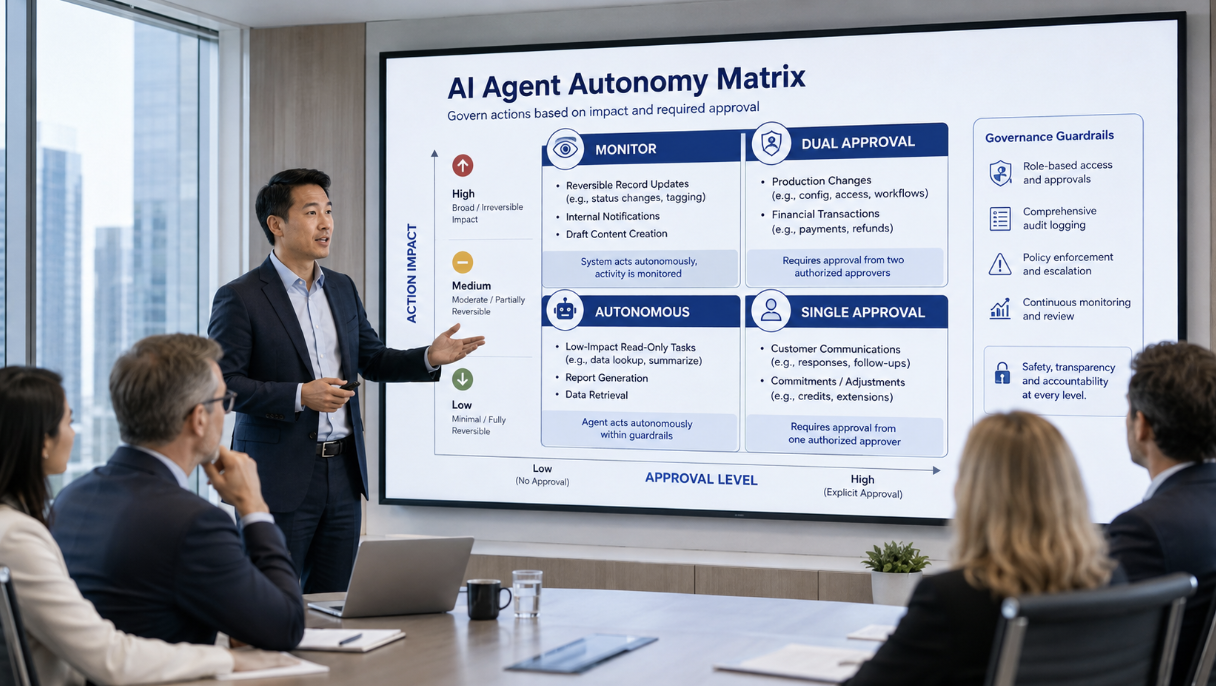
How Should Enterprises Set Safe Autonomy Boundaries for AI Agents?
AI agents are moving from recommendation engines to operational workers. They can search internal knowledge, update records, open tickets, modify code, call APIs, and coordinate multi-step workflows. That makes the central governance question less about whether agents should exist and more about how much authority each agent should receive.
AIBound’s recent article on agentic AI governance frames the challenge as balancing useful autonomy with meaningful guardrails. Too little autonomy removes the productivity benefit. Too much autonomy creates a path for errors, manipulated instructions, or compromised identities to become real business impact.
A useful companion is AIBound’s YouTube walkthrough, 5 Steps to Discover, Score, and Prevent High-Risk AI. The sequence matters because autonomy decisions should not be made in isolation. Security first needs to know which AI resource is acting, which identity it uses, which systems and data it can reach, how risky that combination is, and which action should be allowed or prevented.
This article explains how enterprises can set safe autonomy boundaries for AI agents without reducing every workflow to manual approval.
Direct Answer: Use Risk-Based Autonomy, Not One Global Rule
Enterprises should set AI-agent autonomy based on the potential consequences of the action, the identity's privileges, the sensitivity of the data, the action's reversibility, the workflow's exposure, and the availability of independent controls.
Low-impact, reversible actions can often run autonomously. Medium-impact actions may require monitoring or single-person approval. High-impact or irreversible actions should require explicit human confirmation, dual approval, or complete restriction.
This is not simply a governance preference. It is an engineering model for limiting blast radius.
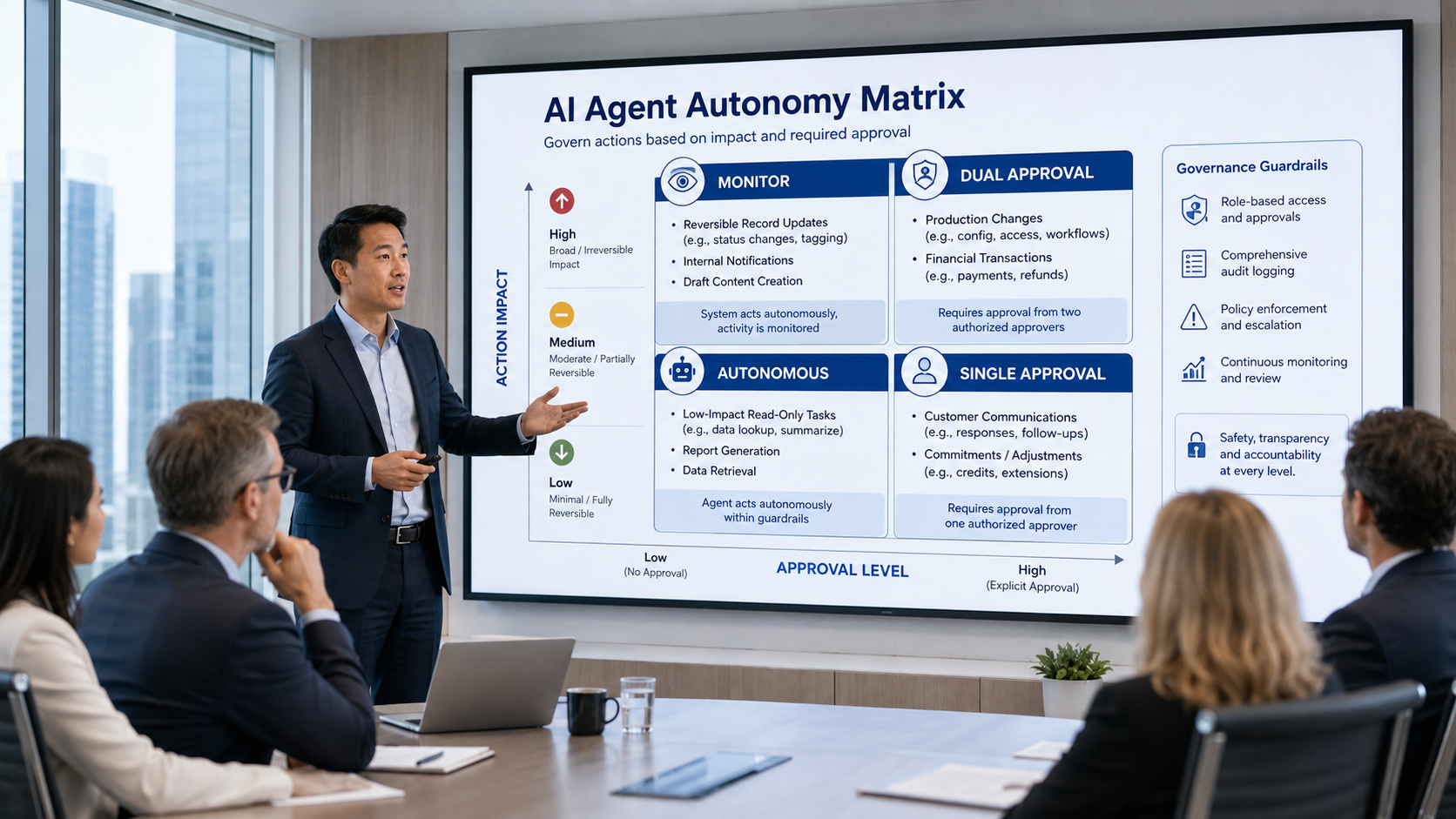
Why Agent Autonomy Is Different From Traditional Automation
Traditional automation usually follows a defined path. A script may receive an input, perform a known transformation, and call a specific API. The security team can inspect the code and predict most of the behavior.
Agentic AI is more adaptive. An agent can interpret a goal, select among tools, decide which step to perform next, use generated intermediate outputs, and change its approach based on context. That flexibility is exactly what makes agents valuable, but it also makes fixed assumptions about behavior less reliable.
The OWASP Top 10 for Agentic Applications 2026 identifies security risks that are specific to autonomous and multi-step systems. The practical lesson for enterprises is clear: agents require controls around authority, tool use, identity, memory, and action execution, not only around the model itself.
AIBound’s identity security solution makes the same point from an enterprise-security perspective. The risk of an AI system depends heavily on the identity it operates as and the permissions attached to that identity.
1. Start by Classifying the Action, Not the Agent
A common mistake is assigning one autonomy level to an entire agent.
A customer-service agent may be safe to summarize support tickets autonomously but not safe to refund a payment without confirmation. A developer agent may be safe to create a draft pull request but not safe to deploy code directly to production. An HR agent may be safe to answer policy questions but not safe to alter payroll or employee status.
Security teams should therefore classify actions such as:
- Read-only information retrieval.
- Drafting and recommendation.
- Reversible record updates.
- External communication.
- Production modification.
- Identity or permission changes.
- Financial transactions.
- Destructive or irreversible operations.
Each action category should have its own autonomy rule. This creates more useful control than a blanket statement such as “agents are allowed” or “agents require approval.”
2. Map the Identity and Permission Path Behind Every Agent
The apparent agent is only the visible layer. Its real authority comes from the identity, token, API key, OAuth grant, service account, or cloud role used behind the scenes.
AIBound’s identities and connections platform maps AI resources to the human and non-human identities behind them and shows the systems, datasets, and other resources those identities can reach.
That relationship is central to autonomy decisions. An agent running with a read-only support account has a very different risk profile from the same agent running under an engineering administrator.
Security teams should document:
- The identity used by the agent.
- The owner of that identity.
- The effective permissions, including inherited and delegated access.
- Credential lifetime and rotation.
- Connected SaaS applications, APIs, databases, repositories, and MCP servers.
- Whether the identity can create new credentials or elevate access.
- Whether multiple agents use a shared identity.
The more privilege an agent receives, the narrower its permitted autonomous actions should become.
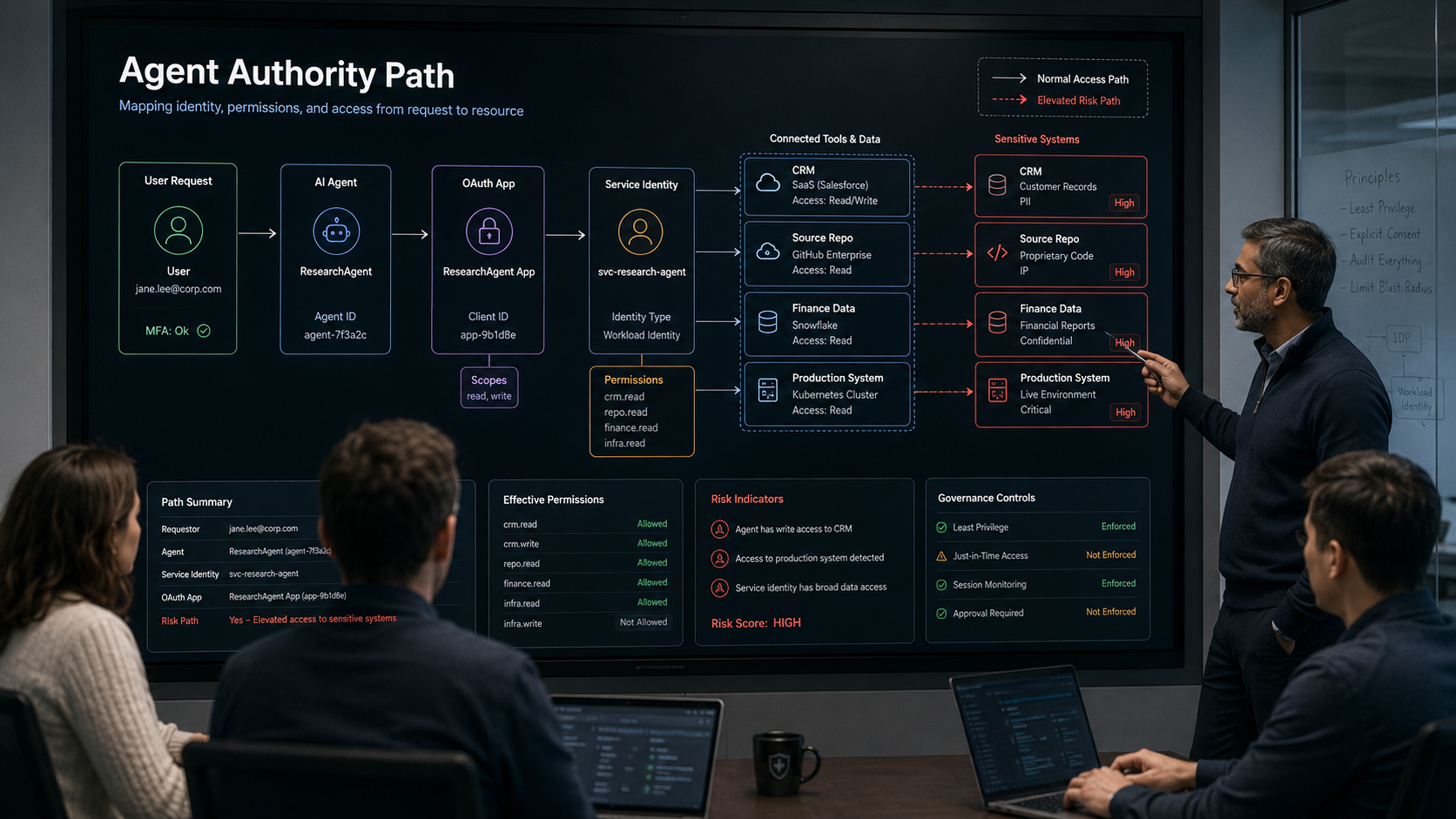
3. Use Data Sensitivity as a Boundary Condition
Autonomy should also depend on the data involved.
An agent summarizing public documentation can usually operate with fewer restrictions than one processing health information, source code, customer financial records, merger documents, or production credentials.
A practical data-aware policy can define different thresholds for public, internal, confidential, regulated, and highly restricted information.
For example, an agent may be allowed to classify public support requests automatically. At the same time, any workflow involving regulated customer information requires an approved enterprise model, a dedicated identity, full audit logging, and human review before external transmission.
The NIST AI Risk Management Framework encourages organizations to manage AI risk in context rather than as a one-time technical assessment. Data sensitivity is one of the most important contextual factors because it determines the possible consequences of a bad decision or compromised workflow.
4. Separate Recommendation From Execution
One of the simplest ways to gain value from agentic AI without accepting unnecessary risk is to separate “decide” from “do.”
An agent can collect evidence, summarize a problem, recommend a response, prepare a change, or draft a transaction while a human retains final execution authority.
This pattern works well for:
- Production changes.
- Customer refunds.
- Access approvals.
- Legal or compliance decisions.
- Deletion of records.
- Financial transfers.
- Customer-facing commitments.
- Changes to security configuration.
The organization still benefits from automated reasoning and preparation, but the final high-impact action remains controlled.
AIBound’s broader Control Plane for High-Risk AI positions prevention as the final stage after discovery, identity mapping, connection mapping, and risk measurement. That sequence supports action-level enforcement because the control decision is informed by context rather than a generic blocklist.
5. Define Human-in-the-Loop Thresholds Explicitly
“Human oversight” is too vague unless the organization defines exactly where it occurs.
A mature policy should specify which actions need:
- No approval.
- Post-action review.
- Single-person pre-approval.
- Approval from a role owner.
- Dual approval.
- Security approval.
- Complete prohibition.
The threshold should increase with business impact, privilege, data sensitivity, and irreversibility.
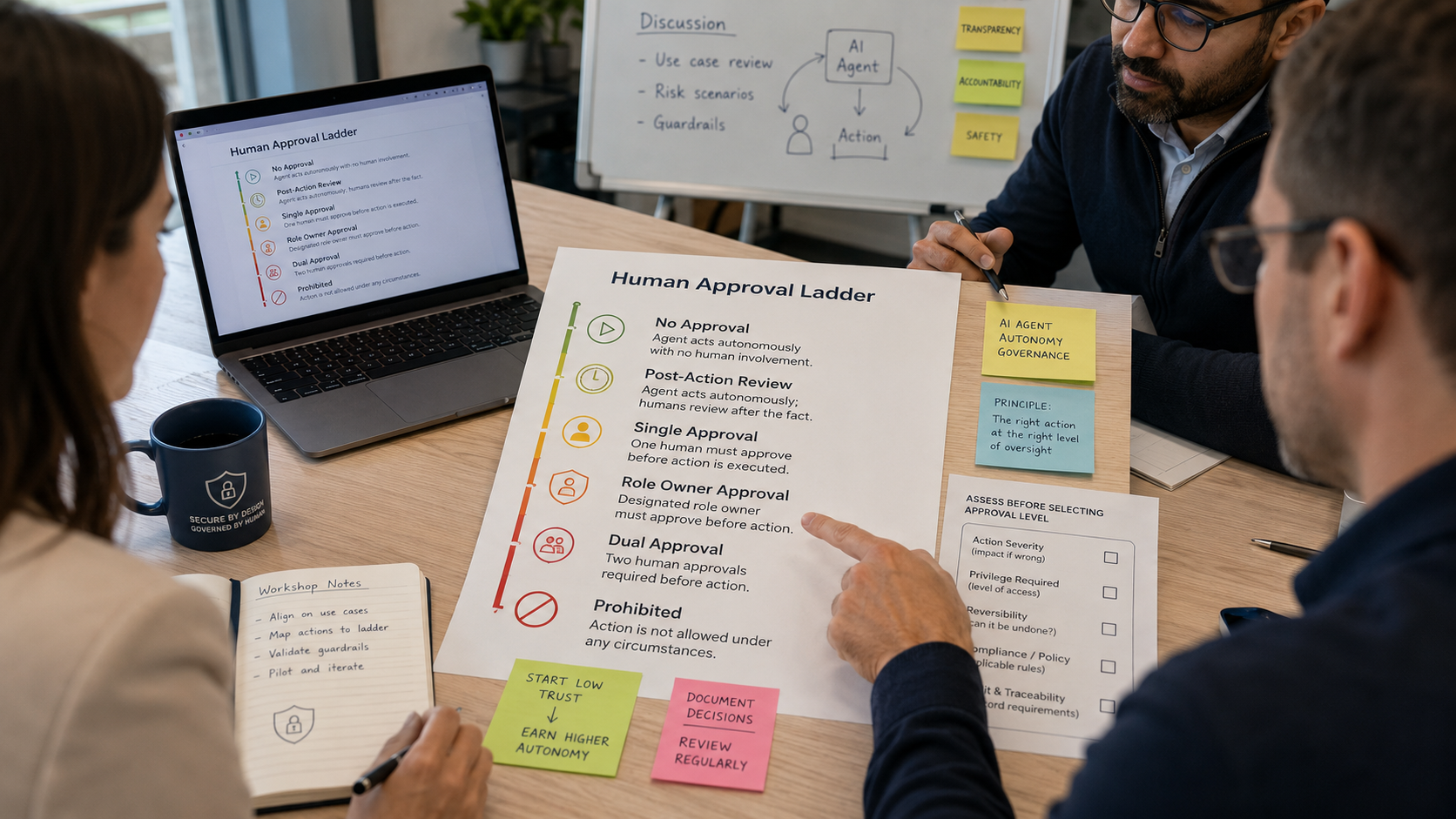
For example, generating an internal summary may require no approval. Sending an external email on behalf of a sales representative may require a quick confirmation. Changing a production access policy may require dual approval from a system owner and security.
The point is not to put people into every agent loop. It is to keep people in the loops where mistakes would be expensive, difficult to reverse, or legally significant.
6. Use Reversibility as a Practical Risk Signal
Reversibility is one of the most useful and underused autonomy criteria.
If an autonomous action can be undone easily, the organization can often tolerate a higher level of automation. If the action is irreversible or creates downstream consequences, the approval requirement should increase.
A reversible action might include tagging a ticket, creating a draft record, moving a file to a review queue, or opening a non-production pull request.
An irreversible or difficult-to-reverse action might include sending money, deleting data, publishing externally, changing an identity policy, deploying to production, or sending a binding customer communication.
Reversibility should be visible in risk scoring and approval logic, not left to informal judgment.
7. Limit Tool Choice and Scope
An agent with five narrowly scoped tools is easier to govern than an agent with fifty powerful tools.
Tool restrictions can limit what an agent can do even when the model behaves unexpectedly. Security teams should avoid giving agents broad “all actions” connectors when the business process only requires a small number of operations.
Where possible:
- Expose only required tool functions.
- Use read-only endpoints by default.
- Separate production and non-production tools.
- Require parameter validation.
- Apply transaction limits.
- Restrict external destinations.
- Use allowlisted data sources.
- Prevent agents from dynamically adding unreviewed tools.
This is a practical application of least privilege at the tool layer.
8. Monitor Runtime Behavior, Not Just Design Intent
An agent may be safe at onboarding and become unsafe later because its permissions change, its tools expand, its model behavior changes, or the content it processes introduces manipulated instructions.
That is why runtime monitoring is essential.
AIBound’s agentic-governance guidance emphasizes scoped identities, runtime behavioral monitoring, and human-in-the-loop checkpoints for high-risk actions. The organization needs evidence of what the agent actually did, not only documentation of what the agent was designed to do.
Useful runtime signals include:
- New tools or connectors.
- Permission expansion.
- New data destinations.
- Unusual action volume.
- Repeated failed approvals.
- Attempts to access restricted data.
- Changes from read to write behavior.
- Actions outside the expected business process.
- Unusual use of administrative APIs.
- Agent behavior at unexpected times or from unexpected environments.
A runtime control should be able to change the response when context changes.
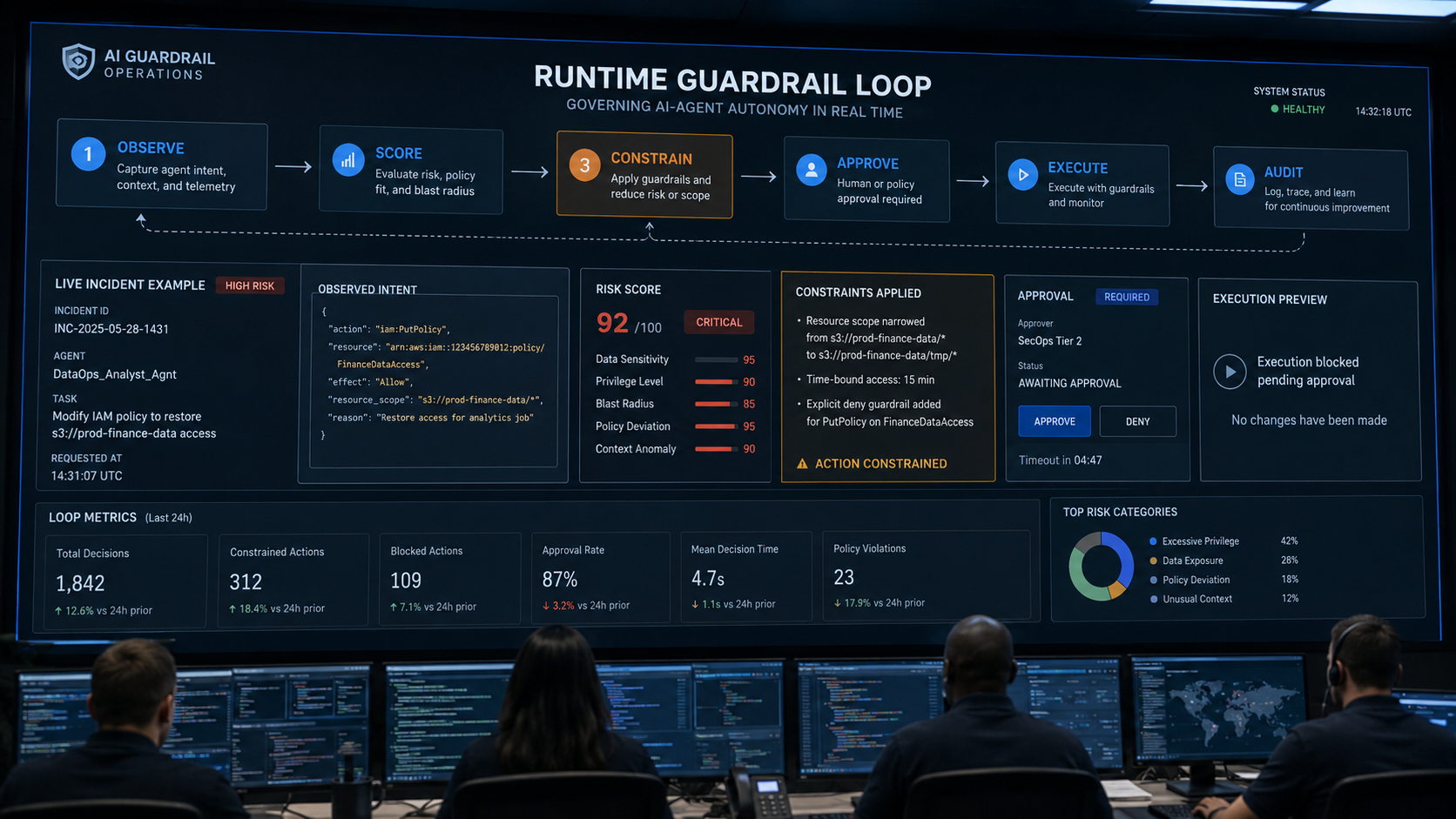
9. Build a Policy Model That Can Be Enforced Technically
Written policy is necessary, but it should translate into machine-enforceable conditions.
Instead of saying “agents must be safe,” define rules such as:
- Agents using privileged identities cannot perform production writes without approval.
- Agents handling regulated data must use approved enterprise destinations.
- External communications above a defined risk threshold require confirmation.
- Financial actions require dual approval and transaction limits.
- Agents may not grant permissions to themselves or create long-lived credentials.
- New connectors require security review before activation.
- High-risk agents must produce complete activity logs.
- Review agent permissions after material configuration changes.
Identity systems, application controls, gateways, policy engines, workflow approvals, and AI-specific security controls can then apply these rules.
10. Use an Autonomy Review Before Production Deployment
Every production agent should have a short, structured autonomy review.
The review should answer:
- What business outcome is the agent responsible for?
- Which actions can it perform?
- Which actions can it perform autonomously?
- Which actions require human approval?
- Which identity does it use?
- What is the maximum permission scope?
- Which data types can it access?
- Which external destinations can it contact?
- Which actions are irreversible?
- What happens when the agent behaves unexpectedly?
- How can access be revoked quickly?
- Who owns the agent and the risk decision?
The review does not need to be slow. Low-risk agents can follow a fast path. High-impact agents need deeper technical validation.
11. Red-Team High-Autonomy Workflows
The more autonomous an agent is, the more important adversarial testing becomes.
Red-team scenarios should test whether the agent can be manipulated into:
- Bypassing approval.
- Revealing confidential information.
- Calling an unapproved tool.
- Expanding its own scope.
- Reusing credentials outside the task.
- Sending data to an external destination.
- Repeating an action at scale.
- Acting on malicious instructions embedded in retrieved content.
The objective is to test effective authority under stress, not merely prompt quality.
AIBound’s enterprise-security framing is useful here because the important unit of risk is the full path from AI resource to identity to connection to action.
12. Create Emergency Stops and Fast Revocation
Autonomous systems need rapid containment options.
Security teams should be able to:
- Disable the agent.
- Revoke tokens or OAuth grants.
- Block a connector.
- Remove a tool.
- Reduce permission scope.
- Force the workflow into approval-only mode.
- Quarantine a compromised identity.
- Stop a high-risk external destination.
Test these controls before an incident.
Human approval is not enough if the organization cannot stop the agent after suspicious behavior begins.
A Practical Autonomy Tier Model
A useful enterprise model can use four tiers.
Tier 1: Observe and Assist
The agent reads low-sensitivity data, summarizes information, classifies content, and makes recommendations. No consequential action is executed.
Default: autonomous operation with logging.
Tier 2: Prepare and Draft
The agent creates drafts, suggested changes, tickets, pull requests, or workflow steps but does not commit high-impact actions.
Default: autonomous preparation, human review at the commit point.
Tier 3: Execute Reversible Business Actions
The agent can update records, send approved internal messages, or perform bounded actions that can be rolled back.
Default: risk-based approval, transaction limits, strong monitoring.
Tier 4: Execute High-Impact or Irreversible Actions
The agent can change permissions, transfer money, modify production infrastructure, delete sensitive data, or make legally significant commitments.
Default: mandatory human approval, often dual approval, and in some cases prohibition.
Metrics CISOs Should Track
Useful metrics include:
- Number of production AI agents by autonomy tier.
- Percentage of agents with dedicated identities.
- Agents using privileged identities.
- High-impact actions requiring human approval.
- Approval bypass attempts.
- Agents with new or expanded tools.
- Average time to revoke a risky agent identity.
- Percentage of agent actions covered by audit logging.
- Exceptions to autonomy policy.
- Number of incidents prevented by runtime guardrails.
- Changes in agent risk after permission or tool updates.
These metrics show whether autonomy is becoming more controlled as adoption scales.
Frequently Asked Questions
Should enterprises require human approval for every AI-agent action?
No. Universal approval would eliminate much of the value of agents and create unnecessary operational friction. Approval should focus on actions with meaningful consequence, high privilege, sensitive data, external impact, or low reversibility.
Is least privilege enough to make agents safe?
Least privilege is essential, but it is not sufficient. An agent can still misuse narrowly scoped authority if the task is sensitive or if the agent is manipulated. Identity scope should be combined with action boundaries, data controls, monitoring, and approval.
Can an approved agent become high risk later?
Yes. Permissions, tools, connectors, models, business processes, and data access can change. Reassess autonomy when material changes occur, and monitor it continuously.
What is the safest way to introduce agentic AI into production?
Start with read-only or draft-only workflows, use dedicated identities, limit tools, preserve approval for consequential actions, instrument runtime behavior, and expand autonomy only after the organization has evidence that the controls work.
Conclusion
Safe agentic AI is not created by choosing between autonomy and human control. It is created by assigning the right level of autonomy to each action.
Enterprises should classify actions, map identities, reduce permissions, consider data sensitivity and reversibility, define explicit approval thresholds, restrict tool scope, monitor runtime behavior, and maintain rapid revocation paths.
The most important design principle is simple: an agent should have enough authority to complete its approved job, but not enough authority to create unnecessary blast radius.
The NIST Generative AI Profile reinforces the need for risk management across the AI lifecycle. AIBound’s approach adds the operational security context needed to see which agent is acting, under whose authority, with access to what, and where intervention should occur.
As agent adoption accelerates, organizations that make these boundaries explicit can expand AI use faster because they will know exactly where autonomy is safe and where human judgment still belongs.
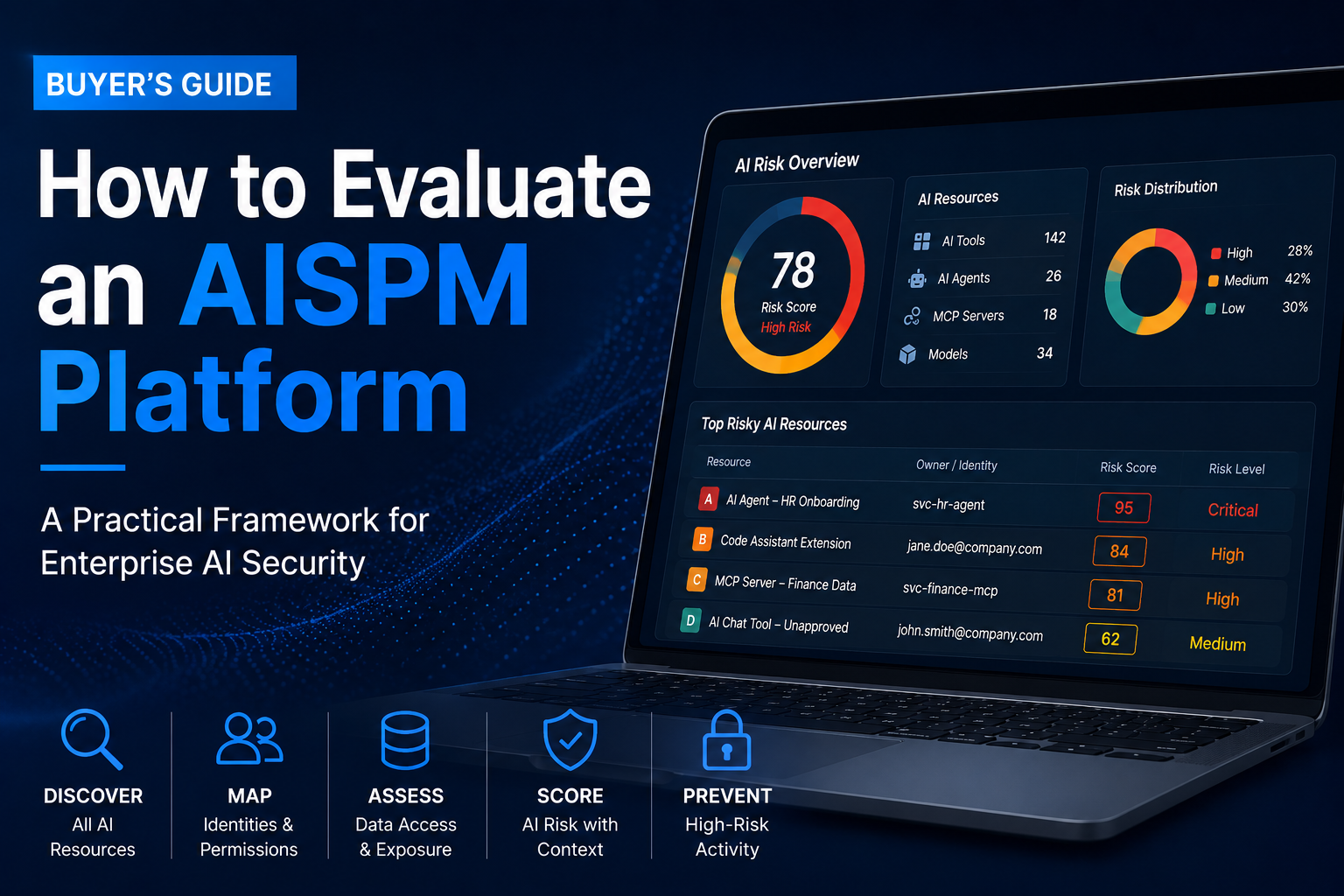
How to Evaluate an AISPM Platform for Enterprise AI Security
Enterprise AI risk is no longer limited to employees pasting information into a chatbot.
Organizations now use AI-enabled SaaS applications, coding assistants, embedded copilots, homegrown AI applications, cloud AI services, autonomous agents, models, and Model Context Protocol (MCP) servers. These resources can access sensitive data, use human or machine identities, invoke tools, and take actions across enterprise systems.
That creates a new security question: Can you see every high-risk AI resource, understand what it can access, and stop dangerous activity before it has an impact?
AI security posture management (AISPM) helps organizations answer that question. But the category includes platforms with very different architectures and priorities. Some focus on workforce AI and SaaS governance. Some inspect prompts and uploads in real time. Others focus on securing AI applications, models, or autonomous agents.
This guide explains how to evaluate an AISPM platform based on the AI environment you actually need to protect.
A note on terminology: Organizations use “AISPM” differently. In this guide, it means the continuous discovery of AI resources, assessment of their exposure and risk, monitoring of their connections and behavior, and application of appropriate controls.
Start with your AI environment
The right platform depends less on which vendor has the longest feature list and more on where AI is operating in your organization.
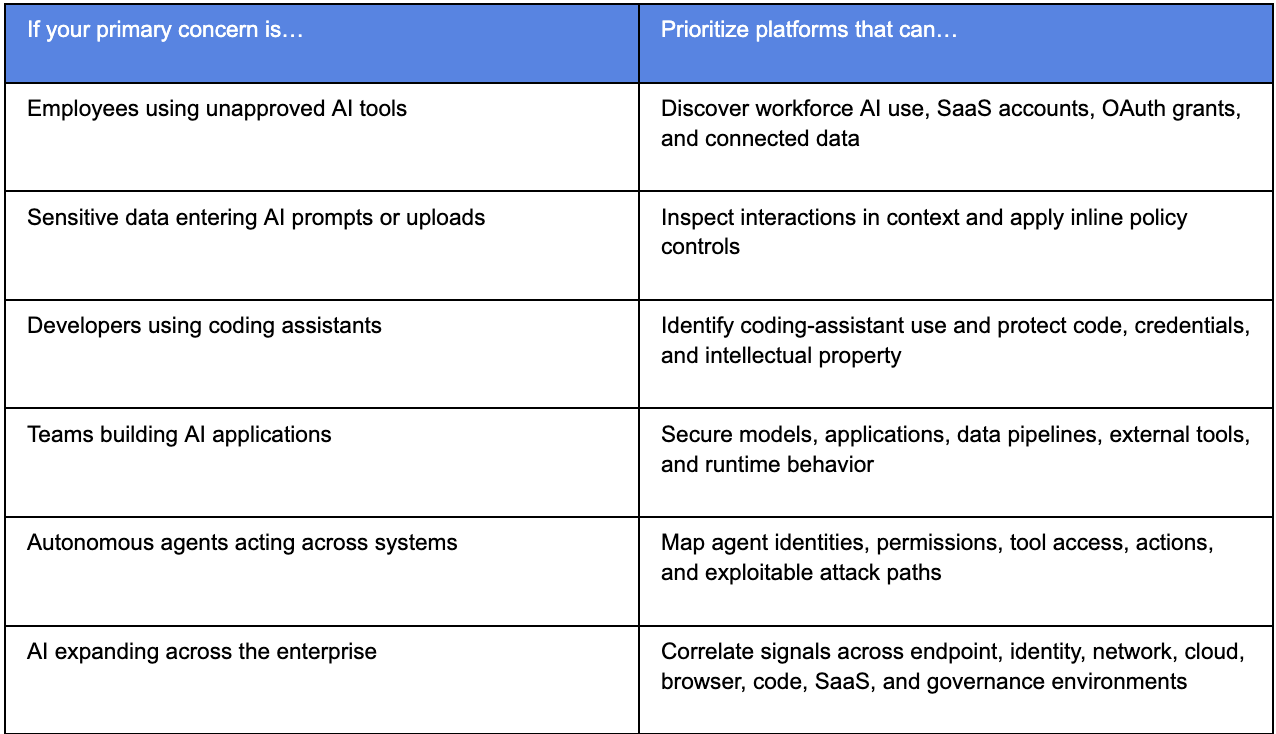
Many enterprises will need more than one of these outcomes. The goal is not necessarily to buy the broadest product. It is to adopt an architecture that covers your material exposures without creating unnecessary deployment or operational overhead.
The AISPM evaluation framework
1. Multi-surface AI discovery
Browser activity is only one source of AI exposure. A discovery program should account for browser-based tools, desktop applications, endpoints, cloud services, APIs, code repositories, SaaS integrations, embedded copilots, agents, and MCP servers.
A platform that relies on a single signal can give a detailed view of one environment while missing relevant AI activity elsewhere. For example, browser monitoring may not reveal a locally running coding agent, an API-connected application, an embedded SaaS copilot, or a cloud-hosted model.
Ask vendors:
- Which discovery signals does the platform use: browser, endpoint, identity, mailbox, network, cloud, code, SaaS, or agent platforms?
- Can it identify AI resources that are not accessed through a browser?
- How does it reconcile the same resource when it appears in multiple data sources?
- Can it identify the business owner and relevant users for each discovered resource?
2. AI agents and MCP discovery
Agents and MCP servers need a different evaluation lens than ordinary chat tools. They may retrieve files, call APIs, invoke tools, update records, or perform multi-step tasks with limited direct human involvement.
A useful inventory should show where agents exist, who or what they act as, which MCP servers and tools they can reach, and whether they can affect sensitive systems.
Ask vendors:
- Can the platform discover agents across SaaS, cloud, custom, and endpoint environments?
- Can it identify MCP servers, tool connections, and agent-to-agent relationships?
- Does it distinguish an AI tool that only generates text from an agent that can take action?
- Can it map agent actions back to a human, service account, or machine identity?
3. Identity and permission context
An AI inventory alone does not show risk. The critical context is the identity behind an AI resource and the privileges attached to it.
An agent using a low-privilege account to summarize public documents presents a very different exposure from an agent using a production service account with access to customer records. Strong AISPM programs connect AI resources to users, service accounts, API keys, OAuth grants, tokens, roles, and permissions.
Ask vendors:
- Which human and machine identities can be linked to an AI resource?
- Can the platform show OAuth grants, API tokens, service accounts, and permissions?
- Can it identify over-privileged agents or stale access?
- Does it connect an AI finding to an accountable owner and remediation workflow?
4. Data-connection mapping
Prompt monitoring can reveal what a user typed into an AI tool. Data-connection mapping reveals the broader potential blast radius: the files, repositories, databases, SaaS applications, and cloud resources an AI system can access.
This matters because an AI resource may be safe in ordinary use yet dangerous when compromised, misconfigured, or instructed to perform an unsafe action.
Ask vendors:
- Can the platform map which data sources an AI application or agent can read, write, or administer?
- Does it classify data sensitivity or inherit context from existing data-security tools?
- Can it show the path from AI resource to identity, permission, and sensitive data?
- Does the finding explain why a specific connection creates material business risk?
5. Explainable risk prioritization
Discovery without prioritization can create a large, unmanageable inventory. A useful AISPM platform should help security teams focus first on high-risk combinations of AI resource, identity, permission, data access, observed activity, and business impact.
Risk scoring should be explainable. A security team should be able to understand why a resource is high risk, validate the evidence, identify the owner, and decide what to do next.
Ask vendors:
- What inputs contribute to risk scoring?
- Can analysts see the evidence behind a risk rating?
- Does the platform distinguish between a low-risk writing assistant and an agent with access to sensitive systems?
- Can teams filter and prioritize by business owner, department, data sensitivity, identity type, or environment?
6. Prevention and response
Visibility is not the same as control. Once a high-risk AI resource is identified, organizations need a proportionate response.
For lower-risk behavior, that may mean coaching an employee toward an approved tool. For a high-risk agent with sensitive permissions, it may require blocking an action, restricting access, revoking a token, opening an incident, or invoking an existing security control.
Ask vendors:
- Which controls can the platform enforce directly, and which does it orchestrate through integrations?
- Can it warn, block, redirect, revoke, quarantine, or create a remediation workflow?
- Can it apply different actions based on resource type, user, identity, data sensitivity, or observed behavior?
- How quickly can the platform move from detection to enforcement?
7. Integration with the security stack
AI security should not become an isolated dashboard. It needs to work with the systems that already hold relevant context and execute response actions: identity providers, endpoint tools, cloud-security platforms, network controls, SIEM and SOAR tools, ticketing systems, governance platforms, and data-security products.
For many enterprises, integration depth determines whether an AISPM program is operationally useful or simply another source of findings.
Ask vendors:
- Which security, identity, cloud, network, code, workflow, and governance integrations are available today?
- Are integrations read-only, or can they trigger prevention and remediation actions?
- Can the platform use existing telemetry rather than requiring replacement of controls already in place?
- How does the platform handle data normalization, retention, and access control?
8. Application and runtime protection
Organizations building AI applications have requirements beyond workforce AI governance. They may need security testing before deployment and runtime controls while applications and agents are operating.
Relevant capabilities can include AI application and model discovery, automated red teaming, prompt-injection defenses, output filtering, supply-chain monitoring, runtime guardrails, and validation of agent actions.
Ask vendors:
- Does the product support internally developed applications through APIs, SDKs, gateways, or other deployment patterns?
- Does it cover testing, deployment, and runtime—or only one stage of the lifecycle?
- Can it identify and mitigate prompt injection, data leakage, unsafe outputs, and insecure tool connections?
- What evidence can it provide after an incident or policy violation?
9. Governance and reporting
AI security leaders need to communicate AI adoption, risk, ownership, policy status, and remediation progress to executives, auditors, boards, and business stakeholders.
The best reporting turns technical signals into decision-ready information: what high-risk AI exists, what it can access, who owns it, which controls are working, and where risk is increasing.
Ask vendors:
- Can reports show inventories, trends, ownership, risk drivers, and remediation status?
- Can leaders see the difference between approved, unmanaged, and high-risk AI?
- Does the platform preserve evidence that can support audit, investigation, and compliance workflows?
- Can teams create role-based views for security, IT, governance, and executive audiences?
Choose the right deployment model
Deployment architecture affects both coverage and depth of control. There is no universal best approach.
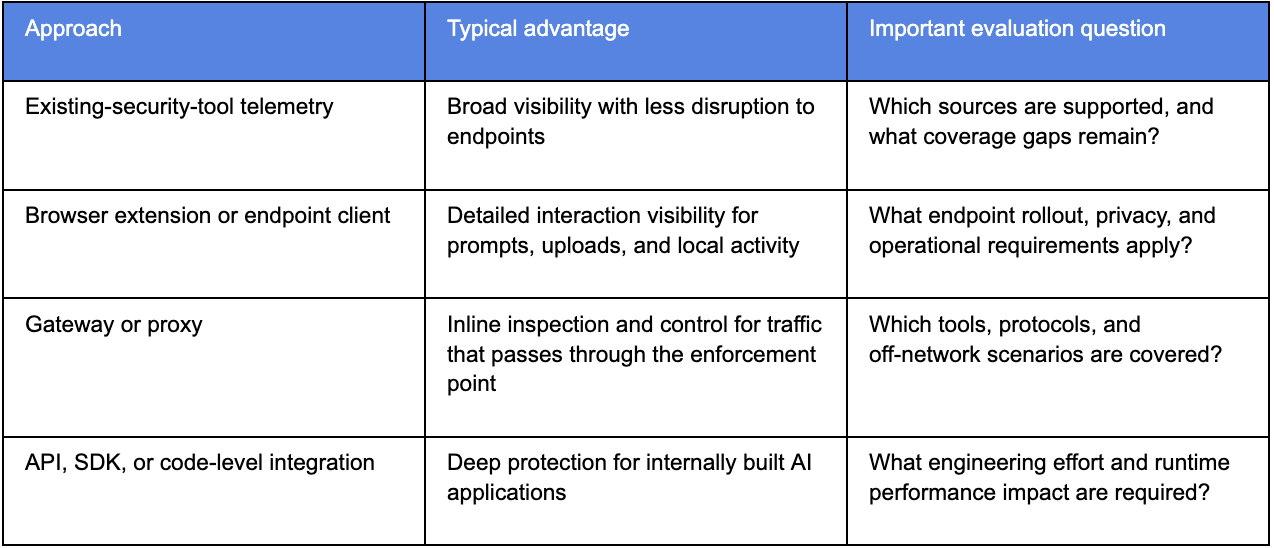
Direct interaction monitoring can be valuable when preventing prompt and file-upload exposure is the central objective. Telemetry correlation can be valuable when the primary need is a broad, enterprise-wide view of high-risk AI resources and their relationships to identities, data, and existing controls.
During a proof of concept, test the actual environments that matter to you. Do not accept a generic dashboard demo as proof of coverage.
What a control-plane approach looks like
A control-plane approach is designed for enterprises that need to understand and manage AI risk across environments—not only within a single browser, endpoint, SaaS application, or AI runtime.
AIBound is built around five connected outcomes:
- Discover AI applications, agents, models, and MCP servers across the enterprise.
- Expose the human, service-account, and machine identities connected to those resources.
- Map the data connections, permissions, and potential blast radius associated with them.
- Prioritize risk using contextual, explainable ratings.
- Prevent or remediate high-risk activity through the security tools and workflows an organization already operates.
This model is particularly relevant when an organization needs to correlate browser, endpoint, network, cloud, identity, code, workflow, and governance signals—and wants to avoid treating AI security as a separate, isolated control domain.
It may not be the only requirement. For example, organizations with a primary need for deep inspection of every AI prompt or for code-level runtime protection of homegrown applications should validate those capabilities directly as part of their evaluation.
A practical vendor-demo checklist
Bring these questions to every AISPM evaluation:
- Show us an AI resource discovered outside a browser.
- Show us the identity, permissions, data connections, and business owner associated with that resource.
- Show us why the platform considers it high risk.
- Show us a real response action, not only a finding or report.
- Show us how the product handles an autonomous agent and its tool or MCP connections.
- Show us the integration architecture, permissions required, and expected deployment effort.
- Show us coverage gaps that the product does not address.
- Show us reporting an executive can use to understand exposure and remediation progress.
The best question is not, “Which platform has the most features?” It is: Can this platform show us our material AI exposures, explain their context, and help us reduce risk before it becomes an incident?
How AIBound maps to the AISPM framework
AIBound is designed for organizations that need to identify and control high-risk AI across the enterprise. Its approach connects AI discovery with the identities, permissions, sensitive data connections, risk context, and response actions associated with each resource.
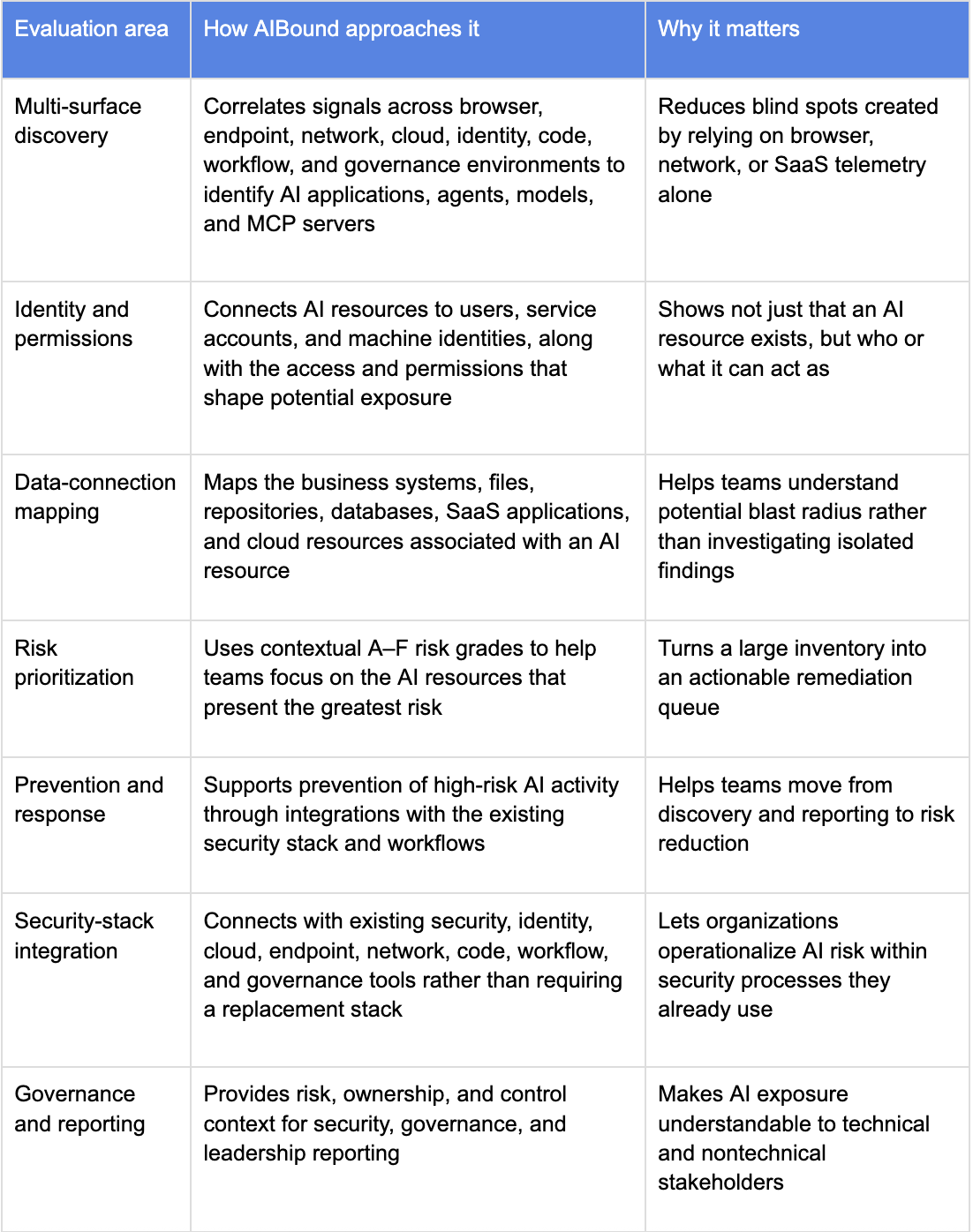
AIBound is a strong fit when your AI exposure spans multiple environments and you need to correlate AI resources with identity, data access, permissions, business context, and prevention capabilities. It is especially relevant when you want to use telemetry and controls already deployed across the enterprise rather than introduce a separate, isolated AI-security stack.
Other AI security vendors to evaluate
AI security platforms often specialize in a particular part of the problem. Depending on your requirements, the following vendors may be relevant to evaluate alongside AIBound:
- Nudge Security: A consideration for teams managing workforce AI within a broader SaaS-security and identity-governance program, especially where SaaS discovery and OAuth visibility are central.
- Harmonic Security: A consideration when contextual, real-time governance of prompts, uploads, desktop AI, and AI interactions is a primary requirement.
- Prompt Security: A consideration for organizations seeking workforce AI controls alongside security for homegrown AI applications, coding assistants, and agentic workflows.
- Noma Security: A consideration for enterprises building AI applications, models, and agents that require security posture management, testing, and runtime protection.
- Zenity: A consideration for organizations focused on autonomous agent discovery, permissions, exposure analysis, and runtime governance across enterprise environments.
Disclosure: This guide was prepared by AIBound. The vendor descriptions above are high-level, reflect publicly available information, and should not be treated as exhaustive. Product capabilities, packaging, and integrations change frequently; validate requirements directly with each provider.
See your high-risk AI exposure
AIBound helps security teams discover high-risk AI, connect it to the identities and data it can access, prioritize what matters, and take action through their existing security stack.
[Talk to AIBound about mapping your AI exposure.]
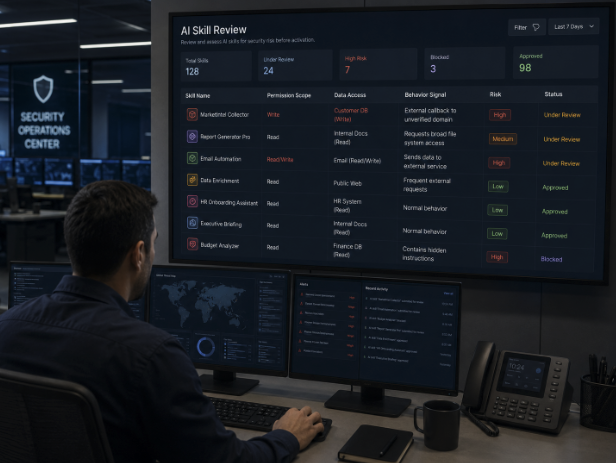
How Can Enterprises Detect Malicious AI Skills Before They Cause a Breach?
AI assistants are becoming operational systems, not just chat interfaces. They can load skills, call tools, use service accounts, access enterprise applications, and perform multi-step work on employees' behalf. That productivity changes the security question. The risk is no longer limited to what a model says. Security teams must also understand what an agent has been instructed to do, which identities it can use, and which systems those instructions can reach.
AIBound recently described this problem in its IntentSentry announcement, explaining that malicious skills can hide dangerous instructions in normal language. The company says its early use uncovered skills designed to steal credentials, access high-risk systems, or quietly move sensitive information. That framing aligns with the broader industry shift toward agentic AI security, where instructions, permissions, connectors, and identities all become part of the attack surface.
A useful companion is AIBound’s YouTube walkthrough, 5 Steps to Discover, Score, and Prevent High-Risk AI. The five-step sequence is important because malicious-skill detection is not a standalone scanning problem. It depends on discovery, identity context, data connections, risk scoring, and enforcement working together.
Direct Answer: Treat Every AI Skill as Untrusted Until Its Intent and Authority Are Verified
Enterprises can detect malicious AI skills before they cause a breach by combining four forms of evidence: what the skill says, what actions it can invoke, which identity and permissions it inherits, and what data or systems those permissions expose. A suspicious instruction with no meaningful access may be low impact. A subtle instruction running under a privileged service account with access to HR records, source code, payment systems, or cloud administration can become a critical exposure.
The practical objective is not to block all skills or all agents. It is to create a repeatable control process that continuously discovers skills, inspects intent, validates permissions, scores business impact, enforces proportionate controls, and monitors for change.
Why AI Skills Create a Different Kind of Security Problem
Traditional application security assumes that dangerous behavior is usually expressed through code, configuration, or observable runtime actions. AI skills introduce another layer: natural-language instructions. A skill may contain a sequence of steps that appear readable and ordinary to a person while still directing an agent to retrieve secrets, ignore normal approval steps, or send information to an unauthorized destination.
That matters because AI agents can interpret goals rather than simply execute a fixed sequence. The same skill can behave differently depending on the user request, available tools, model behavior, current data, and permissions present at runtime. Static scanning alone may therefore miss the difference between a legitimate workflow and a dangerous one.
The OWASP Agentic Security Initiative reflects this change. Its 2026 Top 10 addresses risks such as agent goal hijack, tool misuse, identity and privilege abuse, and agentic supply-chain vulnerabilities. These categories show why agent security has to combine instruction analysis with runtime authority and system context.
1. Start With a Complete Inventory of Agents, Skills, Plugins, and MCP Components
The first control is visibility. Security teams cannot assess a malicious skill if they do not know it exists. Inventory should extend beyond officially approved AI applications to include autonomous and semi-autonomous agents, reusable skills, plugins, browser extensions, MCP clients and servers, model APIs, local models, and AI features embedded inside existing SaaS products.
A useful inventory record should show the skill name, business owner, source, version, purpose, associated agent, execution environment, identities used, accessible tools, connected applications, data categories, external destinations, approval status, risk score, and date of last review. Unknown ownership should raise the review priority because no one can explain why the skill is needed or defend its current permission scope.
AIBound’s resources library repeatedly emphasizes that AI visibility must span applications, agents, models, MCP servers, identities, and data connections. This is a stronger foundation than a one-time questionnaire because skills and connectors can change far faster than an annual governance review.
2. Inspect the Skill’s Plain-Language Intent
A security review should read a skill the way an attacker would. The question is not only whether the syntax looks clean. The reviewer should determine what the instructions are trying to achieve, whether that intent matches the stated business purpose, and whether the instructions contain behavior that should never be delegated to an agent.
- Requests to retrieve API keys, passwords, tokens, private keys, or session credentials.
- Instructions to ignore policy, bypass a confirmation step, suppress logging, or conceal activity.
- Directions to export files or data to an external destination unrelated to the approved workflow.
- Broad prompts such as “collect everything relevant” when the task requires a narrow data set.
- Instructions that ask the agent to modify security settings, identity policies, repositories, or production infrastructure.
- Content that attempts to redefine the agent’s role, authority, priorities, or safety boundaries.
Intent analysis should also consider indirect instructions. A skill does not need to contain the sentence “steal a credential” to be dangerous. It may ask the agent to search local configuration files, copy the results to a staging area, and send the output to a remote endpoint. Each step looks operational; together, they reveal the intent.
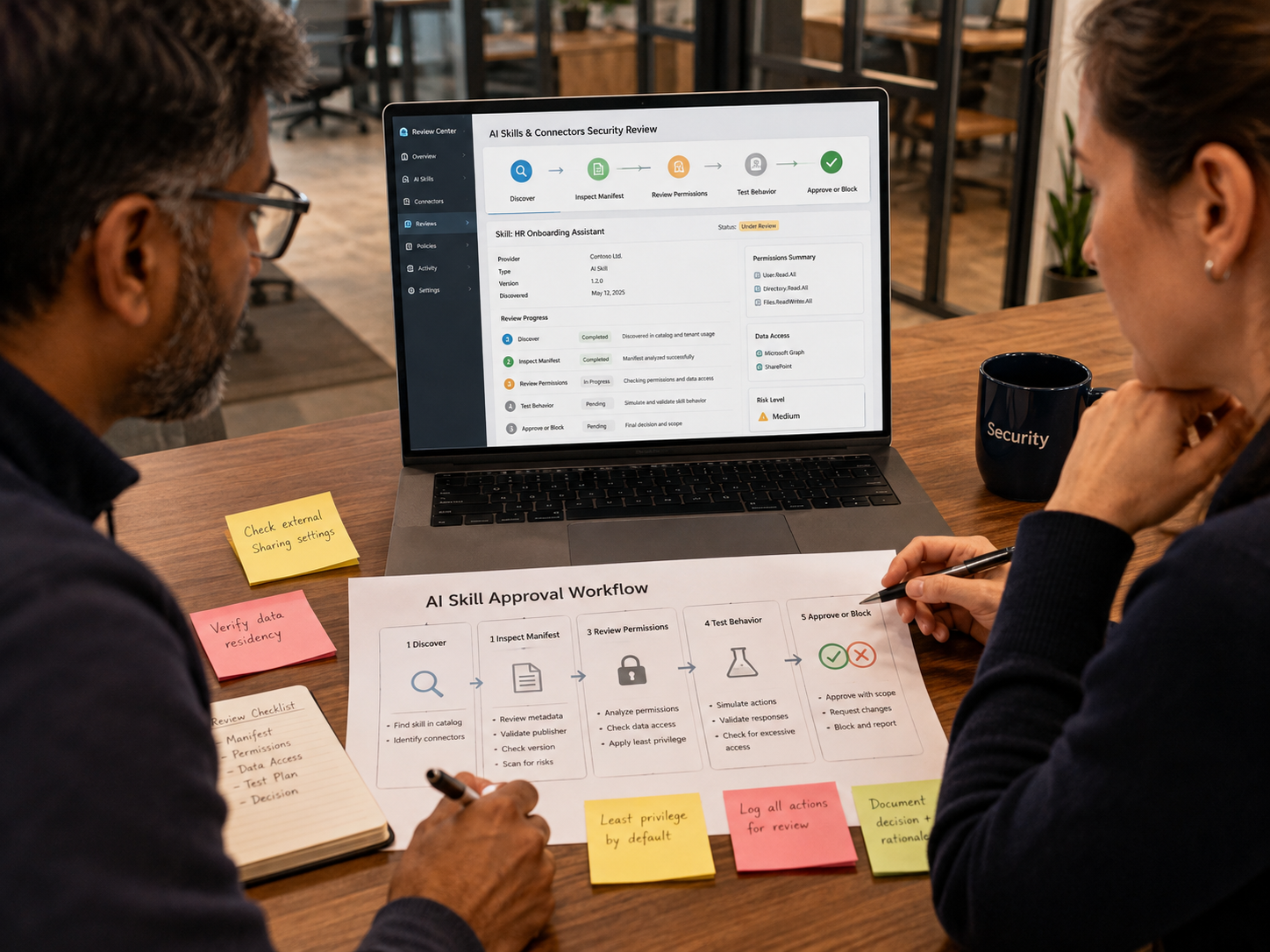
3. Map Every Skill to the Identity It Uses
The agent identity often determines whether an odd instruction becomes a serious incident. A skill that runs under a restricted user account may have limited impact. The same skill running under a shared administrative service account can reach far more systems and may operate without the controls that normally apply to a named employee.
Security teams should identify whether the skill acts through an individual user, shared account, service account, OAuth grant, API key, workload identity, cloud role, or other machine identity. Then they should map the effective permissions rather than relying on the intended role description.
- Can the identity only read data, or can it write, delete, publish, deploy, transfer, or approve transactions?
- Does the identity have access to production systems when the use case only requires testing?
- Are OAuth scopes broader than the task actually requires?
- Can the agent call multiple tools with one shared credential?
- Are credentials long-lived, reused, or stored where the skill can retrieve them?
- Can the downstream application independently enforce authorization and transaction limits?
Least privilege is especially important for agentic systems because automation can amplify mistakes. A person may notice an unusual request before approving it. An autonomous workflow can repeat the same action at machine speed.
4. Compare the Skill’s Stated Purpose With Its Real Capabilities
Every skill should have a narrow, reviewable purpose. A calendar lookup skill should not need payment permissions. A summarization skill should not need the ability to delete source files. A support-ticket classifier should not need administrative access to the identity provider.
Security teams should create a capability map showing every tool the skill can invoke and every action each tool exposes. The review should distinguish read, search, create, modify, delete, execute, send, deploy, export, and financial actions. This simple classification makes excessive agency much easier to identify.
AIBound’s approach to AI security is useful here because it connects the resource to the identity and then to the data or systems reachable through that identity. That chain provides the context needed to decide whether the skill’s authority is proportionate to the business task.
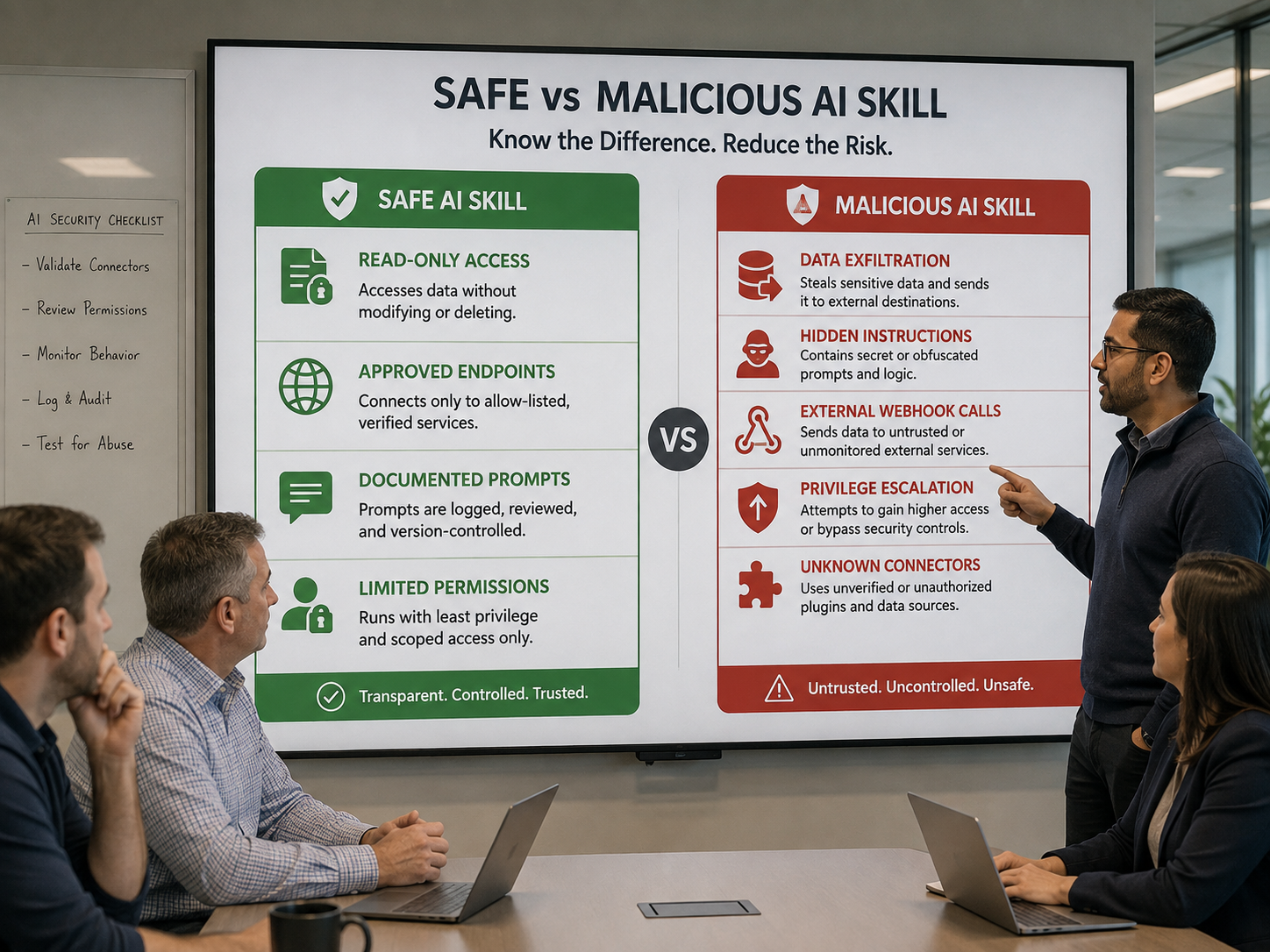
5. Review Data Destinations and Exfiltration Paths
A malicious or poorly designed skill may become dangerous because of where it can send information. Review all external destinations, webhooks, model providers, cloud storage locations, email domains, chat platforms, and APIs involved in the workflow. If a skill can access sensitive information and communicate with an uncontrolled external endpoint, the risk rises immediately.
Data classification should be connected to the skill review. Public marketing copy, internal operational data, confidential business information, source code, credentials, financial data, personal information, and regulated records should not be treated as equivalent. The same instruction can require completely different controls depending on the data it can touch.
6. Use Contextual Risk Scoring Instead of a Simple Good-or-Bad Label
A binary decision is often too crude. Many skills are useful but need narrower permissions or stronger monitoring. A contextual risk score should consider intent, privilege, data sensitivity, external connectivity, autonomy, business criticality, ownership, and blast radius.
For example, a suspicious phrase inside a low-privilege test skill may deserve investigation but not emergency blocking. A similar phrase inside a finance agent with payment authority and access to customer data should trigger a much faster response. The risk comes from the combination.
NIST’s AI Risk Management Framework and its Generative AI Profile encourage organizations to manage AI risk through structured governance, mapping, measurement, and management. Those functions are particularly relevant to skill security because a team needs both technical evidence and organizational context to justify enforcement decisions.
7. Enforce Proportionate Controls
Once risk is understood, the organization needs response options more nuanced than “allow everything” or “block AI.” Useful controls include requiring enterprise identities, reducing OAuth scopes, replacing shared accounts, limiting tools to read-only operations, requiring human approval for high-impact actions, restricting data categories, blocking unapproved destinations, quarantining suspicious skills, and revoking skills that violate policy.
AIBound positions its control plane around moving from discovery to prevention. That sequence matters because a finding only reduces risk when the organization can act on it through the controls it already uses.
8. Monitor Skills Continuously for Drift
Approval is not permanent. A skill may change instructions, gain a new connector, inherit a broader role, move to a new model, or become available to more users. Security teams should therefore monitor version changes, permission changes, new external destinations, ownership changes, unusual execution patterns, and repeated policy violations.
Continuous review also helps detect supply-chain risk. A third-party skill that was safe at onboarding may later introduce dangerous behavior. The organization needs a way to notice the change before the skill quietly operates across hundreds of users.
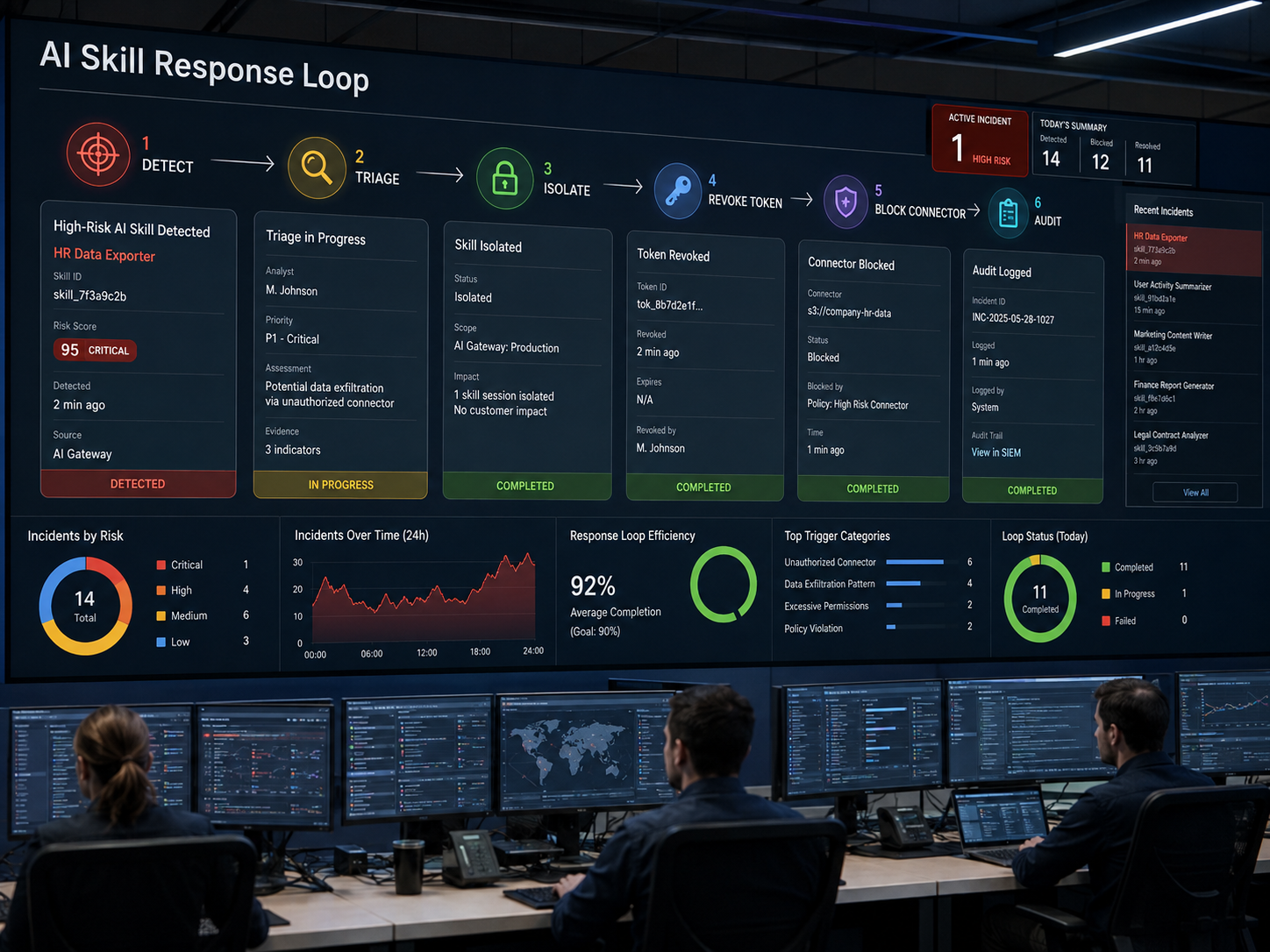
A Practical 30-Day AI Skill Security Program
- Inventory agents, skills, plugins, MCP servers, identities, connected systems, and business owners.
- Prioritize skills with privileged identities, sensitive data access, external connectivity, or autonomous actions.
- Review plain-language instructions for hidden intent, policy bypasses, credential access, and exfiltration behavior.
- Map each skill to the effective permissions of the identity it uses.
- Reduce excessive permissions and require human approval for high-impact actions.
- Create allow, restrict, quarantine, and block response paths that can be executed quickly.
- Monitor for new versions, new connectors, permission changes, and newly discovered risky behavior.
Metrics CISOs Should Track
- Total agents and skills discovered.
- Percentage with a named business owner.
- Skills using privileged or shared identities.
- Skills with external data destinations.
- High-risk skills blocked or quarantined.
- Average time from discovery to review.
- Average time from high-risk finding to remediation.
- Percentage of approved skills operating with least-privilege access.
- Number of material changes detected after initial approval.
Frequently Asked Questions
Are all third-party AI skills dangerous?
No. Third-party skills can be useful and legitimate. The issue is that you must review source, ownership, intent, permissions, and update behavior rather than assume safety.
Can code scanners detect malicious AI skills?
They may detect conventional vulnerabilities in surrounding code. Still, harmful intent can be expressed in natural language and may only become dangerous when combined with particular tools, identities, or data access. Skill review therefore needs both instruction analysis and runtime context.
Should organizations block autonomous agents?
Not automatically. Autonomy is one risk factor. A low-impact agent working with public data may be acceptable. A high-impact agent with write access to sensitive systems needs much stronger controls and often human approval.
What should be blocked immediately?
Prioritize skills that attempt to steal credentials, bypass controls, exfiltrate sensitive data, invoke destructive actions, or operate through privileged identities without a defensible business need.
Conclusion
Malicious AI skills represent a new security blind spot because the dangerous part may not look like malware. It may look like an ordinary set of instructions attached to an otherwise useful assistant. That is why enterprises need to evaluate intent, identity, permissions, data, destinations, autonomy, and business impact together.
The strongest programs will treat every new skill as untrusted by default, verify what it is trying to do, constrain what it is allowed to do, and continue monitoring after approval. That approach allows organizations to benefit from agentic AI without giving hidden instructions unrestricted access to enterprise authority.
Recommended Internal Links
- AIBound Control Plane for High-Risk AI
- AIBound AI Security Resources
- How to Detect Shadow AI Across Your Enterprise
- MCP Servers and Browser Extensions as AI Risks
External References
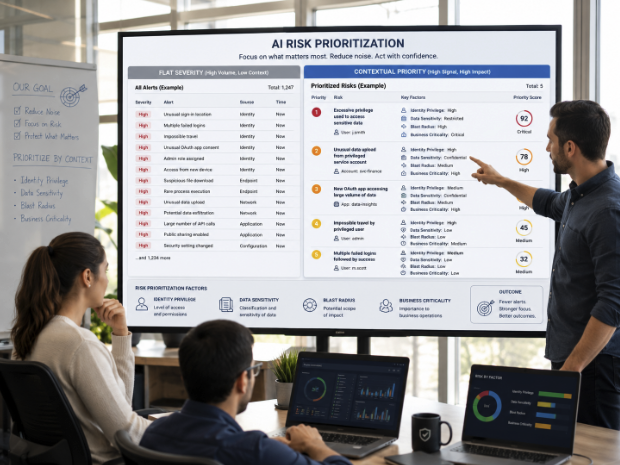
How Should Security Teams Prioritize AI Risk Without Chasing Thousands of Alerts?
Enterprise security teams do not need more undifferentiated alerts. They need to know which AI risks can actually cause material business impact. As AI spreads across browsers, endpoints, cloud workloads, SaaS applications, developer environments, models, agents, and MCP integrations, the number of individual findings can grow quickly. If every finding is treated as equally urgent, AI security becomes another source of alert fatigue.
AIBound’s Guardian announcement describes a living AI risk registry that profiles 50,000+ AI applications across multiple risk dimensions. The key concept isn't the catalog size itself. It is the ability to connect application intelligence with enterprise context so teams can determine which resources deserve immediate action.
The same principle appears in AIBound’s YouTube video, 5 Steps to Discover, Score, and Prevent High-Risk AI. Discovery comes first, but scoring and prevention only become useful after identity and data connections are understood.
Direct Answer: Prioritize AI Risk by Combining Asset Intelligence With Business Context
Security teams should prioritize AI risk by moving from flat alerts to contextual scoring. Instead of asking whether an AI tool has a vulnerability, an exposed endpoint, a broad permission, or sensitive data access in isolation, the team should ask how those conditions interact. The most urgent risks are usually toxic combinations: multiple high-impact conditions converging on the same AI resource or workflow.
A model exposed to the internet is one finding. A privileged service account is another. A sensitive data repository is another. If the same AI workflow combines all three and can act autonomously, the business risk is much higher than any individual alert suggests.
Why Flat AI Alerts Produce the Wrong Priorities
Traditional security systems often generate findings within their own domain. Endpoint tools see software. Identity platforms see accounts and grants. Cloud security products see workloads and permissions. Data-security tools see sensitive information. Network products see destinations and traffic. Each alert can be valid and still fail to explain the complete risk.
AI workflows cut across those boundaries. One workflow may begin in a browser extension, call an external model, use an agent, authenticate through a service account, access an internal data store, and trigger an action in a SaaS platform. If those events are assessed independently, the security team sees fragments rather than an attack path.
This is why prioritization must be based on relationships. Context tells the team whether an alert is merely interesting or operationally dangerous.
1. Build a Living AI Inventory Before You Score Anything
Risk scoring is only as good as the inventory beneath it. The organization should continuously discover AI applications, models, agents, extensions, plugins, MCP servers, internal APIs, embedded SaaS features, and automation workflows across browsers, endpoints, network activity, code environments, cloud accounts, and enterprise applications.
Each inventory record should capture owner, purpose, users, environment, model or application, identity, permissions, data categories, connected systems, external exposure, autonomy, approval status, vulnerabilities, compliance posture, and last review date.
AIBound’s Control Plane overview emphasizes a sequence of discovery, identity mapping, connection mapping, risk measurement, and prevention. That sequence is valuable because it prevents teams from assigning a score before they understand what the resource can actually reach.
2. Classify the AI Asset Type
Different AI resources create different failure modes. A public chatbot, coding assistant, autonomous agent, browser extension, model API, MCP server, local model, and retrieval system should not share one generic risk template.
- Applications: consider vendor controls, data handling, account type, and user behavior.
- Models: consider hosting, provenance, fine-tuning, exposed endpoints, and data access.
- Agents: consider autonomy, tool access, identity, memory, and action permissions.
- MCP servers and plugins: consider exposed capabilities, authorization, ownership, and supply-chain risk.
- Browser extensions: consider page access, data capture, external communication, and update behavior.
- Developer AI: consider repository access, secret exposure, code execution, and deployment authority.
Asset classification helps security teams avoid false equivalence. A low-risk summarization assistant and a production deployment agent should not be scored using identical assumptions.
3. Score Data Sensitivity
Data context is one of the fastest ways to separate ordinary productivity use from material exposure. Security teams should distinguish public data, internal operational data, confidential business information, intellectual property, source code, credentials, financial information, personal data, regulated records, and highly restricted secrets.
The score should reflect both access and actual use. An agent technically capable of reaching a sensitive repository may be lower risk if strong policy enforcement prevents that path. The risk increases when the workflow actively retrieves, indexes, summarizes, exports, or modifies sensitive information.
4. Score Identity Privilege and Effective Permissions
AI systems often inherit the authority of a user, service account, API key, OAuth application, or cloud role. That authority defines the potential impact of a compromised or manipulated workflow. Security teams should therefore score effective permissions, not merely the intended role name.
- Read-only versus write, delete, deploy, transfer, or approve.
- Single-system versus cross-system access.
- Named employee identity versus shared or machine identity.
- Short-lived versus persistent credentials.
- Least-privilege scopes versus broad administrative scopes.
- Human approval versus fully autonomous action.
AIBound’s risk model is designed around this connection between the AI resource, identity, and reachable data. That relationship is what turns a generic application rating into an enterprise-specific risk assessment.
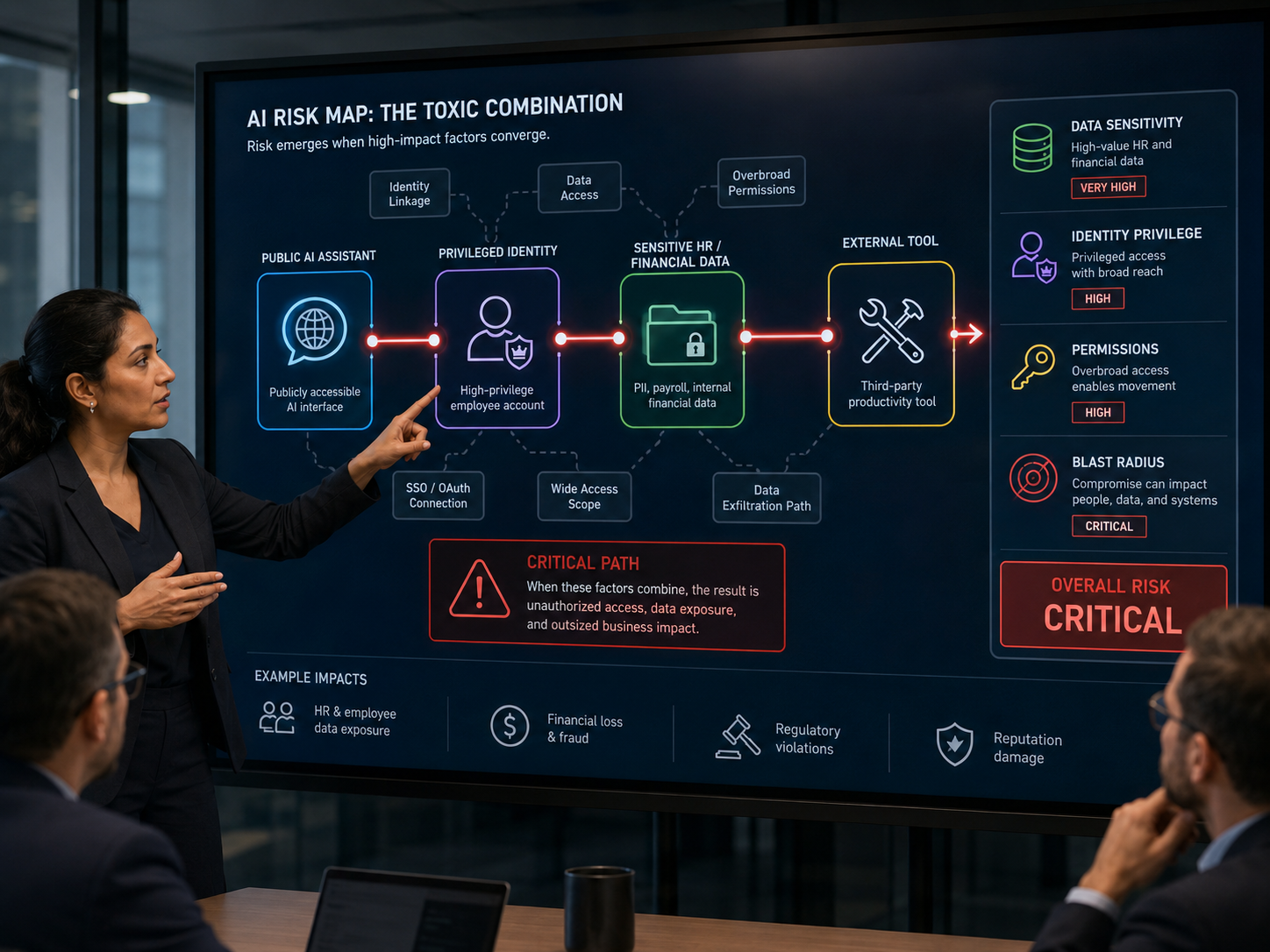
5. Add External Exposure and Attack-Path Context
External exposure changes the probability and blast radius of misuse. Review whether the AI resource is internet-facing, accessible to third parties, connected to public webhooks, dependent on external model providers, or reachable through unmanaged browser extensions or third-party MCP servers.
The same internal agent can have a different risk profile if it suddenly exposes an API publicly or connects to a new external service. Risk scoring must therefore update as architecture changes.
6. Add Autonomy and Action Severity
Autonomy matters because the system may be able to convert a bad instruction into a real-world action without waiting for a person. Score what the AI can do and how much human oversight exists.
- Can the AI only recommend an action, or can it execute it?
- Does a person approve each sensitive action?
- Can the agent create payments, send external messages, deploy code, change access, delete records, or modify production?
- Can the workflow repeat actions at scale?
- Does the downstream system enforce independent limits even if the AI asks for more?
High autonomy is not automatically unacceptable. It becomes much more important when combined with privileged permissions and sensitive systems.
7. Score Business Criticality and Blast Radius
Technical severity is only one part of priority. Security leaders also need to understand how many users, customers, business processes, records, systems, or regulatory obligations could be affected.
A low-level issue in an internal experiment used by two developers differs from the same issue in an agent that supports revenue operations across the entire enterprise. Blast radius helps translate technical findings into business language that executives and application owners can understand.
Figure 3. A defensible risk score should show the contextual dimensions driving urgency.
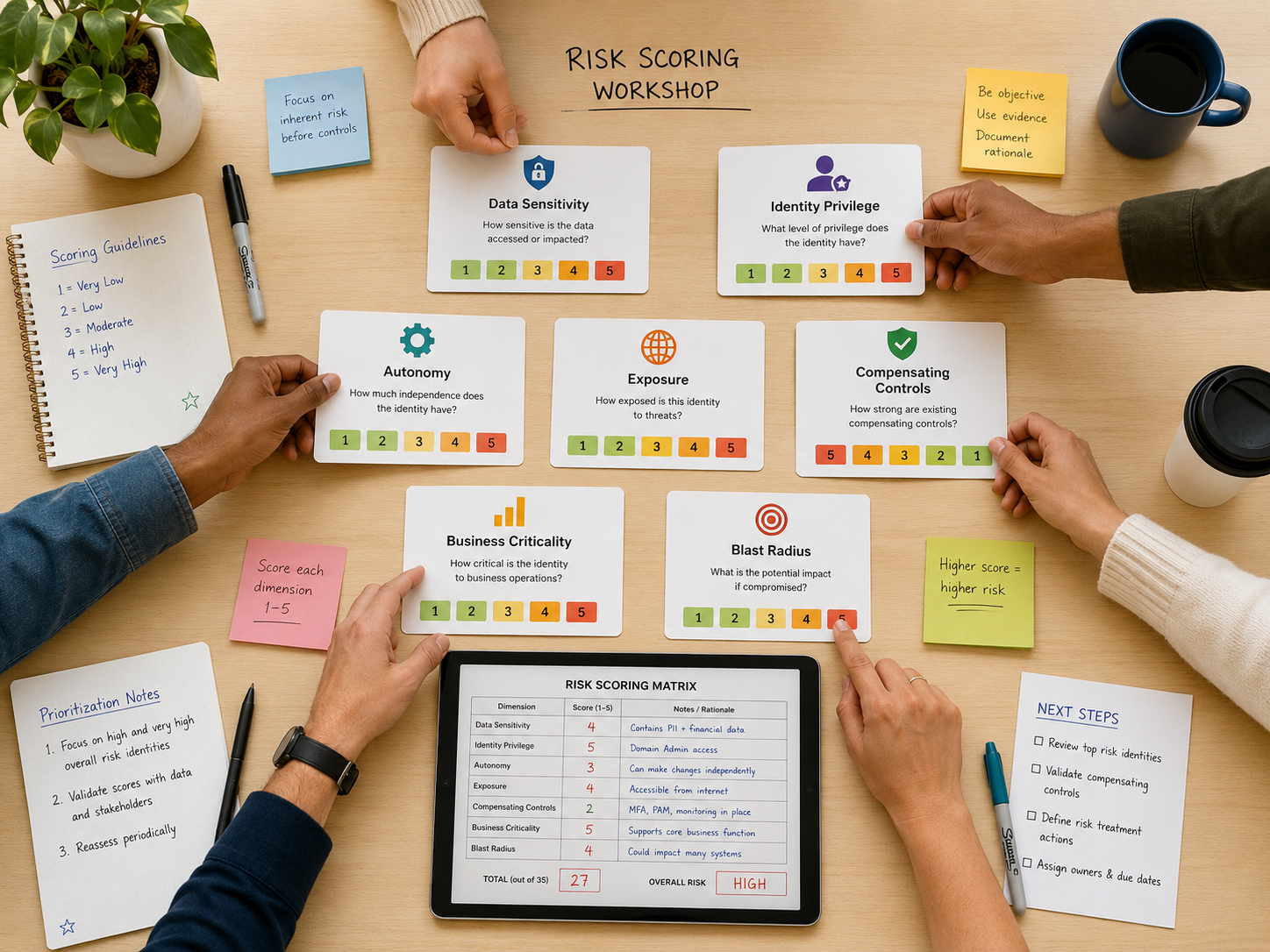
8. Identify Toxic Combinations
Toxic combinations are the heart of contextual AI risk prioritization. A toxic combination exists when several conditions reinforce one another and create an attack path or impact level far more serious than any condition viewed alone.
- A public model endpoint connected to confidential customer records.
- An autonomous agent using an administrative identity across production systems.
- A browser extension that can read internal pages and send content to an external model.
- An MCP server with broad OAuth scopes and no named owner.
- A coding agent with repository write access plus access to deployment credentials.
- A third-party skill that can read secrets and communicate with an unknown external endpoint.
AIBound’s article on moving from telemetry to action makes this point clearly: enterprise AI risk requires understanding relationships between models, data sources, APIs, identities, and infrastructure. That relationship map lets teams prioritize real business risk rather than chase isolated signals.
9. Create Explainable Risk Tiers
Every priority should be explainable. Security analysts and business owners should be able to answer why a resource received its grade, what factors contributed most, which control would reduce the score, and what evidence supports the decision.
A practical tier model can separate informational, monitored, elevated, high, and critical risk. The highest tier is for resources with a credible path to material business impact, not merely a long list of low-severity findings.
NIST’s AI Risk Management Framework is useful here because it encourages organizations to govern, map, measure, and manage AI risk as a continuous process. The framework does not prescribe one scoring formula, but it reinforces the need for structured, documented, and context-aware decisions.
10. Connect Risk Scores to Specific Response Actions
A score is useful only when it changes what the organization does. Define response playbooks for each tier. Low-risk resources may simply be monitored. Elevated risk may require ownership confirmation or narrower permissions. High risk may require enterprise authentication, human approval, or restricted data access. Critical toxic combinations may justify immediate blocking, token revocation, isolation, or incident response.
AIBound’s Guardian and control-plane positioning is built around this move from risk intelligence to action. The broader lesson for security programs is that prioritization should reduce response time, not create another dashboard that analysts must interpret manually.
Figure 4. Effective prioritization filters broad AI intelligence down to the few exposures that require action now.
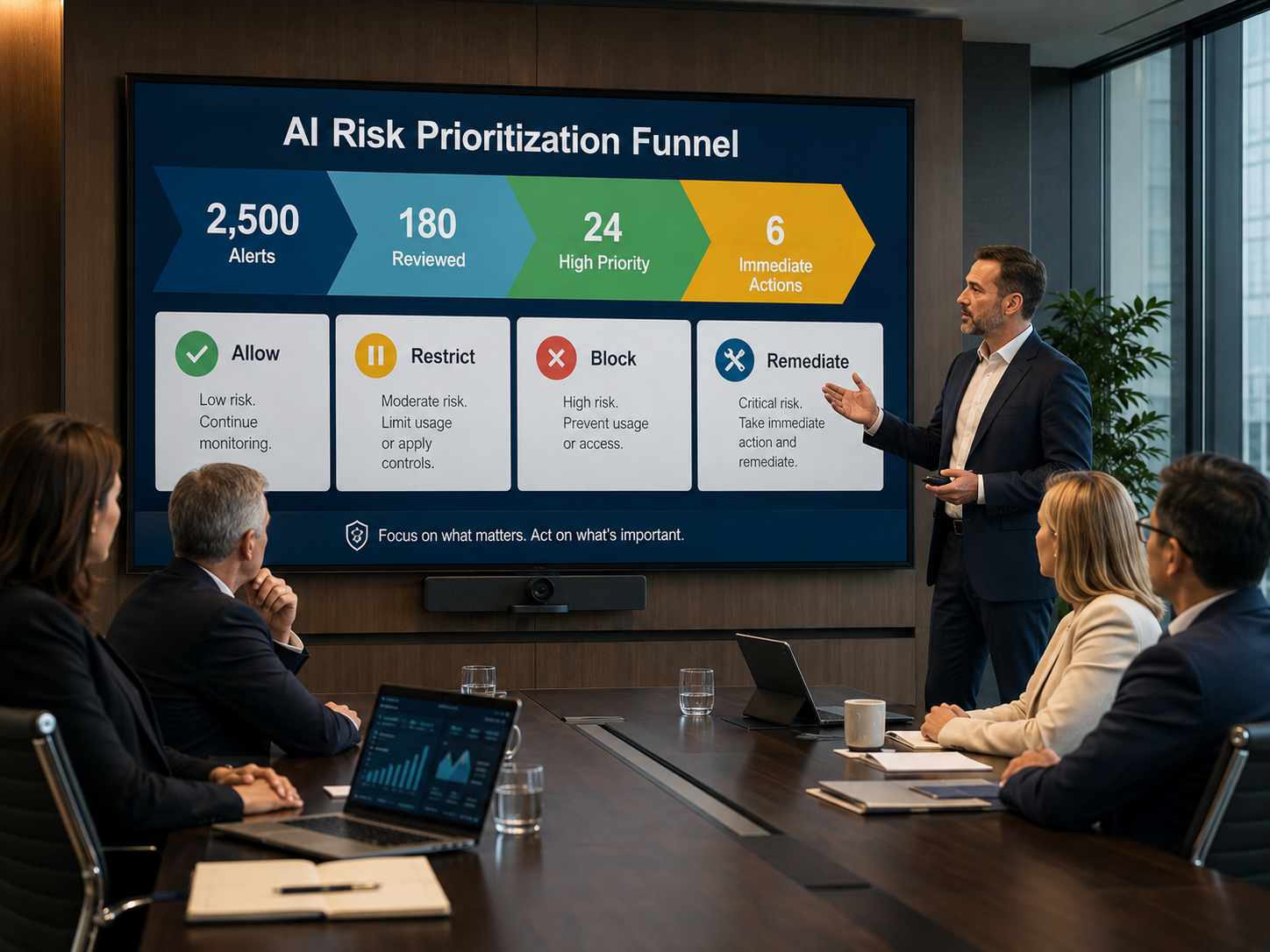
A Practical Prioritization Workflow for Security Operations
- Discover AI resources continuously across browser, endpoint, network, cloud, code, and SaaS environments.
- Enrich each resource with owner, identity, permissions, data sensitivity, connected systems, external exposure, and autonomy.
- Classify the resource type so the correct risk factors are applied.
- Identify combinations of privilege, sensitive data, exposure, and autonomous action.
- Estimate business criticality and blast radius.
- Assign an explainable risk tier and document the strongest contributing factors.
- Trigger a predefined response: monitor, review, restrict, remediate, quarantine, or block.
- Continuously rescore when applications, identities, models, connectors, or policies change.
Metrics That Show Whether Prioritization Is Working
- Total AI resources discovered versus resources with complete context.
- Percentage of high-risk resources with a named owner.
- Number of toxic combinations identified.
- Critical findings per 1,000 AI resources.
- Mean time from critical finding to containment.
- Percentage of critical risks reduced through permission changes or data controls.
- False-positive rate for escalated AI findings.
- Percentage of AI resources automatically rescored after material changes.
- Trend in total critical exposure over time.
Frequently Asked Questions
Is a large AI risk registry enough on its own?
No. External intelligence helps classify applications and services, but enterprise priority depends on local context such as identities, permissions, data, ownership, architecture, and business impact.
Should every unapproved AI tool be high risk?
No. Unapproved means the resource still needs review. It may be low risk, or it may become high risk depending on what it can access and do. Context should determine the response.
What is the fastest way to reduce alert fatigue?
Correlate findings before escalation. If the security program can group an exposed AI resource, a privileged identity, and sensitive data into one attack path, analysts can investigate one meaningful case instead of three disconnected alerts.
How often should AI risk be rescored?
Continuously where possible. AI environments change rapidly as vendors add features, employees install extensions, agents gain tools, OAuth scopes expand, and models or connectors change.
Conclusion
AI security will not scale if every discovered application, model, agent, connector, permission, and data exposure becomes an independent priority-one alert. The organizations that manage AI risk well will build a relationship-aware model that explains how those elements combine.
The objective is simple: identify the few AI exposures most likely to cause meaningful harm, act on them quickly, and allow low-risk innovation to continue. Contextual scoring, toxic-combination analysis, and continuous reprioritization give security teams a practical path from visibility to action without drowning in alerts.
Recommended Internal Links
- AIBound Control Plane for High-Risk AI
- Guardian AI Risk Registry Announcement
- Enterprise AI Telemetry and Risk Insights
- Why AI Risk Requires Classification and Scoring
External References
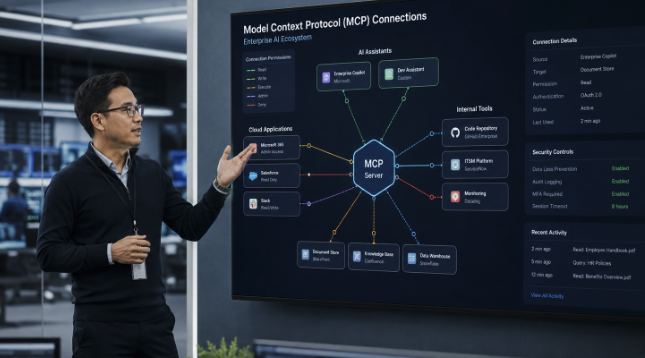
How Can Enterprises Secure MCP Servers and AI Skills?
Model Context Protocol servers and AI skills are rapidly becoming the connective tissue of enterprise AI. They allow assistants and agents to retrieve information, use business applications, call APIs, create records, run workflows, and act on behalf of employees. That flexibility can transform productivity, but it also creates a security problem that cannot be solved by reviewing the model alone.
The central question is no longer only whether an AI application is approved. Security teams must understand what the connected server or skill instructs the AI to do, which identity it uses, what data it can reach, what tools it can invoke, and whether a human remains in control of consequential actions.
AIBound frames this as a move beyond basic Shadow AI discovery. Its Control Plane for High-Risk AI is designed to discover AI resources, expose the identities they use, map data connections, measure risk, and prevent dangerous activity. That relationship-based view is particularly important for MCP servers and skills because a seemingly simple connector can inherit broad authority from the assistant that loads it.
The direct answer is that enterprises should treat every MCP server and AI skill as an untrusted software supply-chain component until its instructions, permissions, identity, data paths, and runtime behavior have been verified. The process must continue after approval because connectors, instructions, dependencies, and access rights can change.
What Makes MCP Servers and AI Skills Different?
The Model Context Protocol is an open standard that connects AI applications to external systems such as files, databases, tools, and workflows. This standardization is useful because it reduces the custom work required to connect an assistant to enterprise resources. It also means that one AI host may load many servers, each exposing multiple tools and capabilities.
An AI skill is usually a compact set of instructions, prompts, actions, or tool definitions that teaches an assistant how to perform a particular task. Skills can be distributed quickly, reused across teams, and embedded in workflows without the visibility normally associated with deploying a full software application.
The risk therefore exists in several layers at once: the assistant, the skill instructions, the MCP server, the tools exposed by that server, the credentials used to call them, and the downstream systems that ultimately execute the action. A conventional application inventory rarely captures this complete chain.
Why Application Approval Does Not Prove a Connector Is Safe
A trusted AI assistant can still load an unsafe skill. An approved SaaS application can introduce an MCP integration that was never reviewed. A legitimate server can be configured with excessive permissions. A skill can also be modified after its initial assessment, creating a new behavior without changing the name employees recognize.
AIBound recently introduced IntentSentry to inspect agents and the skills operating inside enterprise assistants. In its launch announcement, AIBound reported that the product detected risky skills containing plain-language instructions associated with credential theft, sensitive-data exposure, safety-control bypass, and excessive permissions. The key point is not the vendor's claim by itself. It is the security lesson that harmful behavior may be expressed as natural-language intent rather than conventional executable code.
Traditional scanners are designed to find known code patterns, malware signatures, vulnerable packages, or suspicious network activity. Those controls remain valuable, but they may not realize that a sentence within a skill instructs an agent to retrieve a token, skip a user confirmation step, or export information to an external destination.
Step 1: Build a Complete Inventory
The first control is discovery. Security teams need a living inventory of every MCP server, skill, agent, plugin, extension, and model operating across browsers, endpoints, development environments, cloud accounts, and enterprise applications.
A useful inventory record should include the resource name, owner, purpose, environment, users, identities, credentials, exposed tools, connected systems, data categories, approval state, risk score, and date of last review. Unknown ownership should, in itself, increase priority, because no one can defend the necessity or scope of the resource.
The AIBound resources library repeatedly emphasizes that AI visibility must extend beyond applications to agents, models, MCP servers, and the relationships among them. A spreadsheet collected during an annual review will not keep pace with the new connectors and skills emerging in everyday AI tools.
In AIBound's enterprise AI discovery walkthrough, the platform is presented as building an inventory from existing browser, endpoint, network, and cloud signals. That approach is useful because many enterprises already possess relevant telemetry; the missing step is correlating it into an AI-specific view.
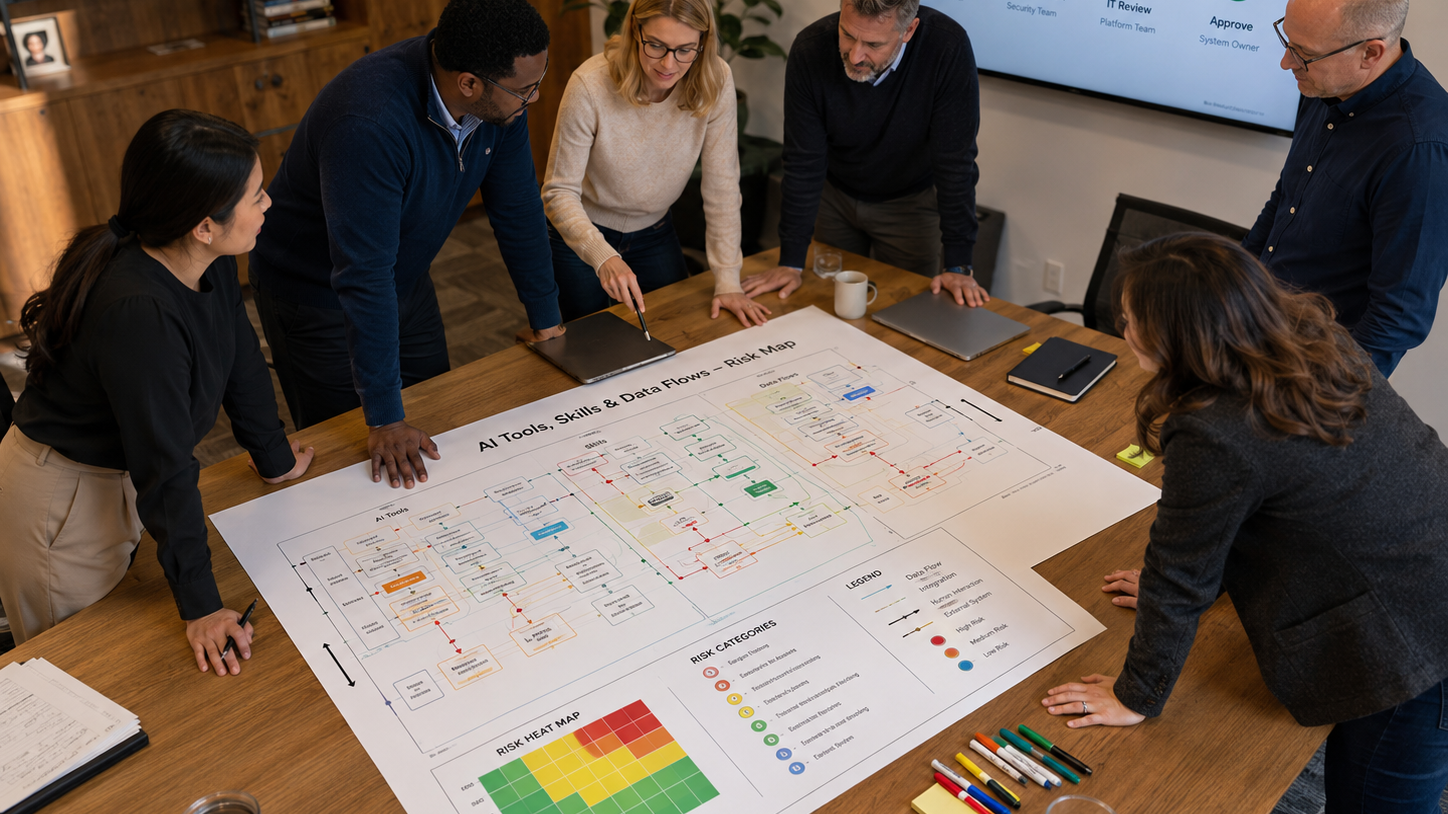
Figure 1. A secure lifecycle for reviewing and monitoring MCP servers and AI skills.
Step 2: Inspect Intent, Instructions, and Tool Definitions
Each skill or server should be examined for what it is explicitly and implicitly instructing the AI to do. Reviewers should look for hidden assumptions, attempts to override system instructions, requests for credentials, instructions to suppress logging, external data transfers, broad file access, or actions that bypass normal business approvals.
Security review should also examine tool descriptions and annotations. A tool labeled as read-only may still invoke an endpoint that can modify data. A skill that says it only summarizes documents may first copy them to an external service. Descriptions supplied by an untrusted server should be treated as claims that require verification.
The objective is not to decide whether the instructions sound professional. It is to identify the effective behavior produced when those instructions are combined with the assistant, identity, permissions, and downstream systems.
Step 3: Apply Least Privilege to Every Identity and Tool
MCP servers and skills should receive only the minimum functionality, permissions, and autonomy required for the approved use case. This means separating read from write access, limiting repositories and datasets, narrowing OAuth scopes, using short-lived tokens, and preventing credentials from being exposed to generated code or model context.
The official MCP security best practices recommend secure token handling, audience validation, encrypted storage, HTTPS, and least-privilege scopes. These controls reduce the damage that can follow if a connector, client, or credential is compromised.
Least privilege must apply to functionality as well as data. A document assistant that only needs to read a project folder should not receive tools that delete files, change permissions, or access unrelated drives. A ticketing skill that drafts an issue should not automatically receive authority to close incidents or modify production settings.
Step 4: Preserve Human Approval for High-Impact Actions
Human review is essential when an agent can publish information, transfer money, send external messages, delete records, change configurations, alter permissions, or take actions that create legal or operational commitments.
The OWASP guidance on excessive agency identifies excessive functionality, excessive permissions, and excessive autonomy as common root causes of damaging agent behavior. Human approval is one of several controls that can limit impact, especially when a model is reacting to ambiguous or manipulated input.
Approval should be specific enough to remain meaningful. Asking a user to approve an entire multi-step script can hide the actual high-risk action. A better design evaluates each consequential tool call against the permission granted for that workflow.
Step 5: Test the Complete Relationship Chain
Testing should cover more than whether the MCP server responds correctly. Security teams should test prompt injection, malicious documents, altered tool descriptions, stolen tokens, unexpected output, unavailable dependencies, and attempts to invoke tools outside the approved scope.
The test environment should reflect the real identity and permissions that will be used in production. A connector can appear safe in a restricted development tenant but create unacceptable risk when deployed with a privileged service account.
Red-team exercises should trace the complete path from instruction to business impact: input, model decision, skill selection, server call, identity, API, downstream system, and resulting data or action. This reveals where independent authorization and logging controls must exist.
Step 6: Classify Risk Using Context
Not every MCP server or skill requires the same response. Security teams need a contextual risk model that evaluates data sensitivity, identity privilege, exposed functionality, external connectivity, level of autonomy, business criticality, and potential blast radius.
A calendar lookup skill used by one employee may be acceptable with basic controls. A finance skill capable of creating payments through a shared administrative identity is fundamentally different. The server name does not determine the risk. The combination of access, authority, and impact does.
AIBound's article on the hidden AI attack surface argues that MCP servers, browser extensions, and agents must be mapped as part of the broader enterprise attack surface. Contextual classification lets teams distinguish ordinary productivity from toxic combinations that deserve restriction or isolation.
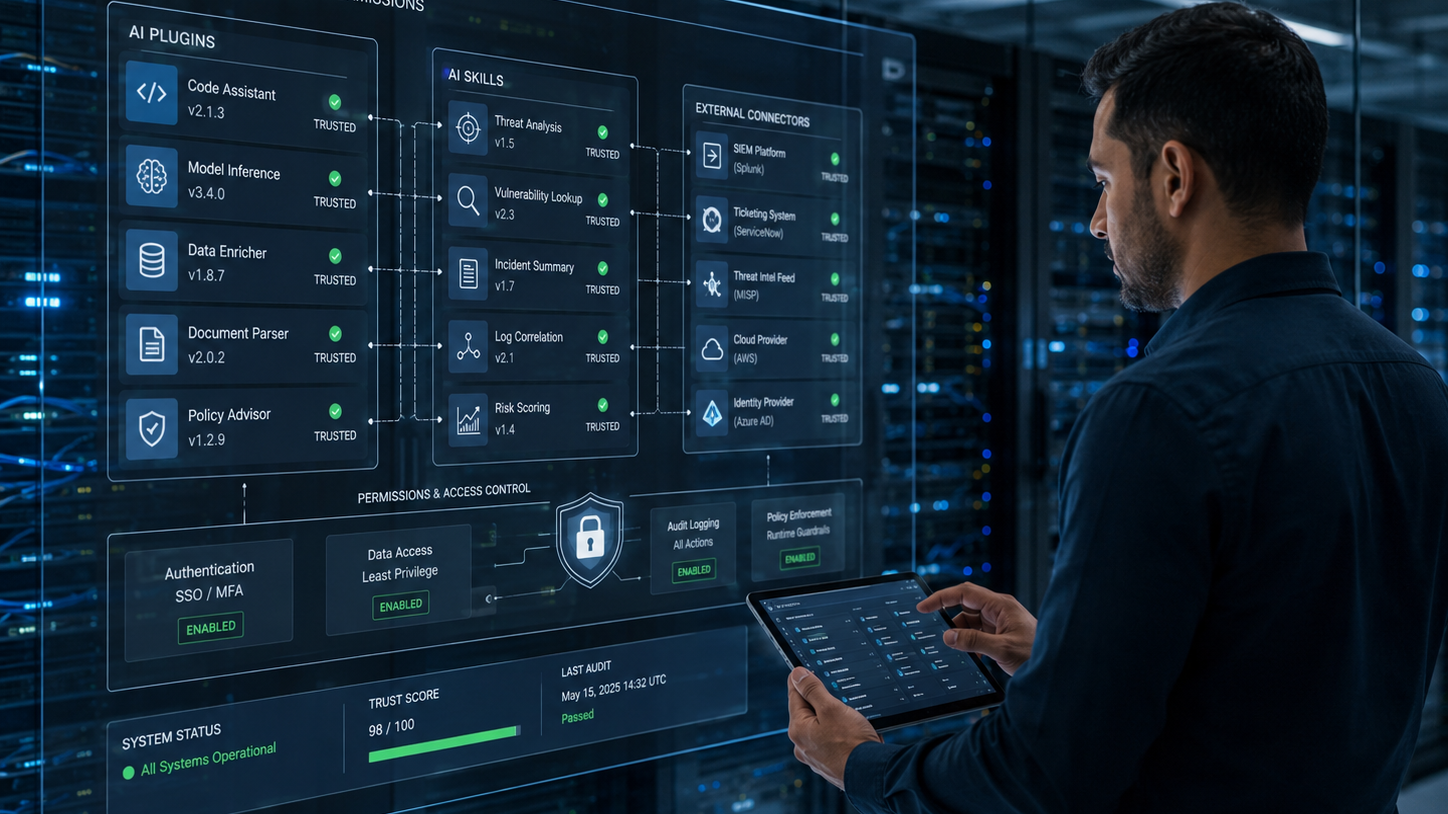
Figure 2. Risk should reflect both data sensitivity and the authority granted to the AI resource.
Step 7: Monitor After Approval
Approval is a point-in-time decision, while risk is continuous. A skill may be updated. A server may add a new tool. A token may gain a broader scope. A new external endpoint may appear. An employee may connect the same resource to more sensitive data.
Continuous monitoring should detect changes in instructions, tool definitions, permissions, owners, identities, traffic destinations, usage patterns, and policy status. The system should also preserve a history so reviewers can determine what changed and whether the original approval is still valid.
In AIBound's five-step high-risk AI video prevention, the process follows discovery, identity exposure, connection mapping, and risk measurement. That sequence reflects an important operating principle: enforcement is more accurate when it is based on a complete understanding of the resource and its relationships.
A Practical Approval Workflow
A scalable program should divide reviews by risk instead of forcing every connector through the same lengthy process. Low-risk resources can follow an expedited path, while privileged or externally exposed resources receive deeper technical review.

Figure 3. A pre-deployment checklist for connector and skill approval.
- Register the server or skill and assign owners.
- Document the business purpose, users, data, identity, tools, and environments.
- Inspect instructions, dependencies, endpoints, credentials, and tool behavior.
- Classify risk and identify mandatory controls.
- Test the complete workflow with realistic permissions and adversarial inputs.
- Approve, restrict, isolate, or block the resource.
- Monitor changes and automatically reopen the review when material conditions change.
Metrics That Show Whether the Program Works
Leaders should measure whether the organization is gaining control, not simply how many resources were blocked. Useful metrics include inventory coverage, ownership percentage, number of high-risk skills, privileged MCP identities, average review time, remediation aging, policy exceptions, repeated violations, and the percentage of common use cases supported by approved alternatives.
A healthy program should show faster approval for low-risk uses, fewer unknown owners, declining privileged access, and quicker remediation of high-impact findings.
Frequently Asked Questions
Do all MCP servers require a formal security review?
Every server should be inventoried and assigned an owner, but the depth of review should depend on context. A local development connector with no sensitive data can follow a lighter process than an internet-facing server connected to production systems.
Are AI skills the same as software plugins?
They can play a similar role, but their skills may include natural-language instructions that influence model behavior rather than just conventional code. That makes intent inspection and runtime testing particularly important.
Is an allowlist enough?
No. An approved server can become risky when its tools, permissions, identities, instructions, or connected data change. Allowlists should be combined with continuous context and monitoring.
Should security teams block MCP adoption until governance is mature?
A blanket block can drive adoption into less visible channels. A better approach is to provide approved servers, rapid review paths, least-privilege access, and clear controls for high-impact actions.
Conclusion
MCP servers and AI skills expand what enterprise AI can accomplish, but they also expand the number of instructions, identities, permissions, and systems that must be secured. Reviewing the model or application alone is not enough.
Enterprises need a continuous process to discover connectors, inspect intent, verify tool behavior, limit permissions, preserve human control, test the complete relationship chain, and monitor changes after approval.
The objective is not to prevent AI assistants from using enterprise systems. It is to make those connections visible, explainable, limited, and enforceable so employees can use powerful AI capabilities without turning every connector into an unmanaged path to sensitive data or high-impact action.
Editorial note: This article references AIBound product materials, AIBound video walkthroughs, and official security and regulatory guidance through contextual hyperlinks.

How Can CISOs Turn AI Governance Policies Into Real-Time Controls?
Most enterprises now have an AI policy. Far fewer have the operational systems required to enforce it. The policy may state that employees cannot enter sensitive data into unapproved models, that high-risk systems require review, or that autonomous actions need human oversight. Yet security teams often cannot see every AI resource, connect it to the correct owner, identify what data it reaches, or apply a consistent response.
This gap between written policy and live operations is becoming the central challenge of enterprise AI governance. AI adoption spans browsers, SaaS applications, developer tools, local models, cloud services, agents, plugins, and MCP servers. A quarterly questionnaire cannot keep pace with that environment.
AIBound positions its platform as an AI control layer that discovers AI resources across the enterprise, exposes identities, maps data connections, measures risk, and prevents high-risk activity. The value of that model is not simply product visibility. It illustrates the operating capabilities required to turn governance from documentation into control.
The direct answer is that CISOs should build governance as a continuous loop: define policy and ownership, map the real AI ecosystem, measure risk in business context, enforce proportionate controls, and report whether exposure is actually declining.
Why AI Governance Fails When It Is Treated as a Policy Project
A policy can define expectations, but it cannot detect a newly installed browser extension, identify an agent using a privileged service account, or prevent sensitive data from reaching an unapproved model. Those outcomes require telemetry, context, workflows, and enforcement.
Policy-only programs also tend to create one universal rule for many different use cases. A public-content writing assistant is not equivalent to an autonomous agent connected to customer records. When governance cannot distinguish those contexts, it either becomes too weak to matter or so restrictive that employees find workarounds.
The goal, therefore, is not more policy language. It is an operating model that can translate policy into repeatable decisions for every AI resource.
Start With a Shared Enterprise AI Taxonomy
Governance becomes inconsistent when different teams use the word AI to describe completely different things. Security, privacy, legal, engineering, procurement, and business leaders need a shared taxonomy that covers user-layer applications, developer tools, local models, embedded SaaS features, agents, plugins, skills, MCP servers, and model APIs.
AIBound's enterprise AI governance framework describes the need to govern the full AI ecosystem rather than only approved SaaS products or major model providers. A common taxonomy enables assigning the right owner, review path, and controls to each category.
The taxonomy should also distinguish whether a system only generates content, retrieves internal information, recommends an action, or independently executes it. Autonomy changes the risk and the evidence required for approval.
Define Ownership Before Defining Exceptions
Every material AI resource should have a business owner and a technical owner. The business owner explains the value, affected process, and acceptable impact. The technical owner explains deployment, integrations, identities, data, monitoring, and remediation.
Unknown ownership should prevent permanent approval. Without a named owner, no one is accountable for validating changes, responding to incidents, renewing exceptions, or retiring the system when the original use case ends.
A central AI governance council can define standards, but it should not become the owner of every resource. Ownership must remain close to the team that benefits and understands the operational consequences.
Build a Living AI Inventory
The inventory is the foundation of operational governance. It should include applications, agents, models, browser extensions, plugins, skills, MCP servers, APIs, and embedded features, whether sanctioned or unsanctioned.
Each record should show owner, purpose, users, environment, identity, permissions, data categories, connected systems, external exposure, autonomy, approval status, risk score, controls, and review history.
In AIBound's video overview of enterprise AI security, the security problem is presented as a sequence that begins with discovering AI and continues through identity, connections, risk, and prevention. The sequence matters because inventory without a relationship context cannot support accurate governance decisions.
A living inventory should update continuously from browser, endpoint, network, identity, cloud, code, and SaaS signals. Manual attestations can add business context, but they should not be the only discovery method.

Figure 1. The Govern, Map, Measure, and Manage functions as a continuous operating loop.
Translate Policy Into Machine-Enforceable Rules
Each major policy statement should be converted into conditions that systems can evaluate. For example, a rule stating that unapproved AI cannot process regulated data must connect data classification, application approval status, user identity, and traffic or activity signals.
A rule requiring human oversight should specify which actions are high-impact, what evidence of approval is required, and where the downstream system independently verifies authorization.
A rule restricting privileged AI should define what counts as a privileged identity, which environments are in scope, and whether read-only access is acceptable. Clear conditions reduce subjective enforcement and make exceptions auditable.
Measure Risk in Business Context
Flat alerts do not provide a governance program with useful priorities. Risk should be calculated from combinations of conditions such as data sensitivity, identity privilege, autonomy, external exposure, business criticality, regulatory relevance, vulnerability, and blast radius.
AIBound's article on AI risk classification and scoring argues that classification creates the foundation for prioritization. A public marketing chatbot and an externally exposed model connected to customer financial data should not receive the same response.
Risk scoring must also be explainable. The owner should be able to see which factors produced the score and which remediation will reduce it. A score without an understandable path to action becomes another alert.

Figure 2. Governance maturity depends on both visibility and the ability to enforce decisions.
Use the NIST Functions as an Operating Loop
The NIST AI Risk Management Framework organizes AI risk management around Govern, Map, Measure, and Manage. These functions can be used as a continuous operating loop rather than a one-time compliance exercise.
Govern establishes accountability, policy, culture, and decision rights. The map identifies the system, context, affected people, data, and dependencies. The measure evaluates risk, performance, trustworthiness, and control effectiveness. Manage prioritizes treatment, accepts or reduces risk, monitors outcomes, and improves the program.
Operational governance connects these functions to live evidence. Discovery supports Map. Contextual scoring supports Measure. Policy enforcement and remediation support. Ownership and reporting support Govern.
Apply Proportionate Enforcement
Governance should support several outcomes rather than a simple allow-or-block decision. A resource may be approved, approved with monitoring, restricted to specific departments, limited to enterprise accounts, prevented from processing certain data, reduced to read-only access, placed behind human approval, isolated for testing, or blocked.
The AIBound homepage describes real-time prevention as the final step after discovery, identity exposure, connection mapping, and risk measurement. This ordering helps avoid blunt controls that block useful AI because they lack context.
The best policy is often a secure path to yes. When employees repeatedly request the same unapproved capability, governance should evaluate whether an enterprise version or approved alternative can meet the need. Shadow adoption is frequently a signal that the sanctioned process is too slow or the current toolset is incomplete.
Create a Fast and Defensible Approval Process
A tiered review model can reduce friction. Low-risk tools that use public data and require no privileged access may receive rapid approval. Moderate-risk tools may require privacy, vendor, and security checks. High-risk systems involving sensitive data, consequential decisions, autonomous actions, or production access should receive deeper architecture, testing, and executive review.
Every approval should record the owner, purpose, data, identities, permissions, controls, residual risk, expiry date, and conditions for re-review. Exceptions should expire automatically unless the owner revalidates the need.
The process should define triggers that reopen an assessment, including new data access, new tools, expanded permissions, a different model provider, external exposure, material incidents, or a change from recommendation to autonomous execution.
Prepare for Regulatory and Audit Evidence
The European Union AI Act establishes a risk-based legal framework for AI. Even organizations outside the EU may need to understand how their systems, providers, and uses fit regulatory obligations when they operate in or affect European markets.
Operational evidence should show which systems exist, who owns them, what purpose they serve, how risk was assessed, which controls were applied, when reviews occurred, how incidents were handled, and whether monitoring continues.
Governance teams should avoid building a separate evidence process for every framework. A well-structured inventory, decision history, risk model, control mapping, and remediation record can support multiple internal and external requirements.
Report What Executives Need to Know
Executives do not need a long list of every AI application. They need a clear view of business exposure, control effectiveness, unresolved risk, and whether secure adoption is improving.
Useful measures include inventory coverage, ownership percentage, high-risk AI touching sensitive data, privileged agent identities, policy violations, remediation aging, exception volume, approved-versus-unapproved adoption, and risk trend by business unit.
AIBound's Guardian risk registry announcement emphasizes a continuously updated risk context rather than static application lists. Whether an organization uses Guardian or another approach, the reporting principle is important: risk changes as vendors, vulnerabilities, permissions, and usage change.

Figure 3. Executive reporting should focus on exposure, ownership, remediation, and control effectiveness.
Integrate Governance With Existing Security Operations
AI governance should not create a separate queue that analysts monitor manually. Findings should flow into existing SIEM, ticketing, identity, endpoint, cloud, data-security, and GRC workflows.
Security operations should know which AI events require investigation, which can be automatically contained, and which should be routed to an application owner. Identity teams should be able to reduce scopes or revoke credentials. Procurement should know when an unapproved product has become widely used. Privacy teams should receive cases involving personal or regulated data.
In AIBound's discussion of the enterprise AI security gap, the emphasis is on understanding which tools are in use, what they can access, and where exposure is greatest. Integrating those answers into normal security workflows is what turns visibility into operational governance.
A 90-Day Implementation Roadmap
During the first 30 days, define the taxonomy, decision owners, high-risk criteria, and minimum inventory fields. Connect available telemetry and identify the most widely used AI resources.
During days 31 to 60, assign owners, map identities and data connections, establish contextual scoring, and pilot tiered approval for a small number of business units.
During days 61 to 90, enforce the highest-priority controls, publish approved alternatives, integrate findings with ticketing and response workflows, and launch executive reporting.
The aim is measurable control, not a perfect policy library. Governance should improve iteratively as discovery reveals how employees and systems actually use AI.
Frequently Asked Questions
Does AI governance belong to security, legal, or IT?
It requires all three, along with privacy, risk, procurement, engineering, and business ownership. Security can operate the visibility and control layer, but decisions about acceptable use and impact need cross-functional accountability.
Should every AI tool receive a formal risk assessment?
Every material resource should be inventoried and classified. The depth of assessment can be proportional to data sensitivity, permissions, autonomy, exposure, and business impact.
Can existing GRC software manage operational AI governance?
GRC platforms can document policies, controls, owners, risks, and evidence. They usually need current telemetry and technical findings from other systems to remain accurate.
How can governance avoid slowing adoption?
Use tiered reviews, approved tool catalogs, clear data rules, enterprise licenses, limited pilots, and automated evidence collection. Make the secure path faster than the workaround.
Conclusion
Enterprise AI governance succeeds when policy, visibility, context, enforcement, and reporting work together as a single system. A written rule that cannot be measured or enforced provides limited protection. A control that lacks business context may unnecessarily block productive work.
CISOs should build a continuous loop that governs ownership and decision rights, maps the real AI ecosystem, measures risk using data and identity context, manages exposure through proportionate controls, and reports whether the organization is becoming safer.
The result is not an AI program built around saying no. It is an operational governance model that allows the enterprise to adopt AI quickly while maintaining accountability for what each resource can access, decide, and do.
Editorial note: This article references AIBound product materials, AIBound video walkthroughs, and official security and regulatory guidance through contextual hyperlinks.
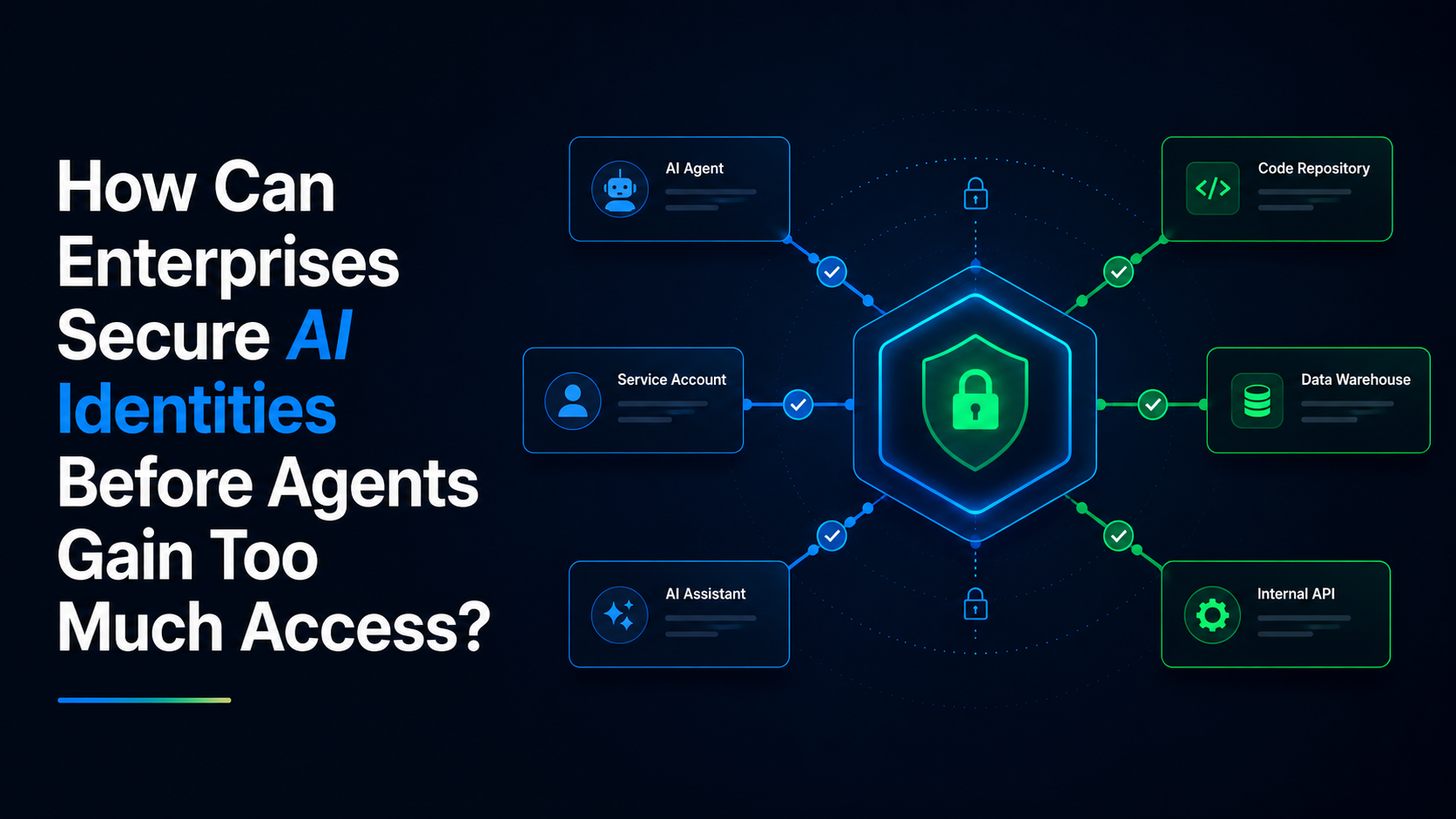
How Can Enterprises Secure AI Identities Before Agents Gain Too Much Access?
Artificial intelligence is no longer operating only as a tool that waits for a person to type a prompt. Across modern enterprises, AI assistants and agents are beginning to authenticate to applications, access internal information, call APIs, use plugins, and complete tasks on behalf of employees and business systems.
That shift makes identity one of the most important control points in enterprise AI security. An AI system may appear harmless when viewed only as an application name. Its real risk becomes visible when security teams identify the user, service account, role, token, or machine identity under which it operates and then examine what that identity is permitted to do.
A writing assistant with access only to public content presents a very different exposure from an autonomous agent using a privileged account across production repositories. The model may be similar, but the authority behind it is not.
AIBound’s YouTube video 5 Steps to Discover, Score, and Prevent High-Risk AI places “Expose AI Identities” immediately after discovery. That order matters. Finding an AI resource tells security teams that it exists. Mapping its identity begins to reveal what it can actually reach and change.
Enterprises that want to adopt AI safely therefore need a structured program for discovering AI identities, reducing unnecessary permissions, monitoring access changes, and preserving human approval for high-impact actions.
What Is an AI Identity?
An AI identity is any human or non-human identity through which an AI application, model, assistant, agent, extension, or automated workflow accesses enterprise resources. Sometimes the AI acts directly through a dedicated service account. In other cases, it inherits the permissions of an employee, an OAuth application, a cloud role, an API key, or a shared integration account.
The identity may be obvious in a cloud console, or it may be hidden several layers deep. An employee signs into a SaaS platform. The platform activates an AI assistant. The assistant calls a plugin. The plugin uses a service account to query a database. The visible user is only one part of the chain.
Security teams should therefore document both the top-level identity and the downstream identities involved in the workflow. A useful inventory distinguishes between:
- Individual employee accounts used by AI-enabled applications
- Shared accounts used by teams or departments
- Service accounts created for agents and automations
- OAuth applications and delegated authorization grants
- Cloud roles and workload identities
- API keys, access tokens, and integration secrets
- Local machine identities used by developer tools
- Agent-to-agent identities in multi-agent workflows
This inventory is the foundation for answering a more meaningful question than “Who launched the tool?” The more important question is “Whose authority is the tool using at every step?”
Security teams can explore additional AIBound AI security resources covering Shadow AI, governance, agents, and emerging attack-surface risks.
Why AI Identity Risk Is Different From Ordinary Access Risk
Traditional identity and access management assumes that a person or workload requests access to a defined resource for a relatively predictable purpose. AI agents introduce more uncertainty because they may interpret natural-language instructions, select tools dynamically, chain multiple actions, and act on outputs generated during the workflow.
An identity that was acceptable for a fixed automation may become too powerful when attached to an adaptive agent. The agent may be able to choose among many functions, repeat actions, combine information from different systems, or respond to content that contains malicious instructions.
OWASP describes “Excessive Agency” as the risk created when an LLM-based system has excessive functionality, permissions, or autonomy. In practical terms, an agent does not need to exploit a software vulnerability if the organization has already given it more authority than the task requires.
This is why the permission review cannot stop at the model or application. Security teams must examine the complete chain:
- What functions can the agent invoke?
- Which identity authorizes each function?
- Can the agent read, create, modify, delete, publish, or transfer data?
- Can it access credentials or generate new tokens?
- Can it trigger financial, operational, or customer-facing actions?
- Does a person review the action before execution?
- Can downstream systems independently verify authorization?
A companion AIBound video walkthrough is available at AIBound enterprise AI security walkthrough. It can be linked beside this article to help readers explore the wider enterprise AI security context.
The Four Identity Patterns That Create the Most Risk
1. Agents That Inherit Broad Employee Permissions
An assistant operating through an employee session may gain access to everything that person can reach in email, cloud storage, collaboration platforms, customer systems, and internal dashboards. The employee may understand the sensitivity of those systems, but the agent may process instructions or external content without the same judgment.
2. Shared Service Accounts With No Clear Owner
Shared accounts are difficult to govern because activity cannot be attributed cleanly to one person or one use case. When several automations and agents use the same credentials, security teams may not know which workflow performed an action or whether removing access will break another process.
3. Long-Lived Tokens and API Keys
Long-lived credentials can remain valid after a pilot ends, a developer changes roles, or an integration is no longer needed. If an agent stores those credentials locally or passes them through plugins, the potential exposure grows.
4. Privileged Machine Identities
Agents connected to administrative roles, production repositories, deployment systems, HR databases, or financial platforms can create a large blast radius. A single incorrect or manipulated action may affect many records, users, or systems before a person notices.
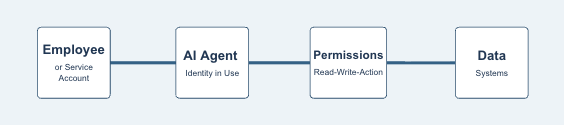
A Seven-Step Framework for Securing AI Identities
Step 1: Discover the AI Resource and Its Identity
Begin by identifying AI applications, agents, extensions, models, MCP servers, and embedded AI features across browsers, endpoints, networks, code environments, and cloud services. For every resource, record the human and machine identities involved.
Step 2: Map the Complete Permission Path
Document the systems, datasets, tools, and actions accessible through each identity. Include inherited permissions, delegated OAuth scopes, plugin permissions, cloud roles, and any credentials stored by the agent or workflow.
Step 3: Assign an Owner and Business Purpose
Every material AI identity should have a named owner who can explain why it exists, what task it supports, what data it handles, and how long the access is needed. Unowned identities should be treated as higher risk until ownership is established.
Step 4: Apply Least Privilege
Reduce permissions to the minimum required for the specific task. Prefer read-only access where possible, restrict access to selected repositories or datasets, separate testing from production, and avoid broad administrative roles.
Step 5: Limit Credential Lifetime
Use short-lived tokens, managed workload identities, and automated credential rotation. Remove access when a pilot ends or an agent is retired. Avoid embedding reusable secrets in prompts, local files, extensions, or agent memory.
The NIST AI Risk Management Framework also provides a practical structure for governing, mapping, measuring, and managing AI risk as identities and permissions change.
Step 6: Require Human Approval for High-Impact Actions
Human review is especially important when an AI system can send payments, deploy code, delete records, change permissions, communicate externally, or act on regulated information. The reviewer should see the proposed action, the target system, the data involved, and the identity that will execute it.
Step 7: Monitor Identity and Permission Changes Continuously
AI workflows evolve quickly. New plugins are installed, scopes expand, service accounts are reused, models change, and agents gain new functions. A quarterly access review is unlikely to capture the pace of change. Security teams need continuous monitoring for new identities, new grants, dormant credentials, unusual access, and changes in the blast radius.
How AIBound Connects Identity to Risk
AIBound positions AI identity as part of a five-stage control process: discover Shadow AI, expose the identities it uses, map the data connections available to those identities, measure the resulting risk, and prevent high-risk activity. The platform states that it combines telemetry from browser, endpoint, network, cloud, and existing security tools rather than relying on a separate view of each layer.
The value of this approach is correlation. A browser event may show that an employee opened an AI tool. Identity telemetry may show the user’s role. Cloud and data-security information may show that the role can access sensitive records. When these signals are connected, security teams can distinguish routine use from a dangerous combination.
AIBound's AI governance framework for CISOs explains how identity controls fit into a broader enterprise governance program.
A Practical AI Identity Policy
A useful policy should be specific enough to guide technical decisions without preventing legitimate experimentation. It can establish the following rules:
- Every production AI agent must use a dedicated, identifiable account.
- Shared credentials are prohibited for high-impact AI workflows.
- AI identities must have a documented owner and expiration or review date.
- Administrative access requires written justification and additional monitoring.
- Agents should receive read-only access unless write access is essential.
- High-impact actions require human confirmation or an independently enforced approval step.
- Credentials must be stored in approved secret-management systems.
- Unused tokens, OAuth grants, and service accounts must be revoked promptly.
- New plugins, skills, tools, and MCP connections require permission review.
- Identity and access events must be retained for investigation and audit.
The policy should also define a fast path for low-risk use cases. An employee using an approved assistant with public information should not face the same review process as a developer connecting an autonomous agent to production infrastructure.
Metrics That Show Whether Identity Controls Are Working
Security leaders can track the number of AI identities discovered, the percentage with named owners, privileged AI identities, shared accounts used by agents, long-lived credentials, identities with access to sensitive data, agents operating without human approval, average time to revoke unused access, permission reductions completed, and high-risk identity combinations prevented.
These measurements help leadership understand whether the organization is reducing exposure while AI adoption grows. The goal is not to produce fewer AI identities. It is to make every identity visible, owned, appropriately scoped, and continuously monitored.
Frequently Asked Questions
Should every AI agent have a separate identity?
Production agents and high-impact automations should generally use dedicated identities so permissions, ownership, and activity can be traced. Low-risk features embedded inside an approved application may continue to operate through user sessions, provided the inherited access is understood and controlled.
Is multifactor authentication enough to protect AI identities?
Multifactor authentication protects the login process, but it does not reduce excessive permissions, limit autonomy, or prevent an authenticated agent from taking an unsafe action. It should be combined with least privilege, short-lived credentials, approval controls, and monitoring.
What identity should be investigated first?
Prioritize identities that combine administrative privileges, sensitive data access, broad system reach, long-lived credentials, weak ownership, and autonomous action. These characteristics create the largest potential blast radius.
Can existing IAM tools manage AI identity risk?
Identity platforms provide essential data and enforcement, but they may not know which accounts belong to AI resources or how an agent, model, plugin, and data connection combine into one risk. An AI-specific control layer can add that context while using existing IAM tools for enforcement.
Conclusion
The enterprise AI security problem is not only about which models employees use. It is also about the authority those models and agents receive. Identity determines what AI can access, which actions it can take, and how far an error or attack can spread.
By discovering AI identities, mapping permission paths, applying least privilege, limiting credential lifetimes, preserving human approval, and monitoring changes continuously, organizations can support ambitious AI adoption without giving autonomous systems unchecked authority.
The safest AI identity is not necessarily the one with the fewest permissions. It is the one whose purpose, owner, access, behavior, and risk are clearly understood.
To identify unmanaged agents, exposed identities, and risky permission paths, request an AIBound Shadow AI Risk Report.

How Can Security Teams Control the Hidden AI Attack Surface?
The enterprise AI attack surface is expanding beyond the chatbots employees open in a browser. AI agents now connect to internal tools, browser extensions can read the pages employees visit, coding assistants operate inside development environments, and Model Context Protocol servers expose data and actions to AI clients.
Each component may appear legitimate when viewed alone. The risk emerges when the components are connected. A browser extension may pass information to an external model. An agent may use an MCP server to reach a database. A coding tool may inherit repository credentials. A plugin may add a new action that security teams never reviewed.
This creates a visibility problem for security teams. Endpoint tools see installations. Network tools see traffic. Identity platforms see accounts and roles. Cloud tools see workloads. Yet no single traditional control necessarily shows the complete AI workflow from user to model to connector to sensitive system.
AIBound’s YouTube and website materials describe a five-step response: discover AI resources, expose the identities they use, map their data connections, measure risk, and prevent high-risk activity. AIBound explains this process in its YouTube video, 5 Steps to Discover, Score, and Prevent High-Risk AI, which provides a concise visual introduction to that operating model.
To secure the hidden AI attack surface, enterprises must treat agents, extensions, plugins, models, skills, and MCP servers as first-class security assets rather than informal add-ons.
What Is the Hidden AI Attack Surface?
The AI attack surface includes every component through which an AI system receives instructions, accesses information, authenticates to services, invokes tools, stores context, and produces actions. The visible AI application is only the front end.
Common components include:
- Public and enterprise AI applications
- AI-powered browser extensions
- Coding copilots and IDE extensions
- Local and cloud-hosted models
- Autonomous and semi-autonomous agents
- Plugins, tools, and reusable agent skills
- MCP clients and MCP servers
- Model APIs and AI gateways
- Service accounts, OAuth grants, and API keys
- Vector databases, data pipelines, and retrieval systems
- Workflow platforms that trigger downstream actions
A security review that inventories only approved models will miss much of this environment. The same model can be used safely in one workflow and dangerously in another, depending on the connector, identity, data, and permissions involved.
AIBound’s resource on MCP servers, AI agents, and browser extensions frames the problem as a distributed attack surface. An agent may run in the cloud, connect to an MCP server in a developer environment, use SaaS APIs, and be accessed through a browser extension. Each part may be visible in a different tool, while the complete chain remains hidden.
For a deeper technical overview, read AIBound’s guide to MCP servers, AI agents, and browser-extension risk.
Why MCP Servers Require Security Attention
Model Context Protocol makes it easier for AI clients to connect with tools and data sources. That interoperability can accelerate useful automation, but it also means that an MCP server can become a bridge between an AI system and sensitive enterprise capabilities.
The official MCP security guidance emphasizes authorization, secure implementation, and protection against attack paths such as confused-deputy problems, token misuse, and unsafe local server installation. The core lesson is that a connector should never be treated as trusted simply because it uses a standard protocol.
Security teams should understand what each MCP server exposes, which client can call it, which identity it uses, what permissions it grants, where it sends data, and whether high-impact actions require approval.
High-risk MCP patterns include:
- Servers exposed to the public internet without a clear business need
- Connectors that request broad OAuth scopes
- Local servers installed through opaque commands
- Servers that pass tokens to downstream systems unnecessarily
- Tools that can modify or delete records without confirmation
- Connectors without a named owner or review date
- MCP servers that expose regulated or highly confidential data
- Third-party servers that change functionality without enterprise review
Why Browser Extensions Are Easy to Miss
Browser extensions sit close to the employee’s daily work. Depending on their permissions, they may read webpage content, observe browsing activity, access forms, modify pages, or communicate with external services. When AI is added, the extension may summarize, classify, rewrite, or transmit information from internal applications.
The security concern is not that every AI extension is malicious. It is that employees can add extensions quickly, permissions are often broad, and the business context may be invisible to the security team. An extension used on public websites presents a different risk from the same extension operating inside an HR portal, customer database, or administrative console.
A complete review should examine the extension publisher, requested permissions, update behavior, external endpoints, data-retention practices, enterprise account controls, user population, and the internal sites on which it operates.
Why AI Agents Change the Impact of a Security Failure
Agents can make decisions about which tools to call and which steps to perform. This creates efficiency, but it also means a manipulated or poorly configured agent may take a series of actions rather than produce one unsafe output.
OWASP’s guidance on Excessive Agency highlights three root causes: excessive functionality, excessive permissions, and excessive autonomy. An agent becomes especially dangerous when all three are present. It can reach many systems, perform high-impact operations, and act without meaningful human confirmation.
The attack surface therefore includes not only software vulnerabilities but also natural-language instructions, tool descriptions, stored memory, retrieved documents, peer agents, and external content that may influence the agent’s behavior.
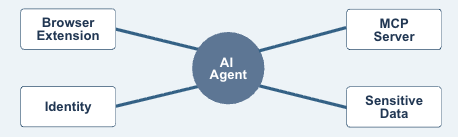
The Six Questions That Reveal Hidden AI Risk
1. What AI Resources Exist?
Inventory applications, extensions, models, APIs, agents, plugins, skills, MCP servers, and embedded AI features. Discovery should span browsers, endpoints, networks, cloud environments, code repositories, and SaaS applications.
2. Who or What Operates Them?
Map every resource to employees, departments, service accounts, API keys, OAuth applications, cloud roles, and machine identities. Ownership should be explicit.
3. What Can They Reach?
Identify datasets, applications, repositories, files, infrastructure, and external services. Include indirect access through connectors and inherited user permissions.
4. What Can They Do?
Distinguish between read, write, modify, delete, publish, deploy, transfer, and financial actions. A tool that can only retrieve public information is not equivalent to one that can change production systems.
5. How Autonomous Are They?
Determine whether a person approves each action, approves only the goal, or is not involved. Review whether the downstream application independently enforces authorization and transaction limits.
6. What Is the Potential Blast Radius?
Estimate the number of users, systems, records, customers, or workflows that could be affected. This context helps security teams prioritize risk rather than treating every discovered tool as equally urgent.
A Five-Step Program for AI Attack Surface Security
Step 1: Establish Continuous Discovery
Connect telemetry from browser, endpoint, network, identity, code, and cloud systems. Continuous discovery matters because AI resources appear and change faster than annual assessments can capture.
Step 2: Build a Relationship Map
Create a graph of AI resources, identities, connectors, datasets, and actions. The goal is to see the entire workflow, not isolated assets. This is where dangerous combinations become visible.
Step 3: Classify and Score Risk
Consider resource security, data sensitivity, identity privilege, permissions, autonomy, exposure, ownership, and blast radius. AIBound describes A–F risk grades designed to turn large inventories into prioritized decisions.
Step 4: Apply Proportionate Controls
Allow low-risk tools, monitor uncertain uses, restrict sensitive data, require enterprise accounts, reduce permissions, disable unsafe connectors, require human approval, or block resources whose risk cannot be reduced.
Step 5: Monitor for Change
Track new extensions, server updates, expanded scopes, new tools, changed model providers, unusual traffic, dormant credentials, and new data connections. Approval should be treated as a monitored state, not a permanent conclusion.
The NIST AI Risk Management Framework offers a useful governance structure for turning this discovery data into repeatable risk decisions.
Additional AIBound resources cover Shadow AI discovery, governance, risk scoring, and real-time prevention.
How to Secure Each Layer Without Replacing the Security Stack
Browser and Endpoint
Use existing browser management and endpoint controls to identify applications, extensions, local models, and agents. Correlate installation data with the user, department, internal sites accessed, and resource risk.
Network
Monitor DNS, proxy, gateway, and API traffic for AI services, model endpoints, connector communication, and unexpected data movement. Network visibility can reveal services that leave no installed application on a managed device.
Identity
Map AI resources to human and machine identities. Review OAuth grants, cloud roles, service accounts, shared accounts, API keys, and token lifetimes. Reduce access according to task and business impact.
Code and Development
Identify coding assistants, IDE extensions, model SDKs, agent frameworks, and MCP configurations. Protect secrets, separate test and production access, and require review before agents can modify or deploy code.
Cloud and SaaS
Inventory hosted models, AI services, data pipelines, embedded copilots, and autonomous workflows. Watch for vendors activating new AI features inside applications that were approved before those features existed.
Workflow and Governance
Push findings into existing ticketing, SIEM, orchestration, and governance platforms. The security team should not need to manage a separate manual process for every AI resource. Evidence of ownership, review, policy, and remediation should be retained for leadership and audit needs.
A 60-Day Action Plan
Days 1–15: Discover and Prioritize
Connect available telemetry, create the first inventory, and identify resources that combine privileged identities, sensitive information, external exposure, or autonomous action. Do not wait for perfect coverage before investigating obvious high-risk combinations.
Days 16–30: Assign Ownership and Map Connections
Name business and technical owners. Document MCP servers, plugins, tools, identities, datasets, permissions, and external model providers. Remove abandoned resources and unnecessary credentials.
Days 31–45: Implement Guardrails
Reduce permissions, restrict browser extensions, require enterprise accounts, apply data controls, isolate test environments, add approval checkpoints, and block clearly unacceptable resources.
Days 46–60: Operationalize Monitoring
Create alert thresholds, ticket workflows, exception processes, executive reporting, and recurring reviews. Publish approved alternatives so employees can continue using AI productively without creating new blind spots.
Metrics Security Leaders Should Track
Useful metrics include total AI resources discovered, resources without owners, AI extensions with broad permissions, publicly exposed MCP servers, agents with privileged access, tools connected to sensitive data, resources without human approval controls, average remediation time, repeated policy violations, newly discovered connections, and changes in risk grades over time.
These measures help leadership understand whether the attack surface is becoming more visible and controlled, even as the organization adopts more AI.
Frequently Asked Questions
Is every MCP server high risk?
No. Risk depends on exposure, identity, permissions, data sensitivity, actions, ownership, and monitoring. A narrowly scoped internal server with strong authorization presents a different risk from a public server connected to confidential systems.
Are enterprise-approved AI applications automatically safe?
Approval reduces uncertainty, but risk can change when a vendor adds new models, plugins, permissions, data uses, or autonomous features. Sanctioned AI should remain continuously monitored.
Can an organization secure AI using only network controls?
Network controls are valuable, but they may not explain which identity is involved, what a browser extension can read, which permissions an agent inherited, or what an MCP server exposes. Multiple telemetry layers need to be correlated.
What should be blocked immediately?
Prioritize resources with clearly unacceptable combinations, such as unowned public connectors to sensitive systems, agents using administrative credentials without approval, extensions transmitting confidential data, or tools designed to bypass policy. Other resources may be restricted or reviewed rather than blocked automatically.
Conclusion
The hidden AI attack surface is not one new category of software. It is a connected ecosystem of applications, agents, identities, extensions, models, tools, skills, MCP servers, and enterprise data.
Security teams need to see how those components work together. Discovery creates the inventory. Identity and connection mapping reveal authority and exposure. Contextual scoring identifies the risks that matter most. Proportionate controls allow safe use to continue while dangerous combinations are stopped.
As AI becomes more autonomous, the central security question will not be only “Which model is in use?” It will be “Which system is acting, under whose authority, with access to what, and how quickly can we intervene?”
To see which agents, extensions, models, and MCP servers are operating in your environment, request an AIBound Shadow AI Risk Report.
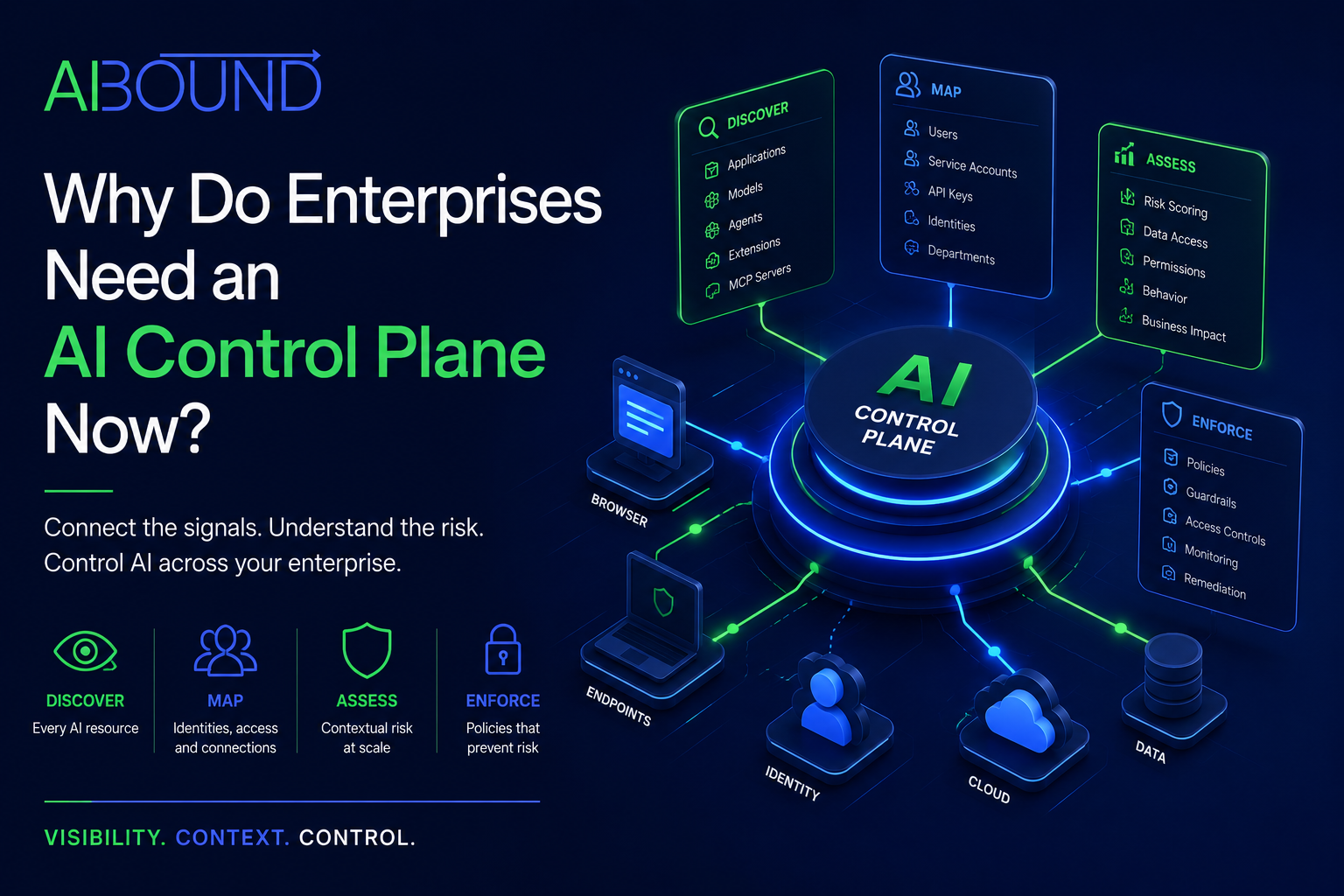
Why Do Enterprises Need an AI Control Plane Now?
Most enterprise security teams already own tools for endpoints, browsers, networks, identities, cloud environments, data protection, incident response, and compliance.
Yet many still cannot answer a fundamental question: Which artificial intelligence systems are operating inside the organization, and what are they capable of doing?
The difficulty is not necessarily a lack of telemetry. The information may already exist in endpoint events, DNS records, browser activity, cloud logs, identity platforms, and security alerts.
The problem is fragmentation. One tool may identify an AI application. Another may contain information about the employee, using it. A third may display the service account associated with it. A fourth may know that the associated repository contains sensitive code. Unless those signals are connected, the security team sees isolated events rather than the complete risk.
An AI control plane provides the missing coordination layer. Its purpose is not to replace every existing security tool. It is to connect their signals so the organization can understand and control AI-specific risk.
What Is an AI Control Plane?
An AI control plane is the centralized layer through which an organization can discover AI resources, maintain an enterprise AI inventory, connect AI activity to users and machine identities, map data access and system relationships, evaluate application, model, and agent risk, prioritize remediation, apply AI usage policies, produce governance evidence, monitor changes continuously, and prevent high-risk activity.
The concept is similar to other control-plane architectures in technology. Individual systems continue performing their operational roles, while a central layer provides coordinated policy, visibility, and management.
For enterprise AI, the control plane should span more than applications officially deployed by the organization. It must account for public AI services, embedded SaaS features, local models, coding assistants, agents, extensions, plugins, skills, APIs, and MCP servers.
A useful operational model moves through five connected stages: discover AI, identify its users and identities, map its data and system connections, measure the resulting risk, and prevent dangerous activity. These stages clearly distinguish an AI inventory product from an operational AI security platform.
Why AI Discovery Alone Is Not Enough
Discovery answers, “What is present?” Security also needs to answer who or what is operating it, which credentials it uses, what information it can access, which actions it can perform, what happens if it is manipulated, how large the potential impact is, whether the use complies with policy, and whether the organization can stop it.
An inventory containing hundreds of AI tools does not automatically explain which few require immediate action.
Consider three applications. The first is an unapproved writing assistant used with public marketing content. The second is an approved coding assistant connected to a single test repository. The third is an autonomous development agent using an administrative service account across production repositories.
A discovery-only product may identify all three. A risk-aware AIcontrol plane should reveal that the third has the most dangerous combination of autonomy, permissions, sensitive assets, and potential blast radius.
The New Security Challenge: AI Can Act
The most important change introduced by agentic AI is that the technology may do more than generate text or images.
AI agents can call tools, query databases, modify files, create tickets, send messages, execute code, manage workflows, and interact with other agents. Their effective authority depends on their identities, permissions, plugins, and systems.
This creates a fundamental security question: What is the agent allowed to do, and under whose authority?
Excessive agency can result from excessive functionality, permissions, or autonomy. An AI system may cause harm when it responds incorrectly, follows manipulated instructions, or takes action without sufficient human oversight.
The most effective protections include limiting functionality and permissions, preserving user-context authorization, enforcing least privilege, and requiring human approval for high-impact actions.
A model assessment cannot answer every operational question. The enterprise needs to evaluate the complete chain of identity, access, behavior, and impact.
From AI Resource to Business Impact
An effective AI control plane connects five layers of context.
The first layer is the resource. Security must identify whether the technology is a public application, enterprise copilot, model API, local model, browser extension, coding assistant, autonomous agent, plugin, skill, or MCP server.
The second layer is identity. The organization must determine which employee, service account, API key, cloud role, OAuth application, or machine identity is used to operate the resource. This reveals the authority under which the AI acts.
The third layer is access. Teams need to know which systems, repositories, datasets, applications, tools, and functions the AI can reach. Access may be direct, inherited through a user, or exposed through a connector.
The fourth layer is behavior. Security must understand what the AI is actually doing. Relevant behavior may include reading documents, indexing files, generating code, modifying records, transferring information, invoking external services, or triggering another agent.
The fifth layer is impact. Teams must estimate what could happen if the AI is misused, compromised, manipulated, or incorrectly configured. Potential consequences include information disclosure, unauthorized changes, regulatory exposure, operational disruption, financial loss, and loss of intellectual property.
Without this chain of context, security teams receive alerts without understanding their importance.
Why Existing Security Tools Create an Incomplete Picture
Existing controls remain essential. The challenge is that each sees only part of the AI environment.
Endpoint platforms may detect installed applications, browser extensions, and local processes. They may not understand whether the application is an AI resource, how risky it is, or which cloud systems it can reach.
Network security logs may identify connections to AI domains or APIs. They may not reveal the business purpose, user identity, prompt content, or the application's permissions.
Browser security can identify web applications and extensions, but may have limited visibility into agents operating through cloud workloads or development environments.
Identity systems show users, roles, applications, and authentication events. They may not classify an identity as belonging to an AI agent or understand the model and tools behind it.
Cloud security platforms can reveal AI services, models, workloads, and permissions within a particular environment. They may miss employee use of external applications or AI embedded inside SaaS products.
Data-security products may identify sensitive information movement but may not connect that movement to a specific AI model, agent, plugin, or business use case.
An AI control plane correlates these perspectives. It turns existing telemetry into an AI-specific inventory, relationship map, risk model, and enforcement process.
The Five Operational Functions of an AI Control Plane
1. Continuous Discovery
The control plane should identify new applications, agents, extensions, models, AI services, plugins, skills, and MCP servers as they appear.
Discovery should cover sanctioned and unsanctioned resources. It should also recognize AI functionality that vendors add to applications the organization already uses.
The result should be a continuously updated inventory rather than an annual spreadsheet. Security teams should be able to see which resources are active, where they were detected, which departments use them, whether they have an owner, and whether their use has increased or changed.
2. Identity and Relationship Mapping
Every material AI resource should be connected to human users, machine identities, business departments, data repositories, cloud services, applications, plugins, skills, APIs, MCP servers, and business owners.
Relationship mapping is what reveals dangerous combinations. An agent may appear harmless until security discovers that it operates through a service account with broad repository access. A meeting assistant may appear low risk until it is found retaining confidential transcripts. A browser extension may become critical when it can read internal administrative pages.
The application name alone rarely tells the complete story. Its relationships determine the real exposure.
3. Contextual Risk Scoring
Risk scoring should consider more than vendor reputation. A mature model evaluates security posture, data sensitivity, permissions, identity privileges, autonomy, deployment location, business criticality, regulatory relevance, number of affected users, potential blast radius, known vulnerabilities, policy status, and compensating controls.
Explainable scoring is essential. Security teams, application owners, executives, and auditors should be able to understand why a resource received its rating and which change would reduce the risk.
A coding assistant with read-only access to a test repository may be low risk. The same assistant, connected to production repositories via an administrator account, may be critical.
4. Policy Enforcement
The control plane must turn insight into action. Depending on the context, security teams may approve an application, monitor its use, require enterprise authentication, prevent uploads of sensitive data, restrict access to certain departments, remove unnecessary permissions, disable a plugin, revoke a token, require human approval, block an application, generate a remediation ticket, or escalate an incident.
Enforcement should integrate with the tools the enterprise already uses. Existing browser, endpoint, identity, network, cloud, and workflow controls can often execute the action once the AI control plane has provided the context and decision.
5. Governance and Evidence
Enterprise AI governance requires defensible records. Security and compliance teams may need to demonstrate which AI systems are in use, who owns them, how risks were assessed, which data they process, which controls are applied, when approvals occurred, how incidents were handled, whether high-risk systems are monitored, and how risk has changed over time.
Why MCP Servers, Plugins, and Skills Need Special Attention
The AI ecosystem increasingly relies on connectors that enable models to interact with external tools and data. MCP servers, plugins, and skills can make AI significantly more useful. They can also expand what an assistant can reach and what actions it can perform.
The security issue is not limited to whether the primary AI vendor is trusted. A trusted assistant may load an untrusted connector. That connector may request excessive permissions, contain malicious instructions, expose credentials, or send information to an external system.
Harmful instructions may be expressed in ordinary language rather than conventional code. That can make them difficult for tools designed primarily to identify code-based vulnerabilities.
A control plane should therefore inventory the components inside the AI system, not only the top-level application.
Security teams should ask which connectors are installed, who installed them, what permissions they request, what external services they contact, whether they can access credentials, whether they can modify or export information, whether their instructions are reviewed, whether one compromised component can affect other agents, whether a defined owner exists, and whether access can be revoked centrally.
What High-Risk AI Looks Like in Practice
High-risk AI is defined by context rather than a single product category. Examples include a coding agent with administrative access to production repositories; an HR assistant connected to employee records through an unreviewed MCP server; a public AI application processing customer financial information; a model using credentials shared across departments; an agent able to send payments without human approval; or a plugin that can read and export cloud-storage files.
The underlying risk pattern is consistent. AI becomes more dangerous when it combines broad access, sensitive information, weak ownership, and the ability to act.
How an AI Control Plane Supports Enterprise Leaders
For CISOs
For a CISO, the control plane provides prioritization and defensibility. Instead of reporting only how many AI applications were found, the security team can explain which resources create the greatest exposure, which identities have excessive privileges, which data connections require attention, which high-risk tools were restricted, which risks remain accepted, and whether the organization’s posture is improving.
For CIOs and IT Leaders
CIOs need visibility into adoption, duplication, cost, and business value. A control plane can help identify which departments use AI most heavily, which tools perform similar functions, which applications lack ownership, where enterprise licenses may replace personal accounts, which tools employees repeatedly request, and where Shadow AI reveals an unmet business requirement.
For Privacy, Risk, and Compliance Teams
Privacy and compliance teams need evidence about data processing, ownership, risk classification, and control effectiveness. An AI control plane can provide records showing which applications process personal information, where AI activity occurs, which departments are responsible, what permissions exist, whether assessments were completed, which policies were enforced, and how exceptions were approved.
How to Evaluate an Enterprise AI Control Plane
Begin with discovery coverage. Can the platform identify AI across browsers, endpoints, networks, cloud services, code environments, SaaS applications, and local deployments? Does it recognize applications, models, agents, extensions, plugins, skills, and MCP servers?
Then examine identity context, data, and permission mapping, explainable risk scoring, enforcement capabilities, integrations, deployment effort, governance evidence, and continuous monitoring. These questions help distinguish a complete control plane from a narrow discovery dashboard.
A Practical Implementation Roadmap
The first phase is connecting existing telemetry. Begin with endpoint, browser, network, identity, and cloud sources already available. The immediate objective is to conduct an initial inventory and identify the most obvious high-risk combinations.
The second phase is establishing ownership. Assign owners to important AI resources. Determine why each resource exists, what information it processes, and whether its current access is necessary. Resources without ownership should be subject to additional scrutiny.
The third phase is defining risk thresholds. Create criteria for low, moderate, high, and unacceptable risk. Document which combinations require immediate restriction, such as privileged identities, regulated data, autonomous action, or unreviewed external connectors.
The fourth phase is integrating response workflows. Push findings into the systems security teams already use. Create tickets, notify owners, track exceptions, preserve evidence, and automate repeatable actions where appropriate.
The fifth phase is enabling approved adoption. Publish approved tools, review standards, and request procedures. Use discovery data to understand what employees need and where existing options are inadequate.
The sixth phase is reporting and improving. Track adoption, high-risk activity, remediation times, policy exceptions, and changes in exposure. Use the data to refine policies and identify where the business needs better enablement.
Frequently Asked Questions
Is an AI control plane the same as an AI gateway?
Not necessarily. An AI gateway commonly manages traffic between applications and model providers. It may handle authentication, routing, logging, cost controls, and prompt security. An AI control plane has a broader enterprise role. It identifies AI resources across multiple environments, maps identities and data connections, assesses risk, coordinates governance, and supports enforcement through existing security infrastructure.
Does an AI control plane replace endpoint or network security?
No. It should use and enrich the signals produced by those systems. Endpoint, browser, network, identity, cloud, and data platforms remain important sources for enforcement and telemetry.
Can an AI control plane help with sanctioned AI?
Yes. Approved applications can still become risky when permissions, integrations, data access, or behavior change. The control plane should monitor both sanctioned and unsanctioned resources.
Why is identity important in AI security?
Identity determines authority. It reveals which information and functions the AI can access and whether it acts as an individual, shared account, service account, application, or privileged machine identity.
Should every autonomous agent be classified as high risk?
Not automatically. Risk depends on access, permissions, autonomy, data sensitivity, business impact, and compensating controls. An agent operating in an isolated test environment presents a different risk from one with production administrative access.
How quickly should an organization deploy an AI control plane?
Organizations should begin by connecting the telemetry they already possess and identifying their highest-risk activity. Perfect governance is not required before improving visibility. Early discovery can help define priorities for the broader program.
Conclusion
AI security cannot stop at finding tools.
Enterprises need to understand the identities behind those tools, the systems and data they can reach, the permissions they possess, and the actions they may take. They then need a consistent way to measure risk, enforce decisions, and provide evidence to leadership and regulators.
An AI control plane brings these functions together. It converts fragmented security telemetry into a living inventory. It connects resources to identities and sensitive systems. It distinguishes ordinary AI use from dangerous combinations. It helps security teams act before an exposure becomes an incident.
AIBound was built around this model: discover AI, expose its identities, map its connections, measure the risk, and prevent high-risk activity.
As AI becomes more autonomous and deeply integrated with enterprise systems, this coordinated control layer will become increasingly important. The organizations that establish it early will be better positioned to accelerate AI adoption without losing visibility, accountability, or control.
.png)
Shadow AI Statistics for 2026 | What Every CISO Should Know
AI adoption is exploding across enterprises—but much of it is happening outside the view of security teams. This growing phenomenon, known as shadow AI, is quickly becoming one of the most critical risks organizations face in 2026.
Below are the most important shadow AI statistics every CISO, CIO, and security leader should understand—along with what they mean for your organization.
Key Shadow AI Statistics (2026)
1. 78% of Employees Use Unapproved AI Tools
The majority of employees are already using AI tools without formal approval. AI tools are being adopted bottom-up, not top-down. Employees prioritize productivity over policy. Security teams often discover usage after the fact. What it means: Shadow AI is no longer an edge case—it's the default.
2. AI Usage Has Grown Over 60% Year-Over-Year
Enterprise AI adoption is accelerating rapidly. New AI tools and agents are emerging daily, AI is being embedded into existing workflows, and adoption is happening across every business function. What it means: Your attack surface is expanding faster than traditional controls can keep up.
3. 1 in 3 AI Interactions Involve Sensitive Data
A significant portion of AI usage involves customer data, internal documents, proprietary code, and financial or strategic information. What it means: Shadow AI is not just usage—it's data exposure risk.
4. Over 50% of Organizations Have No AI Visibility
Most enterprises cannot answer basic questions: What AI tools are being used? Who is using them? What data is being shared? What it means: Security teams are operating without visibility into one of the fastest-growing risk areas.
5. Thousands of AI Tools Are in Use Across Enterprises
Organizations are not dealing with a handful of tools—they're dealing with hundreds to thousands of AI apps, AI agents operating across workflows, and AI embedded in SaaS platforms. What it means: Manual tracking is impossible. AI inventory must be automated.
6. AI Agents Are the Fastest-Growing Risk Surface
Beyond tools, organizations are now seeing autonomous AI agents, API-connected AI workflows, and AI systems making decisions and taking actions. What it means: Shadow AI is evolving into shadow autonomy.
7. Detection Lag Can Be Weeks or Months
In many organizations, AI usage is discovered long after it begins, security reviews happen retroactively, and policies are applied too late. What it means: Real-time detection is becoming essential.
8. Traditional Security Tools Miss Most AI Activity
Legacy tools were not built for AI: SIEMs lack AI-specific context, CASBs don't identify AI behavior deeply, and endpoint tools miss browser-based AI usage. What it means: New approaches to AI security are required.
Why Shadow AI Is Growing So Fast
The data tells a clear story—but why is this happening? First, AI delivers immediate value—employees see instant productivity gains. Second, barriers to entry are low: most AI tools are free, easy to access, and require no installation. Third, governance is lagging adoption—organizations are still defining policies, understanding risks, and building frameworks. The result: usage outpaces control.
The Real Risk Behind the Numbers
These statistics are not just trends—they represent real business risk: data leakage into AI models, unauthorized integrations with internal systems, compliance violations (GDPR, HIPAA, etc.), and untracked decision-making by AI systems. Shadow AI is not just an IT issue—it's a board-level concern.
What CISOs Need to Do in 2026
Based on these trends, leading security teams are focusing on five priorities: (1) AI Visibility First—you cannot secure what you cannot see. (2) Build a Complete AI Inventory—track every app, agent, and model. (3) Monitor AI Usage Continuously with real-time, automated, context-aware detection. (4) Implement Policy Enforcement—move beyond detection to allow, restrict, or block. (5) Align AI Governance with Business Risk, focusing on data exposure, operational impact, and regulatory compliance.
How AIBound Helps Address Shadow AI
AIBound is built to address exactly these challenges. With AIBound, organizations can discover every AI app, agent, and model in real time; build a complete AI inventory across all environments; understand how AI tools interact with data and systems; score risk automatically using the Nucleus AI engine; and enforce policies instantly—block, allow, or coach users. AIBound turns shadow AI from an unknown risk into a managed system.
Final Takeaways
Shadow AI is now widespread across enterprises. Most organizations lack visibility into AI usage. AI adoption is accelerating faster than governance. Traditional tools are not designed for AI risk. CISOs must move from detection to real-time control.
Want to Understand Your Shadow AI Exposure?
See how AIBound helps you detect shadow AI in real time, build your complete AI inventory, and enforce AI policies instantly. Visit aibound.com to get your AI inventory in under 24 hours—no agents, no network taps, no disruption.
.png)
How to Detect Shadow AI in Your Organization | AIBound
AI adoption is accelerating faster than any technology shift in the past decade. But with that speed comes a new and rapidly growing risk: shadow AI.
Employees are using AI tools, agents, and models—often without approval, visibility, or security controls. For CISOs and security teams, the challenge is clear: You can't secure what you can't see.
In this guide, we'll break down exactly how to detect shadow AI across your organization—and how leading security teams are staying ahead of it in 2026.
What Is Shadow AI?
Shadow AI refers to any AI tool, application, agent, or model used within your organization without security or IT approval.
This includes: employees using ChatGPT, Claude, or other AI tools in browsers; AI agents connected to internal systems; developer use of AI copilots or APIs without governance; and unauthorized AI integrations in SaaS platforms.
Unlike shadow IT, shadow AI is more dangerous because it interacts with sensitive data, can autonomously take actions, and evolves quickly and unpredictably.
Why Detecting Shadow AI Is So Difficult
Traditional security tools were not built for AI. Here's why shadow AI detection is challenging:
1. AI usage is fragmented. AI tools span browsers, endpoints, cloud environments, and developer tools. There's no single control point.
2. AI traffic looks like normal traffic. AI usage often blends into HTTPS traffic, SaaS applications, and API calls—making it hard to distinguish from legitimate activity.
3. New tools appear daily. Thousands of AI tools and agents are emerging rapidly. Static allow/block lists can't keep up.
How to Detect Shadow AI (Step-by-Step)
Step 1: Monitor Browser Activity
Most shadow AI starts in the browser. Look for usage of AI tools (ChatGPT, Gemini, Claude, etc.), AI browser extensions, and copy/paste behavior involving sensitive data. Browser visibility is your first detection layer.
Step 2: Analyze Endpoint Telemetry
Endpoints reveal installed AI applications, local LLM usage, and developer tools using AI. Key signals include unknown processes, AI-related binaries, and API calls to model providers.
Step 3: Inspect Network Traffic
AI usage often leaves network traces: requests to AI APIs (OpenAI, Anthropic, etc.), traffic to AI SaaS platforms, and data exfiltration patterns. Use network logs to identify high-frequency API calls and large data transfers to AI endpoints.
Step 4: Audit SaaS and Cloud Integrations
Shadow AI is increasingly embedded in SaaS tools. Look for AI plugins and integrations, automated workflows using AI, and AI-powered features enabled without approval.
Step 5: Build a Complete AI Inventory
This is the most critical step. You need to discover all AI apps, agents, and models; map where they exist (endpoint, cloud, browser); and understand who is using them. This becomes your AI inventory—the foundation of AI security.
What Modern Shadow AI Detection Looks Like
Leading organizations are moving beyond fragmented detection methods toward a unified approach that includes centralized AI visibility (a single view of all AI tools, users, and environments), real-time discovery, contextual risk analysis, and continuous automated monitoring.
From Detection to Control
Detection is only the first step. Once shadow AI is identified, security teams need to assess risk (Is this safe?), enforce policy (Allow, restrict, or block), and guide users through education and coaching. This is where organizations move from reactive security to proactive AI governance.
The Future of Shadow AI Detection
In 2026 and beyond, shadow AI detection is evolving into AI Security Control Planes—platforms that discover every AI asset, map relationships across systems, score risk automatically, and enforce policies in real time. This shift is critical as AI becomes embedded across every layer of the enterprise.
How AIBound Helps Detect Shadow AI
AIBound was built specifically to solve this problem. With AIBound, security teams can discover every AI app, agent, and model in real time; build a complete AI inventory across browser, endpoint, network, and cloud; understand what each AI tool accesses and touches; score risk automatically using the Nucleus AI engine; and prevent unauthorized AI usage instantly—all from a single AI Control Plane.
Key Takeaways
Shadow AI is one of the fastest-growing enterprise risks in 2026. Traditional tools can't detect AI usage effectively. Detection requires visibility across browser, endpoint, network, and cloud. AI inventory is the foundation of AI security. Organizations must move from detection to real-time control.
Ready to See It in Action?
If you want to understand how shadow AI exists in your environment today, AIBound can show you—in under 24 hours, with no agents, no network taps, and no disruption. Book a demo to get your complete AI inventory now.

How to Govern AI Without Slowing the Business | AIBound
Artificial intelligence is moving into the enterprise faster than almost any technology before it. Developers are integrating models into applications. Business teams are adopting AI assistants. Autonomous agents are beginning to automate workflows.
Across industries, leaders are asking the same question: How do we secure AI without slowing down innovation?
Blocking AI adoption is not realistic. Employees will continue experimenting with new tools, and developers will continue building AI-powered systems. The challenge for CISOs is not stopping AI. It is governing it intelligently.
Why Traditional Governance Models Fail
Most enterprise governance models were designed for technologies that evolve slowly. New systems were introduced through formal procurement processes, architecture reviews, and deployment approvals.
AI adoption doesn't follow that pattern. Today, AI tools can appear through browser extensions, SaaS platforms, developer frameworks, APIs, and AI agents. Many can be deployed in minutes while security review cycles take weeks.
By the time governance processes begin, AI systems may already be embedded in operational workflows.
The CISO's New Role in the Age of AI
Historically, security leaders were seen as gatekeepers. In the AI era, this model no longer works. Innovation is happening too quickly and too broadly.
Instead of acting as gatekeepers, CISOs must evolve into strategic enablers of safe AI adoption — helping organizations answer: Where is AI being used? What risks does it introduce? How do we manage those risks without slowing the business?
A Five-Step Framework for AI Governance
Organizations that successfully manage AI risk typically follow a governance model built around five core capabilities.
Step 1: Discover AI Across the Enterprise
The first step in governing AI is simple: you must know where AI exists. This includes identifying AI usage across developer environments, cloud infrastructure, SaaS platforms, employee endpoints, internal AI services, and external AI APIs.
In many organizations, this discovery process reveals far more AI activity than expected — dozens of AI-enabled SaaS tools, internal model experimentation environments, AI-powered browser extensions, and agents connected to internal APIs.
Without this visibility, governance is impossible. You cannot secure what you cannot see.
Step 2: Understand AI Access to Data and Systems
Once AI assets are identified, the next step is understanding what they can access — internal documents, enterprise databases, SaaS applications, APIs, cloud infrastructure, and automation systems.
Understanding these relationships helps answer: Which AI systems can access sensitive data? Which AI identities have privileged permissions? Which systems interact with external model providers?
Step 3: Map the AI Ecosystem
AI systems rarely operate in isolation. A single AI workflow may involve a model, a data source, an API, an automation service, and an identity controlling access.
A model connected to a database may appear safe on its own. But if that same model is exposed through an API and accessed by an external agent, the risk profile changes significantly. Mapping these relationships creates a clearer picture of the AI ecosystem.
Step 4: Prioritize Real Business Risk
Not every AI issue requires immediate attention. Security teams must prioritize AI risks based on business context — data sensitivity, identity permissions, internet exposure, regulatory requirements, and operational impact.
The most dangerous scenarios often involve toxic combinations: AI systems with privileged access to sensitive data, exposed model endpoints connected to internal resources, vulnerable dependencies in AI workloads, and automation agents interacting with production systems.
Step 5: Apply Guardrails Without Blocking Innovation
Once high-priority risks are identified, organizations must implement appropriate controls that enable safe AI usage rather than restrict innovation.
Policy controls define approved AI tools, data usage guidelines, and access permissions. Technical guardrails include monitoring AI usage, enforcing identity permissions, restricting access to sensitive datasets, and auditing AI interactions.
And continuous monitoring ensures governance remains effective as new models, tools, and integrations appear.
The Goal: Enable Safe AI Innovation
The purpose of AI governance is not to slow progress. It is to enable organizations to adopt AI confidently.
Companies that successfully implement these practices reduce the risk of data exposure, provide leadership with greater assurance, empower teams to innovate while maintaining security discipline, and build the trust required to scale AI across the organization.
The CISOs who succeed will be those who move early to establish visibility, context, and risk prioritization across their AI environments. Because in the AI era, governance is no longer about stopping innovation. It is about making innovation safe.