Employees already run AI that security tools cannot see.
AIBound finds every AI agent, MCP server, skill and prompt running on the endpoint. It stops the high-risk ones in real time and feeds the evidence into the GRC program already in place.
For security teams protecting their own organisation, and for the partners and integrators who protect their clients.
Most security stacks were built for a different kind of AI risk.
Gateways read network traffic. XDR reads endpoint processes. AI-SPM tools read cloud and SaaS connectors.
None of them see what is installed on the endpoint. Shadow AI routinely runs for months before anyone notices it.
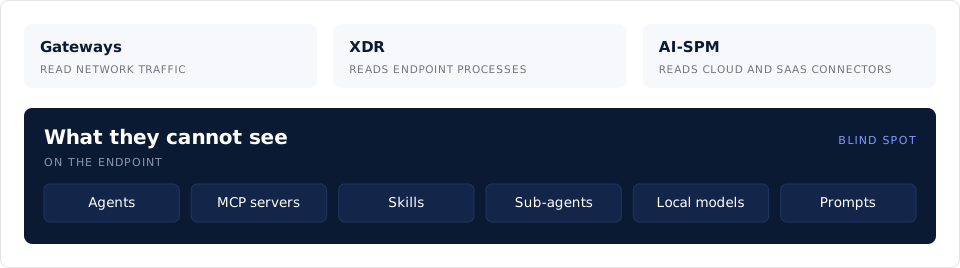
This is what AIBound reads.
AIBound reads the AI itself, on the endpoint.
It works through the device management you already run, with no network taps. It is read-only until you say otherwise.
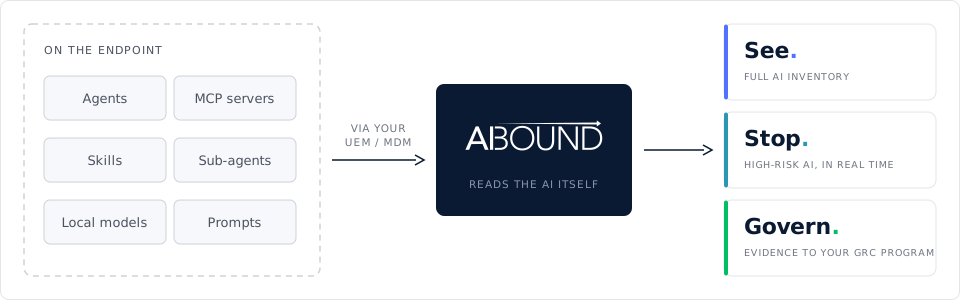
Five products. One platform.
Start with the one that matters most to you. They work together.
Together, they let you govern the AI your organisation runs, not just find it: see what runs, stop the high-risk ones, and feed the evidence into the GRC program you already run.
Finds every agent, MCP server, skill, model and IDE extension on your endpoints.
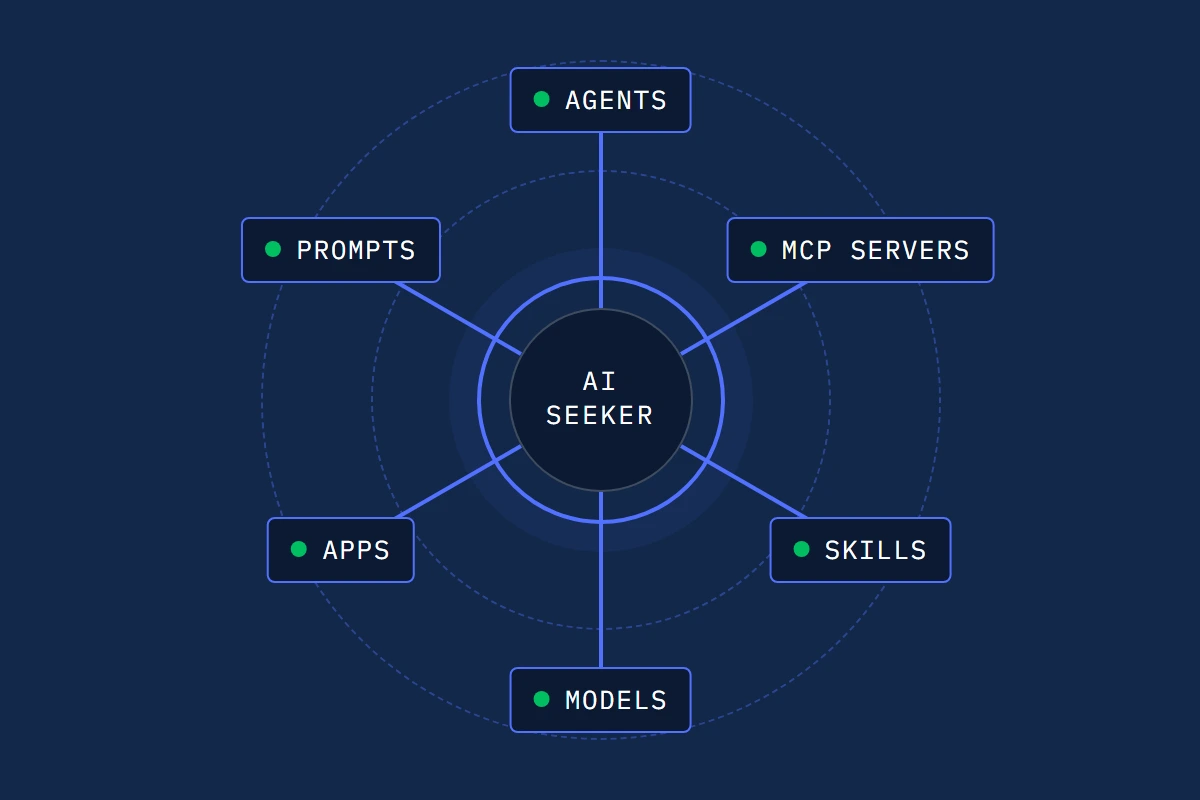
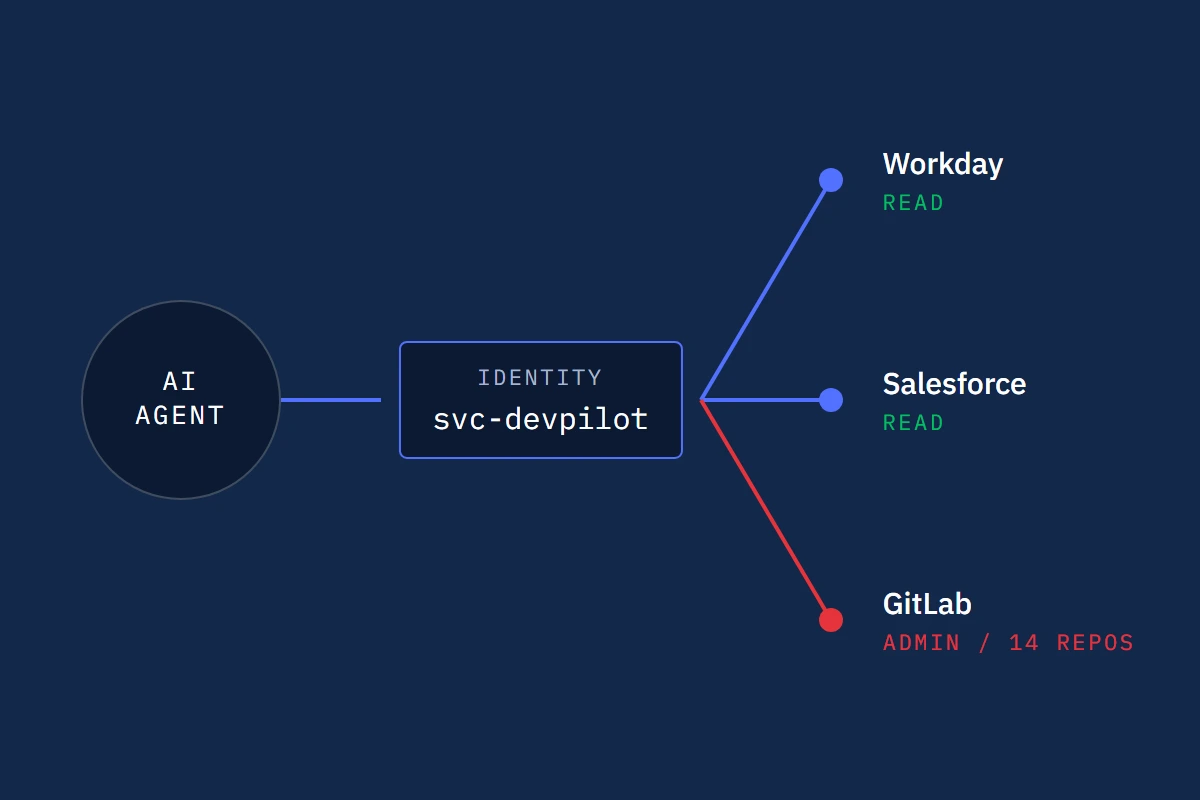
Maps who or what each AI agent runs as, and which sensitive systems it is wired into.
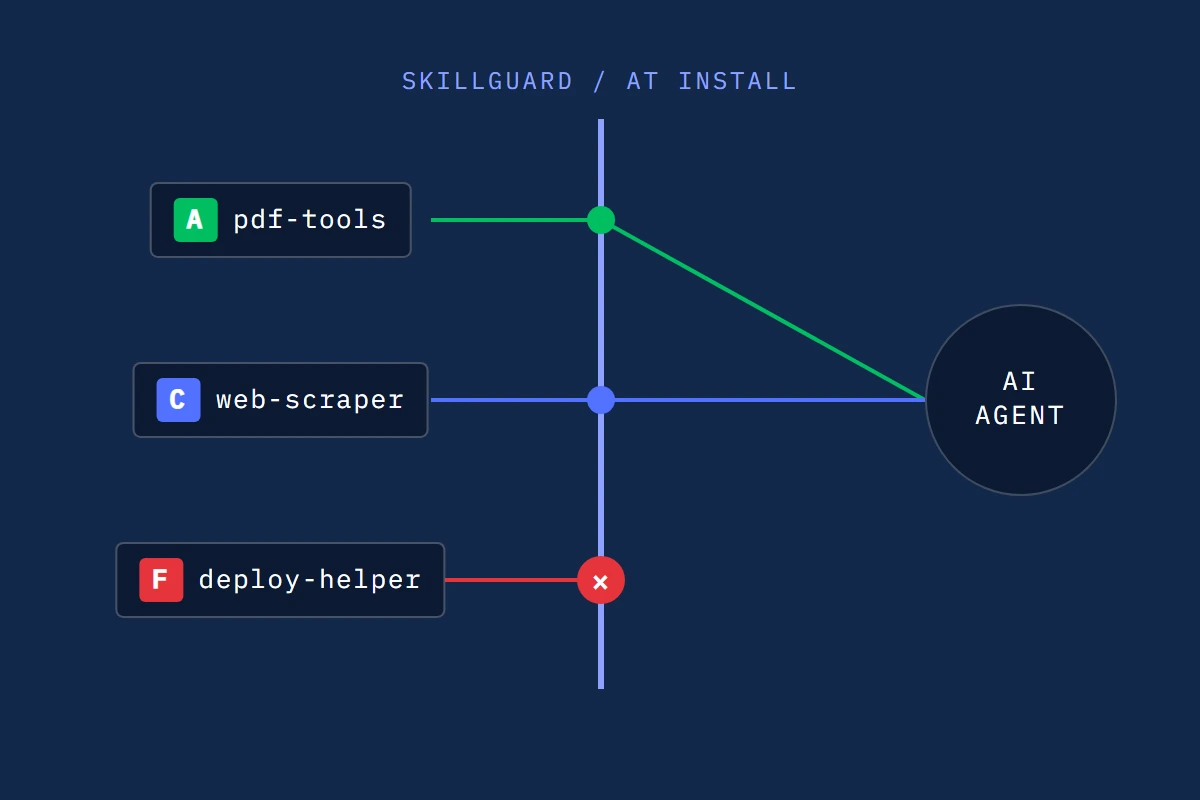
Reads every AI skill like an attacker would, grades it A to F, and blocks risky ones at install.
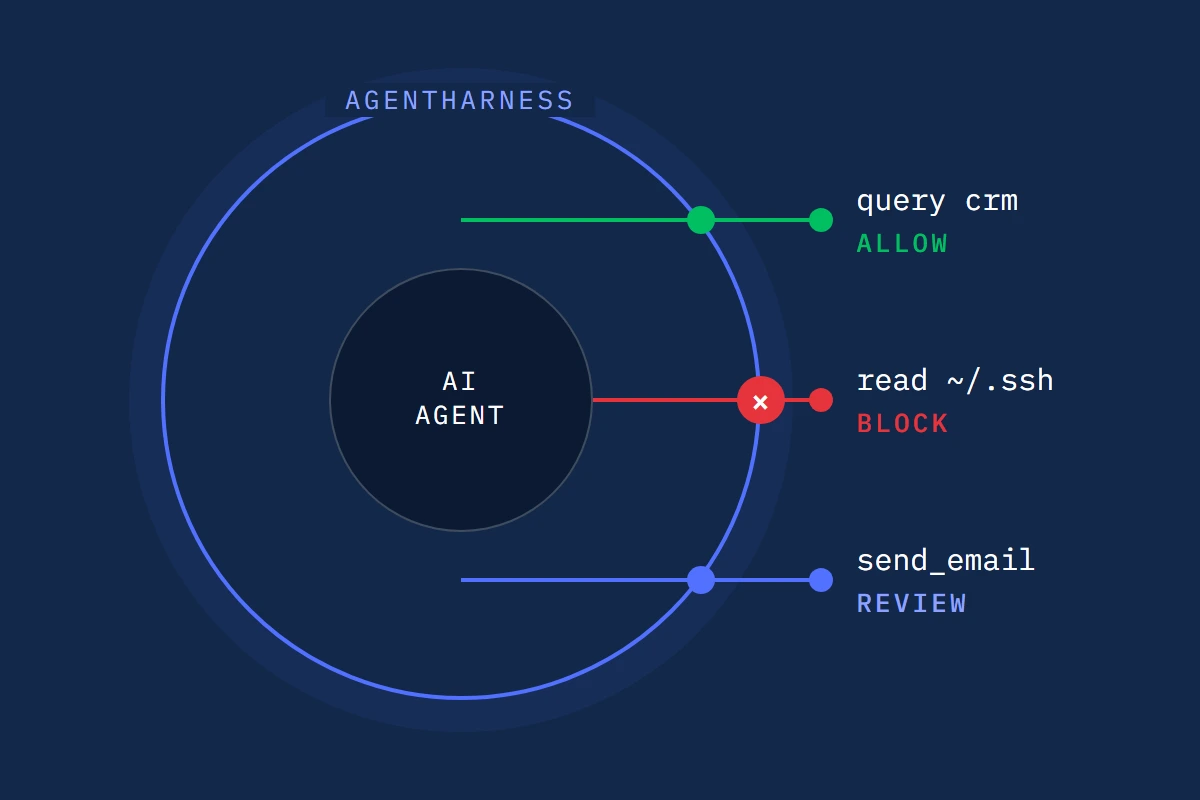
Enforces AI agent guardrails as policy, with allow, ask or deny on every action.
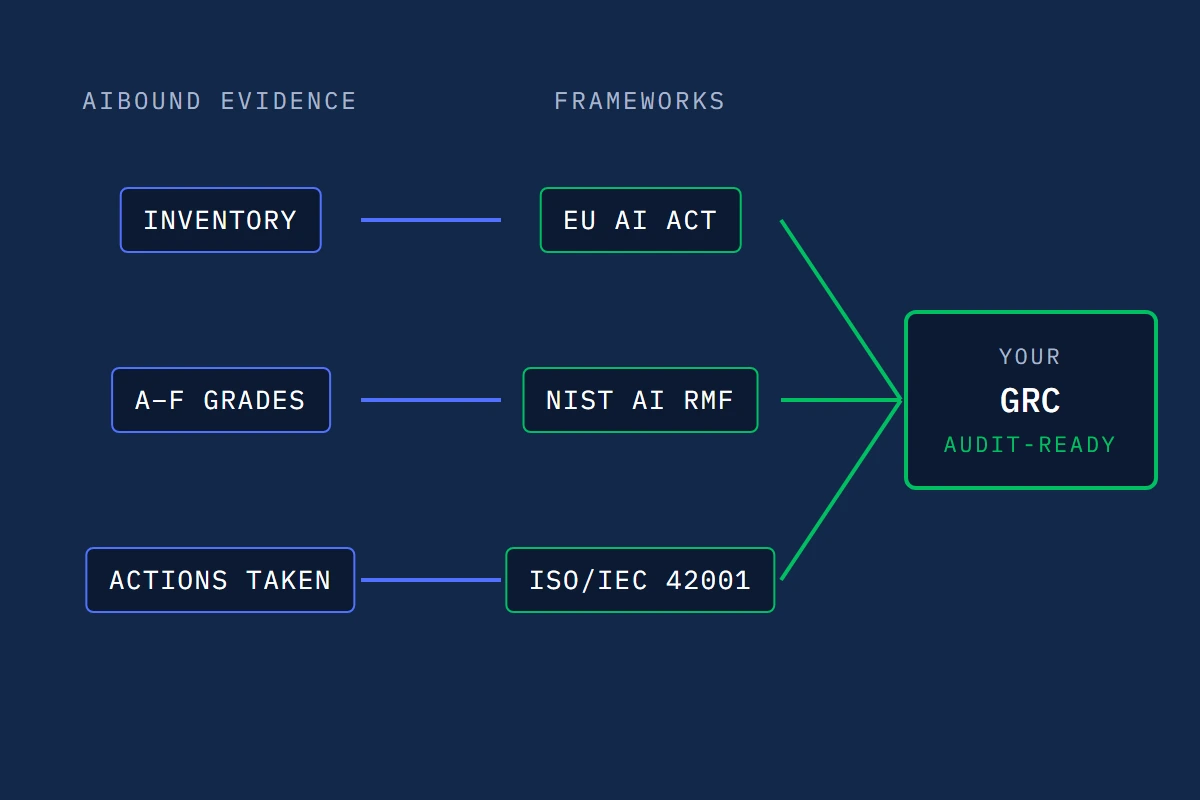
Maps your AI evidence to the EU AI Act, NIST AI RMF and ISO/IEC 42001.
It fits the tools you already run.
AIBound is agentless across the 140+ SIEM, SOAR, ticketing and identity integrations. There is nothing to install in any of those systems.

.svg)


.svg)
.svg)
.svg)

.svg)


.svg)
.svg)
.svg)
.svg)
.svg)
.svg)
.svg)

.svg)
Endpoint
Network
Cloud
SIEM
Identity
Incident response
Notifications
SOAR
Ticketing
Start in three steps.
See.
Roll it out through the UEM or MDM you already run. Install takes 15 minutes. Get a full risk assessment within 24 hours. AIBound only reads at this stage. It changes nothing.
Stop.
Turn on blocking when you are ready. High-risk AI is stopped in real time. You choose what, and when.
Govern.
The evidence feeds the GRC program you already run, mapped to the EU AI Act, NIST AI RMF and ISO/IEC 42001.
Answers to the questions security teams ask us most.
Install takes 15 minutes, through the UEM or MDM you already run. You get a full AI inventory within 24 hours of deployment. The 30-day trial needs no proof of concept. AIBound only reads while it discovers, so nothing in your environment changes while it maps your AI.
No new agents. AIBound is agentless across your SIEM, SOAR, ticketing and identity integrations, with nothing to install in any of those systems. On the endpoint, the AIBound Secure Client is delivered through the UEM or MDM you already run. It is a lightweight script, not a persistent agent.
It is read-only while it discovers. AIBound reads and maps your AI usage and changes nothing. Stopping high-risk AI switches on only when you authorize it, and you choose what is stopped. In the browser, AIBound detects AI use. It does not block it.
AI Usage Control (AIUC) at the endpoint is the job AIBound does. It finds the agents, MCP servers, skills, models, apps and prompts employees already run, and stops the high-risk ones in real time. Most security stacks cannot see these, because they sit on the endpoint.
Shadow AI is AI that employees use without security's approval. It matters because it routinely runs for months before anyone notices it. Agents, MCP servers, skills and prompts live on the endpoint, where gateways, XDR and cloud tools do not look. That is why it goes unseen.
AIBound has 140+ integrations across endpoint, network, cloud, SIEM, identity, incident response, notifications, SOAR and ticketing. It is delivered through the UEM or MDM you already run, and it fits into an existing SIEM and SOAR stack. You do not have to replace any of them.
AIBound feeds the evidence into the GRC program you already run, mapped to the EU AI Act, NIST AI RMF and ISO/IEC 42001. You do not set up a second governance system alongside it. AIBound does not write your policy for you. AIBound is SOC 2 Type II compliant and ISO 27001 certified.
Press the Book a 15-minute risk assessment button on this page. Install takes 15 minutes, and you get a full AI inventory within 24 hours of deployment. No proof of concept is required. AIBound only reads until you decide to turn on blocking.
Find out what AI employees already run.
Book a 15-minute risk assessment. Install takes 15 minutes, through the UEM or MDM you already run.