


For the past two decades, security leaders have battled a familiar adversary: Shadow IT.
Employees adopted SaaS tools faster than IT could govern them. Marketing spun up new analytics platforms. Developers deployed cloud services outside approved workflows. Security teams responded with CASB tools, SaaS governance platforms, and cloud security posture management.
But today, a new — and far more complex — version of Shadow IT has emerged.
Shadow AI
Unlike the SaaS tools of the past, AI tools are appearing across every surface of the enterprise simultaneously: browsers, IDEs, copilots, extensions, agents, APIs, and internal models. Many of these tools connect directly to enterprise data and systems.
And most security teams have little to no visibility into how they are being used.
The AI Explosion Inside the Enterprise
AI adoption inside organizations is happening faster than any previous technology wave. Developers are integrating large language models into applications. Employees are using copilots to generate content and analyze data. Teams are experimenting with AI-powered automation and agents.
This innovation is incredibly powerful. But it also creates a reality security leaders are starting to confront: AI is already everywhere inside the enterprise — whether security teams can see it or not.
Consider how AI typically enters an organization today: a developer integrates an LLM API into an internal service; a sales team installs an AI Chrome extension to summarize emails; a product manager uses an AI research assistant to analyze documents; an engineer deploys an AI agent to automate support workflows; a team experiments with internal models connected to sensitive data.
Individually, each action seems harmless. But collectively, they create a rapidly expanding AI ecosystem that is difficult to track, govern, or secure.
Why Shadow AI Is Harder Than Shadow IT
Shadow IT was primarily a SaaS governance problem. Security teams needed visibility into which cloud applications were being used and what data they accessed.
Shadow AI is fundamentally different. AI tools often operate across multiple layers simultaneously.
1. Browser Extensions and Desktop Apps
AI assistants now live directly in the browser — summarization tools, email copilots, AI research assistants, and productivity copilots. These tools can access emails, documents, CRM data, and customer records. In many cases, these integrations happen without security review.
2. Developer Tools and IDE Copilots
AI development assistants are rapidly becoming standard in engineering teams. These tools can access source code, internal APIs, proprietary models, and infrastructure configurations.
3. AI Agents and Automation
The next wave of AI adoption involves autonomous AI agents. These systems can access internal tools, interact with APIs, retrieve enterprise data, and trigger workflows. An AI agent connected to internal systems can quickly become a privileged digital identity inside the organization.
4. Internal Models and AI Services
Organizations are increasingly deploying internal AI models in cloud platforms, internal infrastructure, data science pipelines, and AI experimentation environments. Security teams often discover these models only after they are already in production.
The Real Risk: AI + Data + Access
The biggest risk from Shadow AI isn't simply the presence of AI tools. It's the interaction between AI systems and sensitive enterprise data.
A typical risky scenario: an employee installs an AI extension, it accesses internal documents, sensitive customer information is included in prompts, and data is transmitted to an external AI provider. In many organizations, this interaction happens thousands of times per day.
This combination creates what security teams call toxic combinations: AI systems interacting with sensitive data, identities, and infrastructure in ways that were never intentionally designed.
Why Most Security Tools Can't See AI Risk
Traditional security platforms were not designed for AI ecosystems. EDR covers endpoints. CASB covers SaaS. CSPM covers cloud infrastructure. AppSec covers application vulnerabilities.
AI systems operate across all of these environments simultaneously. A single AI workflow might involve a browser extension, an external model provider, internal APIs, enterprise data, and cloud infrastructure. Security teams may see fragments of this activity in different tools — but they rarely see the full picture.
The Three Questions CISOs Are Now Asking
1. What AI exists inside our organization? This includes models, agents, extensions, APIs, and internal AI services. Many organizations discover hundreds or thousands of AI assets once they begin investigating.
2. What data and systems can these AI tools access? A model connected to public data may present minimal risk. A model connected to customer data or financial systems may present a major exposure.
3. Which AI risks actually matter? Security teams already face alert overload. What CISOs need is prioritization based on real business risk, not just technical vulnerabilities.
A New Approach to AI Security
To manage Shadow AI effectively, organizations need to discover AI everywhere — models, agents, extensions, and AI-enabled services across code, cloud infrastructure, enterprise tools, and developer environments.
They must map the AI ecosystem, understanding relationships between models, data sources, APIs, identities, and infrastructure. Without this visibility, it's impossible to understand attack paths or exposure chains.
And they must prioritize real risk. The most dangerous scenarios typically involve toxic combinations of sensitive data, privileged identities, exposed interfaces, and vulnerable dependencies.
The Future of Security Is AI Ecosystem Security
Organizations are no longer securing only infrastructure, applications, and endpoints. They must now secure entire AI ecosystems — models, agents, data pipelines, APIs, identities, and automation systems.
AI innovation is moving fast. Security cannot afford to slow it down — but it also cannot afford to operate blindly. The organizations that succeed will be those that gain visibility into how AI actually operates across their enterprise.
Because the first step to controlling AI risk is simple: you must first be able to see it.
See Your AI Attack Surface
Related Articles
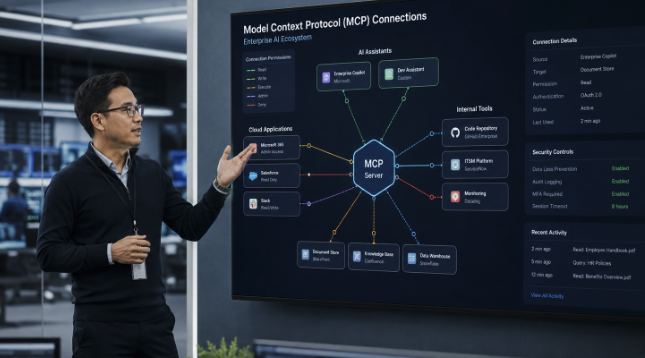
How Can Enterprises Secure MCP Servers and AI Skills?
Model Context Protocol servers and AI skills are rapidly becoming the connective tissue of enterprise AI. They allow assistants and agents to retrieve information, use business applications, call APIs, create records, run workflows, and act on behalf of employees. That flexibility can transform productivity, but it also creates a security problem that cannot be solved by reviewing the model alone.
The central question is no longer only whether an AI application is approved. Security teams must understand what the connected server or skill instructs the AI to do, which identity it uses, what data it can reach, what tools it can invoke, and whether a human remains in control of consequential actions.
AIBound frames this as a move beyond basic Shadow AI discovery. Its Control Plane for High-Risk AI is designed to discover AI resources, expose the identities they use, map data connections, measure risk, and prevent dangerous activity. That relationship-based view is particularly important for MCP servers and skills because a seemingly simple connector can inherit broad authority from the assistant that loads it.
The direct answer is that enterprises should treat every MCP server and AI skill as an untrusted software supply-chain component until its instructions, permissions, identity, data paths, and runtime behavior have been verified. The process must continue after approval because connectors, instructions, dependencies, and access rights can change.
What Makes MCP Servers and AI Skills Different?
The Model Context Protocol is an open standard that connects AI applications to external systems such as files, databases, tools, and workflows. This standardization is useful because it reduces the custom work required to connect an assistant to enterprise resources. It also means that one AI host may load many servers, each exposing multiple tools and capabilities.
An AI skill is usually a compact set of instructions, prompts, actions, or tool definitions that teaches an assistant how to perform a particular task. Skills can be distributed quickly, reused across teams, and embedded in workflows without the visibility normally associated with deploying a full software application.
The risk therefore exists in several layers at once: the assistant, the skill instructions, the MCP server, the tools exposed by that server, the credentials used to call them, and the downstream systems that ultimately execute the action. A conventional application inventory rarely captures this complete chain.
Why Application Approval Does Not Prove a Connector Is Safe
A trusted AI assistant can still load an unsafe skill. An approved SaaS application can introduce an MCP integration that was never reviewed. A legitimate server can be configured with excessive permissions. A skill can also be modified after its initial assessment, creating a new behavior without changing the name employees recognize.
AIBound recently introduced IntentSentry to inspect agents and the skills operating inside enterprise assistants. In its launch announcement, AIBound reported that the product detected risky skills containing plain-language instructions associated with credential theft, sensitive-data exposure, safety-control bypass, and excessive permissions. The key point is not the vendor's claim by itself. It is the security lesson that harmful behavior may be expressed as natural-language intent rather than conventional executable code.
Traditional scanners are designed to find known code patterns, malware signatures, vulnerable packages, or suspicious network activity. Those controls remain valuable, but they may not realize that a sentence within a skill instructs an agent to retrieve a token, skip a user confirmation step, or export information to an external destination.
Step 1: Build a Complete Inventory
The first control is discovery. Security teams need a living inventory of every MCP server, skill, agent, plugin, extension, and model operating across browsers, endpoints, development environments, cloud accounts, and enterprise applications.
A useful inventory record should include the resource name, owner, purpose, environment, users, identities, credentials, exposed tools, connected systems, data categories, approval state, risk score, and date of last review. Unknown ownership should, in itself, increase priority, because no one can defend the necessity or scope of the resource.
The AIBound resources library repeatedly emphasizes that AI visibility must extend beyond applications to agents, models, MCP servers, and the relationships among them. A spreadsheet collected during an annual review will not keep pace with the new connectors and skills emerging in everyday AI tools.
In AIBound's enterprise AI discovery walkthrough, the platform is presented as building an inventory from existing browser, endpoint, network, and cloud signals. That approach is useful because many enterprises already possess relevant telemetry; the missing step is correlating it into an AI-specific view.
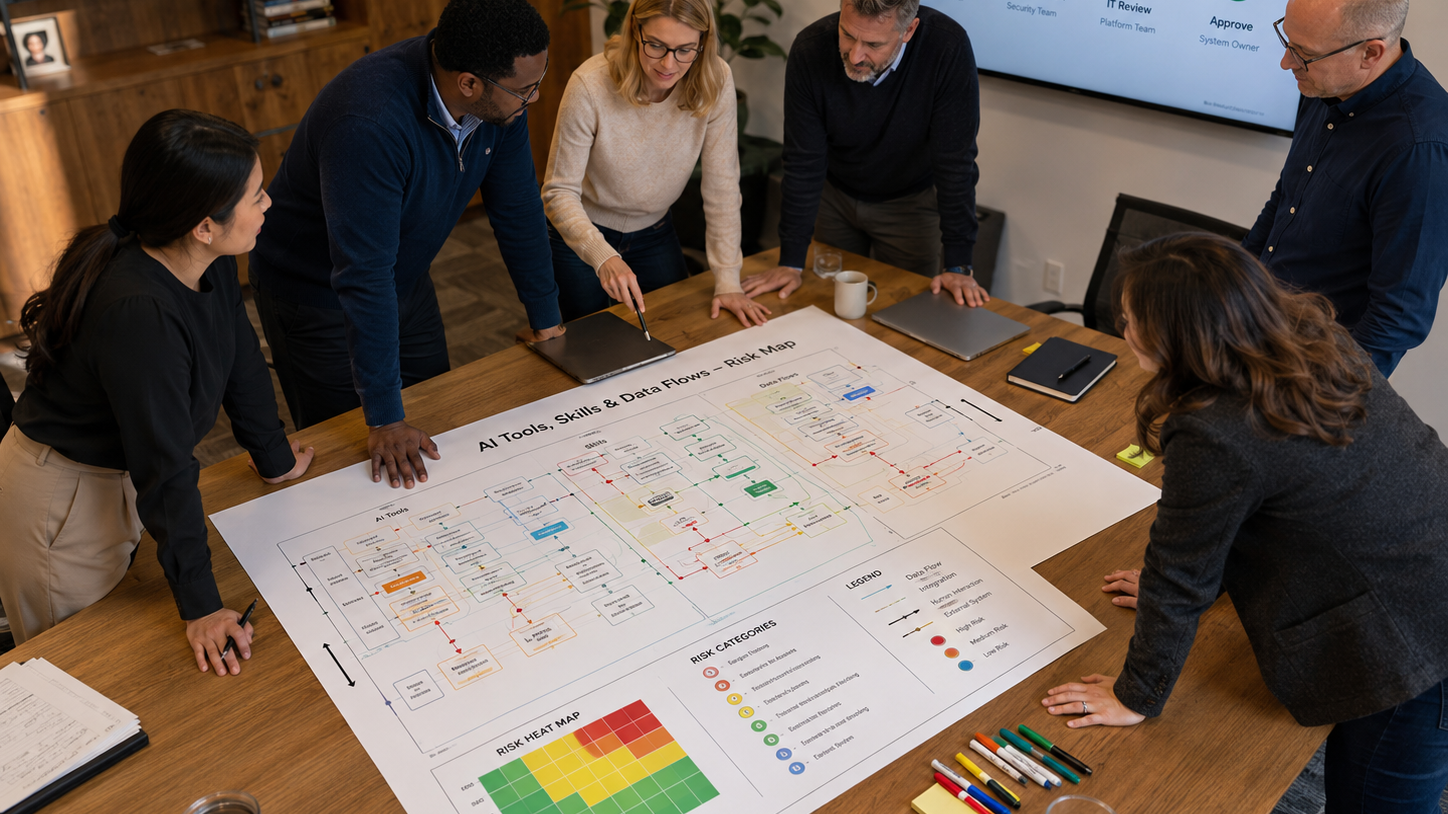
Figure 1. A secure lifecycle for reviewing and monitoring MCP servers and AI skills.
Step 2: Inspect Intent, Instructions, and Tool Definitions
Each skill or server should be examined for what it is explicitly and implicitly instructing the AI to do. Reviewers should look for hidden assumptions, attempts to override system instructions, requests for credentials, instructions to suppress logging, external data transfers, broad file access, or actions that bypass normal business approvals.
Security review should also examine tool descriptions and annotations. A tool labeled as read-only may still invoke an endpoint that can modify data. A skill that says it only summarizes documents may first copy them to an external service. Descriptions supplied by an untrusted server should be treated as claims that require verification.
The objective is not to decide whether the instructions sound professional. It is to identify the effective behavior produced when those instructions are combined with the assistant, identity, permissions, and downstream systems.
Step 3: Apply Least Privilege to Every Identity and Tool
MCP servers and skills should receive only the minimum functionality, permissions, and autonomy required for the approved use case. This means separating read from write access, limiting repositories and datasets, narrowing OAuth scopes, using short-lived tokens, and preventing credentials from being exposed to generated code or model context.
The official MCP security best practices recommend secure token handling, audience validation, encrypted storage, HTTPS, and least-privilege scopes. These controls reduce the damage that can follow if a connector, client, or credential is compromised.
Least privilege must apply to functionality as well as data. A document assistant that only needs to read a project folder should not receive tools that delete files, change permissions, or access unrelated drives. A ticketing skill that drafts an issue should not automatically receive authority to close incidents or modify production settings.
Step 4: Preserve Human Approval for High-Impact Actions
Human review is essential when an agent can publish information, transfer money, send external messages, delete records, change configurations, alter permissions, or take actions that create legal or operational commitments.
The OWASP guidance on excessive agency identifies excessive functionality, excessive permissions, and excessive autonomy as common root causes of damaging agent behavior. Human approval is one of several controls that can limit impact, especially when a model is reacting to ambiguous or manipulated input.
Approval should be specific enough to remain meaningful. Asking a user to approve an entire multi-step script can hide the actual high-risk action. A better design evaluates each consequential tool call against the permission granted for that workflow.
Step 5: Test the Complete Relationship Chain
Testing should cover more than whether the MCP server responds correctly. Security teams should test prompt injection, malicious documents, altered tool descriptions, stolen tokens, unexpected output, unavailable dependencies, and attempts to invoke tools outside the approved scope.
The test environment should reflect the real identity and permissions that will be used in production. A connector can appear safe in a restricted development tenant but create unacceptable risk when deployed with a privileged service account.
Red-team exercises should trace the complete path from instruction to business impact: input, model decision, skill selection, server call, identity, API, downstream system, and resulting data or action. This reveals where independent authorization and logging controls must exist.
Step 6: Classify Risk Using Context
Not every MCP server or skill requires the same response. Security teams need a contextual risk model that evaluates data sensitivity, identity privilege, exposed functionality, external connectivity, level of autonomy, business criticality, and potential blast radius.
A calendar lookup skill used by one employee may be acceptable with basic controls. A finance skill capable of creating payments through a shared administrative identity is fundamentally different. The server name does not determine the risk. The combination of access, authority, and impact does.
AIBound's article on the hidden AI attack surface argues that MCP servers, browser extensions, and agents must be mapped as part of the broader enterprise attack surface. Contextual classification lets teams distinguish ordinary productivity from toxic combinations that deserve restriction or isolation.
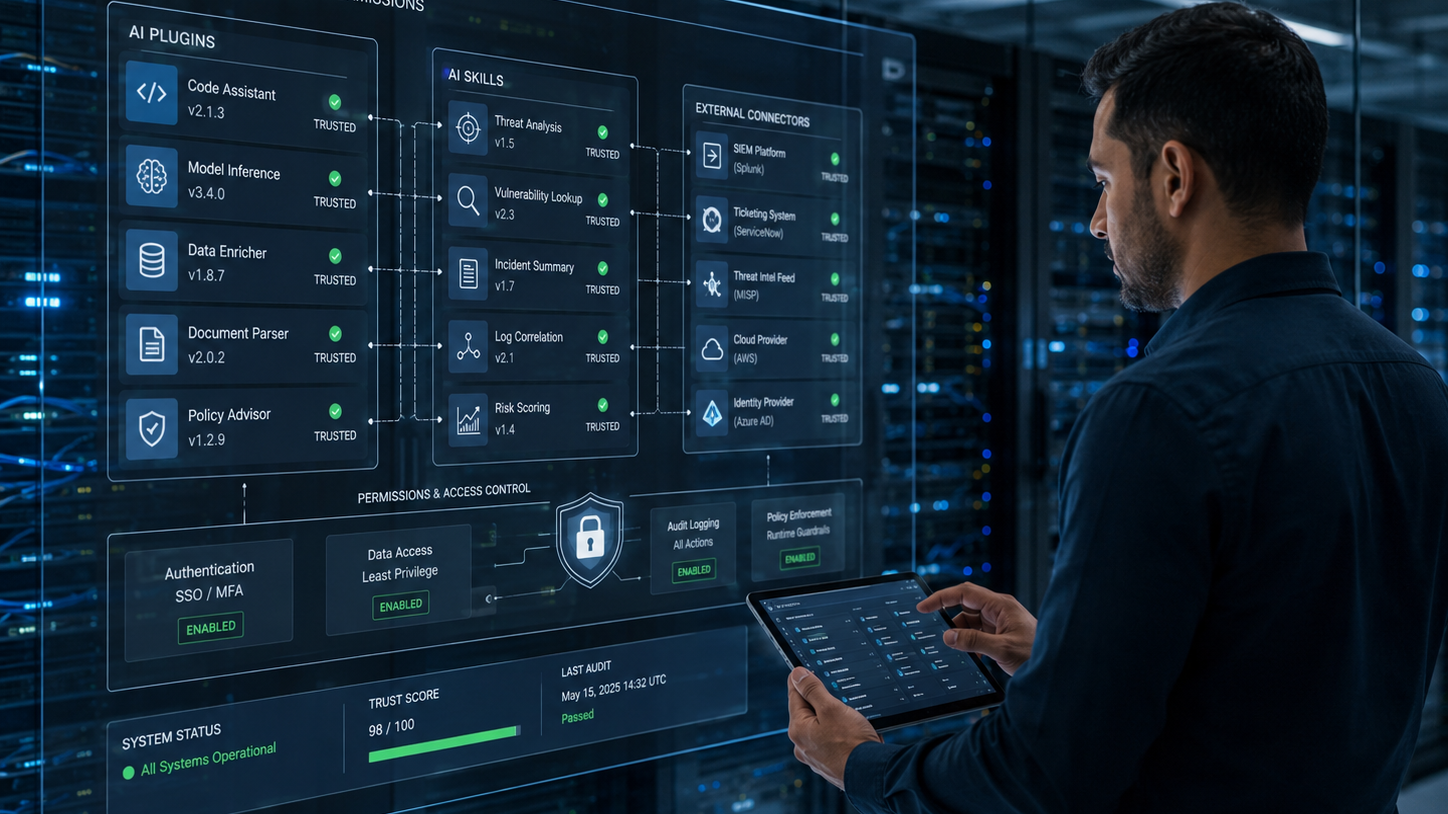
Figure 2. Risk should reflect both data sensitivity and the authority granted to the AI resource.
Step 7: Monitor After Approval
Approval is a point-in-time decision, while risk is continuous. A skill may be updated. A server may add a new tool. A token may gain a broader scope. A new external endpoint may appear. An employee may connect the same resource to more sensitive data.
Continuous monitoring should detect changes in instructions, tool definitions, permissions, owners, identities, traffic destinations, usage patterns, and policy status. The system should also preserve a history so reviewers can determine what changed and whether the original approval is still valid.
In AIBound's five-step high-risk AI video prevention, the process follows discovery, identity exposure, connection mapping, and risk measurement. That sequence reflects an important operating principle: enforcement is more accurate when it is based on a complete understanding of the resource and its relationships.
A Practical Approval Workflow
A scalable program should divide reviews by risk instead of forcing every connector through the same lengthy process. Low-risk resources can follow an expedited path, while privileged or externally exposed resources receive deeper technical review.

Figure 3. A pre-deployment checklist for connector and skill approval.
- Register the server or skill and assign owners.
- Document the business purpose, users, data, identity, tools, and environments.
- Inspect instructions, dependencies, endpoints, credentials, and tool behavior.
- Classify risk and identify mandatory controls.
- Test the complete workflow with realistic permissions and adversarial inputs.
- Approve, restrict, isolate, or block the resource.
- Monitor changes and automatically reopen the review when material conditions change.
Metrics That Show Whether the Program Works
Leaders should measure whether the organization is gaining control, not simply how many resources were blocked. Useful metrics include inventory coverage, ownership percentage, number of high-risk skills, privileged MCP identities, average review time, remediation aging, policy exceptions, repeated violations, and the percentage of common use cases supported by approved alternatives.
A healthy program should show faster approval for low-risk uses, fewer unknown owners, declining privileged access, and quicker remediation of high-impact findings.
Frequently Asked Questions
Do all MCP servers require a formal security review?
Every server should be inventoried and assigned an owner, but the depth of review should depend on context. A local development connector with no sensitive data can follow a lighter process than an internet-facing server connected to production systems.
Are AI skills the same as software plugins?
They can play a similar role, but their skills may include natural-language instructions that influence model behavior rather than just conventional code. That makes intent inspection and runtime testing particularly important.
Is an allowlist enough?
No. An approved server can become risky when its tools, permissions, identities, instructions, or connected data change. Allowlists should be combined with continuous context and monitoring.
Should security teams block MCP adoption until governance is mature?
A blanket block can drive adoption into less visible channels. A better approach is to provide approved servers, rapid review paths, least-privilege access, and clear controls for high-impact actions.
Conclusion
MCP servers and AI skills expand what enterprise AI can accomplish, but they also expand the number of instructions, identities, permissions, and systems that must be secured. Reviewing the model or application alone is not enough.
Enterprises need a continuous process to discover connectors, inspect intent, verify tool behavior, limit permissions, preserve human control, test the complete relationship chain, and monitor changes after approval.
The objective is not to prevent AI assistants from using enterprise systems. It is to make those connections visible, explainable, limited, and enforceable so employees can use powerful AI capabilities without turning every connector into an unmanaged path to sensitive data or high-impact action.
Editorial note: This article references AIBound product materials, AIBound video walkthroughs, and official security and regulatory guidance through contextual hyperlinks.

How Can CISOs Turn AI Governance Policies Into Real-Time Controls?
Most enterprises now have an AI policy. Far fewer have the operational systems required to enforce it. The policy may state that employees cannot enter sensitive data into unapproved models, that high-risk systems require review, or that autonomous actions need human oversight. Yet security teams often cannot see every AI resource, connect it to the correct owner, identify what data it reaches, or apply a consistent response.
This gap between written policy and live operations is becoming the central challenge of enterprise AI governance. AI adoption spans browsers, SaaS applications, developer tools, local models, cloud services, agents, plugins, and MCP servers. A quarterly questionnaire cannot keep pace with that environment.
AIBound positions its platform as an AI control layer that discovers AI resources across the enterprise, exposes identities, maps data connections, measures risk, and prevents high-risk activity. The value of that model is not simply product visibility. It illustrates the operating capabilities required to turn governance from documentation into control.
The direct answer is that CISOs should build governance as a continuous loop: define policy and ownership, map the real AI ecosystem, measure risk in business context, enforce proportionate controls, and report whether exposure is actually declining.
Why AI Governance Fails When It Is Treated as a Policy Project
A policy can define expectations, but it cannot detect a newly installed browser extension, identify an agent using a privileged service account, or prevent sensitive data from reaching an unapproved model. Those outcomes require telemetry, context, workflows, and enforcement.
Policy-only programs also tend to create one universal rule for many different use cases. A public-content writing assistant is not equivalent to an autonomous agent connected to customer records. When governance cannot distinguish those contexts, it either becomes too weak to matter or so restrictive that employees find workarounds.
The goal, therefore, is not more policy language. It is an operating model that can translate policy into repeatable decisions for every AI resource.
Start With a Shared Enterprise AI Taxonomy
Governance becomes inconsistent when different teams use the word AI to describe completely different things. Security, privacy, legal, engineering, procurement, and business leaders need a shared taxonomy that covers user-layer applications, developer tools, local models, embedded SaaS features, agents, plugins, skills, MCP servers, and model APIs.
AIBound's enterprise AI governance framework describes the need to govern the full AI ecosystem rather than only approved SaaS products or major model providers. A common taxonomy enables assigning the right owner, review path, and controls to each category.
The taxonomy should also distinguish whether a system only generates content, retrieves internal information, recommends an action, or independently executes it. Autonomy changes the risk and the evidence required for approval.
Define Ownership Before Defining Exceptions
Every material AI resource should have a business owner and a technical owner. The business owner explains the value, affected process, and acceptable impact. The technical owner explains deployment, integrations, identities, data, monitoring, and remediation.
Unknown ownership should prevent permanent approval. Without a named owner, no one is accountable for validating changes, responding to incidents, renewing exceptions, or retiring the system when the original use case ends.
A central AI governance council can define standards, but it should not become the owner of every resource. Ownership must remain close to the team that benefits and understands the operational consequences.
Build a Living AI Inventory
The inventory is the foundation of operational governance. It should include applications, agents, models, browser extensions, plugins, skills, MCP servers, APIs, and embedded features, whether sanctioned or unsanctioned.
Each record should show owner, purpose, users, environment, identity, permissions, data categories, connected systems, external exposure, autonomy, approval status, risk score, controls, and review history.
In AIBound's video overview of enterprise AI security, the security problem is presented as a sequence that begins with discovering AI and continues through identity, connections, risk, and prevention. The sequence matters because inventory without a relationship context cannot support accurate governance decisions.
A living inventory should update continuously from browser, endpoint, network, identity, cloud, code, and SaaS signals. Manual attestations can add business context, but they should not be the only discovery method.

Figure 1. The Govern, Map, Measure, and Manage functions as a continuous operating loop.
Translate Policy Into Machine-Enforceable Rules
Each major policy statement should be converted into conditions that systems can evaluate. For example, a rule stating that unapproved AI cannot process regulated data must connect data classification, application approval status, user identity, and traffic or activity signals.
A rule requiring human oversight should specify which actions are high-impact, what evidence of approval is required, and where the downstream system independently verifies authorization.
A rule restricting privileged AI should define what counts as a privileged identity, which environments are in scope, and whether read-only access is acceptable. Clear conditions reduce subjective enforcement and make exceptions auditable.
Measure Risk in Business Context
Flat alerts do not provide a governance program with useful priorities. Risk should be calculated from combinations of conditions such as data sensitivity, identity privilege, autonomy, external exposure, business criticality, regulatory relevance, vulnerability, and blast radius.
AIBound's article on AI risk classification and scoring argues that classification creates the foundation for prioritization. A public marketing chatbot and an externally exposed model connected to customer financial data should not receive the same response.
Risk scoring must also be explainable. The owner should be able to see which factors produced the score and which remediation will reduce it. A score without an understandable path to action becomes another alert.

Figure 2. Governance maturity depends on both visibility and the ability to enforce decisions.
Use the NIST Functions as an Operating Loop
The NIST AI Risk Management Framework organizes AI risk management around Govern, Map, Measure, and Manage. These functions can be used as a continuous operating loop rather than a one-time compliance exercise.
Govern establishes accountability, policy, culture, and decision rights. The map identifies the system, context, affected people, data, and dependencies. The measure evaluates risk, performance, trustworthiness, and control effectiveness. Manage prioritizes treatment, accepts or reduces risk, monitors outcomes, and improves the program.
Operational governance connects these functions to live evidence. Discovery supports Map. Contextual scoring supports Measure. Policy enforcement and remediation support. Ownership and reporting support Govern.
Apply Proportionate Enforcement
Governance should support several outcomes rather than a simple allow-or-block decision. A resource may be approved, approved with monitoring, restricted to specific departments, limited to enterprise accounts, prevented from processing certain data, reduced to read-only access, placed behind human approval, isolated for testing, or blocked.
The AIBound homepage describes real-time prevention as the final step after discovery, identity exposure, connection mapping, and risk measurement. This ordering helps avoid blunt controls that block useful AI because they lack context.
The best policy is often a secure path to yes. When employees repeatedly request the same unapproved capability, governance should evaluate whether an enterprise version or approved alternative can meet the need. Shadow adoption is frequently a signal that the sanctioned process is too slow or the current toolset is incomplete.
Create a Fast and Defensible Approval Process
A tiered review model can reduce friction. Low-risk tools that use public data and require no privileged access may receive rapid approval. Moderate-risk tools may require privacy, vendor, and security checks. High-risk systems involving sensitive data, consequential decisions, autonomous actions, or production access should receive deeper architecture, testing, and executive review.
Every approval should record the owner, purpose, data, identities, permissions, controls, residual risk, expiry date, and conditions for re-review. Exceptions should expire automatically unless the owner revalidates the need.
The process should define triggers that reopen an assessment, including new data access, new tools, expanded permissions, a different model provider, external exposure, material incidents, or a change from recommendation to autonomous execution.
Prepare for Regulatory and Audit Evidence
The European Union AI Act establishes a risk-based legal framework for AI. Even organizations outside the EU may need to understand how their systems, providers, and uses fit regulatory obligations when they operate in or affect European markets.
Operational evidence should show which systems exist, who owns them, what purpose they serve, how risk was assessed, which controls were applied, when reviews occurred, how incidents were handled, and whether monitoring continues.
Governance teams should avoid building a separate evidence process for every framework. A well-structured inventory, decision history, risk model, control mapping, and remediation record can support multiple internal and external requirements.
Report What Executives Need to Know
Executives do not need a long list of every AI application. They need a clear view of business exposure, control effectiveness, unresolved risk, and whether secure adoption is improving.
Useful measures include inventory coverage, ownership percentage, high-risk AI touching sensitive data, privileged agent identities, policy violations, remediation aging, exception volume, approved-versus-unapproved adoption, and risk trend by business unit.
AIBound's Guardian risk registry announcement emphasizes a continuously updated risk context rather than static application lists. Whether an organization uses Guardian or another approach, the reporting principle is important: risk changes as vendors, vulnerabilities, permissions, and usage change.

Figure 3. Executive reporting should focus on exposure, ownership, remediation, and control effectiveness.
Integrate Governance With Existing Security Operations
AI governance should not create a separate queue that analysts monitor manually. Findings should flow into existing SIEM, ticketing, identity, endpoint, cloud, data-security, and GRC workflows.
Security operations should know which AI events require investigation, which can be automatically contained, and which should be routed to an application owner. Identity teams should be able to reduce scopes or revoke credentials. Procurement should know when an unapproved product has become widely used. Privacy teams should receive cases involving personal or regulated data.
In AIBound's discussion of the enterprise AI security gap, the emphasis is on understanding which tools are in use, what they can access, and where exposure is greatest. Integrating those answers into normal security workflows is what turns visibility into operational governance.
A 90-Day Implementation Roadmap
During the first 30 days, define the taxonomy, decision owners, high-risk criteria, and minimum inventory fields. Connect available telemetry and identify the most widely used AI resources.
During days 31 to 60, assign owners, map identities and data connections, establish contextual scoring, and pilot tiered approval for a small number of business units.
During days 61 to 90, enforce the highest-priority controls, publish approved alternatives, integrate findings with ticketing and response workflows, and launch executive reporting.
The aim is measurable control, not a perfect policy library. Governance should improve iteratively as discovery reveals how employees and systems actually use AI.
Frequently Asked Questions
Does AI governance belong to security, legal, or IT?
It requires all three, along with privacy, risk, procurement, engineering, and business ownership. Security can operate the visibility and control layer, but decisions about acceptable use and impact need cross-functional accountability.
Should every AI tool receive a formal risk assessment?
Every material resource should be inventoried and classified. The depth of assessment can be proportional to data sensitivity, permissions, autonomy, exposure, and business impact.
Can existing GRC software manage operational AI governance?
GRC platforms can document policies, controls, owners, risks, and evidence. They usually need current telemetry and technical findings from other systems to remain accurate.
How can governance avoid slowing adoption?
Use tiered reviews, approved tool catalogs, clear data rules, enterprise licenses, limited pilots, and automated evidence collection. Make the secure path faster than the workaround.
Conclusion
Enterprise AI governance succeeds when policy, visibility, context, enforcement, and reporting work together as a single system. A written rule that cannot be measured or enforced provides limited protection. A control that lacks business context may unnecessarily block productive work.
CISOs should build a continuous loop that governs ownership and decision rights, maps the real AI ecosystem, measures risk using data and identity context, manages exposure through proportionate controls, and reports whether the organization is becoming safer.
The result is not an AI program built around saying no. It is an operational governance model that allows the enterprise to adopt AI quickly while maintaining accountability for what each resource can access, decide, and do.
Editorial note: This article references AIBound product materials, AIBound video walkthroughs, and official security and regulatory guidance through contextual hyperlinks.

How Can Security Teams Control the Hidden AI Attack Surface?
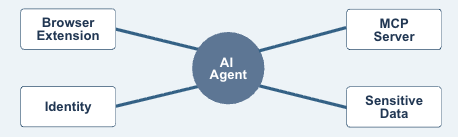
The enterprise AI attack surface is expanding beyond the chatbots employees open in a browser. AI agents now connect to internal tools, browser extensions can read the pages employees visit, coding assistants operate inside development environments, and Model Context Protocol servers expose data and actions to AI clients.
Each component may appear legitimate when viewed alone. The risk emerges when the components are connected. A browser extension may pass information to an external model. An agent may use an MCP server to reach a database. A coding tool may inherit repository credentials. A plugin may add a new action that security teams never reviewed.
This creates a visibility problem for security teams. Endpoint tools see installations. Network tools see traffic. Identity platforms see accounts and roles. Cloud tools see workloads. Yet no single traditional control necessarily shows the complete AI workflow from user to model to connector to sensitive system.
AIBound’s YouTube and website materials describe a five-step response: discover AI resources, expose the identities they use, map their data connections, measure risk, and prevent high-risk activity. AIBound explains this process in its YouTube video, 5 Steps to Discover, Score, and Prevent High-Risk AI, which provides a concise visual introduction to that operating model.
To secure the hidden AI attack surface, enterprises must treat agents, extensions, plugins, models, skills, and MCP servers as first-class security assets rather than informal add-ons.
What Is the Hidden AI Attack Surface?
The AI attack surface includes every component through which an AI system receives instructions, accesses information, authenticates to services, invokes tools, stores context, and produces actions. The visible AI application is only the front end.
Common components include:
- Public and enterprise AI applications
- AI-powered browser extensions
- Coding copilots and IDE extensions
- Local and cloud-hosted models
- Autonomous and semi-autonomous agents
- Plugins, tools, and reusable agent skills
- MCP clients and MCP servers
- Model APIs and AI gateways
- Service accounts, OAuth grants, and API keys
- Vector databases, data pipelines, and retrieval systems
- Workflow platforms that trigger downstream actions
A security review that inventories only approved models will miss much of this environment. The same model can be used safely in one workflow and dangerously in another, depending on the connector, identity, data, and permissions involved.
AIBound’s resource on MCP servers, AI agents, and browser extensions frames the problem as a distributed attack surface. An agent may run in the cloud, connect to an MCP server in a developer environment, use SaaS APIs, and be accessed through a browser extension. Each part may be visible in a different tool, while the complete chain remains hidden.
For a deeper technical overview, read AIBound’s guide to MCP servers, AI agents, and browser-extension risk.
Why MCP Servers Require Security Attention
Model Context Protocol makes it easier for AI clients to connect with tools and data sources. That interoperability can accelerate useful automation, but it also means that an MCP server can become a bridge between an AI system and sensitive enterprise capabilities.
The official MCP security guidance emphasizes authorization, secure implementation, and protection against attack paths such as confused-deputy problems, token misuse, and unsafe local server installation. The core lesson is that a connector should never be treated as trusted simply because it uses a standard protocol.
Security teams should understand what each MCP server exposes, which client can call it, which identity it uses, what permissions it grants, where it sends data, and whether high-impact actions require approval.
High-risk MCP patterns include:
- Servers exposed to the public internet without a clear business need
- Connectors that request broad OAuth scopes
- Local servers installed through opaque commands
- Servers that pass tokens to downstream systems unnecessarily
- Tools that can modify or delete records without confirmation
- Connectors without a named owner or review date
- MCP servers that expose regulated or highly confidential data
- Third-party servers that change functionality without enterprise review
Why Browser Extensions Are Easy to Miss
Browser extensions sit close to the employee’s daily work. Depending on their permissions, they may read webpage content, observe browsing activity, access forms, modify pages, or communicate with external services. When AI is added, the extension may summarize, classify, rewrite, or transmit information from internal applications.
The security concern is not that every AI extension is malicious. It is that employees can add extensions quickly, permissions are often broad, and the business context may be invisible to the security team. An extension used on public websites presents a different risk from the same extension operating inside an HR portal, customer database, or administrative console.
A complete review should examine the extension publisher, requested permissions, update behavior, external endpoints, data-retention practices, enterprise account controls, user population, and the internal sites on which it operates.
Why AI Agents Change the Impact of a Security Failure
Agents can make decisions about which tools to call and which steps to perform. This creates efficiency, but it also means a manipulated or poorly configured agent may take a series of actions rather than produce one unsafe output.
OWASP’s guidance on Excessive Agency highlights three root causes: excessive functionality, excessive permissions, and excessive autonomy. An agent becomes especially dangerous when all three are present. It can reach many systems, perform high-impact operations, and act without meaningful human confirmation.
The attack surface therefore includes not only software vulnerabilities but also natural-language instructions, tool descriptions, stored memory, retrieved documents, peer agents, and external content that may influence the agent’s behavior.
The Six Questions That Reveal Hidden AI Risk
1. What AI Resources Exist?
Inventory applications, extensions, models, APIs, agents, plugins, skills, MCP servers, and embedded AI features. Discovery should span browsers, endpoints, networks, cloud environments, code repositories, and SaaS applications.
2. Who or What Operates Them?
Map every resource to employees, departments, service accounts, API keys, OAuth applications, cloud roles, and machine identities. Ownership should be explicit.
3. What Can They Reach?
Identify datasets, applications, repositories, files, infrastructure, and external services. Include indirect access through connectors and inherited user permissions.
4. What Can They Do?
Distinguish between read, write, modify, delete, publish, deploy, transfer, and financial actions. A tool that can only retrieve public information is not equivalent to one that can change production systems.
5. How Autonomous Are They?
Determine whether a person approves each action, approves only the goal, or is not involved. Review whether the downstream application independently enforces authorization and transaction limits.
6. What Is the Potential Blast Radius?
Estimate the number of users, systems, records, customers, or workflows that could be affected. This context helps security teams prioritize risk rather than treating every discovered tool as equally urgent.
A Five-Step Program for AI Attack Surface Security
Step 1: Establish Continuous Discovery
Connect telemetry from browser, endpoint, network, identity, code, and cloud systems. Continuous discovery matters because AI resources appear and change faster than annual assessments can capture.
Step 2: Build a Relationship Map
Create a graph of AI resources, identities, connectors, datasets, and actions. The goal is to see the entire workflow, not isolated assets. This is where dangerous combinations become visible.
Step 3: Classify and Score Risk
Consider resource security, data sensitivity, identity privilege, permissions, autonomy, exposure, ownership, and blast radius. AIBound describes A–F risk grades designed to turn large inventories into prioritized decisions.
Step 4: Apply Proportionate Controls
Allow low-risk tools, monitor uncertain uses, restrict sensitive data, require enterprise accounts, reduce permissions, disable unsafe connectors, require human approval, or block resources whose risk cannot be reduced.
Step 5: Monitor for Change
Track new extensions, server updates, expanded scopes, new tools, changed model providers, unusual traffic, dormant credentials, and new data connections. Approval should be treated as a monitored state, not a permanent conclusion.
The NIST AI Risk Management Framework offers a useful governance structure for turning this discovery data into repeatable risk decisions.
Additional AIBound resources cover Shadow AI discovery, governance, risk scoring, and real-time prevention.
How to Secure Each Layer Without Replacing the Security Stack
Browser and Endpoint
Use existing browser management and endpoint controls to identify applications, extensions, local models, and agents. Correlate installation data with the user, department, internal sites accessed, and resource risk.
Network
Monitor DNS, proxy, gateway, and API traffic for AI services, model endpoints, connector communication, and unexpected data movement. Network visibility can reveal services that leave no installed application on a managed device.
Identity
Map AI resources to human and machine identities. Review OAuth grants, cloud roles, service accounts, shared accounts, API keys, and token lifetimes. Reduce access according to task and business impact.
Code and Development
Identify coding assistants, IDE extensions, model SDKs, agent frameworks, and MCP configurations. Protect secrets, separate test and production access, and require review before agents can modify or deploy code.
Cloud and SaaS
Inventory hosted models, AI services, data pipelines, embedded copilots, and autonomous workflows. Watch for vendors activating new AI features inside applications that were approved before those features existed.
Workflow and Governance
Push findings into existing ticketing, SIEM, orchestration, and governance platforms. The security team should not need to manage a separate manual process for every AI resource. Evidence of ownership, review, policy, and remediation should be retained for leadership and audit needs.
A 60-Day Action Plan
Days 1–15: Discover and Prioritize
Connect available telemetry, create the first inventory, and identify resources that combine privileged identities, sensitive information, external exposure, or autonomous action. Do not wait for perfect coverage before investigating obvious high-risk combinations.
Days 16–30: Assign Ownership and Map Connections
Name business and technical owners. Document MCP servers, plugins, tools, identities, datasets, permissions, and external model providers. Remove abandoned resources and unnecessary credentials.
Days 31–45: Implement Guardrails
Reduce permissions, restrict browser extensions, require enterprise accounts, apply data controls, isolate test environments, add approval checkpoints, and block clearly unacceptable resources.
Days 46–60: Operationalize Monitoring
Create alert thresholds, ticket workflows, exception processes, executive reporting, and recurring reviews. Publish approved alternatives so employees can continue using AI productively without creating new blind spots.
Metrics Security Leaders Should Track
Useful metrics include total AI resources discovered, resources without owners, AI extensions with broad permissions, publicly exposed MCP servers, agents with privileged access, tools connected to sensitive data, resources without human approval controls, average remediation time, repeated policy violations, newly discovered connections, and changes in risk grades over time.
These measures help leadership understand whether the attack surface is becoming more visible and controlled, even as the organization adopts more AI.
Frequently Asked Questions
Is every MCP server high risk?
No. Risk depends on exposure, identity, permissions, data sensitivity, actions, ownership, and monitoring. A narrowly scoped internal server with strong authorization presents a different risk from a public server connected to confidential systems.
Are enterprise-approved AI applications automatically safe?
Approval reduces uncertainty, but risk can change when a vendor adds new models, plugins, permissions, data uses, or autonomous features. Sanctioned AI should remain continuously monitored.
Can an organization secure AI using only network controls?
Network controls are valuable, but they may not explain which identity is involved, what a browser extension can read, which permissions an agent inherited, or what an MCP server exposes. Multiple telemetry layers need to be correlated.
What should be blocked immediately?
Prioritize resources with clearly unacceptable combinations, such as unowned public connectors to sensitive systems, agents using administrative credentials without approval, extensions transmitting confidential data, or tools designed to bypass policy. Other resources may be restricted or reviewed rather than blocked automatically.
Conclusion
The hidden AI attack surface is not one new category of software. It is a connected ecosystem of applications, agents, identities, extensions, models, tools, skills, MCP servers, and enterprise data.
Security teams need to see how those components work together. Discovery creates the inventory. Identity and connection mapping reveal authority and exposure. Contextual scoring identifies the risks that matter most. Proportionate controls allow safe use to continue while dangerous combinations are stopped.
As AI becomes more autonomous, the central security question will not be only “Which model is in use?” It will be “Which system is acting, under whose authority, with access to what, and how quickly can we intervene?”
To see which agents, extensions, models, and MCP servers are operating in your environment, request an AIBound Shadow AI Risk Report.